

Overview
The Lifecycle Management module allows teams to control how assets transition across different operational states — from staging to decommissioning — while maintaining full visibility and context. It ensures assets are never lost, supports recovery when needed, and preserves security and ownership data across the entire lifecycle.Staged Assets

Empty state indicating no assets are currently staged
Key Behavior
- Assets can be reviewed before activation
- Prevents unverified assets from entering active inventory
- Displays an empty state when no assets are staged
Decommissioned Inventory
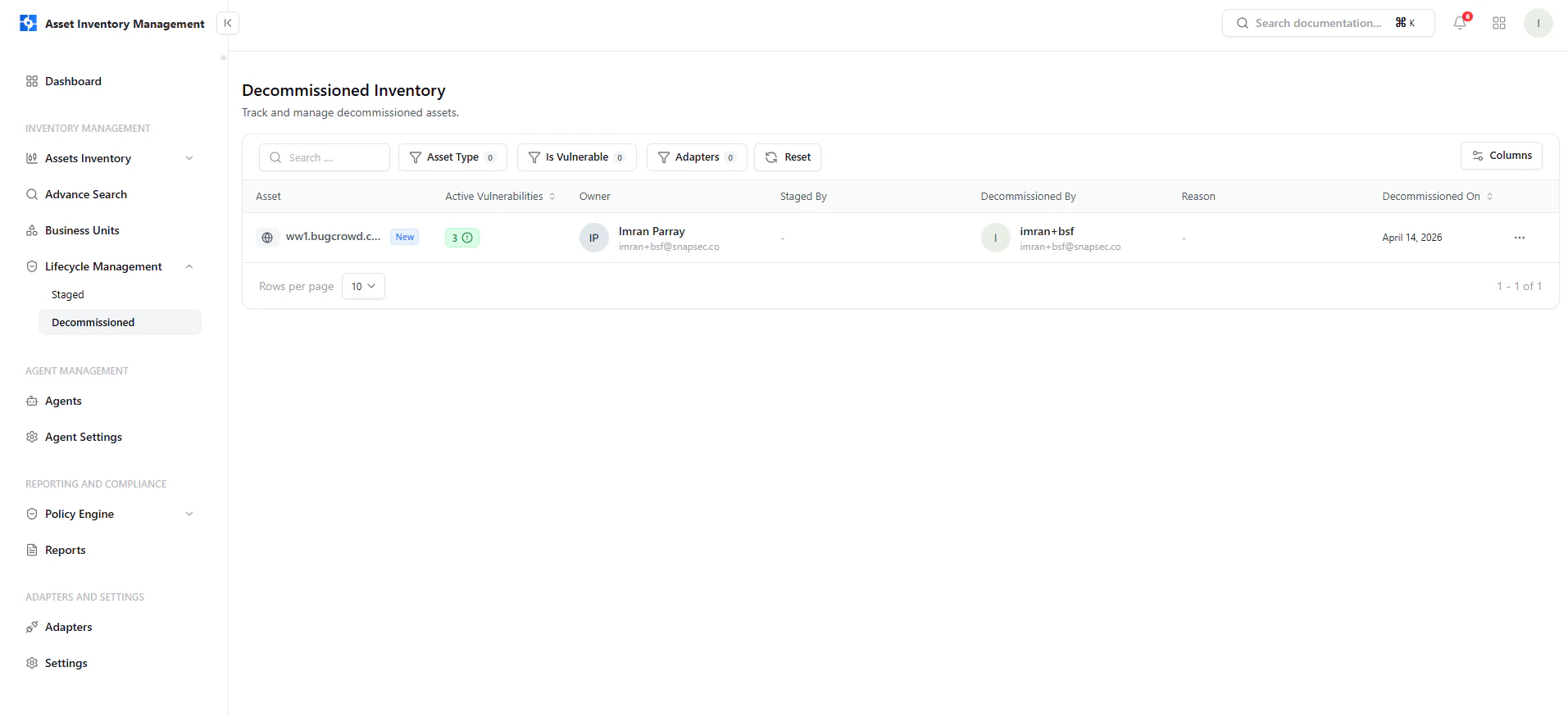
Decommissioned inventory showing asset details, ownership, vulnerabilities, and lifecycle metadata
What You Can See
- Asset name and type
- Active vulnerabilities at time of decommission
- Owner and ownership details
- Who decommissioned the asset
- Decommission date
Restoring Assets
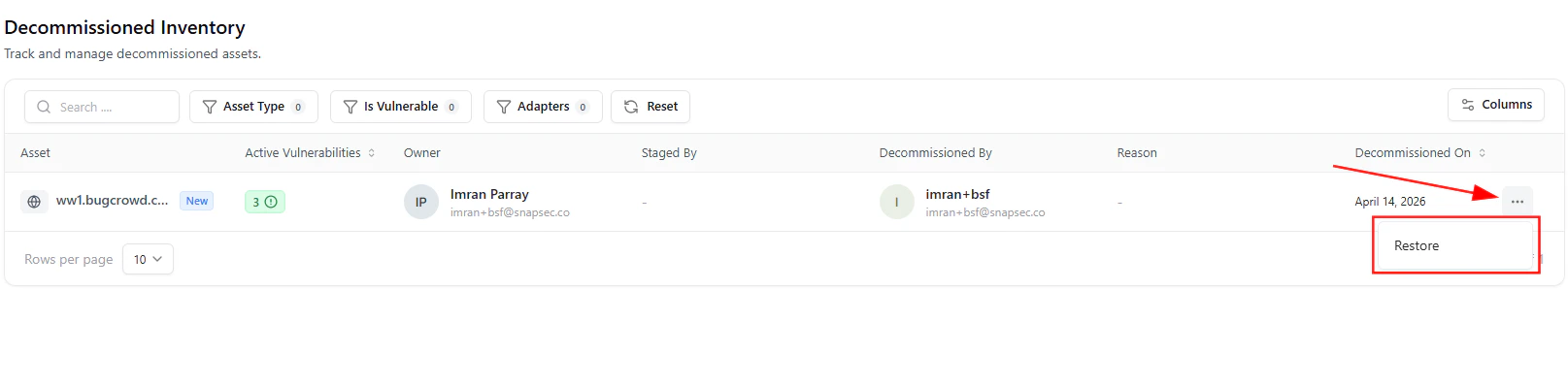
Restore action available from the asset menu
How It Works
- Click the three-dot menu (⋯)
- Select Restore
- Asset returns to active inventory
Lifecycle State Control
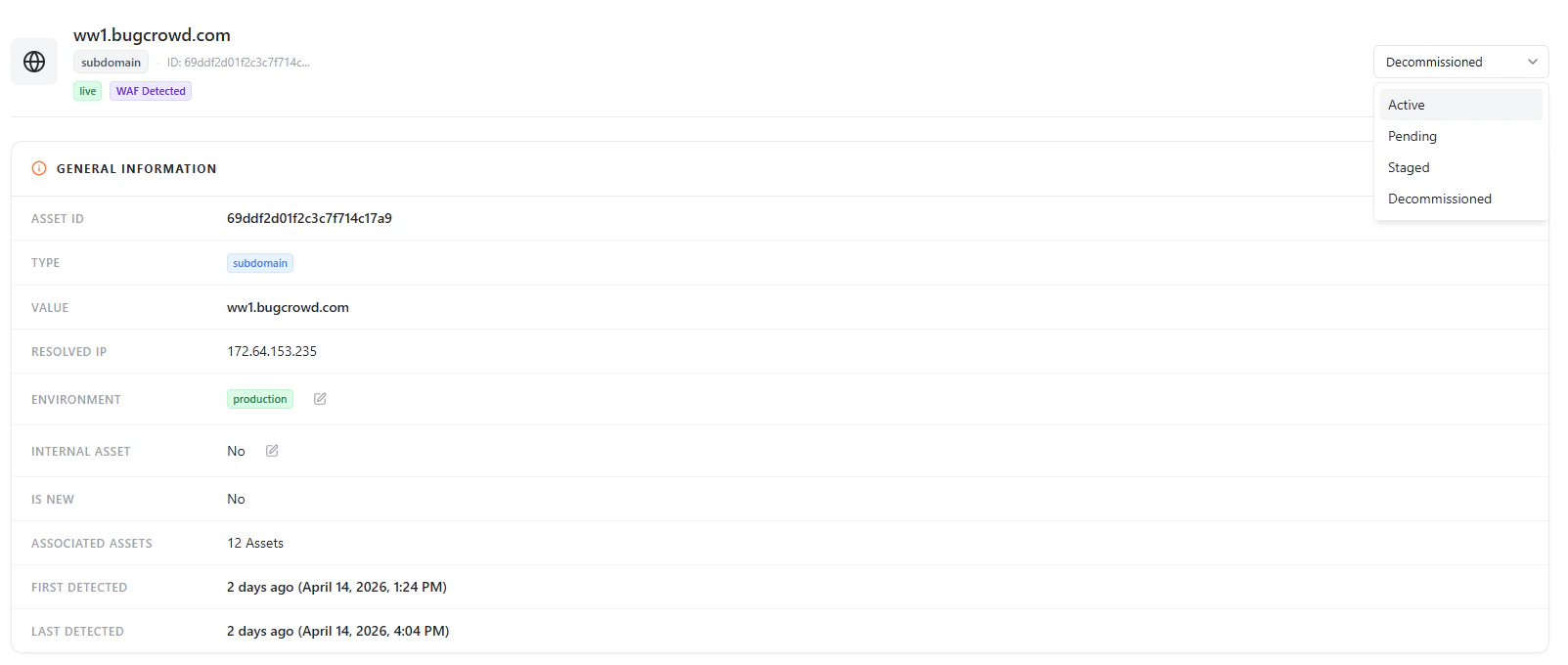
Lifecycle state selector with Active, Pending, Staged, and Decommissioned options
Available States
- Active — Fully operational and monitored
- Pending — Newly discovered and under review
- Staged — Prepared but not yet active
- Decommissioned — Retired but retained for visibility
General Asset Information
Asset overview including type, value, environment, and detection timeline
Includes
- Asset ID and type
- Asset value (domain/IP)
- Environment classification
- Internal vs external designation
- Associated assets
- First and last detection timestamps
Subdomain & Exposure Details
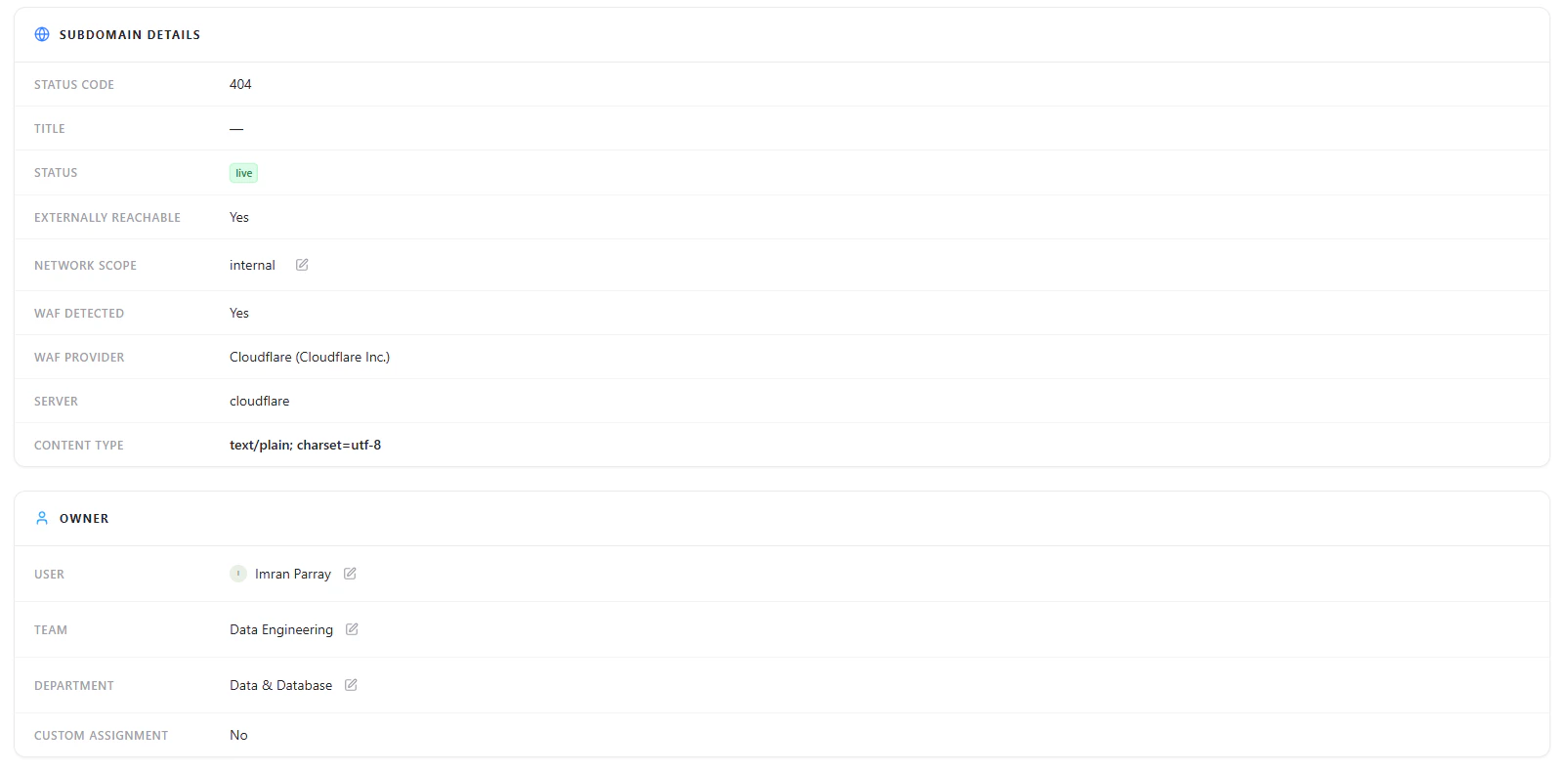
Subdomain details showing status, reachability, and WAF detection
Key Insights
- HTTP status code
- External reachability
- WAF presence and provider
- Network scope
Ownership & Accountability
Ownership details including assigned user, team, and department
Includes
- Assigned user
- Team
- Department
- Custom assignment status
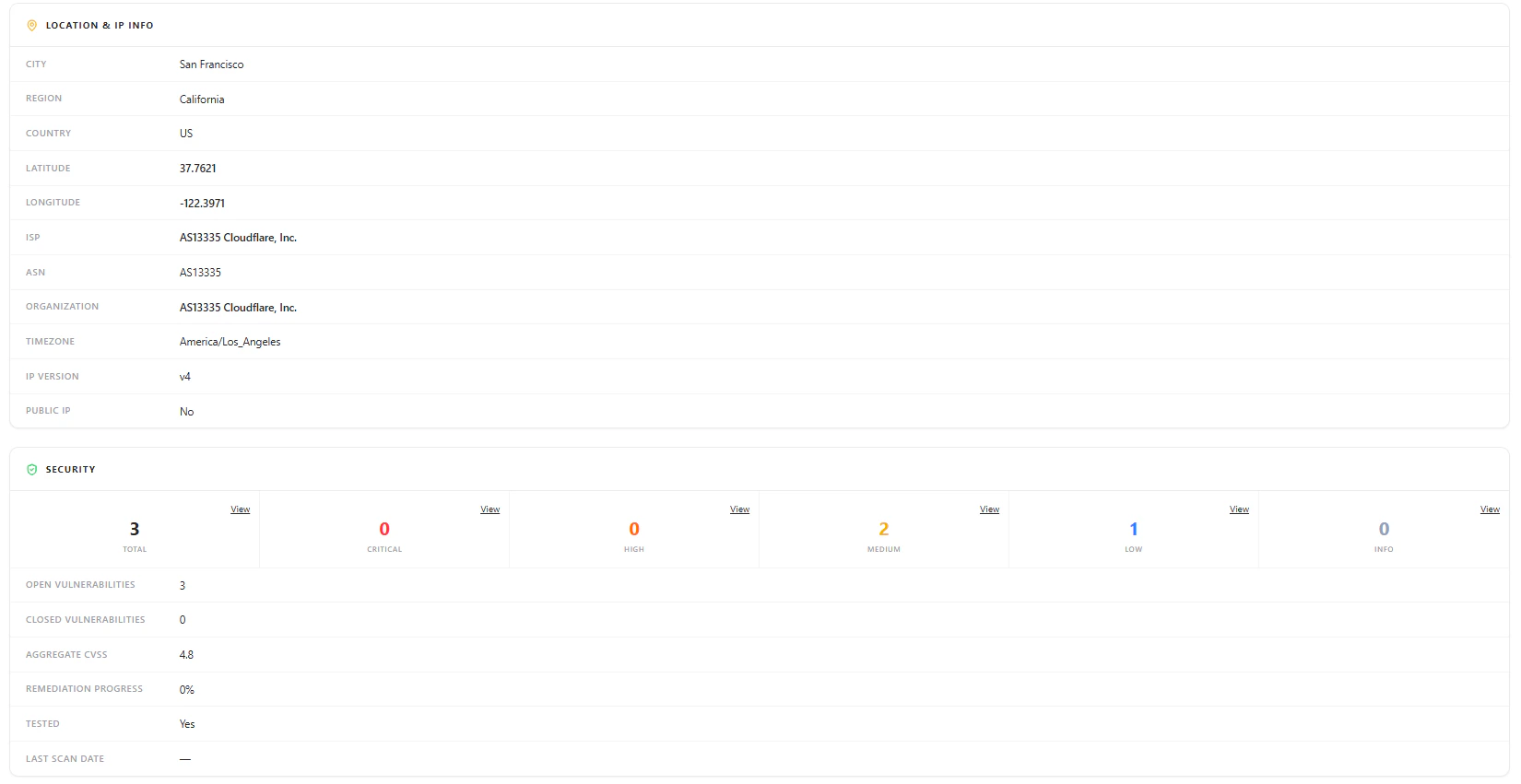
Location & Infrastructure Data
Geolocation, ISP, ASN, and infrastructure metadata
Data Points
- City, region, country
- Latitude and longitude
- ISP and ASN
- Organization and timezone
- IP version and exposure
Security Overview
Security panel showing vulnerabilities, severity distribution, and remediation metrics
Includes
- Total vulnerabilities
- Severity breakdown (Critical, High, Medium, Low, Info)
- Open vs closed vulnerabilities
- Aggregate CVSS score
- Remediation progress
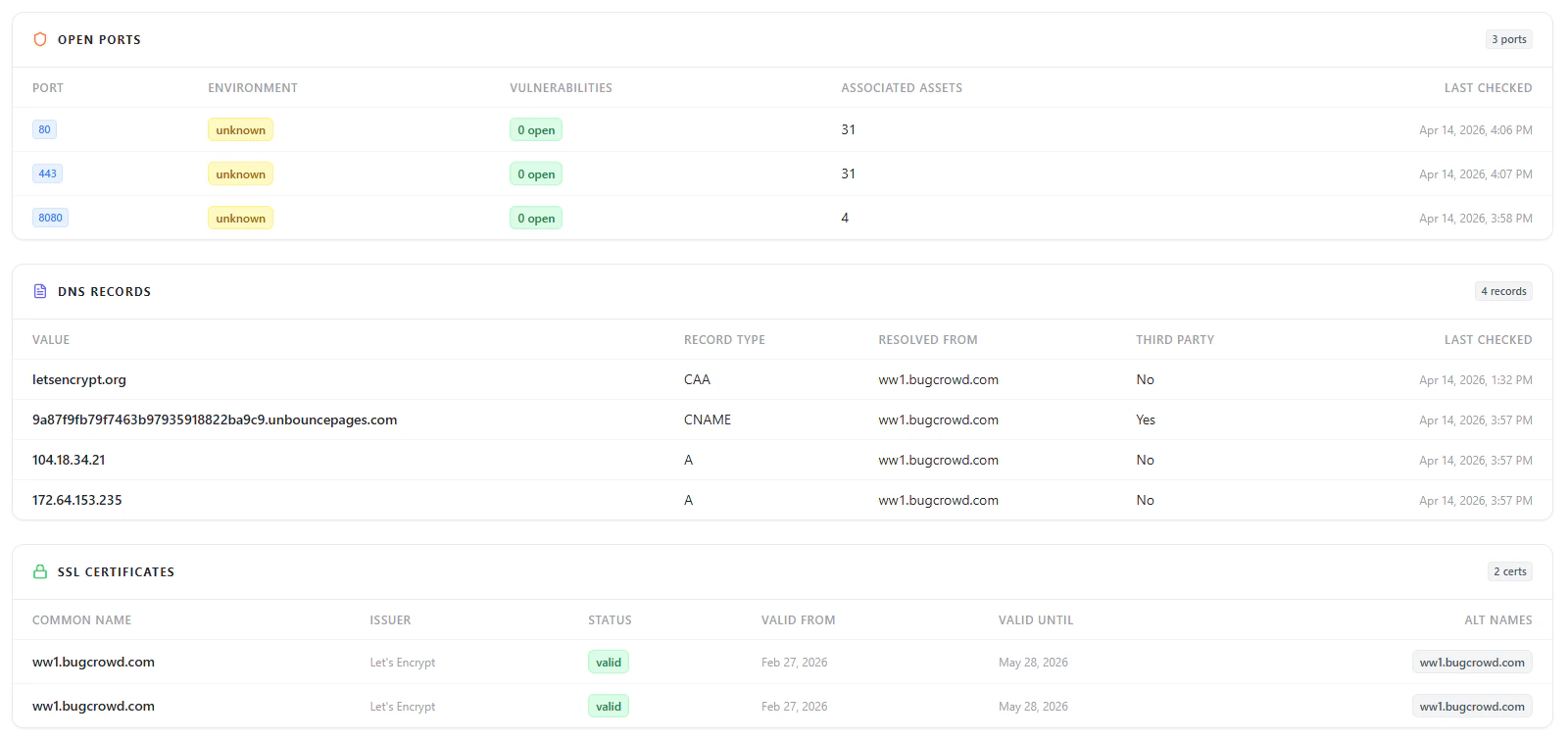
Open Ports
Open ports with exposure and associated asset mapping
DNS Records
DNS records including A, CNAME, and resolution paths
SSL Certificates
SSL certificate details including issuer, validity, and expiration
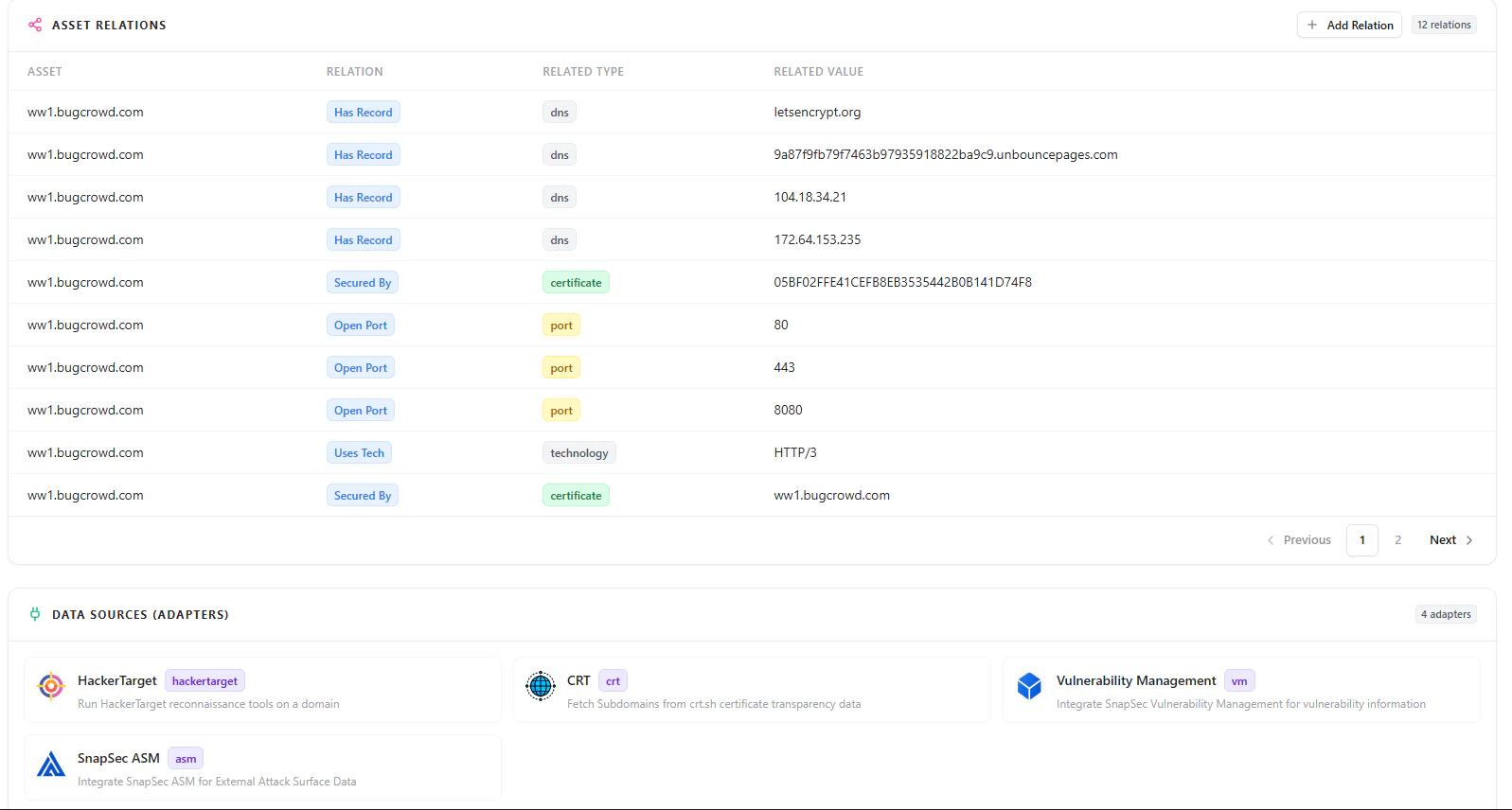
Asset Relationships
Relationships between assets including DNS, ports, certificates, and technologies
Data Sources
Adapters contributing asset intelligence such as ASM, CRT, and vulnerability data
Why This Matters
- Prevents orphaned and unmanaged assets
- Enables safe decommissioning without losing context
- Allows quick restoration of critical assets
- Maintains full lifecycle visibility across infrastructure
- Preserves security, ownership, and operational history