

Overview
Advanced Search enables precise filtering across your entire asset inventory using structured and nested query logic.1. Access Advanced Search
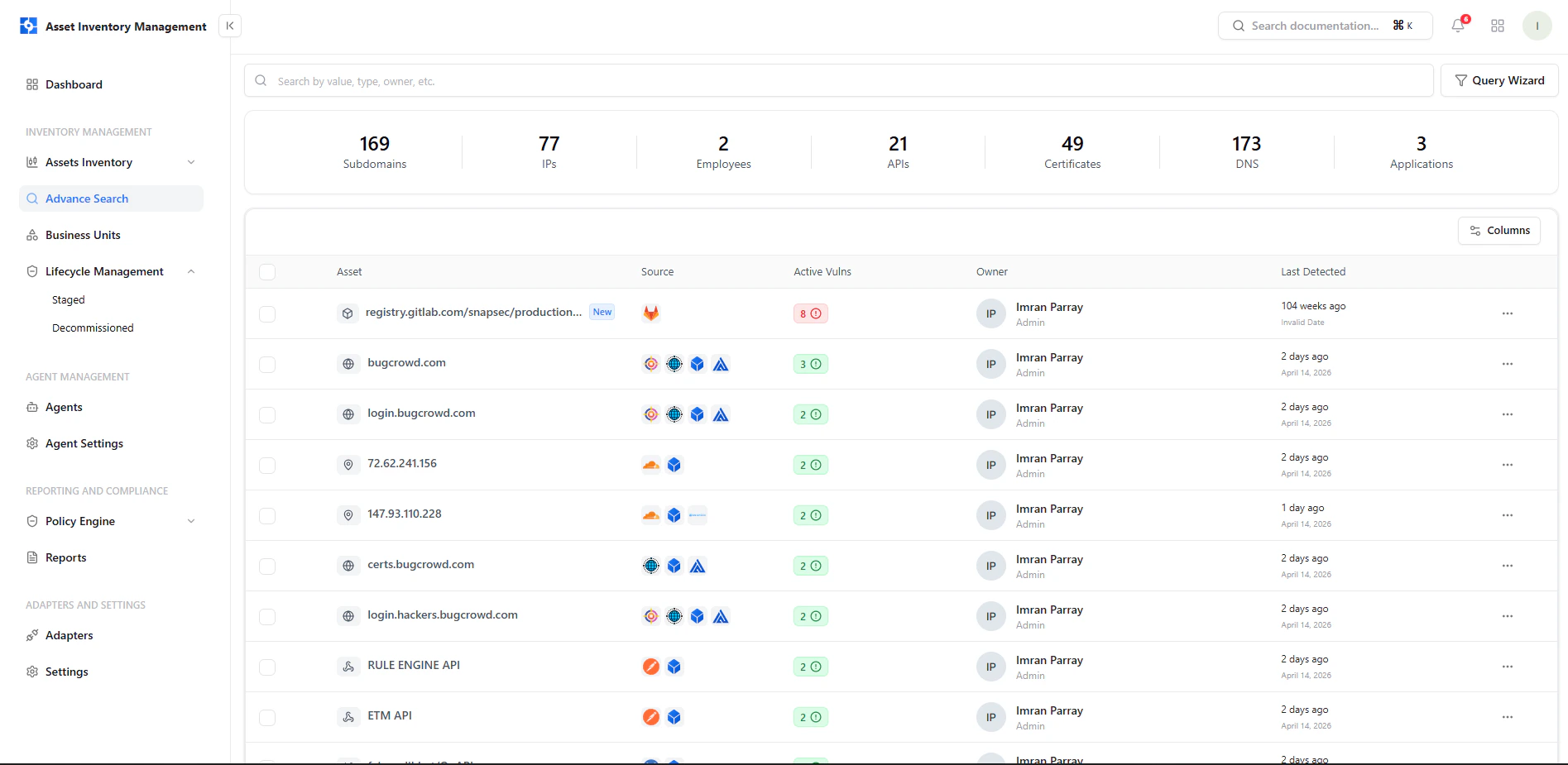
Access Advanced Search from the asset inventory
2. Query Wizard
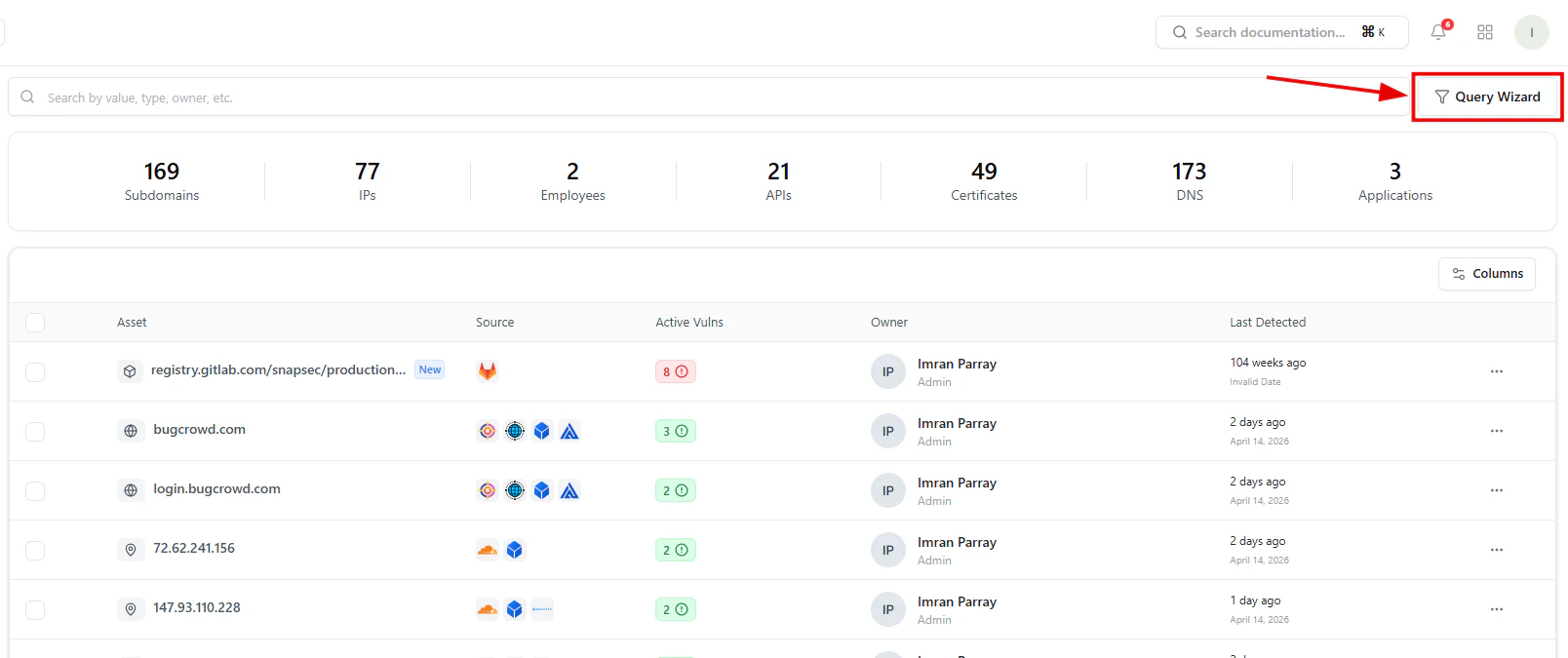
Launch Query Wizard to create advanced filters
- Apply predefined presets
- Build custom filters
- Combine multiple conditions
3. Building Queries
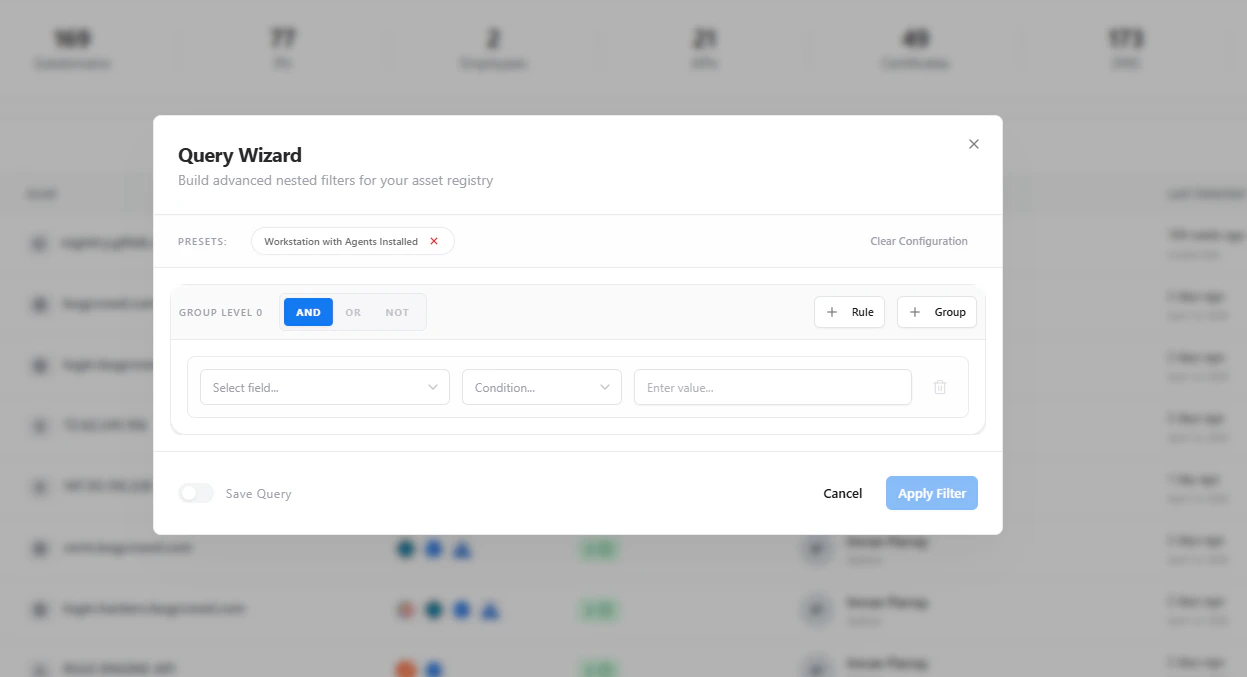
Create nested conditions using AND / OR logic
- Select fields (IP, domain, owner, etc.)
- Apply conditions (equals, contains, etc.)
- Group rules with AND / OR logic
4. Filtered Results
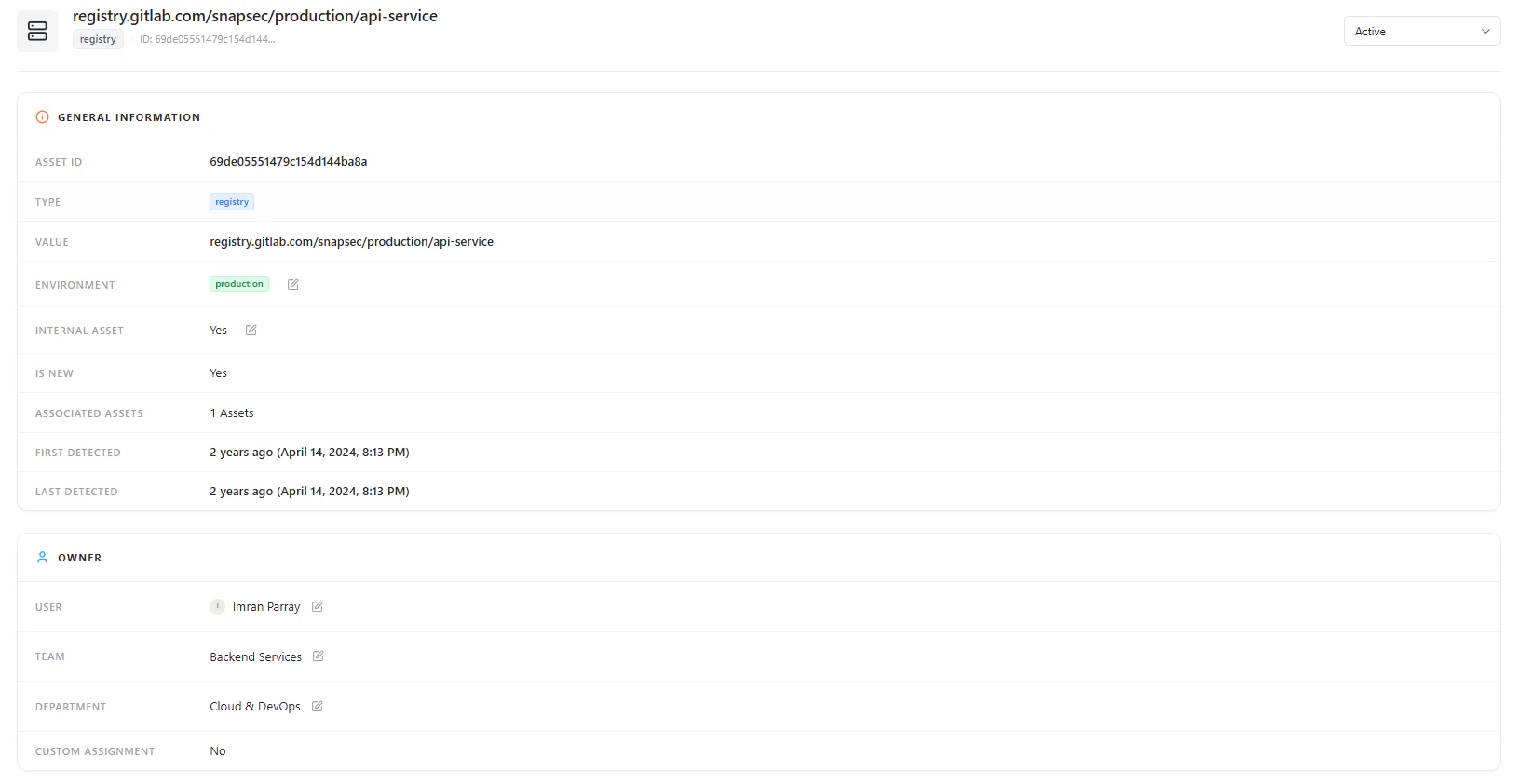
View filtered asset results based on applied queries
5. Deep Asset View
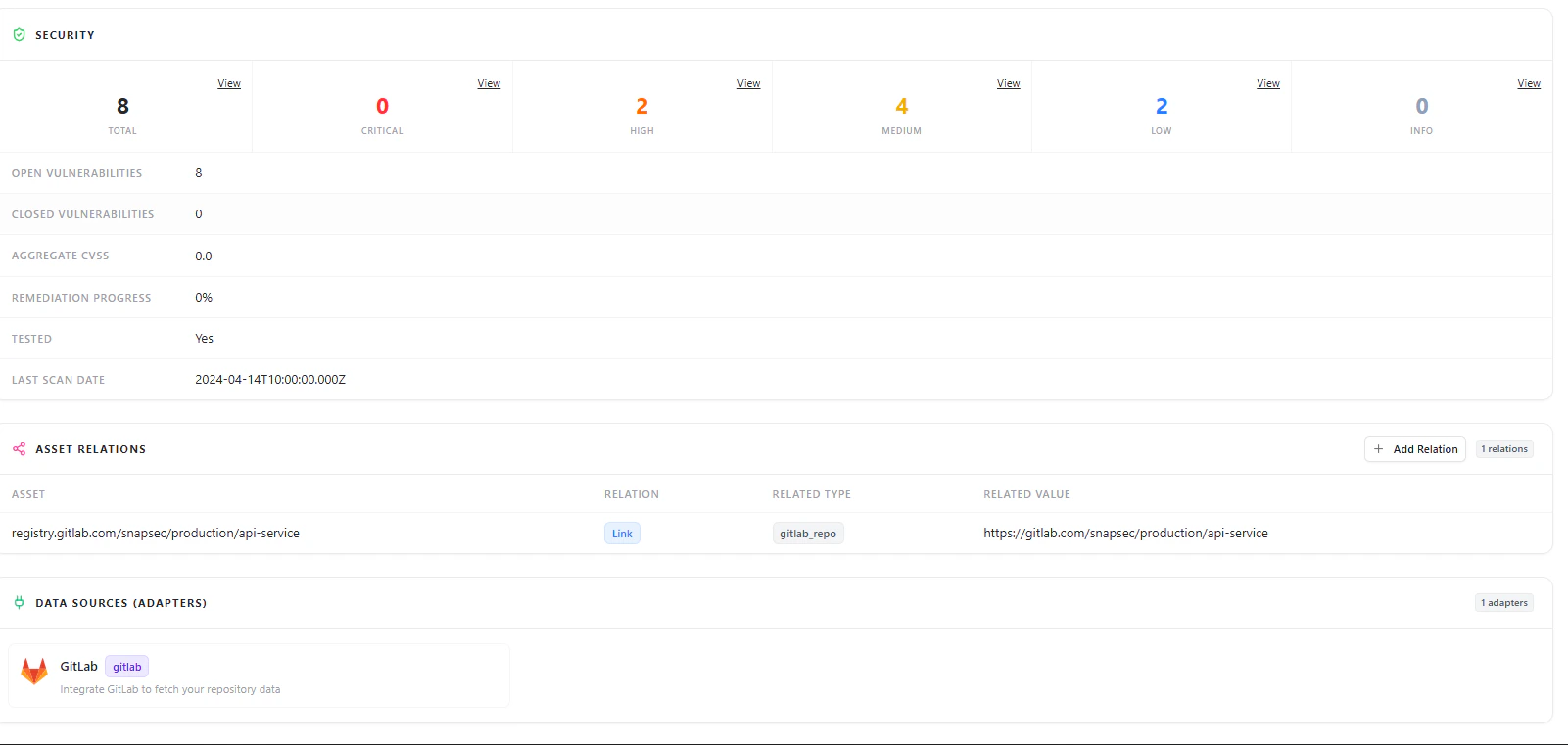
Drill into filtered assets for detailed insights
- Open asset details
- Analyze security posture
- Explore relationships and metadata
Why This Matters
- Quickly isolate high-risk assets
- Segment infrastructure by context
- Reduce noise in large inventories
- Enable targeted investigation
Explore Live Demo
Explore AIM Live — No Signup Needed
Instantly explore how Snapsec AIM helps you filter and investigate assets in real time.