

Overview
The Assets page provides a centralized view of all discovered assets within your environment. It allows you to monitor vulnerability exposure, organize assets into groups, and trigger scans directly.Assets List
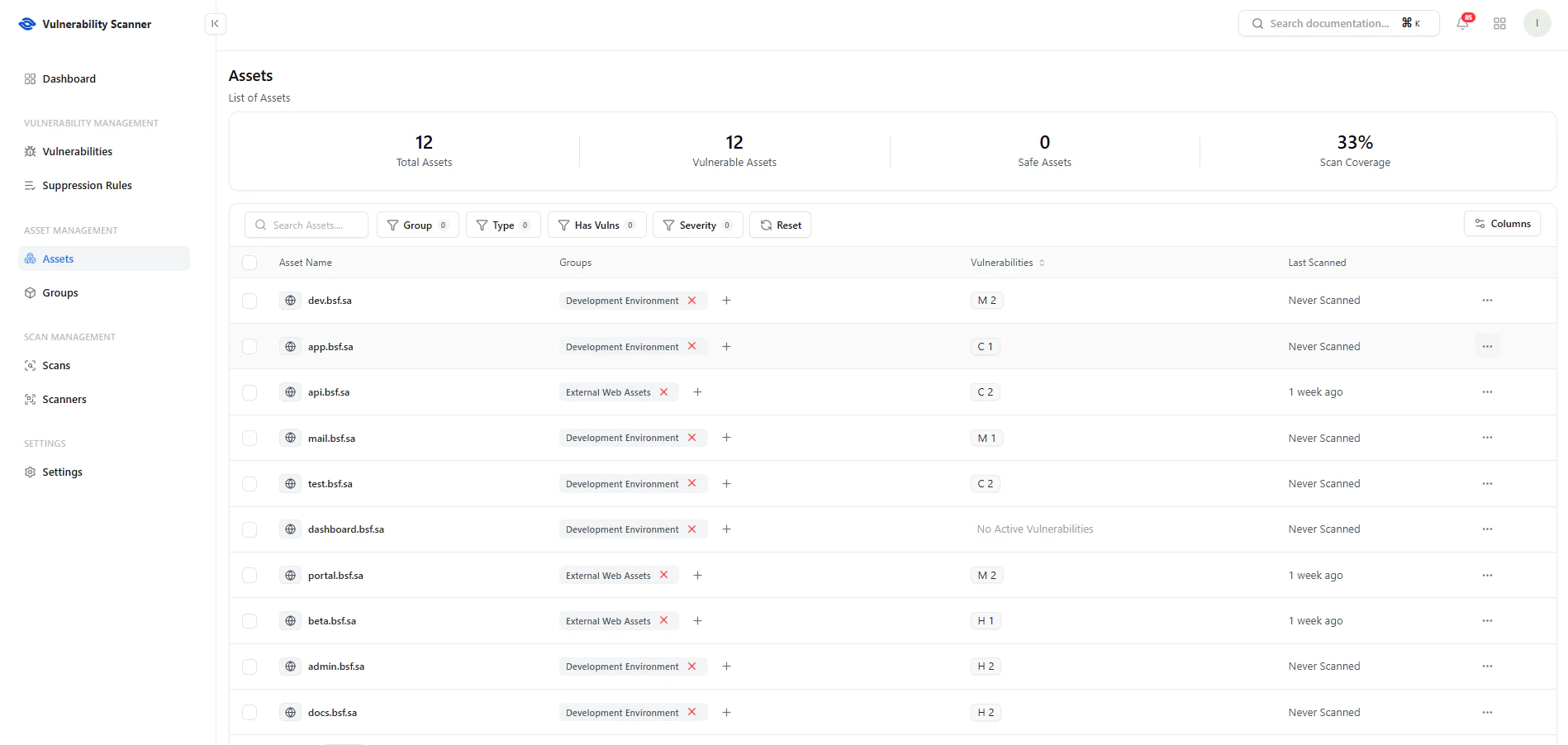
View all assets with vulnerability counts, grouping, and scan status
Key Metrics
- Total Assets — Total number of tracked assets
- Vulnerable Assets — Assets with at least one vulnerability
- Safe Assets — Assets with no vulnerabilities
- Scan Coverage — Percentage of assets scanned
Key Features
- Search & Filters — Filter by group, type, vulnerability presence, or severity
- Groups Column — Organize assets by environment or function
- Vulnerabilities — Displays severity counts (C, H, M, etc.)
- Last Scanned — Shows scan recency
Assign Assets to Groups
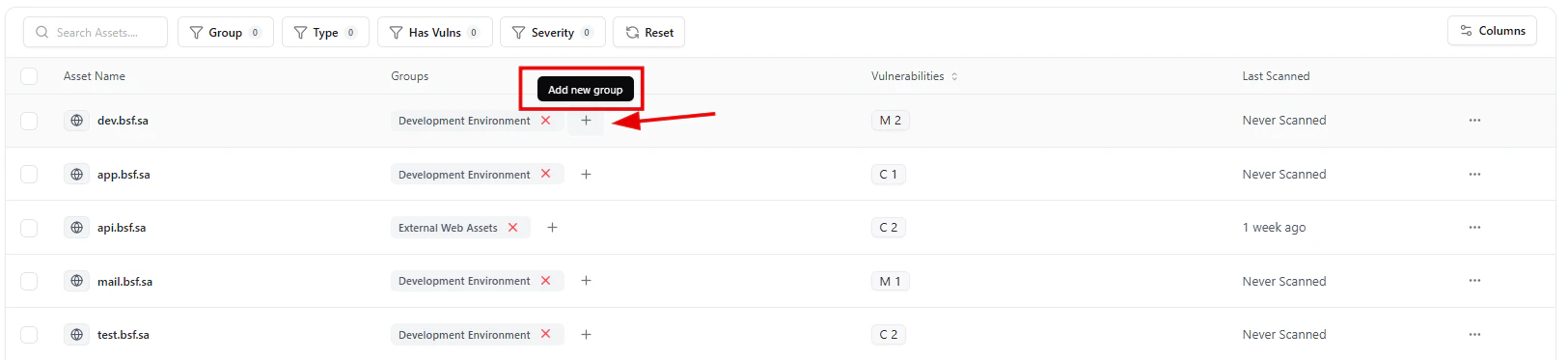
Add assets to groups for better organization and ownership
- Development
- External Assets
- Internal Infrastructure
Add to Group
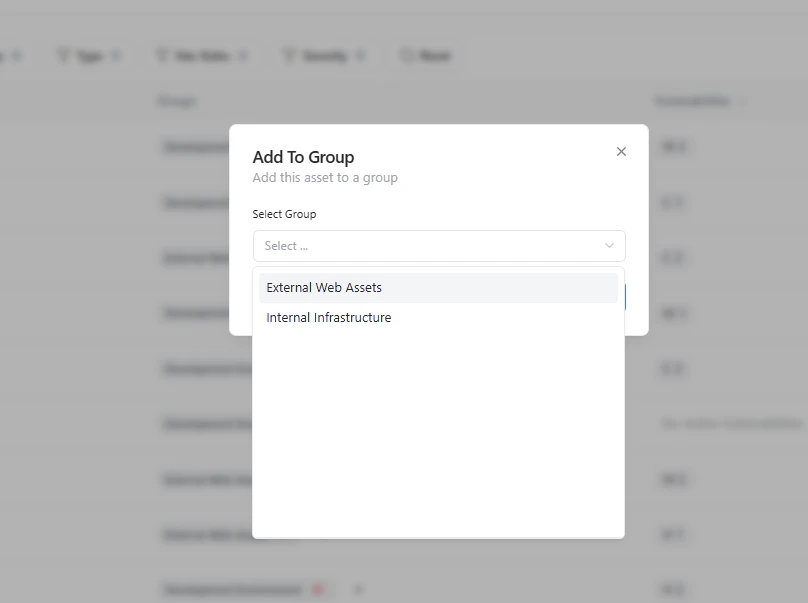
Select a group to categorize the asset
- Ownership mapping
- Targeted scanning
- Better reporting
Run Scan on Asset
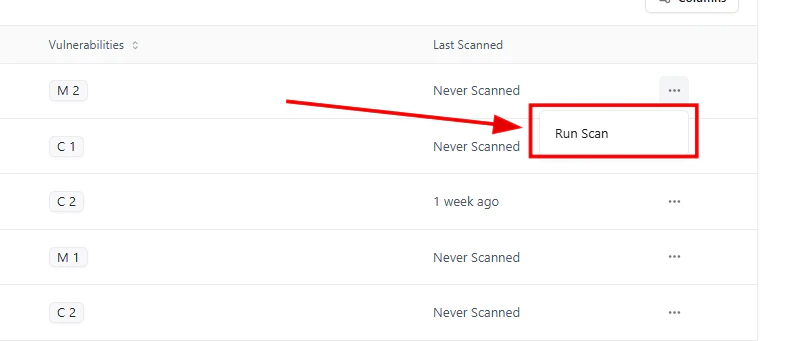
Trigger a scan directly from the asset actions menu
- Run Scan — Start an immediate scan
- Access via the actions menu (⋯)
Scan Confirmation
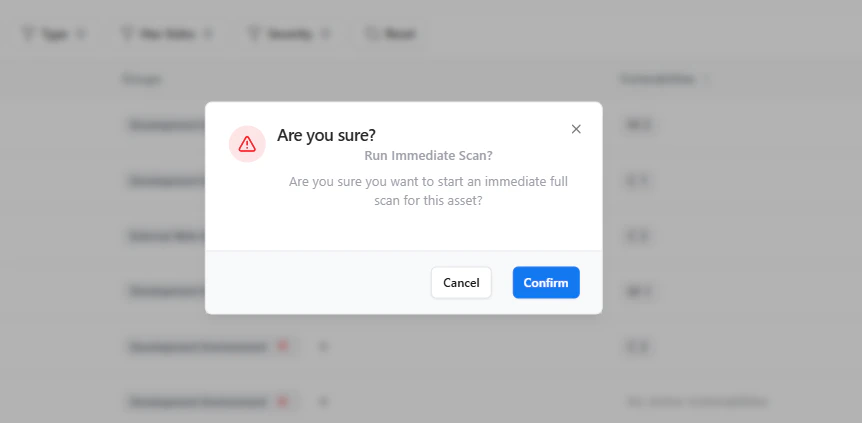
Confirm before running an immediate scan
- A confirmation dialog ensures intentional execution
- Prevents accidental scans on production systems
Asset-Level Vulnerability View
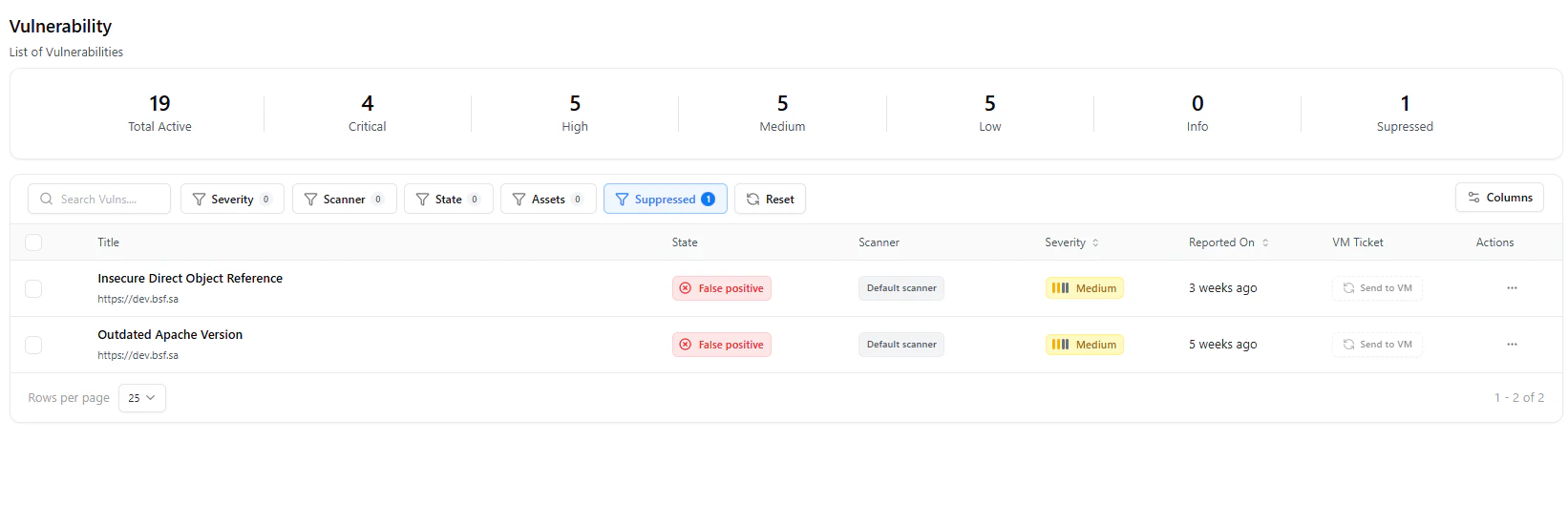
View vulnerabilities specific to an asset
- View associated vulnerabilities
- Analyze severity and status
- Track remediation progress
Use Cases
- Monitor asset-level risk exposure
- Organize assets by environment or ownership
- Run targeted scans on critical assets
- Track scan coverage and gaps
Why This Matters
- Provides complete asset visibility
- Enables targeted vulnerability management
- Improves ownership and accountability
- Supports continuous security monitoring
Explore Live Demo
Explore VS Live — No Signup Needed
See how Snapsec VS helps you track, group, and scan assets to uncover vulnerabilities in real-time.