

Overview
Scanners are the execution engines responsible for performing vulnerability scans across your infrastructure. They allow you to scale scanning operations, distribute workloads, and ensure reliable coverage across internal and external environments.Scanner List
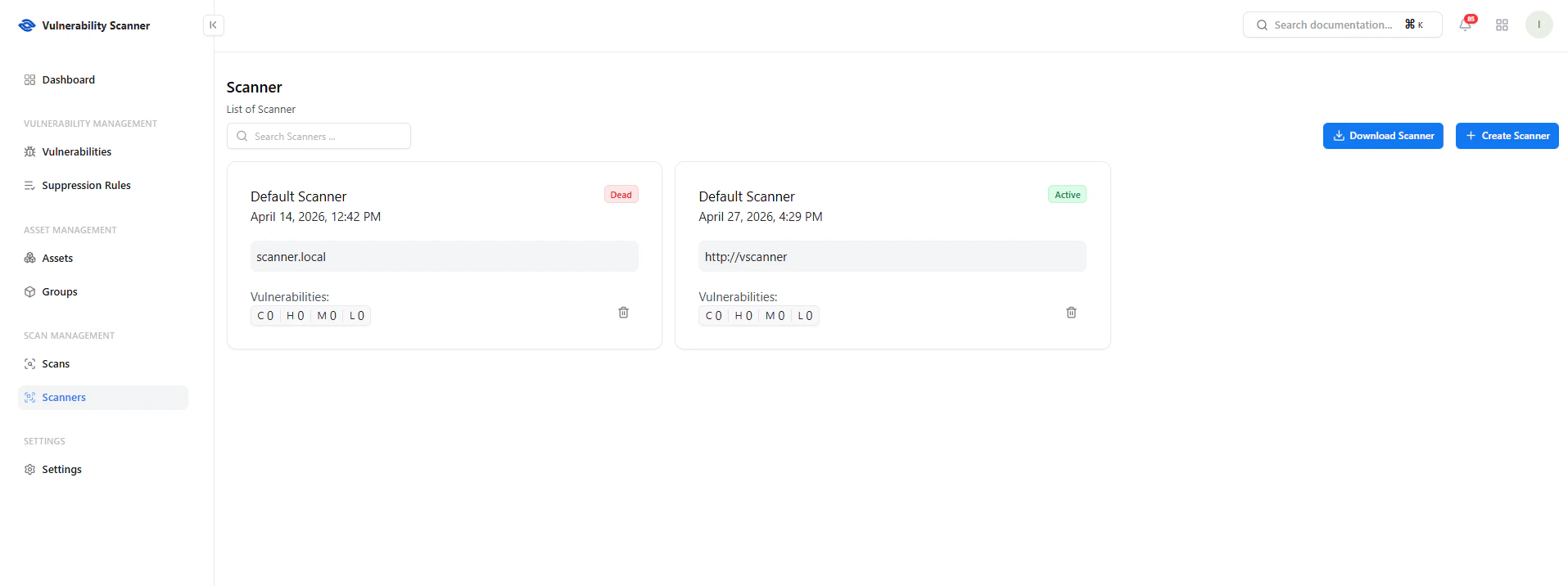
View all configured scanners and their status
Key Details
- Scanner Name — Identifier for the scanner
- Status — Active or Offline
- Endpoint — Scanner URL or host
- Last Seen — Last heartbeat timestamp
- Vulnerability Summary — Findings detected by the scanner
Scanner Actions
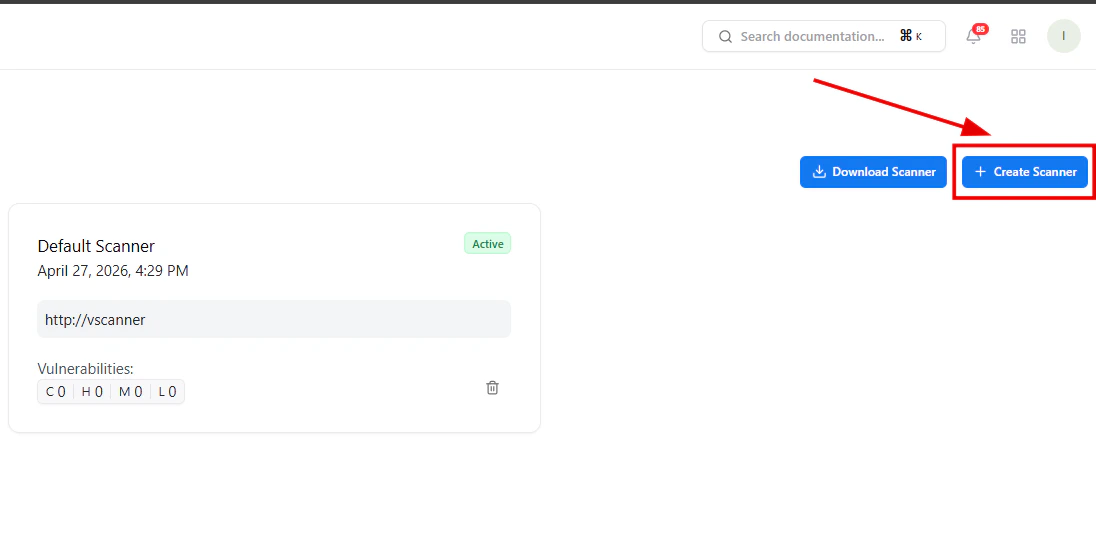
Create or deploy a new scanner instance
Available Actions
-
Download Scanner
Deploy a scanner within your infrastructure -
Create Scanner
Register a new scanner instance
Create Scanner
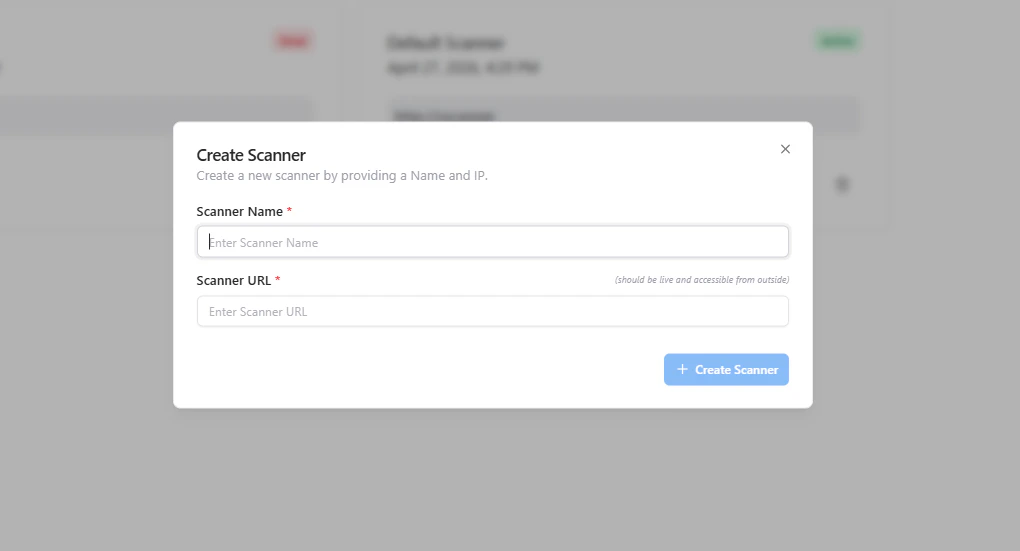
Register a new scanner with name and endpoint
- Provide a Scanner Name
- Enter the Scanner URL / Endpoint
- Ensure the scanner is reachable
- Click Create Scanner
Scanner Status
- Active — Scanner is online and operational
- Offline / Dead — Scanner is unreachable or not responding
Use Cases
- Deploy scanners inside private networks
- Scan internal infrastructure securely
- Distribute scans across multiple regions
- Improve performance with parallel scanning
Why This Matters
- Enables scalable vulnerability scanning
- Supports internal + external asset coverage
- Reduces scan latency through distributed architecture
- Ensures high availability of scanning operations
Explore Live Demo
Explore VS Live — No Signup Needed
Experience how Snapsec scales vulnerability scanning using distributed scanner nodes.