

Workflow Automation
Workflow Automation enables organizations to automate repetitive vulnerability management tasks by creating rules that evaluate vulnerability attributes and execute predefined actions. This reduces manual effort, standardizes operational processes, and accelerates remediation workflows.Automation Rules
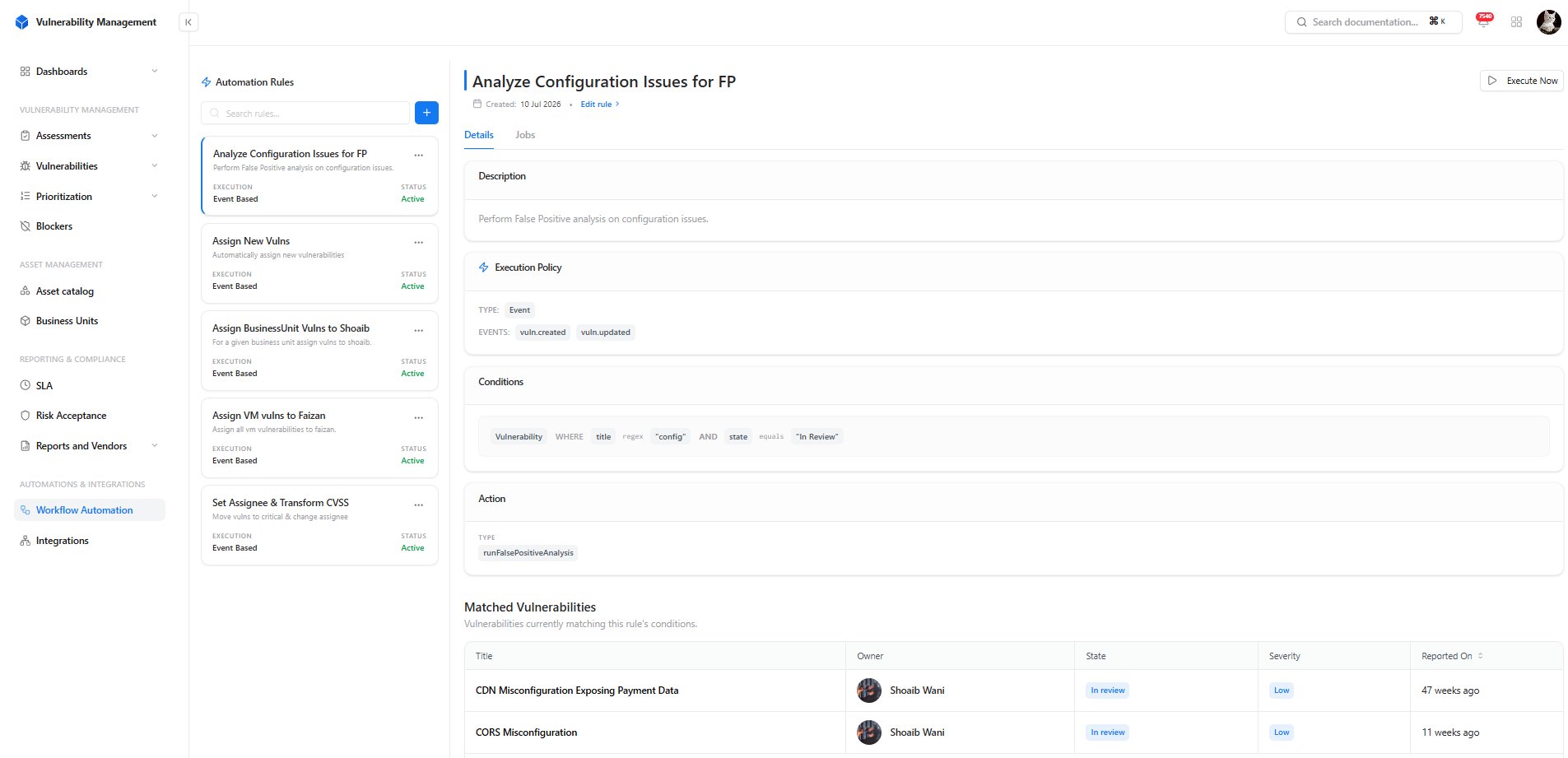
Manage and monitor automation rules
- Navigate to Workflow Automation
- Click the + button.
- Provide the rule name and description.
- Configure rule conditions.
- Define the automation action.
- Configure the execution policy.
- Save the rule.
Rule Components
Configure an Automation Rule
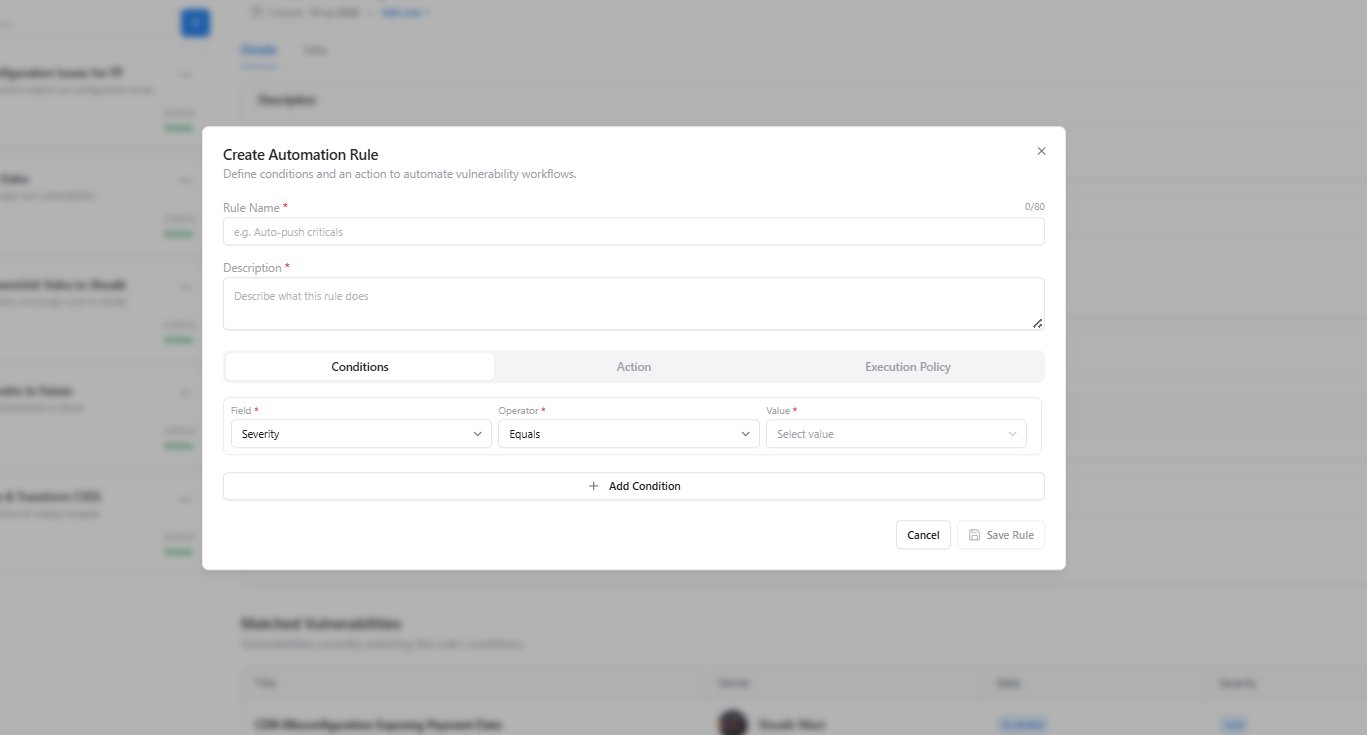
Define rule conditions, actions, and execution policy
Conditions
Specify the vulnerability attributes that must match before the automation executes. Common condition fields include:- Severity
- State
- Source
- Category
- Owner
- Business Unit
- Asset Type
Actions
Define the operation performed after all configured conditions are satisfied. Examples include:- Assign vulnerability owner
- Update vulnerability state
- Execute False Positive Analysis
- Modify vulnerability attributes
Execution Policy
Configure how the rule is triggered.Automation rules execute only when all configured conditions evaluate successfully.
Rule Details & Execution History
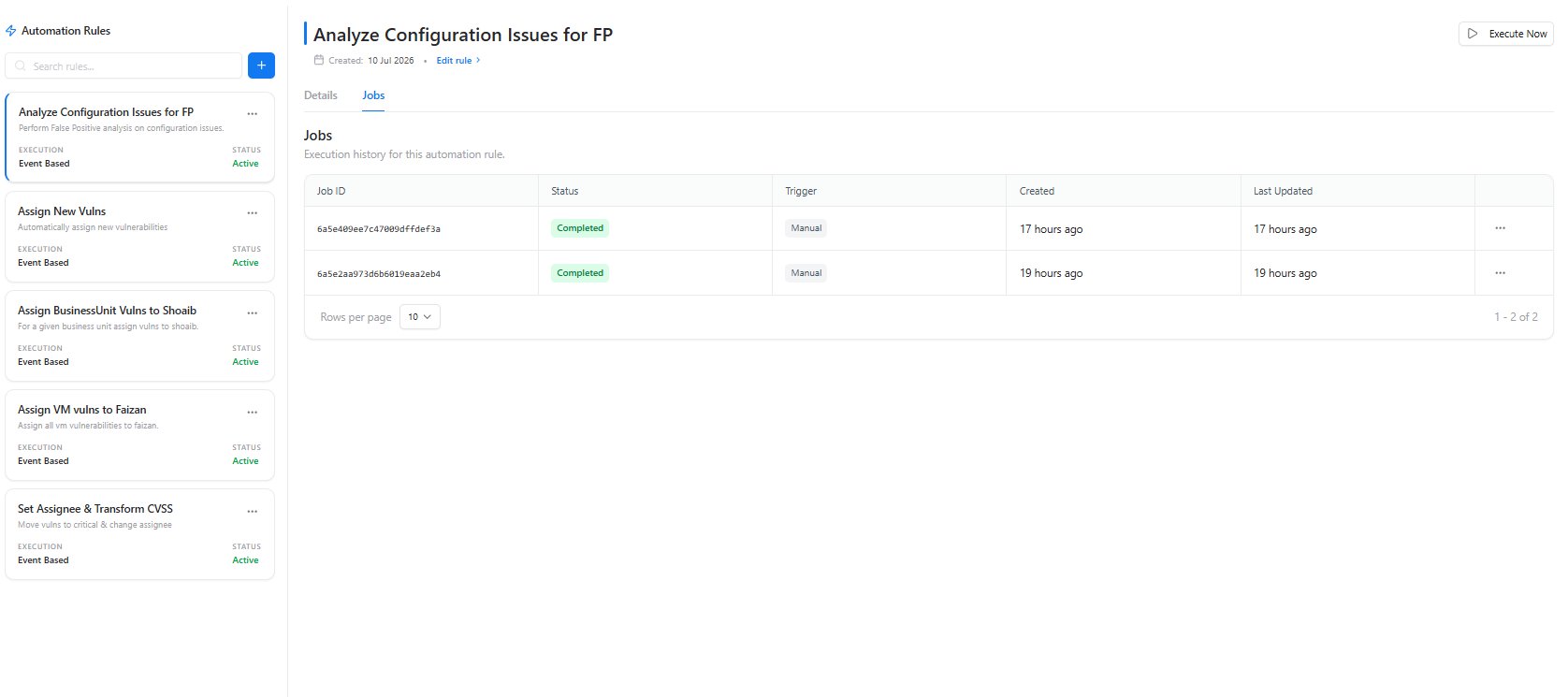
Review rule configuration and execution history
- Rule description
- Execution policy
- Trigger events
- Configured conditions
- Configured actions
- Matching vulnerabilities
- Job ID
- Execution status
- Trigger type
- Creation time
- Last updated timestamp
Execute Automation Rules
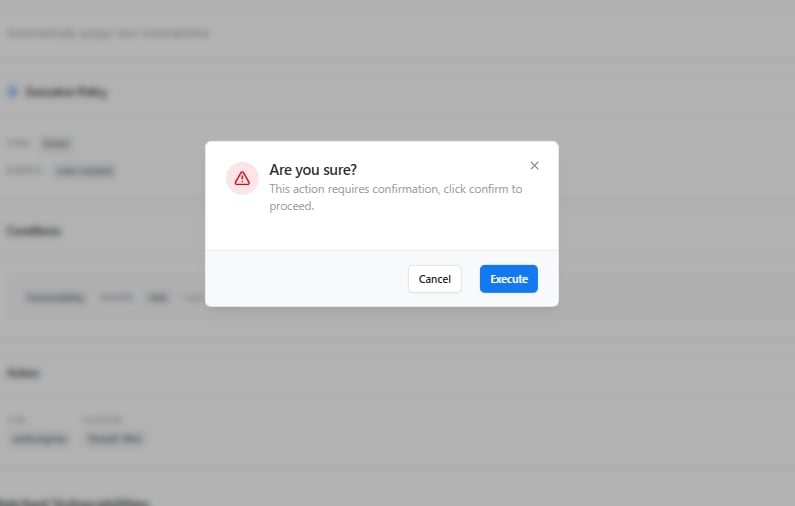
Confirm manual execution of an automation rule
- Evaluates the configured rule conditions.
- Identifies matching vulnerabilities.
- Executes the configured actions.
- Records the execution as a job for auditing and tracking.
Why Workflow Automation Matters
Workflow Automation helps organizations standardize vulnerability management by reducing repetitive manual tasks and ensuring security processes are executed consistently.Benefits
- Faster vulnerability remediation
- Reduced operational overhead
- Consistent security workflows
- Automated policy enforcement
- Complete execution history and auditability
Explore Live Demo
Explore Workflow Automation — No Signup Needed
Discover how Snapsec automates vulnerability management through configurable rules, intelligent execution policies, and workflow-driven actions that reduce manual effort and improve operational efficiency.