> ## Documentation Index
> Fetch the complete documentation index at: https://docs.snapsec.co/llms.txt
> Use this file to discover all available pages before exploring further.
# Dashboard
> Get a real-time overview of web application vulnerabilities, risk distribution, and security posture.
## Overview
The Web Application Scanner (WAS) Dashboard provides a centralized view of your application security posture.
It highlights vulnerability trends, severity distribution, and critical risks across all scanned applications.
***
## Security Overview
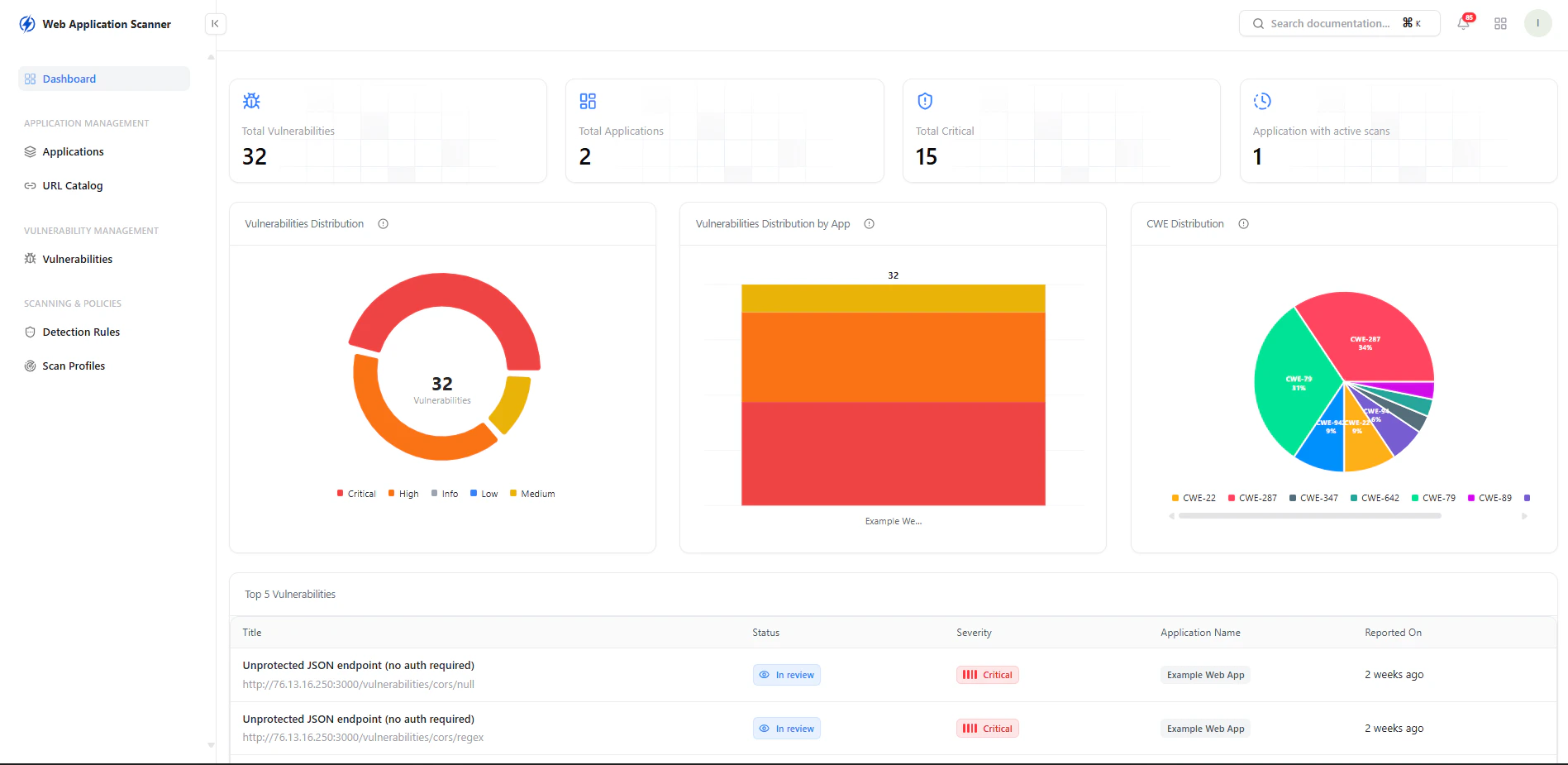 ### Key Metrics
* **Total Vulnerabilities** — Overall findings across applications
* **Total Applications** — Applications under monitoring
* **Critical Vulnerabilities** — High-risk issues requiring immediate action
* **Applications with Active Scans** — Currently monitored apps
***
## Vulnerability Insights
### Key Metrics
* **Total Vulnerabilities** — Overall findings across applications
* **Total Applications** — Applications under monitoring
* **Critical Vulnerabilities** — High-risk issues requiring immediate action
* **Applications with Active Scans** — Currently monitored apps
***
## Vulnerability Insights
 ### Distribution Views
* **Severity Distribution**\
Breakdown of vulnerabilities by Critical, High, Medium, Low, and Info
* **Vulnerabilities by Application**\
Identify which applications carry the highest risk
* **CWE Distribution**\
Understand vulnerability types based on CWE classification
***
## Top Vulnerabilities
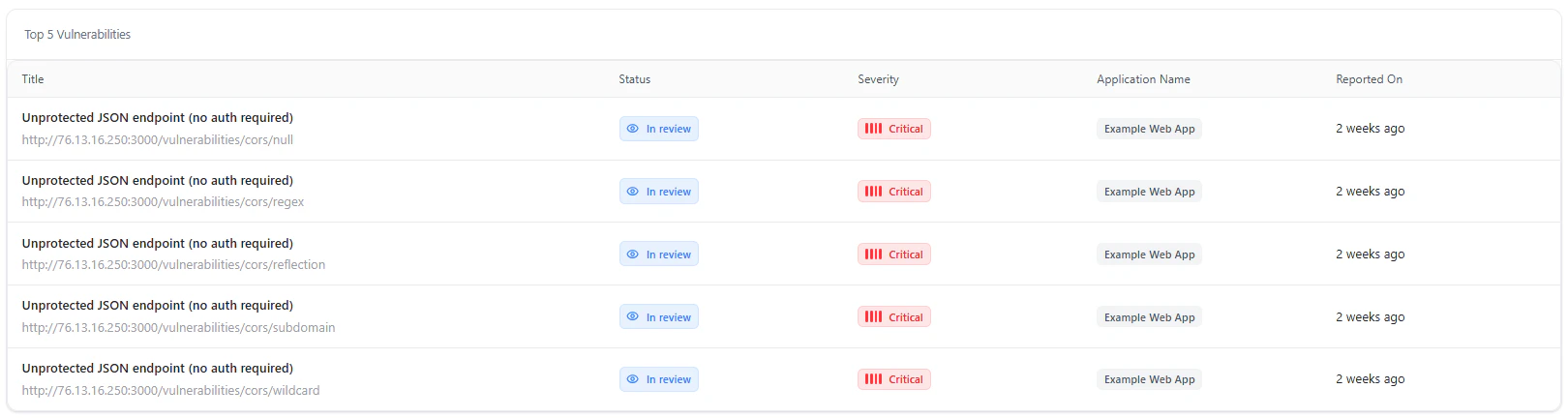
The dashboard highlights the most critical vulnerabilities detected across applications.
### Key Details
* **Title** — Vulnerability type and endpoint
* **Status** — In Review, Open, Resolved
* **Severity** — Risk level
* **Application Name** — Affected application
* **Reported On** — Detection timeline
This helps teams prioritize remediation effectively.
***
## Use Cases
* Monitor application security posture in real time
* Identify high-risk applications instantly
* Track vulnerability trends over time
* Prioritize critical vulnerabilities for remediation
***
## Why This Matters
* Provides complete visibility into application-layer risks
* Enables faster detection of exploitable vulnerabilities
* Helps prioritize fixes based on severity and impact
* Strengthens overall application security posture
***
## Explore Live Demo
Experience how Snapsec WAS identifies vulnerabilities across your web applications in real time.
### Distribution Views
* **Severity Distribution**\
Breakdown of vulnerabilities by Critical, High, Medium, Low, and Info
* **Vulnerabilities by Application**\
Identify which applications carry the highest risk
* **CWE Distribution**\
Understand vulnerability types based on CWE classification
***
## Top Vulnerabilities
The dashboard highlights the most critical vulnerabilities detected across applications.
### Key Details
* **Title** — Vulnerability type and endpoint
* **Status** — In Review, Open, Resolved
* **Severity** — Risk level
* **Application Name** — Affected application
* **Reported On** — Detection timeline
This helps teams prioritize remediation effectively.
***
## Use Cases
* Monitor application security posture in real time
* Identify high-risk applications instantly
* Track vulnerability trends over time
* Prioritize critical vulnerabilities for remediation
***
## Why This Matters
* Provides complete visibility into application-layer risks
* Enables faster detection of exploitable vulnerabilities
* Helps prioritize fixes based on severity and impact
* Strengthens overall application security posture
***
## Explore Live Demo
Experience how Snapsec WAS identifies vulnerabilities across your web applications in real time.