> ## Documentation Index
> Fetch the complete documentation index at: https://docs.snapsec.co/llms.txt
> Use this file to discover all available pages before exploring further.
# Suppression Rules
> Create and manage rules to automatically suppress non-actionable vulnerabilities and reduce noise.
## Overview
Suppression Rules allow you to automatically ignore or suppress vulnerabilities based on defined conditions.
This helps reduce false positives, eliminate noise, and focus only on actionable security issues.
***
## Suppression Rules List
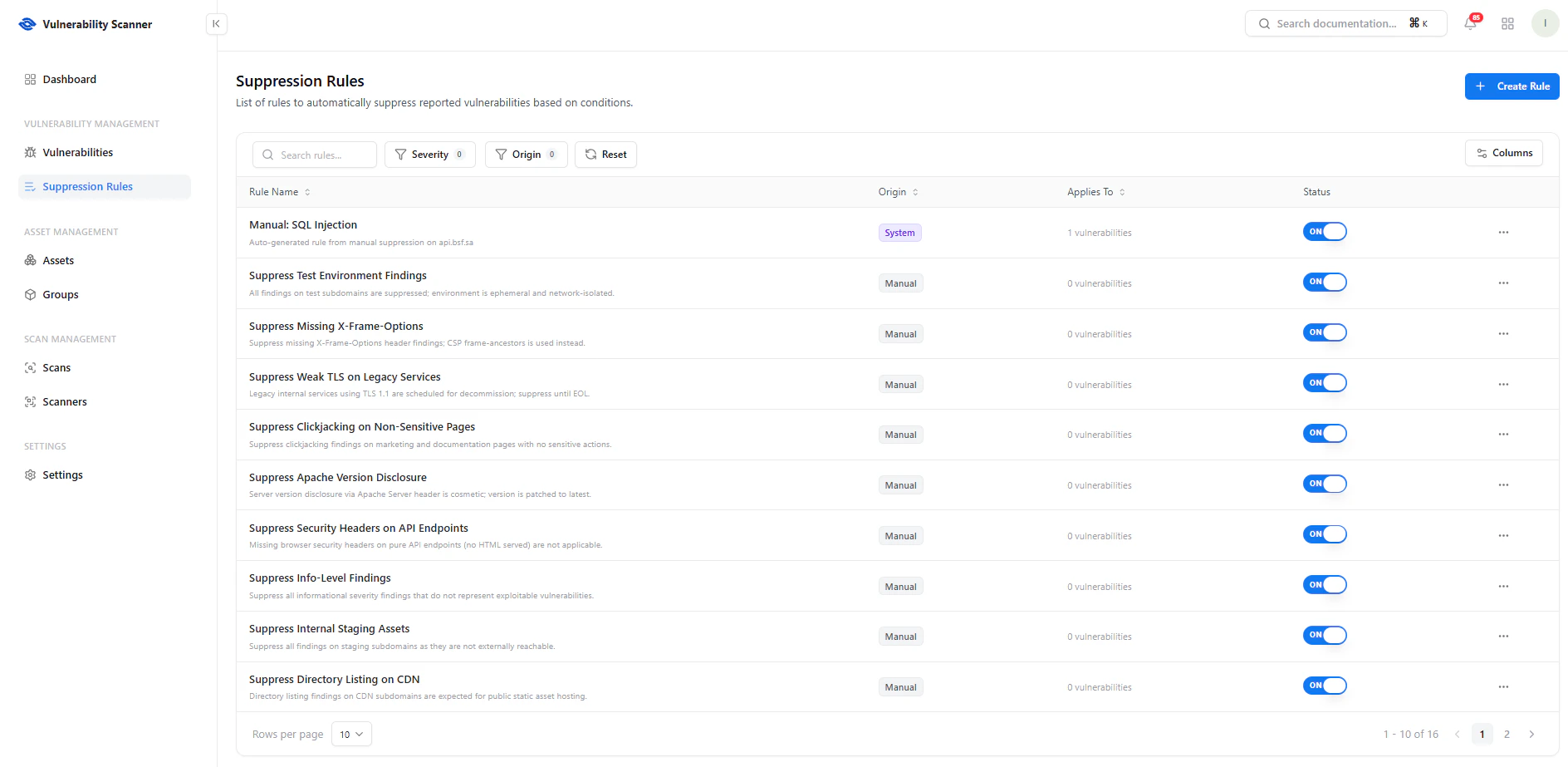 This screen provides a centralized view of all suppression rules.
### Key Features
* **Search** — Find rules quickly
* **Filters** — Filter by severity or origin
* **Status Toggle** — Enable or disable rules instantly
* **Columns Control** — Customize visible fields
### Key Columns
* **Rule Name** — Name and description of the rule
* **Origin** — System-generated or manually created
* **Applies To** — Number of affected vulnerabilities
* **Status** — Active (ON) or Disabled (OFF)
***
## Create Suppression Rule
This screen provides a centralized view of all suppression rules.
### Key Features
* **Search** — Find rules quickly
* **Filters** — Filter by severity or origin
* **Status Toggle** — Enable or disable rules instantly
* **Columns Control** — Customize visible fields
### Key Columns
* **Rule Name** — Name and description of the rule
* **Origin** — System-generated or manually created
* **Applies To** — Number of affected vulnerabilities
* **Status** — Active (ON) or Disabled (OFF)
***
## Create Suppression Rule
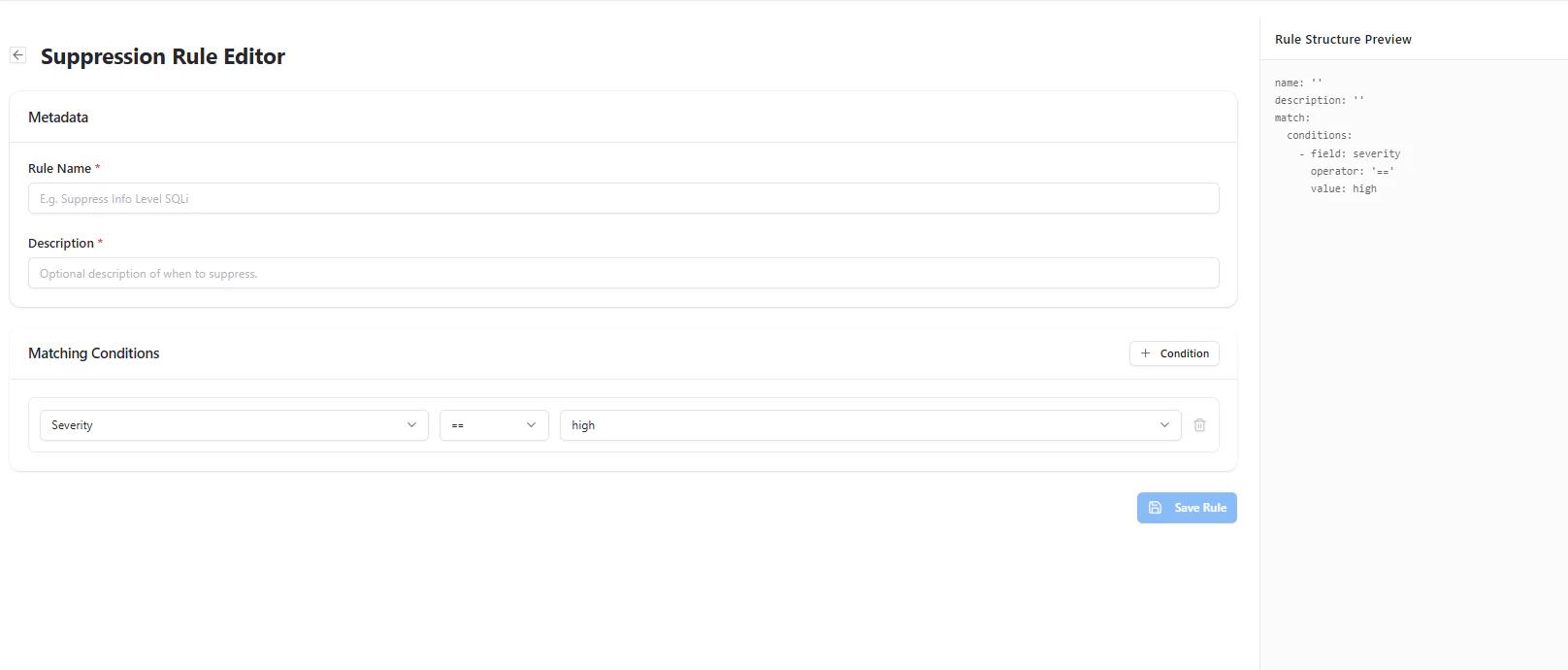 Create rules to automatically suppress vulnerabilities based on conditions.
### Rule Configuration
* **Rule Name** — Unique identifier
* **Description** — Optional explanation
### Matching Conditions
Define when a vulnerability should be suppressed:
* Select a **field** (e.g., severity)
* Choose an **operator** (equals, contains, etc.)
* Set a **value** (e.g., high, medium)
You can combine multiple conditions to create precise suppression logic.
***
## Manage Rules
Create rules to automatically suppress vulnerabilities based on conditions.
### Rule Configuration
* **Rule Name** — Unique identifier
* **Description** — Optional explanation
### Matching Conditions
Define when a vulnerability should be suppressed:
* Select a **field** (e.g., severity)
* Choose an **operator** (equals, contains, etc.)
* Set a **value** (e.g., high, medium)
You can combine multiple conditions to create precise suppression logic.
***
## Manage Rules
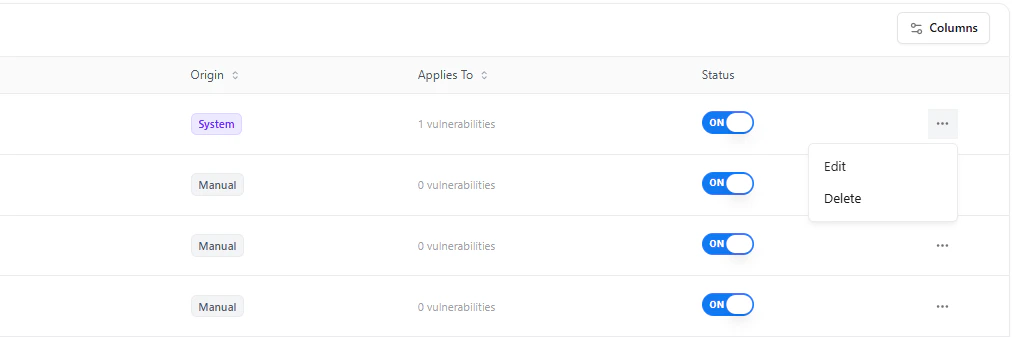 Each rule includes management actions:
* **Edit Rule** — Modify conditions or metadata
* **Delete Rule** — Remove rule permanently
* **Toggle Status** — Enable or disable rule instantly
This allows full control over suppression behavior.
***
## Use Cases
* Suppress **informational findings** that are not actionable
* Ignore vulnerabilities in **test or staging environments**
* Exclude **known accepted risks**
* Reduce noise from **repeated low-impact issues**
***
## Why This Matters
* Reduces alert fatigue
* Eliminates false positives
* Improves signal-to-noise ratio
* Enables focused remediation
* Supports scalable security operations
***
## Explore Live Demo
See how Snapsec VS helps you automate noise reduction and focus only on real security risks.
Each rule includes management actions:
* **Edit Rule** — Modify conditions or metadata
* **Delete Rule** — Remove rule permanently
* **Toggle Status** — Enable or disable rule instantly
This allows full control over suppression behavior.
***
## Use Cases
* Suppress **informational findings** that are not actionable
* Ignore vulnerabilities in **test or staging environments**
* Exclude **known accepted risks**
* Reduce noise from **repeated low-impact issues**
***
## Why This Matters
* Reduces alert fatigue
* Eliminates false positives
* Improves signal-to-noise ratio
* Enables focused remediation
* Supports scalable security operations
***
## Explore Live Demo
See how Snapsec VS helps you automate noise reduction and focus only on real security risks.