> ## Documentation Index
> Fetch the complete documentation index at: https://docs.snapsec.co/llms.txt
> Use this file to discover all available pages before exploring further.
# Settings
> Configure integrations and vulnerability synchronization with your asset inventory.
## Overview
Settings allow you to integrate your Asset Inventory with the Vulnerability Scanner and control how vulnerabilities are synchronized, categorized, and stored.
This ensures alignment between scanning results and your broader security assessments.
***
## Asset Inventory Integration
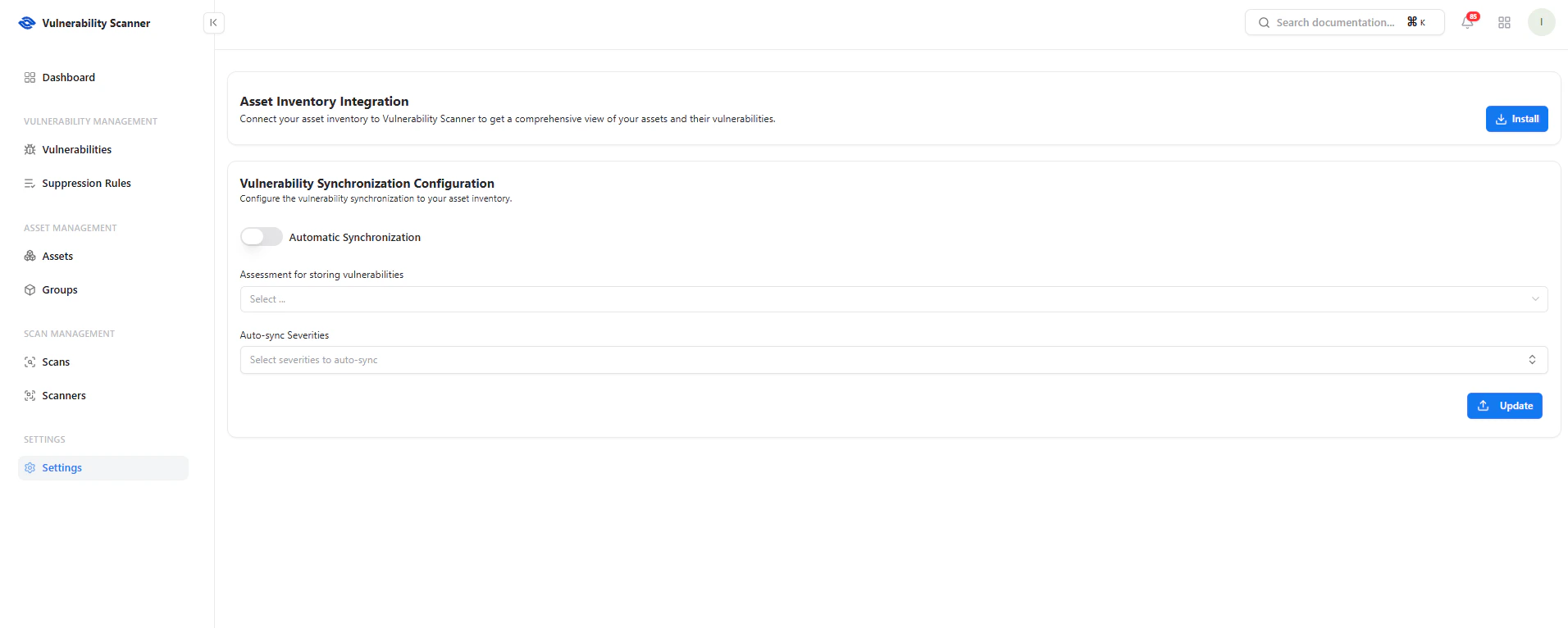 The Asset Inventory Integration links discovered vulnerabilities with your asset management system.
### Key Benefits
* Centralized asset visibility
* Context-aware vulnerability tracking
* Unified security posture across products
Click **Install** to enable integration.
***
## Vulnerability Synchronization
The Asset Inventory Integration links discovered vulnerabilities with your asset management system.
### Key Benefits
* Centralized asset visibility
* Context-aware vulnerability tracking
* Unified security posture across products
Click **Install** to enable integration.
***
## Vulnerability Synchronization
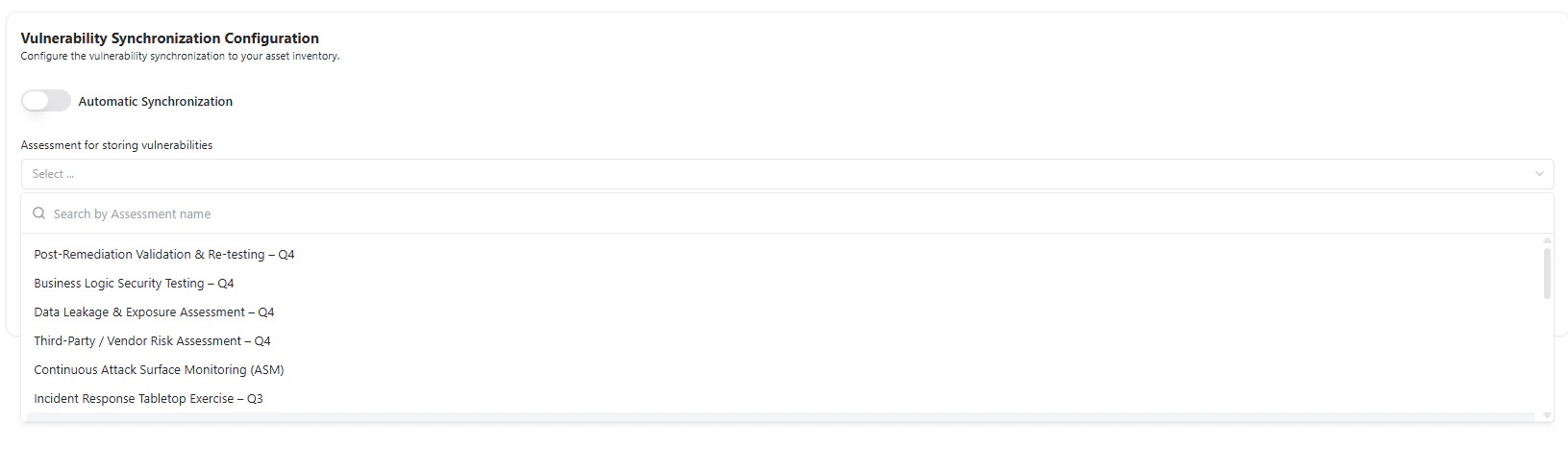 ### Automatic Synchronization
Enable automatic syncing of vulnerabilities into your assessment workflows.
### Assessment Mapping
Select where vulnerabilities should be stored:
* Risk assessments
* Security testing programs
* Compliance frameworks
Examples:
* Post-Remediation Validation
* Business Logic Testing
* Third-Party Risk Assessment
* Attack Surface Monitoring
***
## Severity-Based Sync
### Automatic Synchronization
Enable automatic syncing of vulnerabilities into your assessment workflows.
### Assessment Mapping
Select where vulnerabilities should be stored:
* Risk assessments
* Security testing programs
* Compliance frameworks
Examples:
* Post-Remediation Validation
* Business Logic Testing
* Third-Party Risk Assessment
* Attack Surface Monitoring
***
## Severity-Based Sync
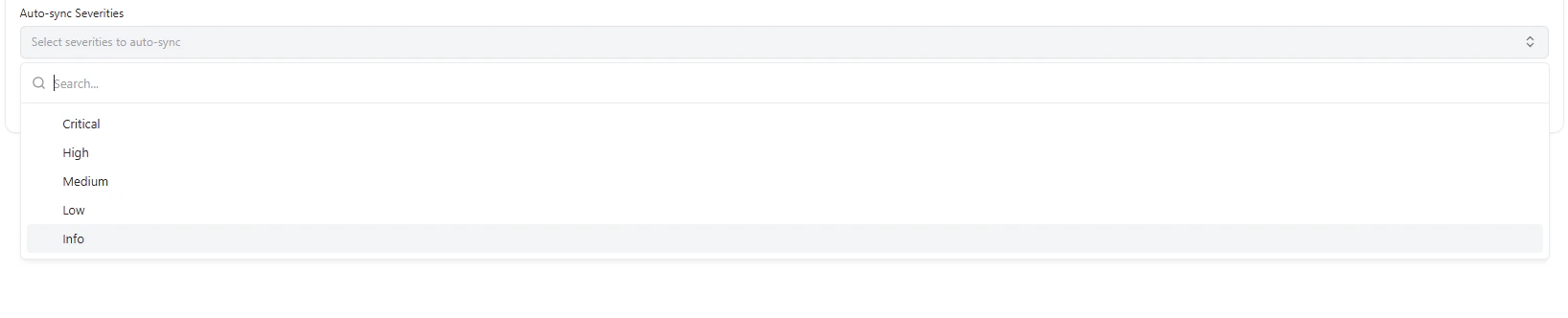 Control which vulnerabilities are pushed into assessments:
* **Critical** — Always prioritize
* **High** — Important risks
* **Medium** — Moderate impact
* **Low** — Minor issues
* **Info** — Informational findings
This allows teams to focus only on actionable risks.
***
## Use Cases
* Automatically map scan results to ongoing assessments
* Align vulnerability management with compliance workflows
* Reduce manual triaging effort
* Standardize risk tracking across teams
***
## Why This Matters
* Eliminates siloed security data
* Connects scanning with business context
* Enables automated risk workflows
* Improves prioritization and reporting
***
## Explore Live Demo
Experience how Snapsec connects vulnerabilities with your asset inventory and assessments in real time.
Control which vulnerabilities are pushed into assessments:
* **Critical** — Always prioritize
* **High** — Important risks
* **Medium** — Moderate impact
* **Low** — Minor issues
* **Info** — Informational findings
This allows teams to focus only on actionable risks.
***
## Use Cases
* Automatically map scan results to ongoing assessments
* Align vulnerability management with compliance workflows
* Reduce manual triaging effort
* Standardize risk tracking across teams
***
## Why This Matters
* Eliminates siloed security data
* Connects scanning with business context
* Enables automated risk workflows
* Improves prioritization and reporting
***
## Explore Live Demo
Experience how Snapsec connects vulnerabilities with your asset inventory and assessments in real time.