> ## Documentation Index
> Fetch the complete documentation index at: https://docs.snapsec.co/llms.txt
> Use this file to discover all available pages before exploring further.
# Scanners
> Deploy, manage, and monitor scanning engines used to perform vulnerability assessments.
## Overview
Scanners are the execution engines responsible for performing vulnerability scans across your infrastructure.
They allow you to scale scanning operations, distribute workloads, and ensure reliable coverage across internal and external environments.
***
## Scanner List
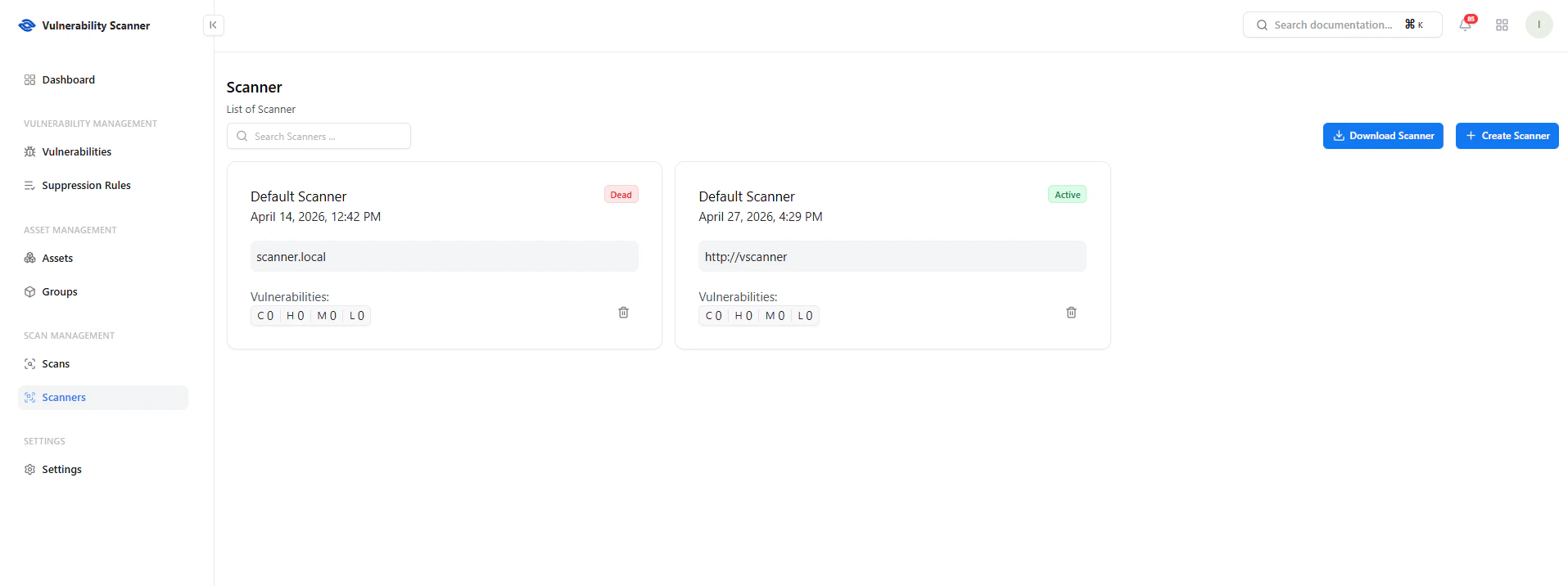 This page provides a real-time view of all available scanners.
### Key Details
* **Scanner Name** — Identifier for the scanner
* **Status** — Active or Offline
* **Endpoint** — Scanner URL or host
* **Last Seen** — Last heartbeat timestamp
* **Vulnerability Summary** — Findings detected by the scanner
***
## Scanner Actions
This page provides a real-time view of all available scanners.
### Key Details
* **Scanner Name** — Identifier for the scanner
* **Status** — Active or Offline
* **Endpoint** — Scanner URL or host
* **Last Seen** — Last heartbeat timestamp
* **Vulnerability Summary** — Findings detected by the scanner
***
## Scanner Actions
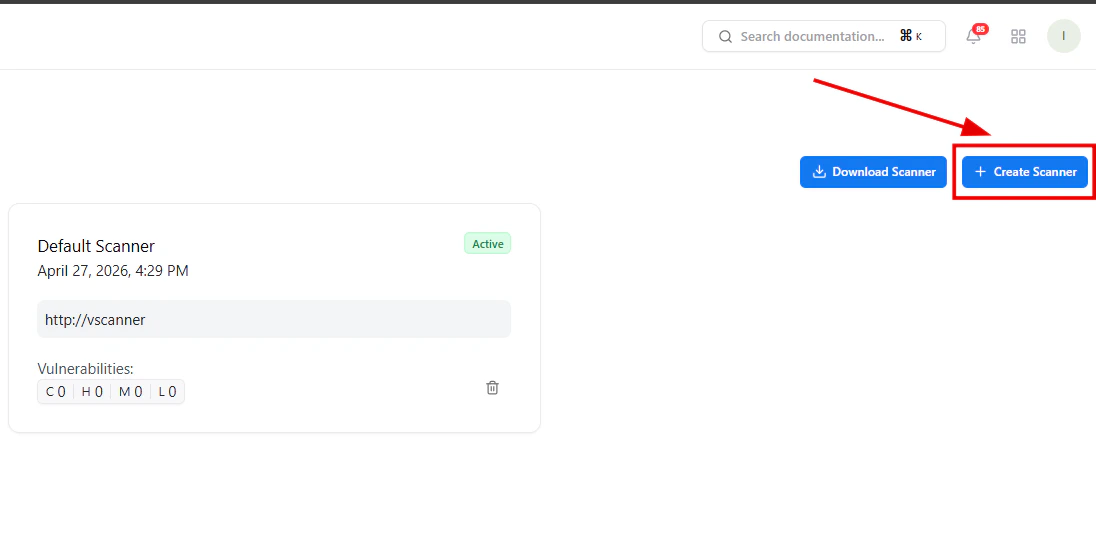 ### Available Actions
* **Download Scanner**\
Deploy a scanner within your infrastructure
* **Create Scanner**\
Register a new scanner instance
These actions allow you to horizontally scale scanning capacity.
***
## Create Scanner
### Available Actions
* **Download Scanner**\
Deploy a scanner within your infrastructure
* **Create Scanner**\
Register a new scanner instance
These actions allow you to horizontally scale scanning capacity.
***
## Create Scanner
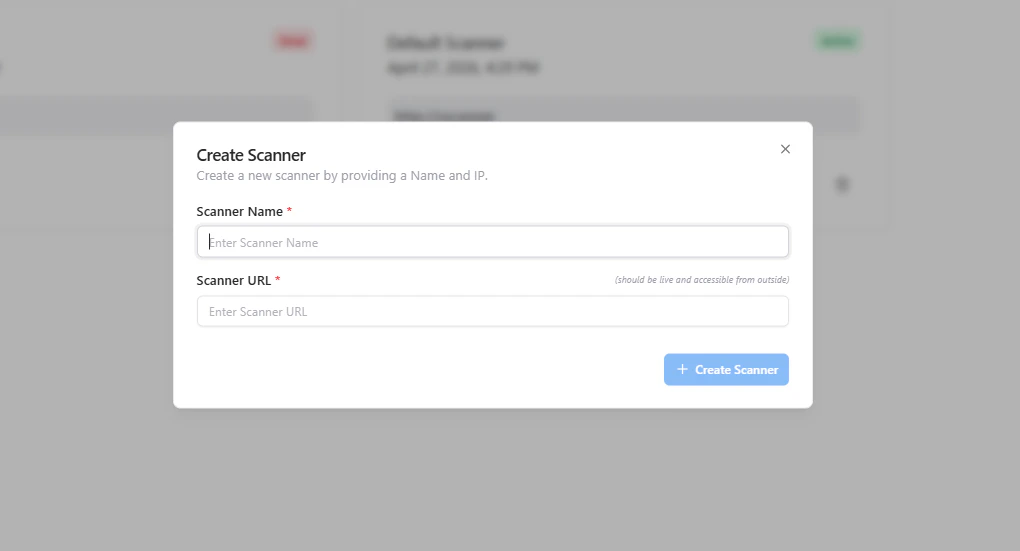 To register a scanner:
1. Provide a **Scanner Name**
2. Enter the **Scanner URL / Endpoint**
3. Ensure the scanner is reachable
4. Click **Create Scanner**
***
## Scanner Status
* **Active** — Scanner is online and operational
* **Offline / Dead** — Scanner is unreachable or not responding
Monitoring scanner health ensures reliable scan execution.
***
## Use Cases
* Deploy scanners inside private networks
* Scan internal infrastructure securely
* Distribute scans across multiple regions
* Improve performance with parallel scanning
***
## Why This Matters
* Enables **scalable vulnerability scanning**
* Supports **internal + external asset coverage**
* Reduces scan latency through distributed architecture
* Ensures **high availability of scanning operations**
***
## Explore Live Demo
Experience how Snapsec scales vulnerability scanning using distributed scanner nodes.
To register a scanner:
1. Provide a **Scanner Name**
2. Enter the **Scanner URL / Endpoint**
3. Ensure the scanner is reachable
4. Click **Create Scanner**
***
## Scanner Status
* **Active** — Scanner is online and operational
* **Offline / Dead** — Scanner is unreachable or not responding
Monitoring scanner health ensures reliable scan execution.
***
## Use Cases
* Deploy scanners inside private networks
* Scan internal infrastructure securely
* Distribute scans across multiple regions
* Improve performance with parallel scanning
***
## Why This Matters
* Enables **scalable vulnerability scanning**
* Supports **internal + external asset coverage**
* Reduces scan latency through distributed architecture
* Ensures **high availability of scanning operations**
***
## Explore Live Demo
Experience how Snapsec scales vulnerability scanning using distributed scanner nodes.