> ## Documentation Index
> Fetch the complete documentation index at: https://docs.snapsec.co/llms.txt
> Use this file to discover all available pages before exploring further.
# Scans
> Create, schedule, and monitor vulnerability scans across your assets and groups.
## Overview
Scans are the core execution engine of the Vulnerability Scanner.\
They allow you to continuously assess your assets, detect vulnerabilities, and track security posture over time.
***
## Scan List
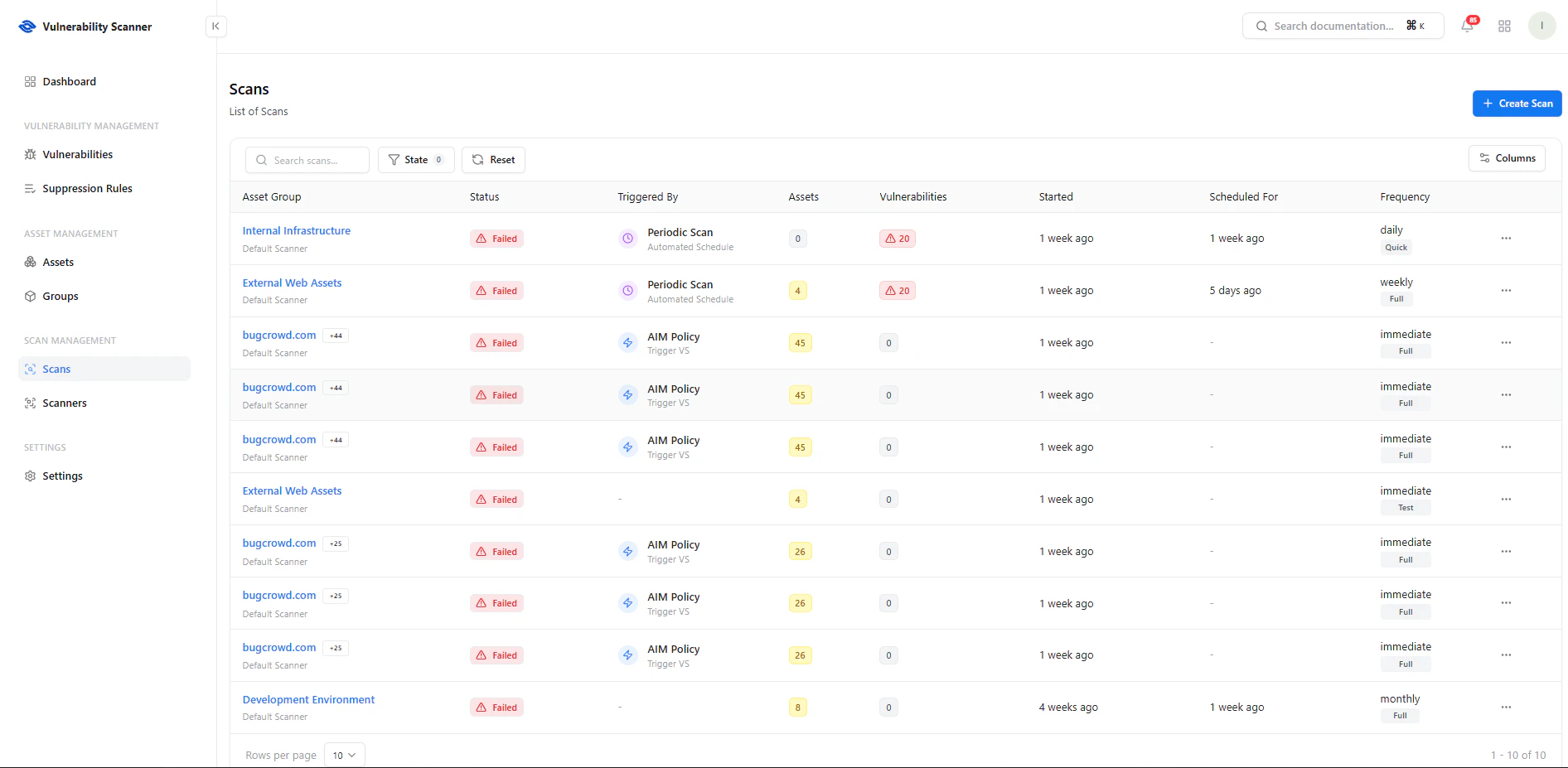 The scan list provides a centralized view of all scan activities.
### Key Information
* **Asset Group** — Target of the scan
* **Status** — Success, Failed, In Progress
* **Triggered By** — Manual, Scheduled, or Policy-driven
* **Assets Covered** — Number of assets scanned
* **Vulnerabilities Found** — Total findings
* **Frequency** — Daily, Weekly, Monthly, Immediate
***
## Create a Scan
The scan list provides a centralized view of all scan activities.
### Key Information
* **Asset Group** — Target of the scan
* **Status** — Success, Failed, In Progress
* **Triggered By** — Manual, Scheduled, or Policy-driven
* **Assets Covered** — Number of assets scanned
* **Vulnerabilities Found** — Total findings
* **Frequency** — Daily, Weekly, Monthly, Immediate
***
## Create a Scan
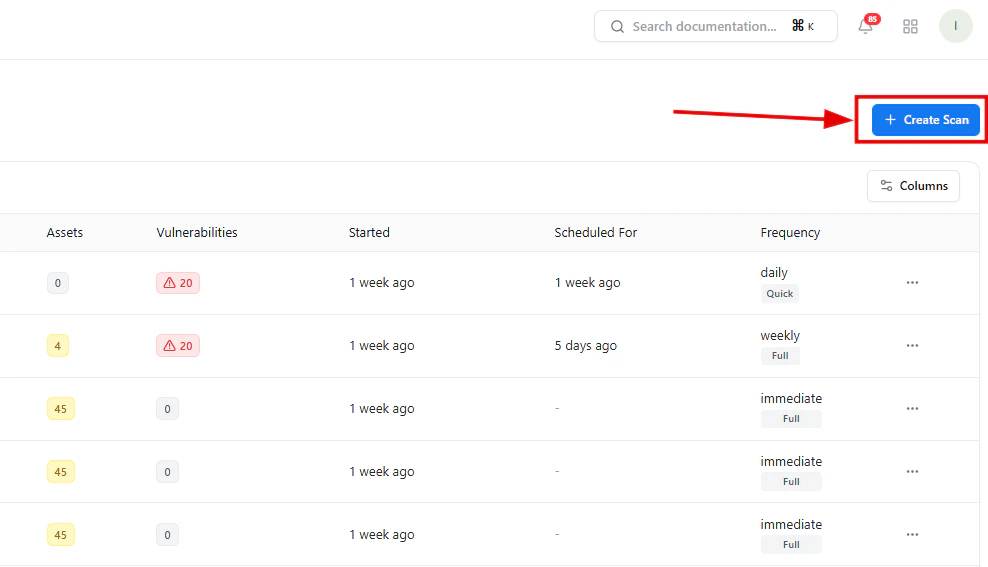 To initiate a scan:
1. Click **Create Scan**
2. Choose scan type
3. Select scope (group or asset)
4. Configure schedule
5. Launch scan
***
## Scan Configuration
To initiate a scan:
1. Click **Create Scan**
2. Choose scan type
3. Select scope (group or asset)
4. Configure schedule
5. Launch scan
***
## Scan Configuration
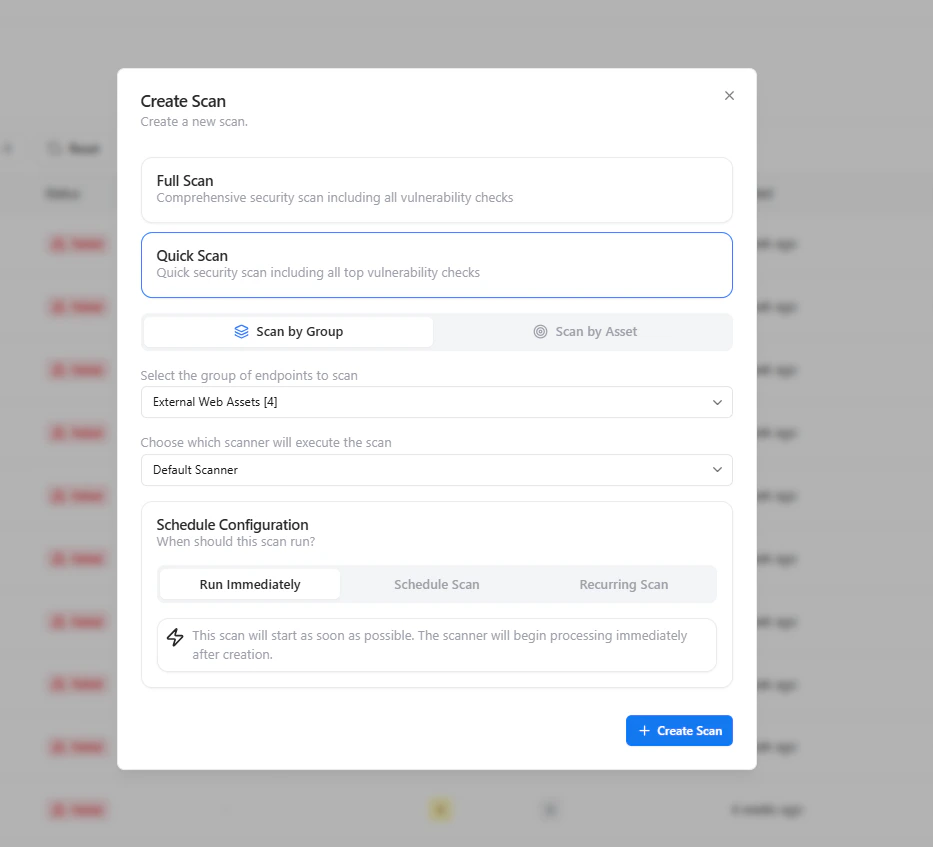 ### Scan Types
* **Full Scan** — Comprehensive security assessment
* **Quick Scan** — Faster scan focusing on high-impact vulnerabilities
### Scan Scope
* **Scan by Group** — Target all assets within a group
* **Scan by Asset** — Scan individual assets
### Scheduling Options
* **Run Immediately** — Execute scan instantly
* **Scheduled Scan** — Run at a specific time
* **Recurring Scan** — Automate periodic scans
***
## Scan Details Dashboard
### Scan Types
* **Full Scan** — Comprehensive security assessment
* **Quick Scan** — Faster scan focusing on high-impact vulnerabilities
### Scan Scope
* **Scan by Group** — Target all assets within a group
* **Scan by Asset** — Scan individual assets
### Scheduling Options
* **Run Immediately** — Execute scan instantly
* **Scheduled Scan** — Run at a specific time
* **Recurring Scan** — Automate periodic scans
***
## Scan Details Dashboard
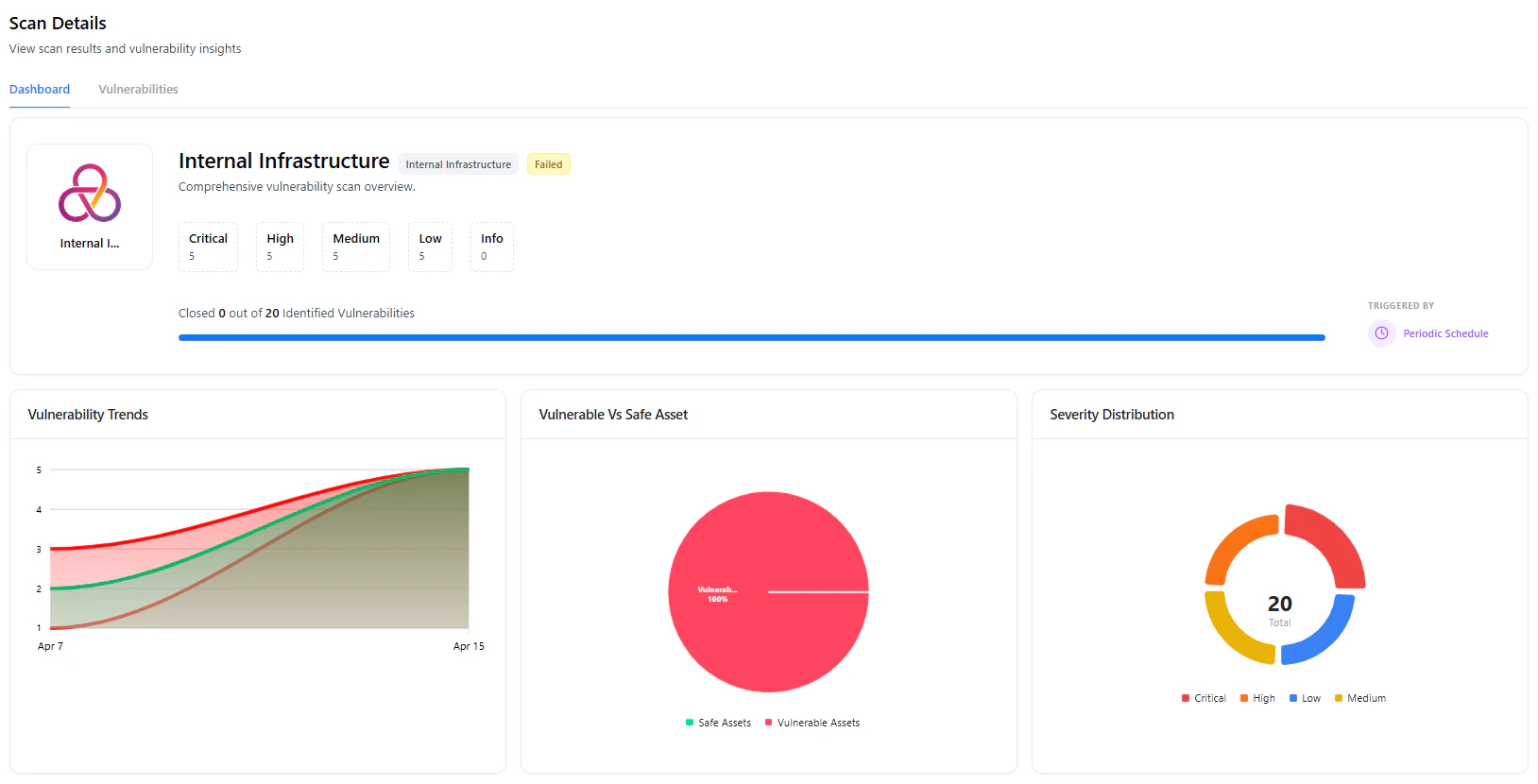 Each scan provides a detailed overview:
* **Severity Breakdown** — Critical, High, Medium, Low
* **Progress Tracking** — Closed vs identified vulnerabilities
* **Trend Analysis** — Vulnerability trends over time
* **Asset Risk Overview** — Vulnerable vs safe assets
***
## Top Vulnerabilities
Each scan provides a detailed overview:
* **Severity Breakdown** — Critical, High, Medium, Low
* **Progress Tracking** — Closed vs identified vulnerabilities
* **Trend Analysis** — Vulnerability trends over time
* **Asset Risk Overview** — Vulnerable vs safe assets
***
## Top Vulnerabilities
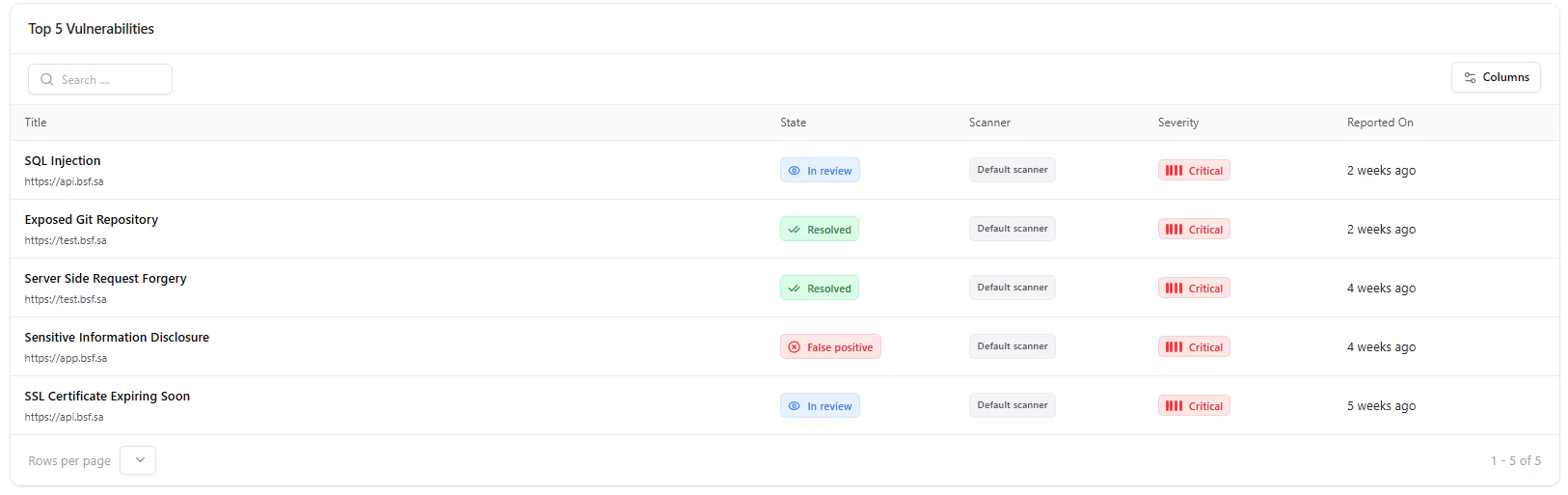 Quickly identify:
* Most critical vulnerabilities
* Current remediation status
* Affected assets
* Time since detection
***
## Use Cases
* Continuous security monitoring
* Scheduled compliance scans
* Rapid assessment after deployments
* Targeted scans for high-risk groups
***
## Why This Matters
* Enables proactive vulnerability detection
* Reduces attack surface continuously
* Automates security operations
* Provides actionable security insights
***
## Explore Live Demo
Experience how Snapsec VS scans your assets and uncovers vulnerabilities in real time.
Quickly identify:
* Most critical vulnerabilities
* Current remediation status
* Affected assets
* Time since detection
***
## Use Cases
* Continuous security monitoring
* Scheduled compliance scans
* Rapid assessment after deployments
* Targeted scans for high-risk groups
***
## Why This Matters
* Enables proactive vulnerability detection
* Reduces attack surface continuously
* Automates security operations
* Provides actionable security insights
***
## Explore Live Demo
Experience how Snapsec VS scans your assets and uncovers vulnerabilities in real time.