> ## Documentation Index
> Fetch the complete documentation index at: https://docs.snapsec.co/llms.txt
> Use this file to discover all available pages before exploring further.
# Assets
> View, manage, and scan assets to identify vulnerabilities across your attack surface.
## Overview
The Assets page provides a centralized view of all discovered assets within your environment.
It allows you to monitor vulnerability exposure, organize assets into groups, and trigger scans directly.
***
## Assets List
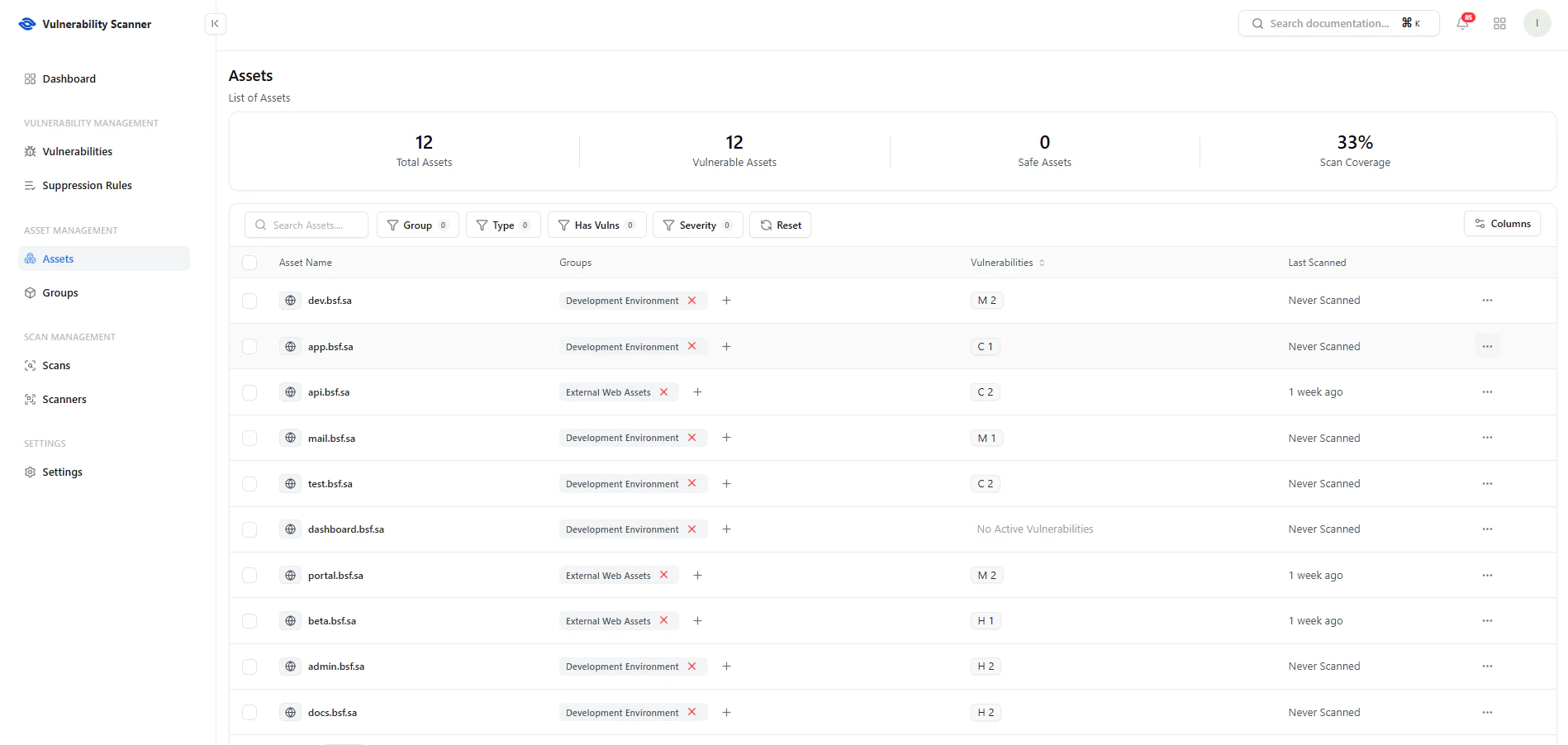 This table displays all assets along with their security posture.
### Key Metrics
* **Total Assets** — Total number of tracked assets
* **Vulnerable Assets** — Assets with at least one vulnerability
* **Safe Assets** — Assets with no vulnerabilities
* **Scan Coverage** — Percentage of assets scanned
### Key Features
* **Search & Filters** — Filter by group, type, vulnerability presence, or severity
* **Groups Column** — Organize assets by environment or function
* **Vulnerabilities** — Displays severity counts (C, H, M, etc.)
* **Last Scanned** — Shows scan recency
***
## Assign Assets to Groups
This table displays all assets along with their security posture.
### Key Metrics
* **Total Assets** — Total number of tracked assets
* **Vulnerable Assets** — Assets with at least one vulnerability
* **Safe Assets** — Assets with no vulnerabilities
* **Scan Coverage** — Percentage of assets scanned
### Key Features
* **Search & Filters** — Filter by group, type, vulnerability presence, or severity
* **Groups Column** — Organize assets by environment or function
* **Vulnerabilities** — Displays severity counts (C, H, M, etc.)
* **Last Scanned** — Shows scan recency
***
## Assign Assets to Groups
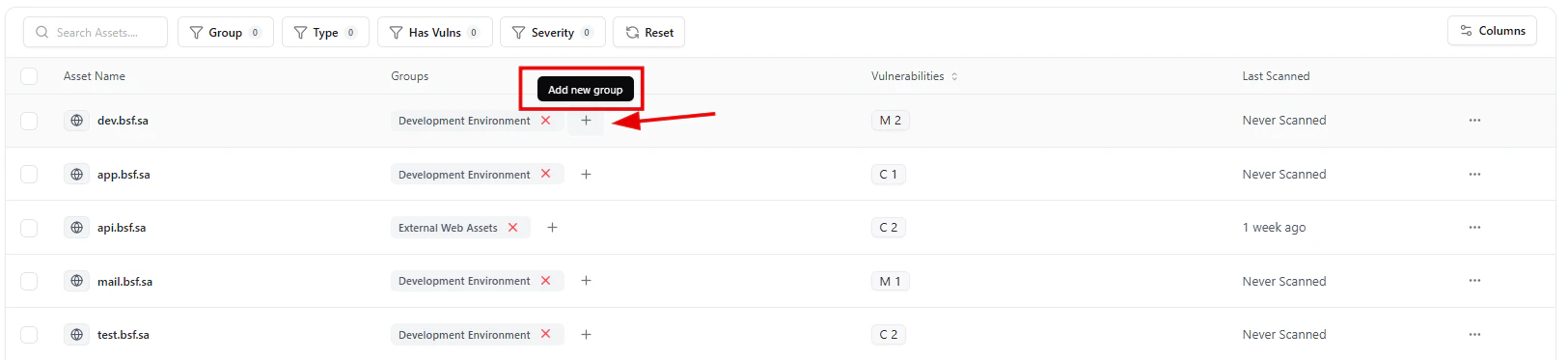 You can organize assets into logical groups such as:
* Development
* External Assets
* Internal Infrastructure
Click the **+ icon** next to a group to assign or update grouping.
***
## Add to Group
You can organize assets into logical groups such as:
* Development
* External Assets
* Internal Infrastructure
Click the **+ icon** next to a group to assign or update grouping.
***
## Add to Group
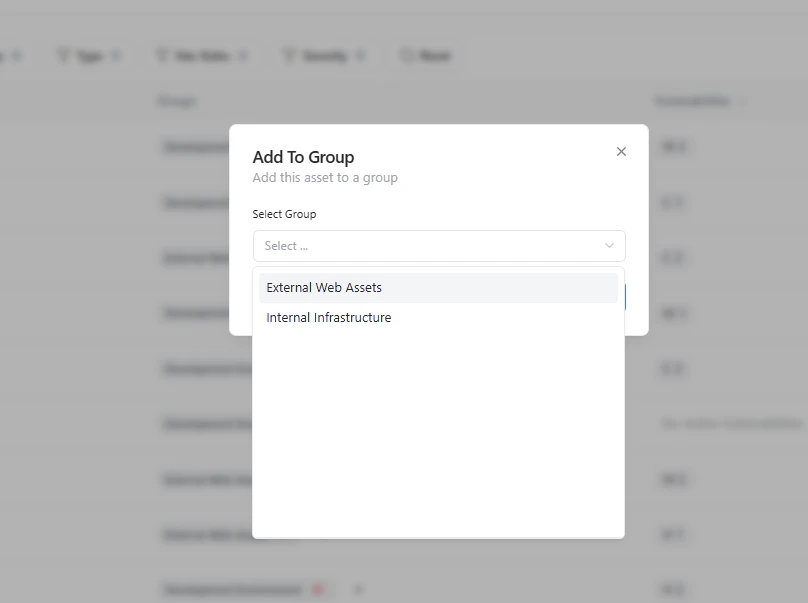 Choose from existing groups to categorize assets.
Grouping helps with:
* Ownership mapping
* Targeted scanning
* Better reporting
***
## Run Scan on Asset
Choose from existing groups to categorize assets.
Grouping helps with:
* Ownership mapping
* Targeted scanning
* Better reporting
***
## Run Scan on Asset
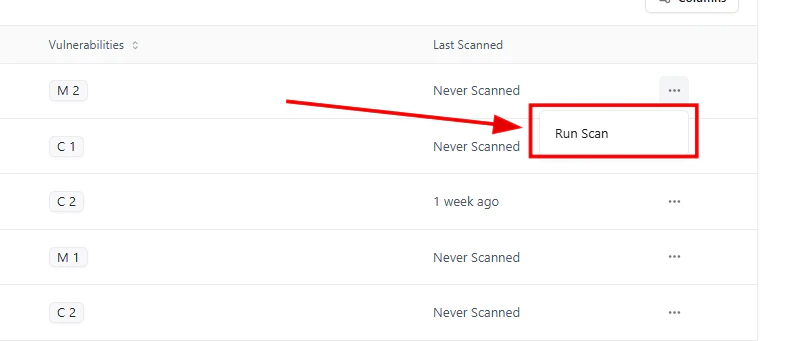 Each asset includes quick actions:
* **Run Scan** — Start an immediate scan
* Access via the **actions menu (⋯)**
This enables on-demand security testing.
***
## Scan Confirmation
Each asset includes quick actions:
* **Run Scan** — Start an immediate scan
* Access via the **actions menu (⋯)**
This enables on-demand security testing.
***
## Scan Confirmation
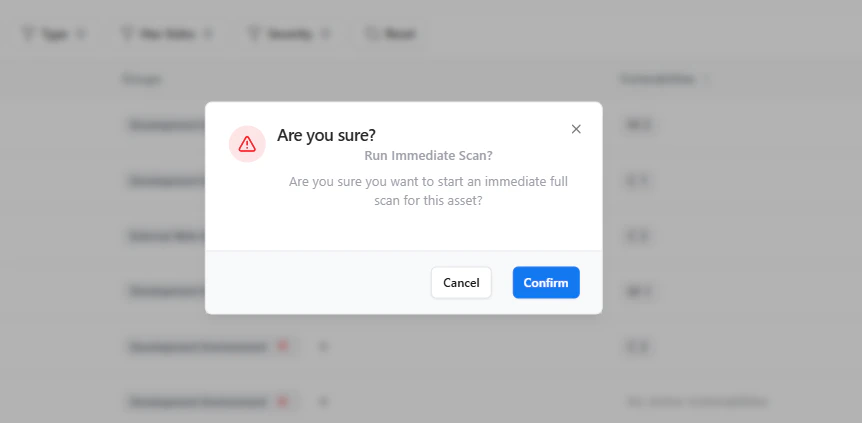 Before starting a scan:
* A confirmation dialog ensures intentional execution
* Prevents accidental scans on production systems
***
## Asset-Level Vulnerability View
Before starting a scan:
* A confirmation dialog ensures intentional execution
* Prevents accidental scans on production systems
***
## Asset-Level Vulnerability View
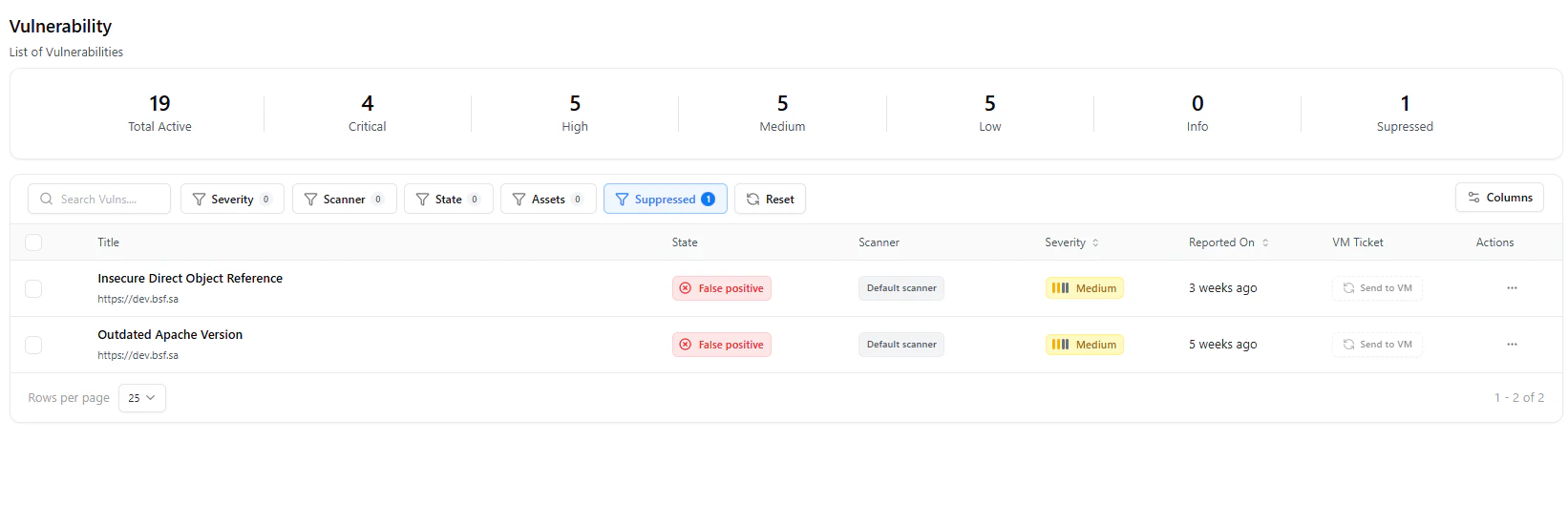 Drill down into an asset to:
* View associated vulnerabilities
* Analyze severity and status
* Track remediation progress
***
## Use Cases
* Monitor **asset-level risk exposure**
* Organize assets by **environment or ownership**
* Run **targeted scans on critical assets**
* Track **scan coverage and gaps**
***
## Why This Matters
* Provides complete asset visibility
* Enables targeted vulnerability management
* Improves ownership and accountability
* Supports continuous security monitoring
***
## Explore Live Demo
See how Snapsec VS helps you track, group, and scan assets to uncover vulnerabilities in real-time.
Drill down into an asset to:
* View associated vulnerabilities
* Analyze severity and status
* Track remediation progress
***
## Use Cases
* Monitor **asset-level risk exposure**
* Organize assets by **environment or ownership**
* Run **targeted scans on critical assets**
* Track **scan coverage and gaps**
***
## Why This Matters
* Provides complete asset visibility
* Enables targeted vulnerability management
* Improves ownership and accountability
* Supports continuous security monitoring
***
## Explore Live Demo
See how Snapsec VS helps you track, group, and scan assets to uncover vulnerabilities in real-time.