> ## Documentation Index
> Fetch the complete documentation index at: https://docs.snapsec.co/llms.txt
> Use this file to discover all available pages before exploring further.
# Vulnerability Groups
> Organize and manage related vulnerabilities across assets and assessments in unified, customizable groups.
 ## Overview
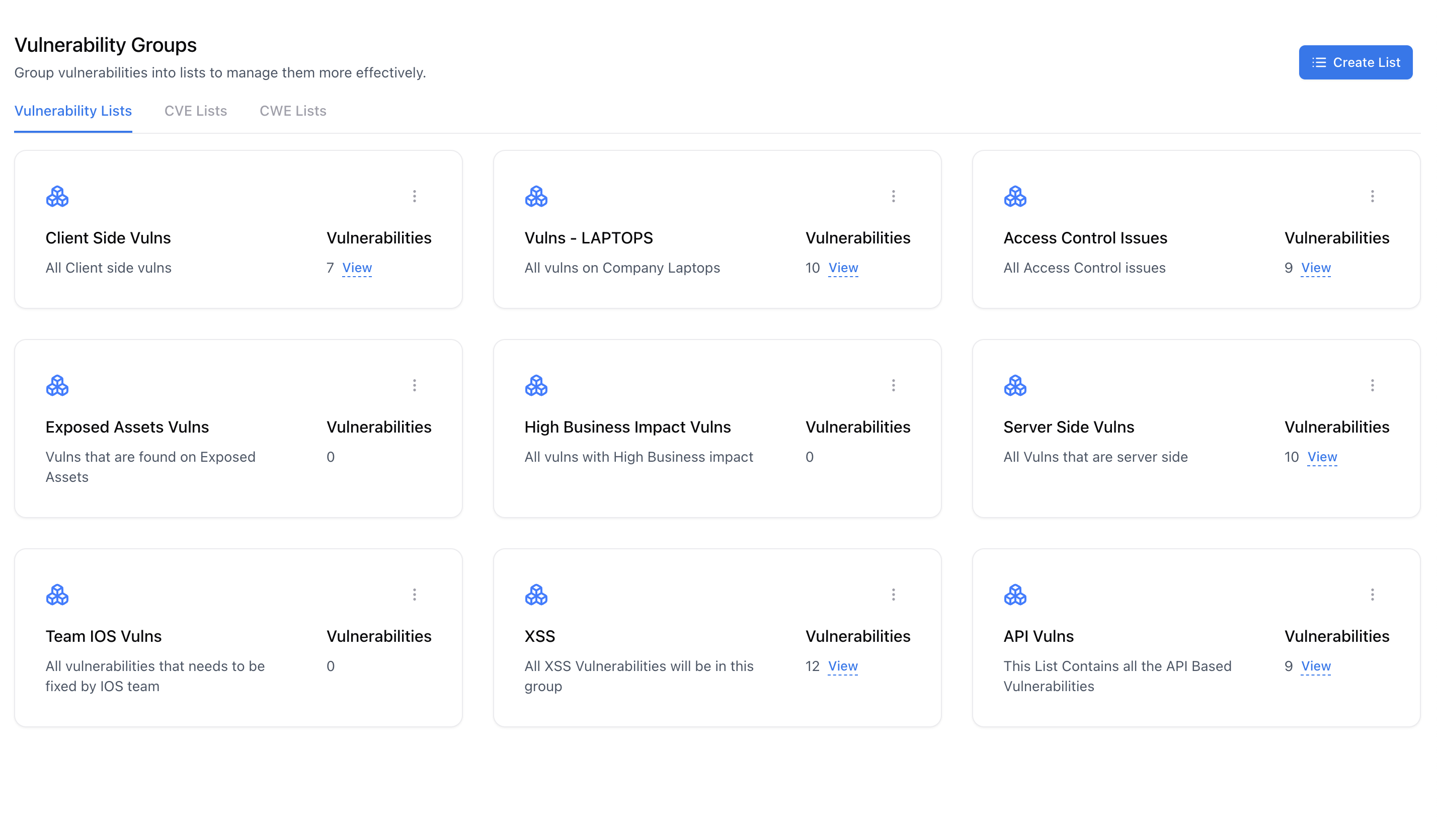
**Vulnerability Groups** enable you to organize vulnerabilities from multiple assets, assessments, and sources into logical collections — such as all *Access Control* issues or *API-related* vulnerabilities.\
This helps teams prioritize fixes, track themes, and export consolidated reports with ease.
Groups can be defined by vulnerability types, impacted components, responsible teams, or business context. They act as dynamic workspaces to simplify remediation management across large vulnerability datasets.
***
## Use Cases
* Group all *Access Control* or *Authentication* issues across multiple systems.
* Maintain separate vulnerability lists per *team* or *department*.
* Create category-based views (e.g., *API Vulnerabilities*, *Web XSS Issues*, *Encryption Weaknesses*).
* Generate consolidated reports for specific vulnerability families.
***
## Creating or Updating a Group
## Overview
**Vulnerability Groups** enable you to organize vulnerabilities from multiple assets, assessments, and sources into logical collections — such as all *Access Control* issues or *API-related* vulnerabilities.\
This helps teams prioritize fixes, track themes, and export consolidated reports with ease.
Groups can be defined by vulnerability types, impacted components, responsible teams, or business context. They act as dynamic workspaces to simplify remediation management across large vulnerability datasets.
***
## Use Cases
* Group all *Access Control* or *Authentication* issues across multiple systems.
* Maintain separate vulnerability lists per *team* or *department*.
* Create category-based views (e.g., *API Vulnerabilities*, *Web XSS Issues*, *Encryption Weaknesses*).
* Generate consolidated reports for specific vulnerability families.
***
## Creating or Updating a Group
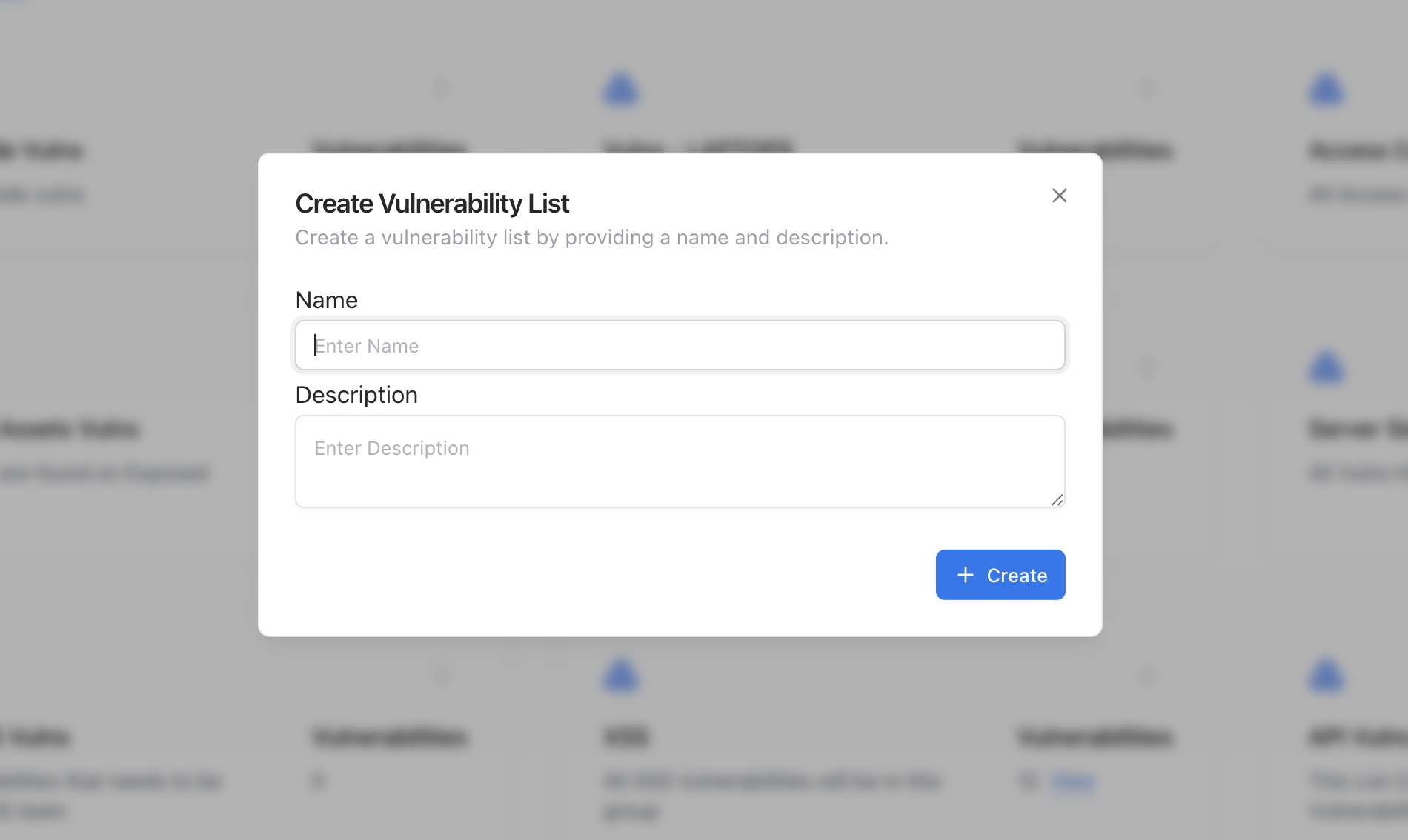 Navigate to **Vulnerability Management → Vulnerabilities → Groups**.
Provide a **name** (e.g., “XSS” or “API Vulnerabilities”) and an optional **description** to help categorize the group.
Once saved, your new group will appear in the list, ready to be populated with vulnerabilities.
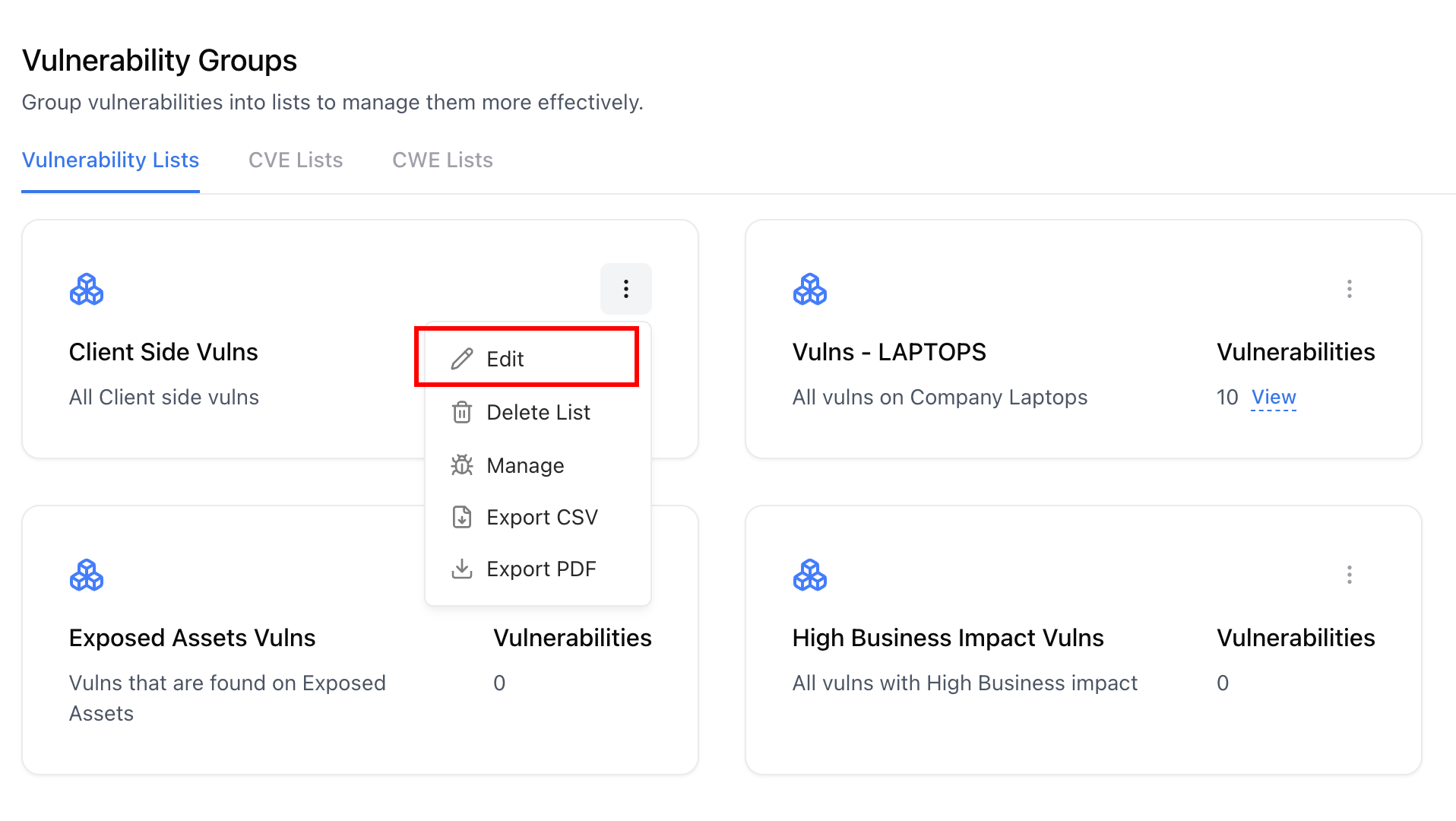
To rename or edit a group’s description, click the **three-dot menu (⋯)** on the card and select **Edit**.
Navigate to **Vulnerability Management → Vulnerabilities → Groups**.
Provide a **name** (e.g., “XSS” or “API Vulnerabilities”) and an optional **description** to help categorize the group.
Once saved, your new group will appear in the list, ready to be populated with vulnerabilities.
To rename or edit a group’s description, click the **three-dot menu (⋯)** on the card and select **Edit**.
 ***
## Viewing Vulnerabilities in a Group
***
## Viewing Vulnerabilities in a Group
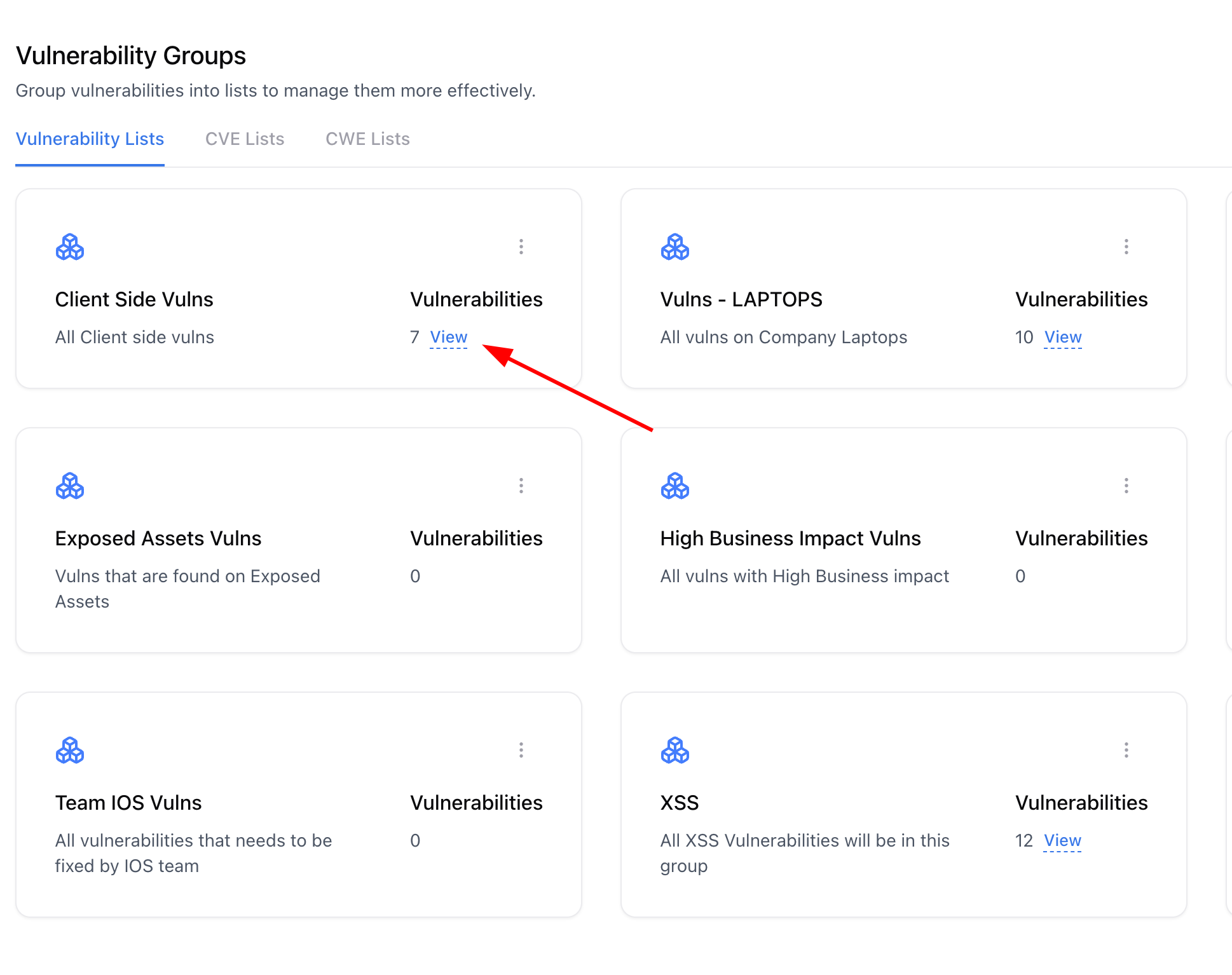 Click on the **group name** or the **‘View’** link beside the vulnerability count.
View all vulnerabilities added to that group, along with their severity, state, and associated assessments.
Click any vulnerability title to open its detailed view and remediation information.
***
## Adding or Removing Vulnerabilities
Click on the **group name** or the **‘View’** link beside the vulnerability count.
View all vulnerabilities added to that group, along with their severity, state, and associated assessments.
Click any vulnerability title to open its detailed view and remediation information.
***
## Adding or Removing Vulnerabilities
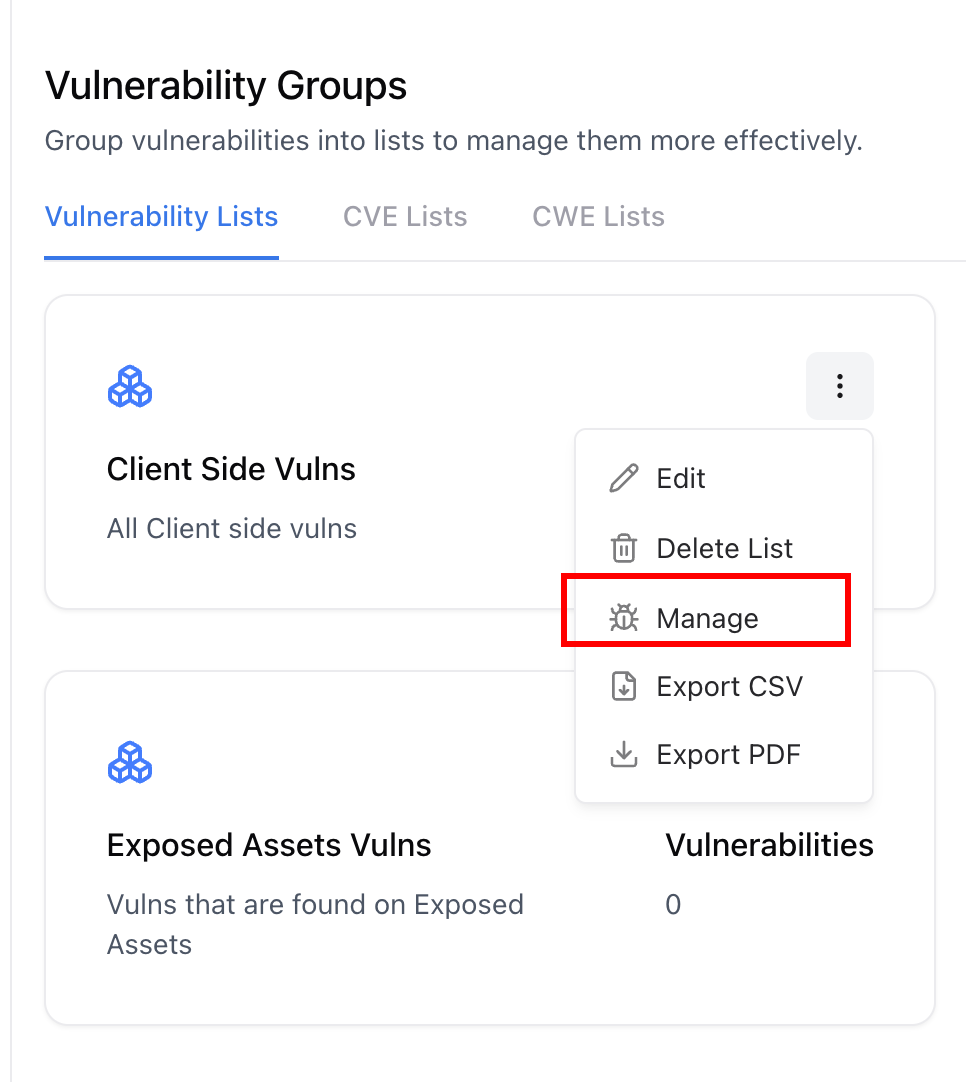 Open the group’s **Manage** option from the menu.
Search across all vulnerabilities and select the ones you wish to add to the group.
To remove, deselect items or use the **Remove** button in the group management view.
Groups can be configured to automatically include vulnerabilities matching filters like CWE, severity, or keywords.
You can group vulnerabilities from **different assessments and sources** — ideal for tracking recurring issues across your environment.
***
## Exporting Group Data
Open the group’s **Manage** option from the menu.
Search across all vulnerabilities and select the ones you wish to add to the group.
To remove, deselect items or use the **Remove** button in the group management view.
Groups can be configured to automatically include vulnerabilities matching filters like CWE, severity, or keywords.
You can group vulnerabilities from **different assessments and sources** — ideal for tracking recurring issues across your environment.
***
## Exporting Group Data
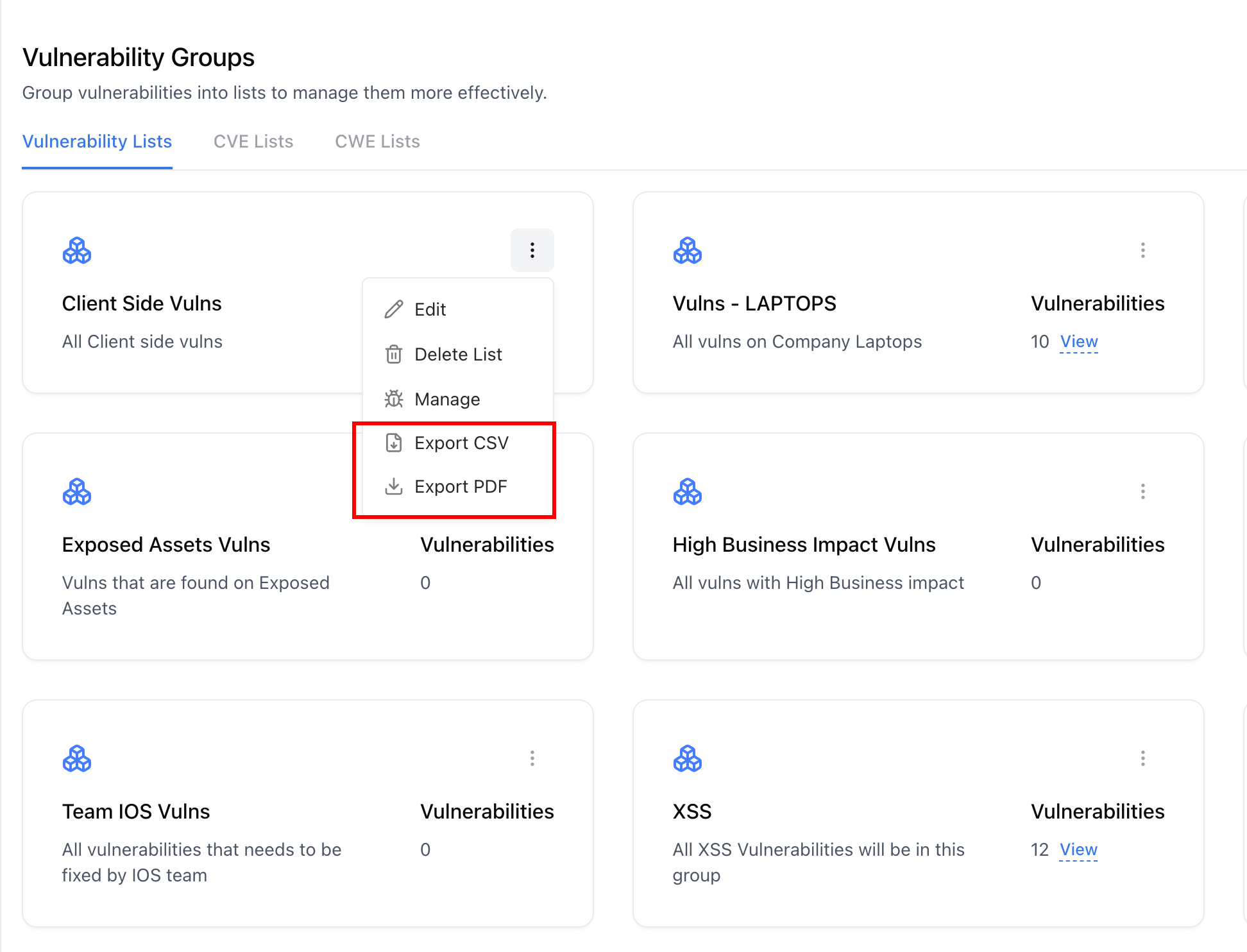 You can export grouped vulnerabilities either as a **CSV file** for analysis or as a **PDF report** for sharing and documentation.
### Export CSV
Click the three-dot (⋯) menu beside your chosen group.
A CSV file will be generated containing all vulnerabilities, including metadata such as title, severity, CVSS, asset, and owner.
### Export PDF Report
Generate a detailed **Consolidated Vulnerability Report** with full details, affected assets, CVSS scores, and remediation steps.
The report will automatically compile and download, formatted for executive or audit-ready reviews.
***
## CWE-Based Grouping
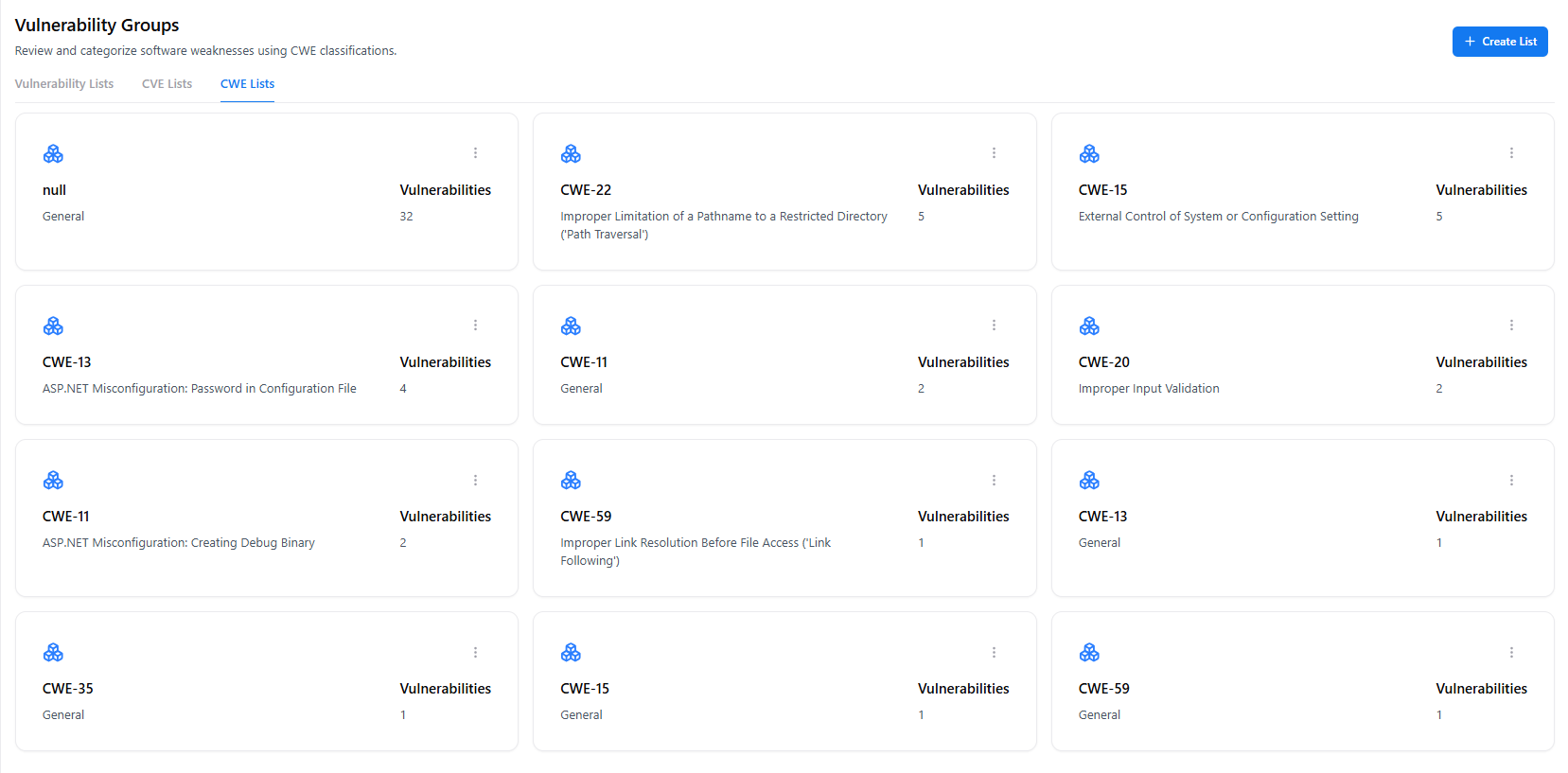
Vulnerability Groups support organizing findings using **CWE (Common Weakness Enumeration)** classifications.\
This allows teams to group vulnerabilities based on **root cause patterns**, not just individual findings.
You can export grouped vulnerabilities either as a **CSV file** for analysis or as a **PDF report** for sharing and documentation.
### Export CSV
Click the three-dot (⋯) menu beside your chosen group.
A CSV file will be generated containing all vulnerabilities, including metadata such as title, severity, CVSS, asset, and owner.
### Export PDF Report
Generate a detailed **Consolidated Vulnerability Report** with full details, affected assets, CVSS scores, and remediation steps.
The report will automatically compile and download, formatted for executive or audit-ready reviews.
***
## CWE-Based Grouping
Vulnerability Groups support organizing findings using **CWE (Common Weakness Enumeration)** classifications.\
This allows teams to group vulnerabilities based on **root cause patterns**, not just individual findings.
 ### How CWE Grouping Helps
CWE-based grouping enables teams to:
* Track recurring **weakness classes** (e.g., CWE-79, CWE-89, CWE-287) across applications
* Identify **systemic security flaws** instead of isolated bugs
* Prioritize remediation based on **root causes**, not just severity
* Align remediation efforts with **secure coding standards** and training programs
***
### Creating a CWE-Based Group
Open **Vulnerability Groups** and create a new group or edit an existing one.
Choose one or more **CWE IDs** (e.g., CWE-79: Cross-Site Scripting, CWE-287: Improper Authentication).
All vulnerabilities mapped to the selected CWE identifiers are automatically included in the group.
CWE-based groups dynamically update as new vulnerabilities are discovered or reclassified.
***
### Example CWE Use Cases
* **CWE-79 (XSS):** Track all cross-site scripting issues across web applications
* **CWE-89 (SQL Injection):** Monitor database-related injection risks
* **CWE-287 (Authentication):** Review identity and access control weaknesses
* **CWE-22 (Path Traversal):** Identify file system exposure risks
These groups help teams address **patterns of weakness**, not just individual vulnerabilities.
***
### Reporting with CWE Context
When exporting a Vulnerability Group:
* **CSV exports** include CWE IDs for each vulnerability
* **PDF reports** summarize findings by CWE category, severity, and affected assets
This makes CWE-based groups ideal for:
* Secure coding reviews
* Engineering retrospectives
* Compliance and audit reporting
* Long-term risk reduction initiatives
***
## Best Practices
* Create functional groups (e.g., *API Issues*, *Auth Flaws*) to align with engineering teams.
* Use CSV exports for bulk remediation tracking in external tools.
* Use PDF exports for client reporting or audit documentation.
* Review and refresh groups regularly to ensure updated vulnerability context.
***
## Explore Live Demo
Jump straight into the live environment and see how Snapsec unifies asset intelligence, threat detection, and vulnerability tracking — all in one dashboard.
### How CWE Grouping Helps
CWE-based grouping enables teams to:
* Track recurring **weakness classes** (e.g., CWE-79, CWE-89, CWE-287) across applications
* Identify **systemic security flaws** instead of isolated bugs
* Prioritize remediation based on **root causes**, not just severity
* Align remediation efforts with **secure coding standards** and training programs
***
### Creating a CWE-Based Group
Open **Vulnerability Groups** and create a new group or edit an existing one.
Choose one or more **CWE IDs** (e.g., CWE-79: Cross-Site Scripting, CWE-287: Improper Authentication).
All vulnerabilities mapped to the selected CWE identifiers are automatically included in the group.
CWE-based groups dynamically update as new vulnerabilities are discovered or reclassified.
***
### Example CWE Use Cases
* **CWE-79 (XSS):** Track all cross-site scripting issues across web applications
* **CWE-89 (SQL Injection):** Monitor database-related injection risks
* **CWE-287 (Authentication):** Review identity and access control weaknesses
* **CWE-22 (Path Traversal):** Identify file system exposure risks
These groups help teams address **patterns of weakness**, not just individual vulnerabilities.
***
### Reporting with CWE Context
When exporting a Vulnerability Group:
* **CSV exports** include CWE IDs for each vulnerability
* **PDF reports** summarize findings by CWE category, severity, and affected assets
This makes CWE-based groups ideal for:
* Secure coding reviews
* Engineering retrospectives
* Compliance and audit reporting
* Long-term risk reduction initiatives
***
## Best Practices
* Create functional groups (e.g., *API Issues*, *Auth Flaws*) to align with engineering teams.
* Use CSV exports for bulk remediation tracking in external tools.
* Use PDF exports for client reporting or audit documentation.
* Review and refresh groups regularly to ensure updated vulnerability context.
***
## Explore Live Demo
Jump straight into the live environment and see how Snapsec unifies asset intelligence, threat detection, and vulnerability tracking — all in one dashboard.