> ## Documentation Index
> Fetch the complete documentation index at: https://docs.snapsec.co/llms.txt
> Use this file to discover all available pages before exploring further.
# SLA Analytics
> Track, enforce, and optimize vulnerability remediation timelines with real-time SLA visibility, violations tracking, and automated reporting.
 ## Overview
**SLA Analytics** provides a real-time view of how effectively your organization is resolving vulnerabilities within defined timelines.
It transforms SLA tracking from a passive metric into an **active operational system** — helping teams identify breaches, enforce accountability, and continuously improve remediation performance.
You can monitor:
* SLA compliance across all vulnerabilities
* Breached and at-risk issues
* Team and owner performance
* Severity-based remediation trends
Every vulnerability is continuously tracked against SLA deadlines — ensuring zero blind spots in remediation timelines.
***
## SLA Dashboard
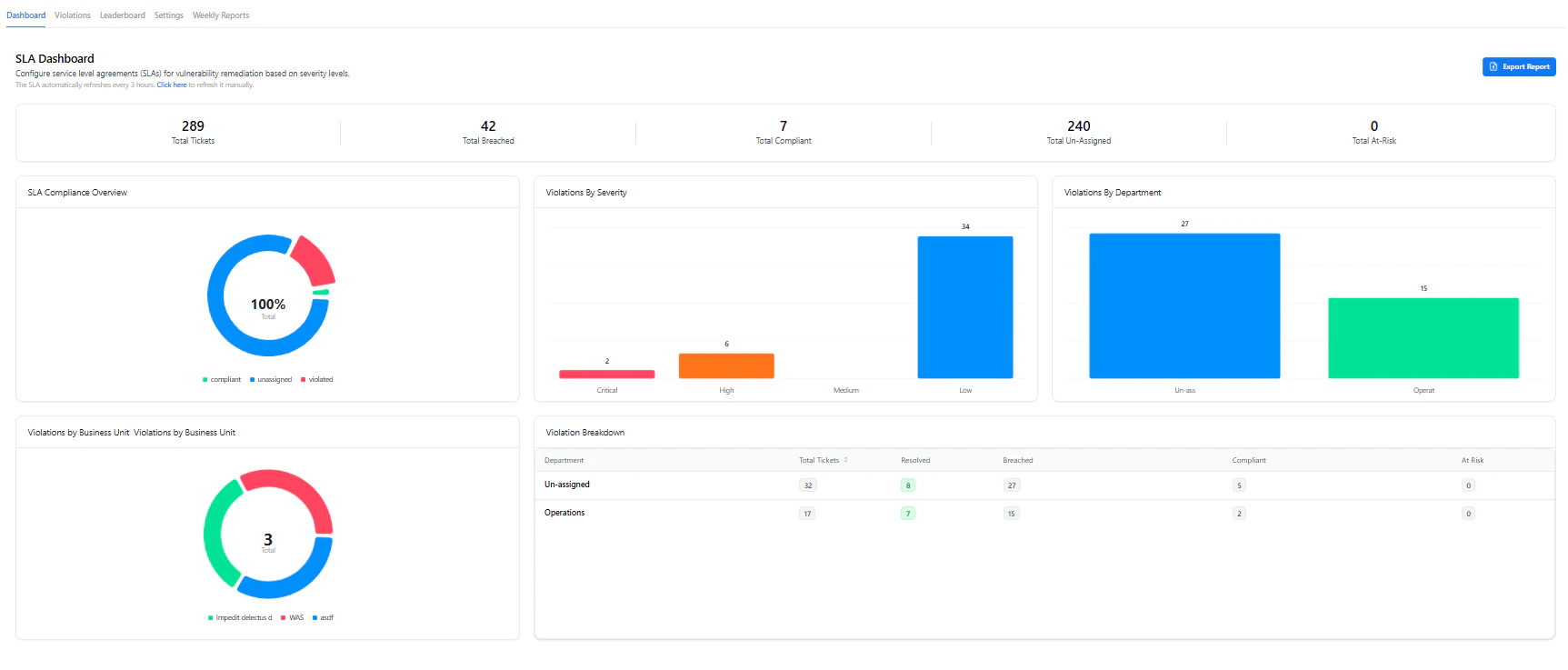
The **Dashboard** gives a high-level snapshot of SLA performance across your organization.
## Overview
**SLA Analytics** provides a real-time view of how effectively your organization is resolving vulnerabilities within defined timelines.
It transforms SLA tracking from a passive metric into an **active operational system** — helping teams identify breaches, enforce accountability, and continuously improve remediation performance.
You can monitor:
* SLA compliance across all vulnerabilities
* Breached and at-risk issues
* Team and owner performance
* Severity-based remediation trends
Every vulnerability is continuously tracked against SLA deadlines — ensuring zero blind spots in remediation timelines.
***
## SLA Dashboard
The **Dashboard** gives a high-level snapshot of SLA performance across your organization.
 ### Key Metrics
* **Total Tickets** — All tracked vulnerabilities
* **Total Breached** — Issues that exceeded SLA timelines
* **Total Compliant** — Resolved within SLA
* **Unassigned** — Vulnerabilities without ownership
* **At Risk** — Close to breaching SLA
***
### Visual Insights
* **SLA Compliance Overview**
* % of compliant vs breached vulnerabilities
* **Violations by Severity**
* Identify which severity levels are failing SLAs
* **Violations by Department**
* Understand which teams are lagging
* **Business Unit Breakdown**
* Track SLA performance across organizational units
The dashboard refreshes automatically, ensuring decisions are always based on current data.
***
## SLA Violations
### Key Metrics
* **Total Tickets** — All tracked vulnerabilities
* **Total Breached** — Issues that exceeded SLA timelines
* **Total Compliant** — Resolved within SLA
* **Unassigned** — Vulnerabilities without ownership
* **At Risk** — Close to breaching SLA
***
### Visual Insights
* **SLA Compliance Overview**
* % of compliant vs breached vulnerabilities
* **Violations by Severity**
* Identify which severity levels are failing SLAs
* **Violations by Department**
* Understand which teams are lagging
* **Business Unit Breakdown**
* Track SLA performance across organizational units
The dashboard refreshes automatically, ensuring decisions are always based on current data.
***
## SLA Violations
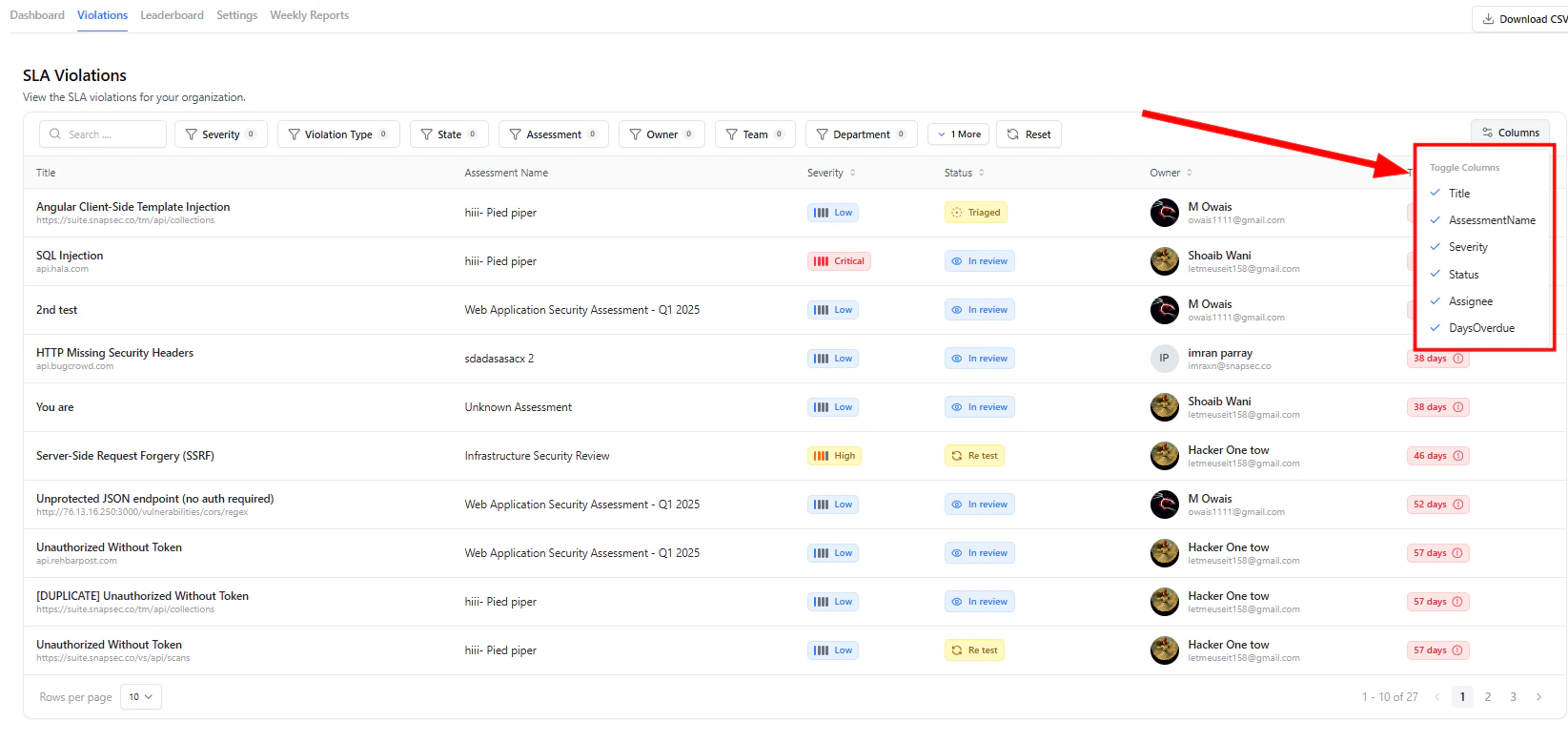 The **Violations** view is your **execution layer** — where teams actively track and resolve SLA breaches.
### What You See
* Vulnerability title and source
* Severity and current state
* Assigned owner
* Time overdue (in days)
***
### Powerful Controls
* **Advanced Filters**
* Filter by severity, violation type, state, owner, team, department, and more
* **Column Customization**
* Toggle visible columns for tailored workflows
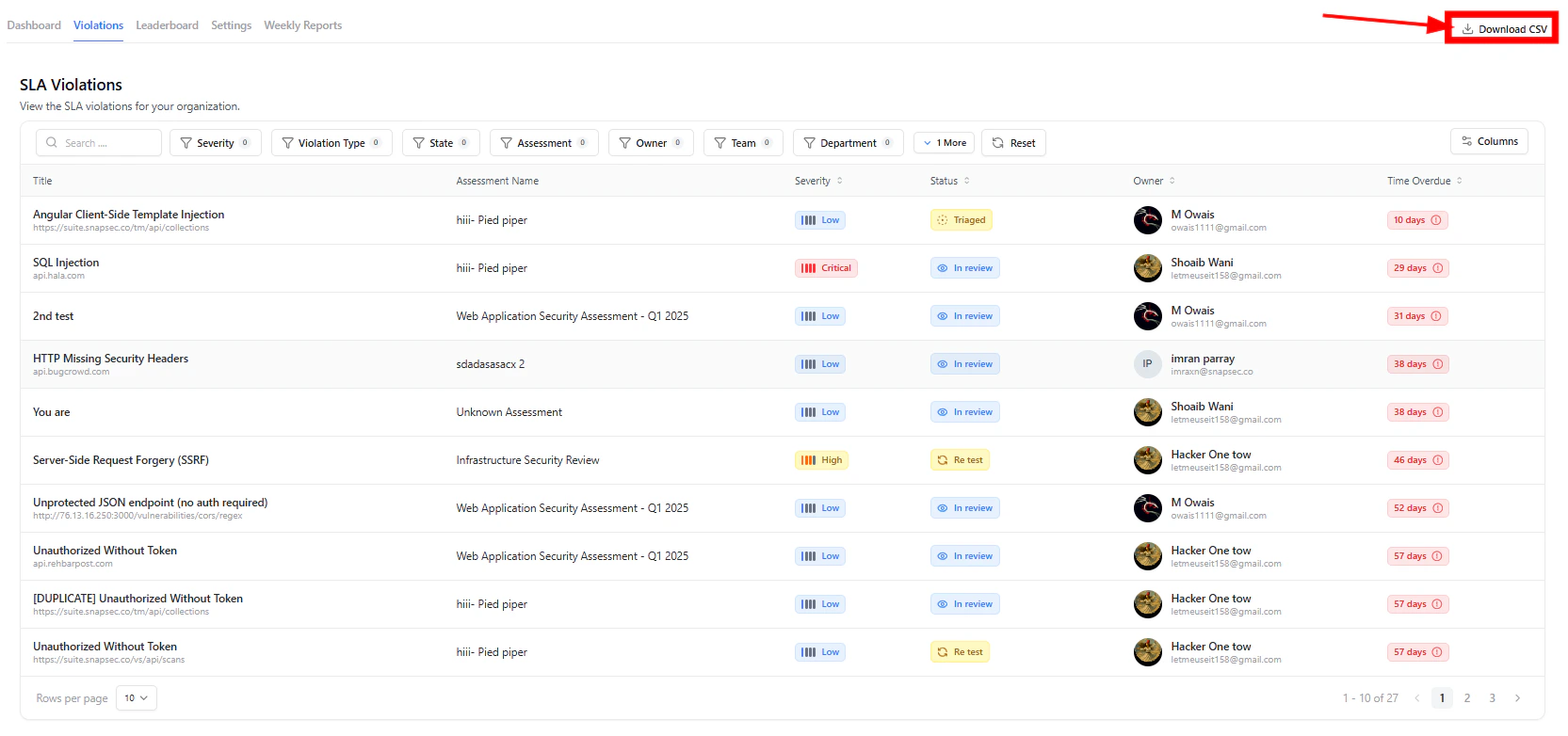
* **CSV Export**
* Download filtered data for reporting or audits
The **Violations** view is your **execution layer** — where teams actively track and resolve SLA breaches.
### What You See
* Vulnerability title and source
* Severity and current state
* Assigned owner
* Time overdue (in days)
***
### Powerful Controls
* **Advanced Filters**
* Filter by severity, violation type, state, owner, team, department, and more
* **Column Customization**
* Toggle visible columns for tailored workflows
* **CSV Export**
* Download filtered data for reporting or audits
 Focus instantly on critical SLA breaches using filters — no need to scan large datasets manually.
***
## SLA Leaderboard
Focus instantly on critical SLA breaches using filters — no need to scan large datasets manually.
***
## SLA Leaderboard
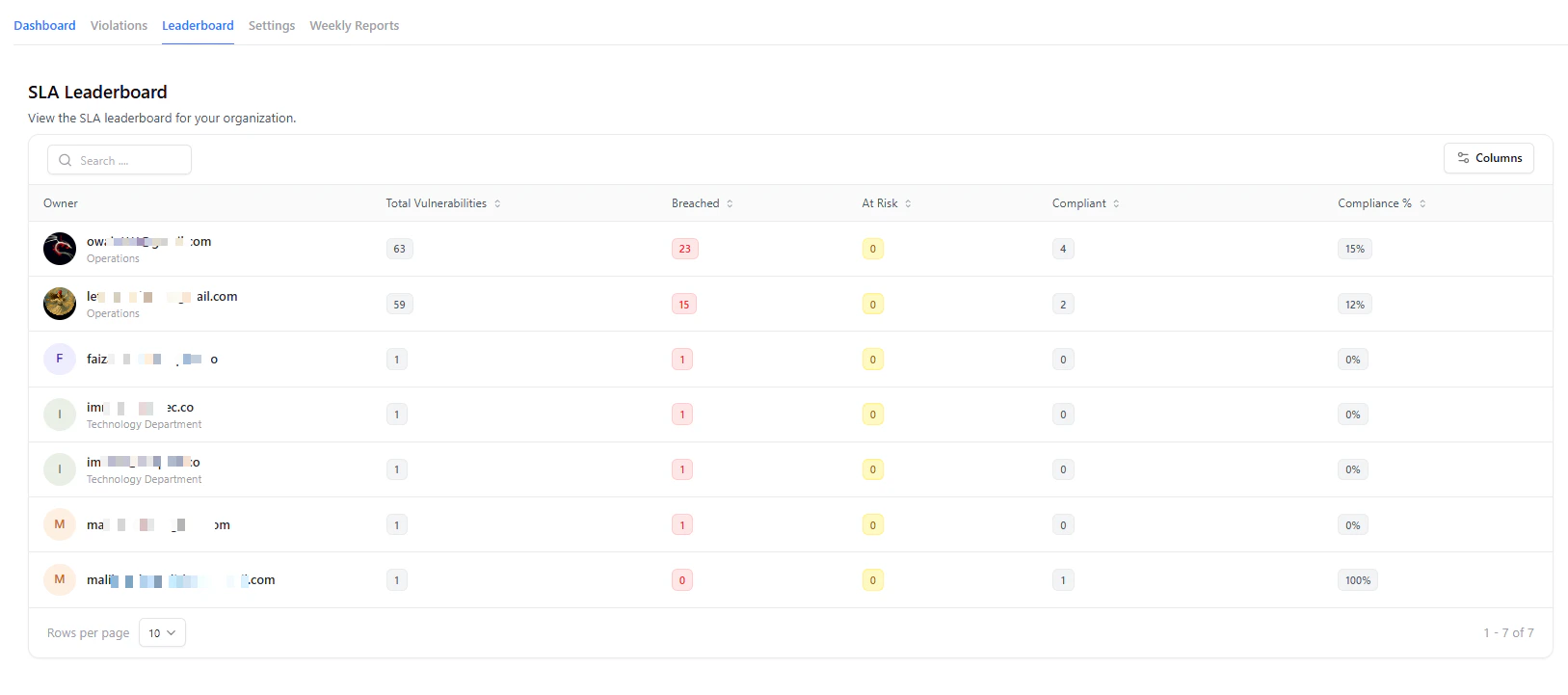 The **Leaderboard** provides visibility into **ownership and accountability**.
### Metrics Tracked
* **Total Vulnerabilities**
* **Breached**
* **At Risk**
* **Compliant**
* **Compliance %**
This allows organizations to:
* Identify high-performing teams
* Detect bottlenecks in remediation
* Drive accountability across owners
Turn SLA compliance into a measurable performance metric across teams.
***
## SLA Configuration
The **Leaderboard** provides visibility into **ownership and accountability**.
### Metrics Tracked
* **Total Vulnerabilities**
* **Breached**
* **At Risk**
* **Compliant**
* **Compliance %**
This allows organizations to:
* Identify high-performing teams
* Detect bottlenecks in remediation
* Drive accountability across owners
Turn SLA compliance into a measurable performance metric across teams.
***
## SLA Configuration
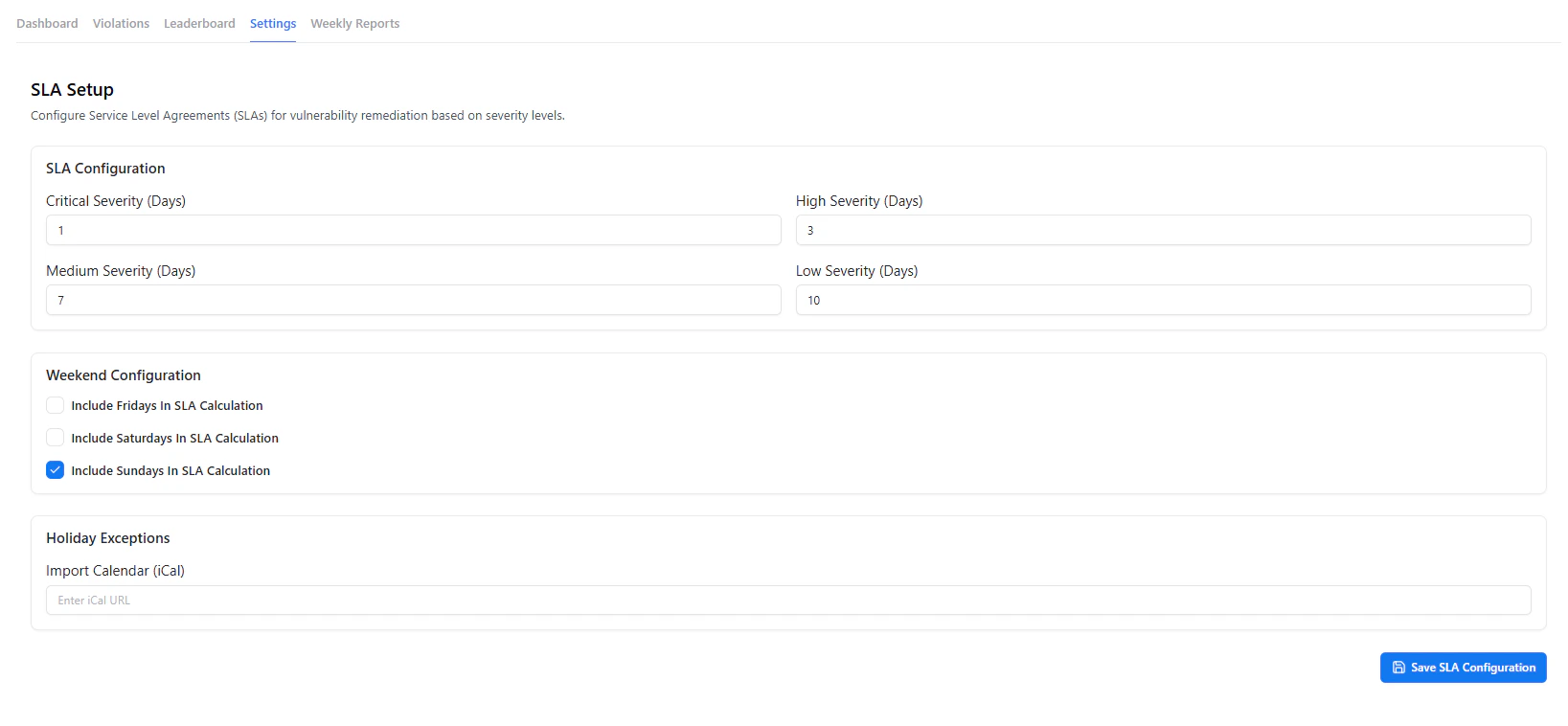 Define how SLA timelines are calculated across your organization.
### Configuration Options
* **Severity-Based Timelines**
* Set resolution deadlines for Critical, High, Medium, and Low
* **Weekend Inclusion**
* Include or exclude specific days in SLA calculations
* **Holiday Exceptions**
* Import iCal calendars to exclude non-working days
Once configured, SLA tracking is automatically applied to all vulnerabilities.
***
## Weekly Reports
Define how SLA timelines are calculated across your organization.
### Configuration Options
* **Severity-Based Timelines**
* Set resolution deadlines for Critical, High, Medium, and Low
* **Weekend Inclusion**
* Include or exclude specific days in SLA calculations
* **Holiday Exceptions**
* Import iCal calendars to exclude non-working days
Once configured, SLA tracking is automatically applied to all vulnerabilities.
***
## Weekly Reports
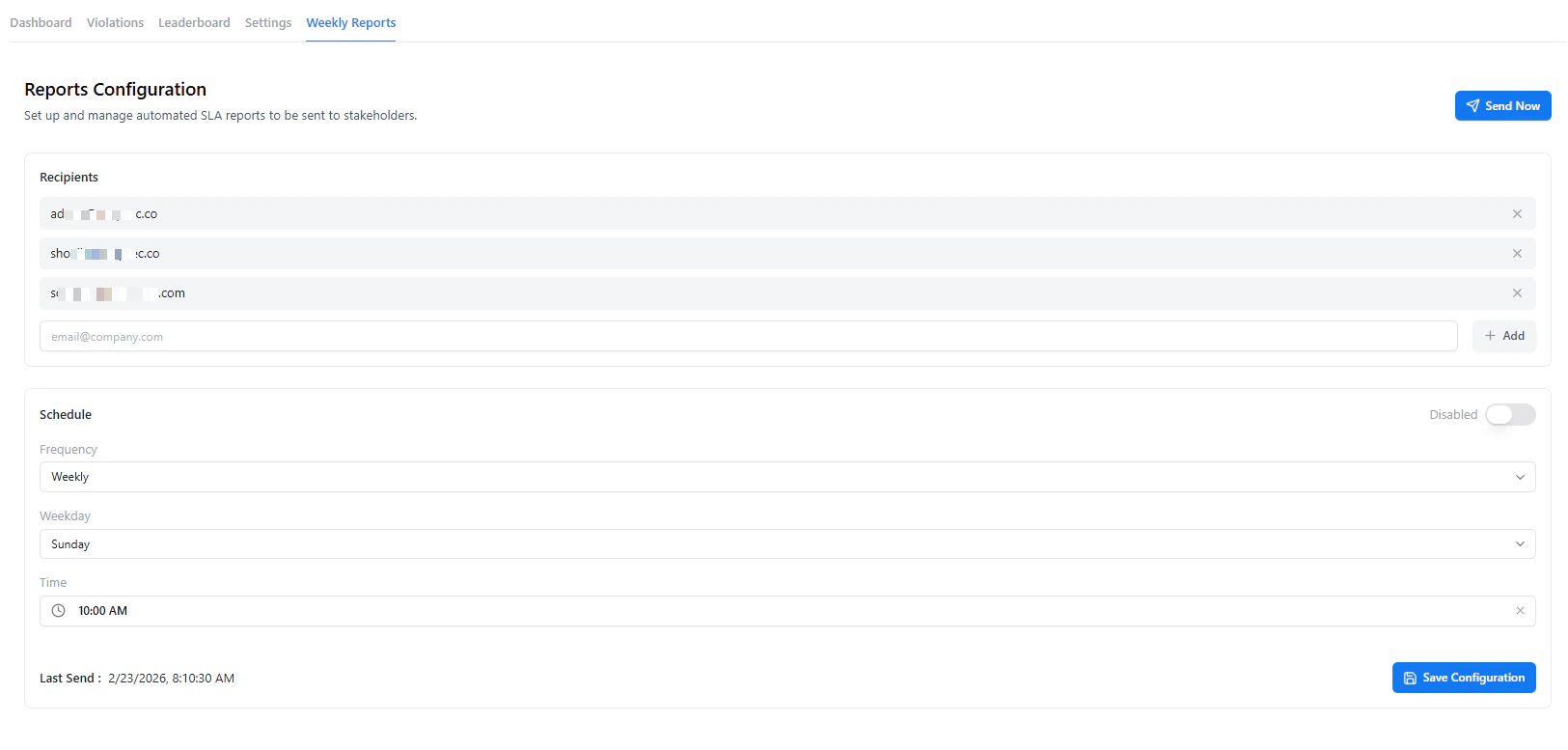 Automate SLA reporting for stakeholders with scheduled summaries.
### Features
* **Recipient Management**
* Add multiple stakeholders
* **Flexible Scheduling**
* Weekly frequency, day, and time selection
* **Manual Trigger**
* Use **Send Now** for instant reporting
***
### What Reports Include
* SLA compliance percentage
* Breached and at-risk vulnerabilities
* Severity breakdown
* Overall remediation performance
Keep leadership aligned with automated, consistent SLA reporting — no manual effort required.
***
## Exporting Reports
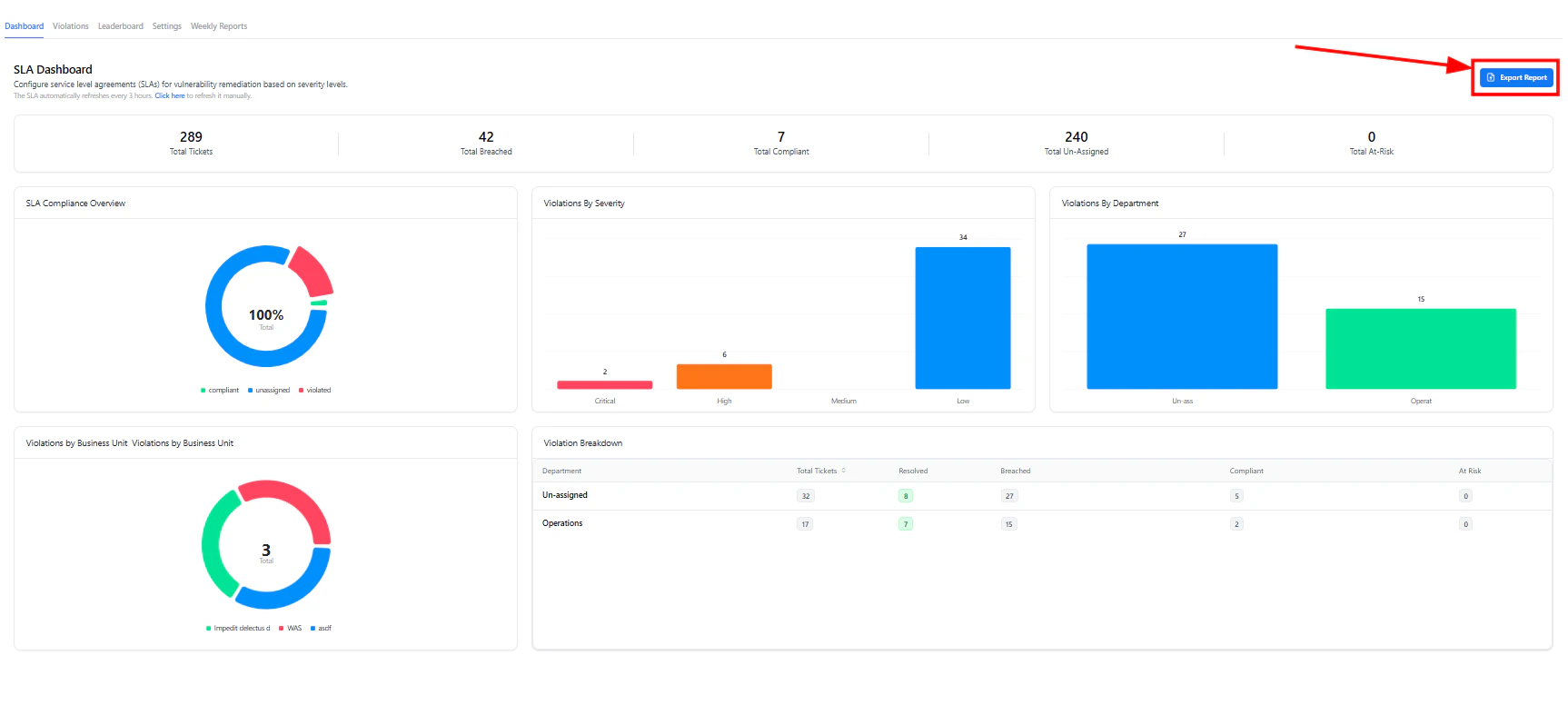
You can export SLA insights at any time for audits or executive reporting.
Navigate to the SLA Dashboard section.
Use the **Export Report** button to download structured data.
Use exported data for compliance audits, leadership updates, or internal tracking.
Exported reports include organization-wide SLA metrics, breakdowns, and performance indicators.
***
## Why SLA Analytics Matters
SLA Analytics helps organizations:
* Prevent SLA breaches before they happen
* Improve remediation speed and efficiency
* Align security and engineering teams
* Provide audit-ready compliance visibility
* Eliminate manual tracking and reporting
It turns vulnerability management into a **measurable, enforceable process**.
***
## Explore Live Demo
Experience real-time SLA tracking, violation management, and automated reporting — all in one unified platform.
Automate SLA reporting for stakeholders with scheduled summaries.
### Features
* **Recipient Management**
* Add multiple stakeholders
* **Flexible Scheduling**
* Weekly frequency, day, and time selection
* **Manual Trigger**
* Use **Send Now** for instant reporting
***
### What Reports Include
* SLA compliance percentage
* Breached and at-risk vulnerabilities
* Severity breakdown
* Overall remediation performance
Keep leadership aligned with automated, consistent SLA reporting — no manual effort required.
***
## Exporting Reports
You can export SLA insights at any time for audits or executive reporting.
Navigate to the SLA Dashboard section.
Use the **Export Report** button to download structured data.
Use exported data for compliance audits, leadership updates, or internal tracking.
Exported reports include organization-wide SLA metrics, breakdowns, and performance indicators.
***
## Why SLA Analytics Matters
SLA Analytics helps organizations:
* Prevent SLA breaches before they happen
* Improve remediation speed and efficiency
* Align security and engineering teams
* Provide audit-ready compliance visibility
* Eliminate manual tracking and reporting
It turns vulnerability management into a **measurable, enforceable process**.
***
## Explore Live Demo
Experience real-time SLA tracking, violation management, and automated reporting — all in one unified platform.