> ## Documentation Index
> Fetch the complete documentation index at: https://docs.snapsec.co/llms.txt
> Use this file to discover all available pages before exploring further.
# Service Vendors
> Manage vendor identities and customize branded vulnerability reports.
## Overview
Service Vendors allow you to define **who delivers the security assessment**.
They are used to:
* Brand vulnerability reports
* Manage vendor identities
* Associate assessments with specific teams or partners
***
## Vendor Management
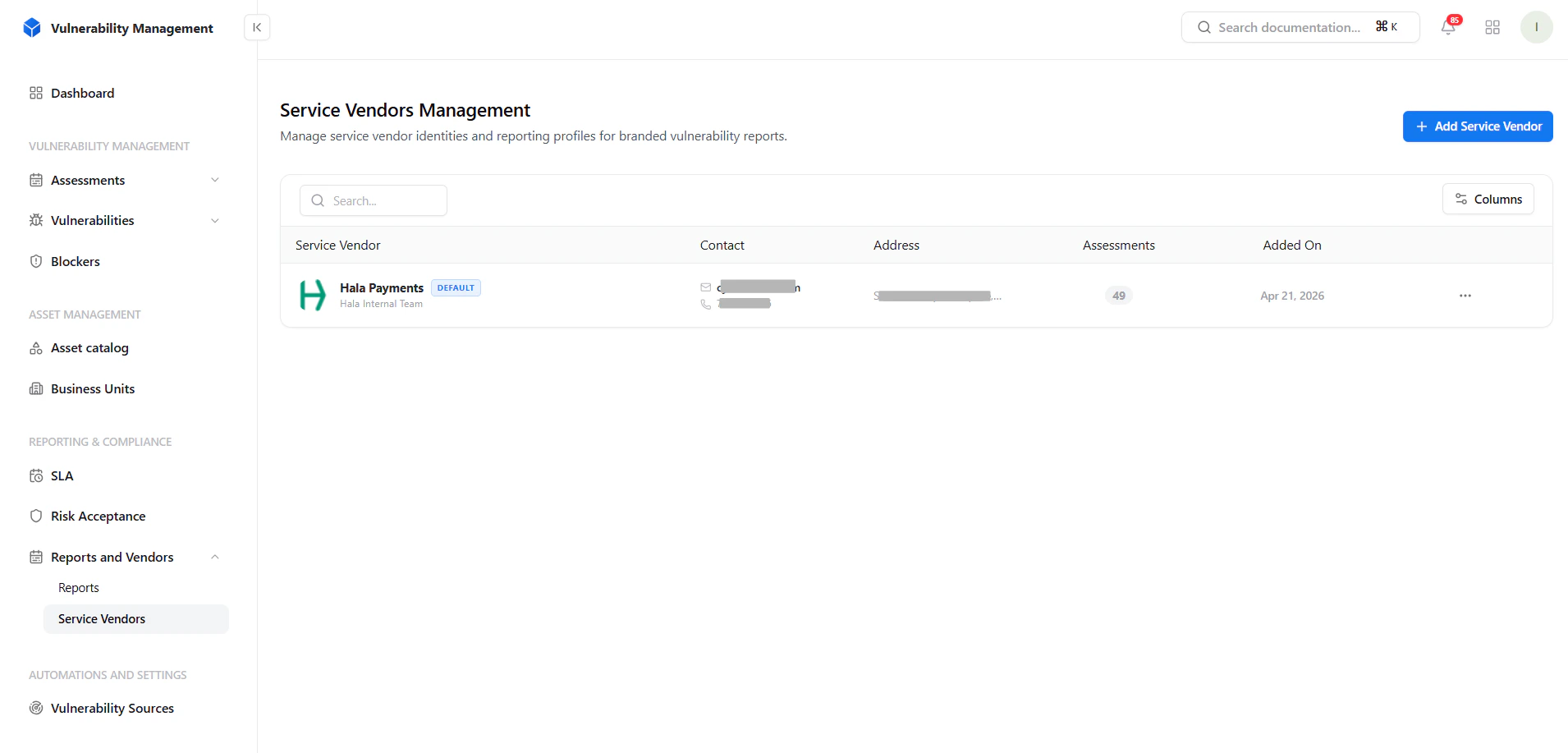 The Service Vendors table provides:
* Vendor name and identity
* Contact details
* Address information
* Number of linked assessments
* Creation date
### Key Actions
* Add new vendor
* Search and filter vendors
* Manage vendor records
***
## Adding a Service Vendor
The Service Vendors table provides:
* Vendor name and identity
* Contact details
* Address information
* Number of linked assessments
* Creation date
### Key Actions
* Add new vendor
* Search and filter vendors
* Manage vendor records
***
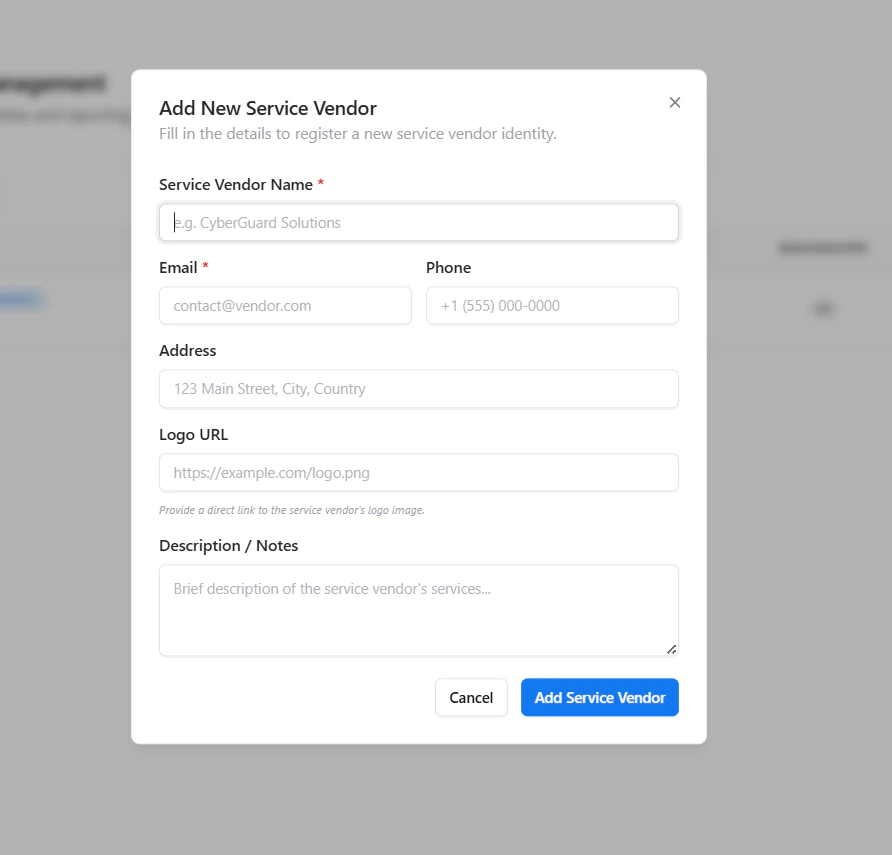
## Adding a Service Vendor
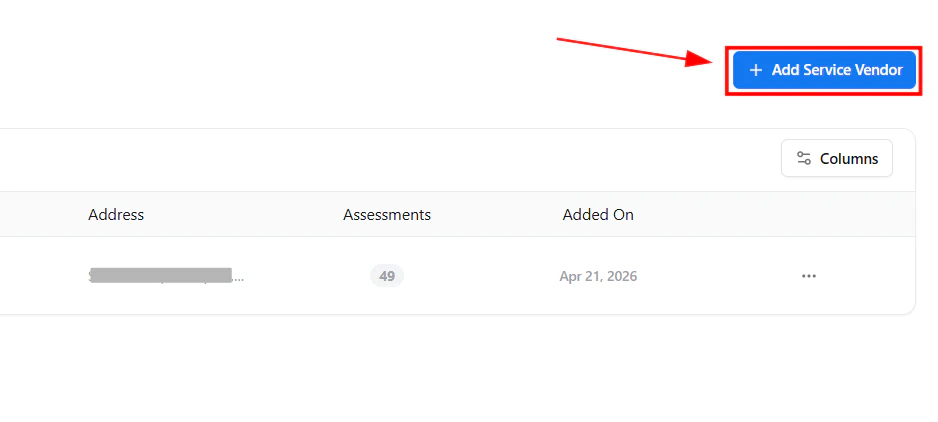 Use **Add Service Vendor** to register a new vendor identity.
### Required Fields
* **Service Vendor Name**
* **Email**
### Optional Fields
* Phone number
* Address
* Logo URL
* Description / Notes
***
## Vendor Details
Use **Add Service Vendor** to register a new vendor identity.
### Required Fields
* **Service Vendor Name**
* **Email**
### Optional Fields
* Phone number
* Address
* Logo URL
* Description / Notes
***
## Vendor Details
 Each vendor profile includes:
* **Logo**
Used for report branding
* **Contact Information**
For communication and ownership
* **Description**
Context about vendor services or scope
***
## How It’s Used
Service Vendors integrate directly into the Vulnerability Management workflow.
### Key Use Cases
* Assign vendors to assessments
* Generate **branded vulnerability reports**
* Separate internal vs external security teams
* Manage multiple clients or business units
***
## Why It Matters
This isn’t just a directory — it’s a **reporting and ownership layer**.
### Key Benefits
* Professional, branded reports for clients
* Clear ownership of security findings
* Multi-vendor / multi-team support
* Better tracking of assessment responsibility
* Strong value for consulting and MSSP models
***
## Explore Live Demo
Create vendors and generate branded vulnerability reports instantly.
Each vendor profile includes:
* **Logo**
Used for report branding
* **Contact Information**
For communication and ownership
* **Description**
Context about vendor services or scope
***
## How It’s Used
Service Vendors integrate directly into the Vulnerability Management workflow.
### Key Use Cases
* Assign vendors to assessments
* Generate **branded vulnerability reports**
* Separate internal vs external security teams
* Manage multiple clients or business units
***
## Why It Matters
This isn’t just a directory — it’s a **reporting and ownership layer**.
### Key Benefits
* Professional, branded reports for clients
* Clear ownership of security findings
* Multi-vendor / multi-team support
* Better tracking of assessment responsibility
* Strong value for consulting and MSSP models
***
## Explore Live Demo
Create vendors and generate branded vulnerability reports instantly.