> ## Documentation Index
> Fetch the complete documentation index at: https://docs.snapsec.co/llms.txt
> Use this file to discover all available pages before exploring further.
# Advanced Search
> Search across all vulnerabilities, assets, endpoints, and reports — instantly and intelligently.
 ## Overview
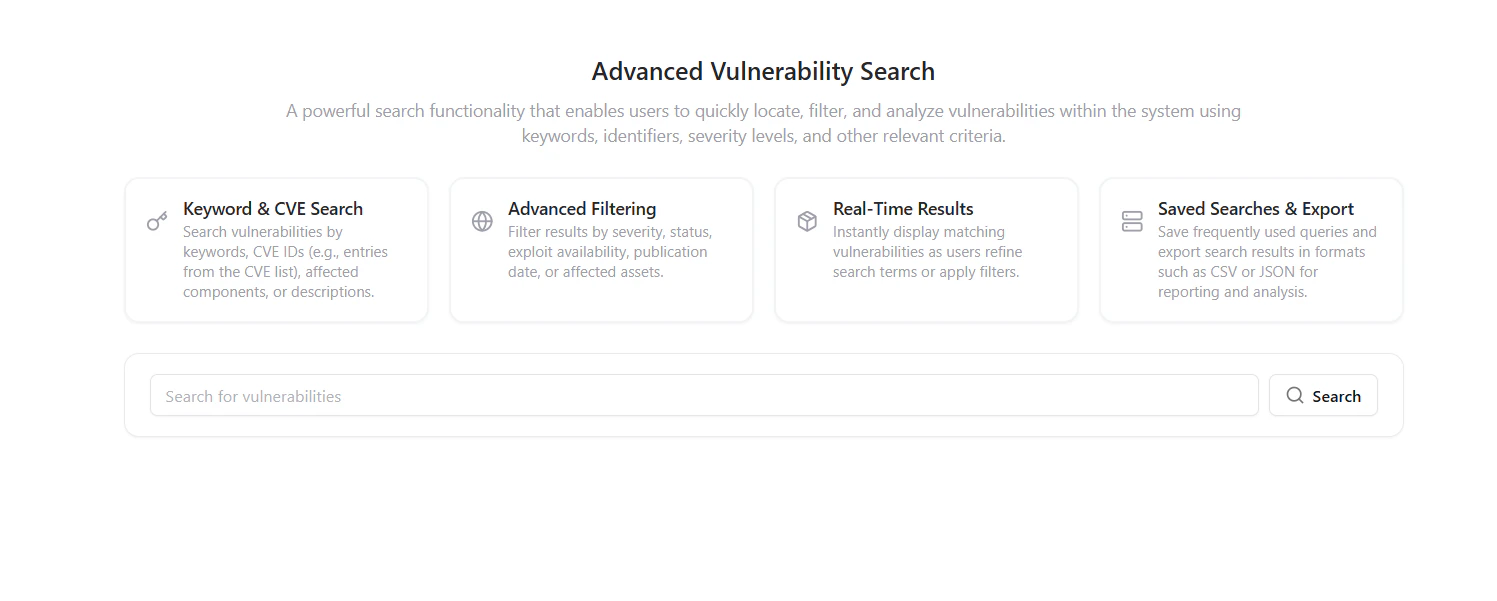
**Global Search** provides a unified way to search across your entire vulnerability management ecosystem —\
whether vulnerabilities come from **different scanners, assessments, or manual pentests**.
You can instantly locate vulnerabilities, assets, endpoints, CWE identifiers, or even specific text within reports.\
Global Search ensures you never lose visibility of any issue, regardless of its origin or assessment.
***
## Key Capabilities
Find vulnerabilities across all assessments, sources, and integrations in one place.
Search within full vulnerability reports — including summaries, impact, and reproduction steps.
Query assets, endpoints, or hostnames to identify where specific issues exist.
View highlighted matches for your keywords across multiple vulnerabilities.
***
## Using Global Search
## Overview
**Global Search** provides a unified way to search across your entire vulnerability management ecosystem —\
whether vulnerabilities come from **different scanners, assessments, or manual pentests**.
You can instantly locate vulnerabilities, assets, endpoints, CWE identifiers, or even specific text within reports.\
Global Search ensures you never lose visibility of any issue, regardless of its origin or assessment.
***
## Key Capabilities
Find vulnerabilities across all assessments, sources, and integrations in one place.
Search within full vulnerability reports — including summaries, impact, and reproduction steps.
Query assets, endpoints, or hostnames to identify where specific issues exist.
View highlighted matches for your keywords across multiple vulnerabilities.
***
## Using Global Search
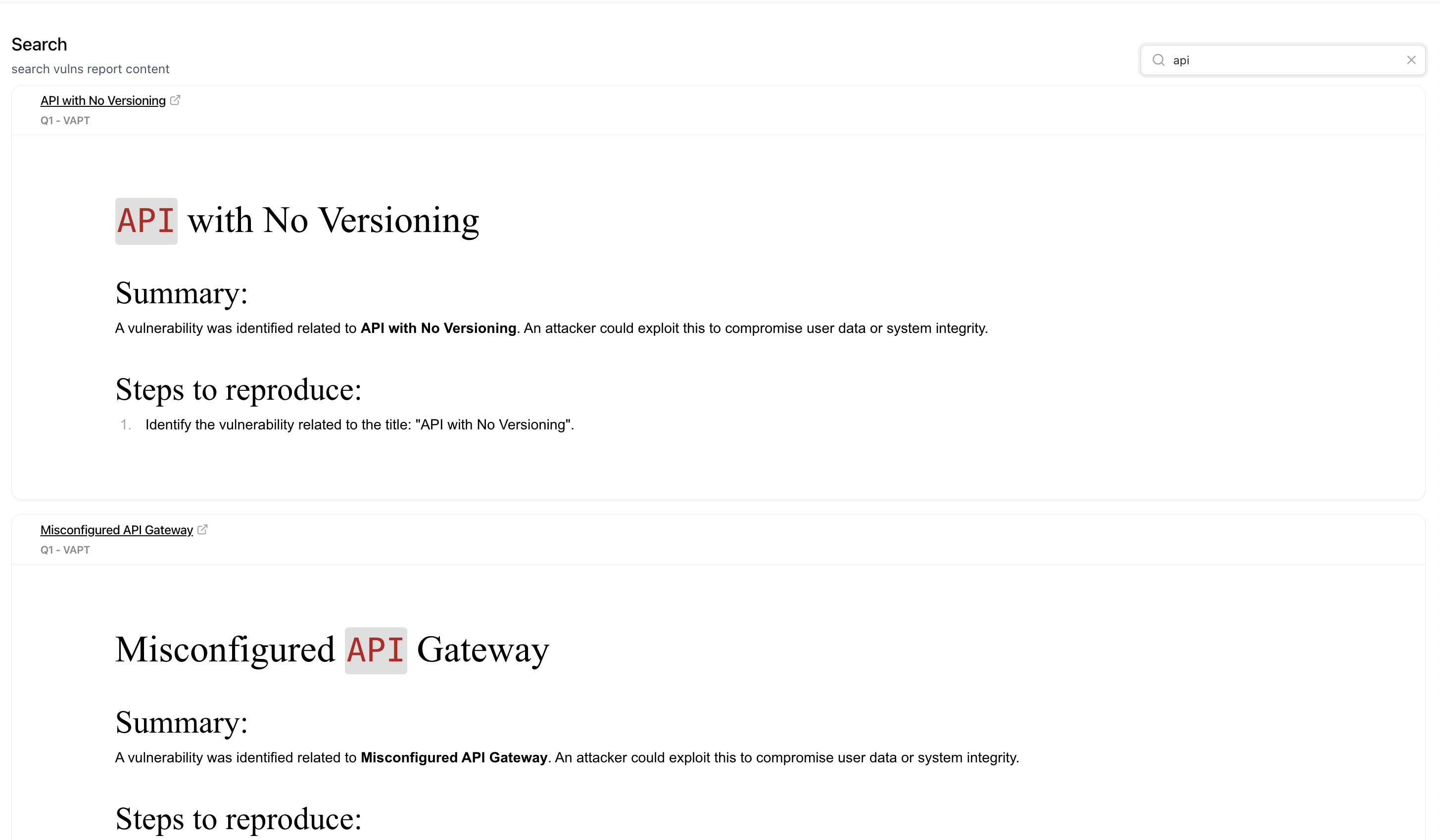 Navigate to the **Search** tab under Vulnerability Management.
Type any keyword — such as a vulnerability title (*XSS*), asset name (*app.example.com*),\
endpoint path (*api/v1/user*), or specific CVE/CWE identifier.
Instantly view results grouped by report, assessment, or source.\
Each entry expands to show summaries, steps to reproduce, and report context.
Click a result to open its full vulnerability report in context, enabling deeper investigation or follow-up.
***
## Searchable Data Types
| Type | Example Query | Description |
| ------------------- | -------------------------- | ------------------------------------------------------------ |
| Vulnerability Title | `API with No Versioning` | Finds matching vulnerabilities across all reports. |
| Endpoint | `/api/v1/payment` | Returns vulnerabilities linked to that endpoint. |
| Asset | `staging.example.com` | Shows all findings associated with that asset. |
| Keyword in Report | `JWT`, `encryption` | Searches deep within summaries, impacts, or mitigation text. |
| CWE or CVE ID | `CWE-79`, `CVE-2024-23950` | Locates findings associated with specific identifiers. |
***
## Benefits
* **Faster triage:** Quickly locate and compare similar vulnerabilities across different systems.
* **Cross-source visibility:** Combines results from integrated scanners, assessments, and bug bounty imports.
* **Audit ready:** Retrieve historical findings and related metadata for compliance or reporting.
* **Team-wide clarity:** Ideal for security analysts, developers, and auditors reviewing large data sets.
***
## Explore Live Demo
Jump straight into the live environment and see how Snapsec unifies asset intelligence, threat detection, and vulnerability tracking — all in one dashboard.
Navigate to the **Search** tab under Vulnerability Management.
Type any keyword — such as a vulnerability title (*XSS*), asset name (*app.example.com*),\
endpoint path (*api/v1/user*), or specific CVE/CWE identifier.
Instantly view results grouped by report, assessment, or source.\
Each entry expands to show summaries, steps to reproduce, and report context.
Click a result to open its full vulnerability report in context, enabling deeper investigation or follow-up.
***
## Searchable Data Types
| Type | Example Query | Description |
| ------------------- | -------------------------- | ------------------------------------------------------------ |
| Vulnerability Title | `API with No Versioning` | Finds matching vulnerabilities across all reports. |
| Endpoint | `/api/v1/payment` | Returns vulnerabilities linked to that endpoint. |
| Asset | `staging.example.com` | Shows all findings associated with that asset. |
| Keyword in Report | `JWT`, `encryption` | Searches deep within summaries, impacts, or mitigation text. |
| CWE or CVE ID | `CWE-79`, `CVE-2024-23950` | Locates findings associated with specific identifiers. |
***
## Benefits
* **Faster triage:** Quickly locate and compare similar vulnerabilities across different systems.
* **Cross-source visibility:** Combines results from integrated scanners, assessments, and bug bounty imports.
* **Audit ready:** Retrieve historical findings and related metadata for compliance or reporting.
* **Team-wide clarity:** Ideal for security analysts, developers, and auditors reviewing large data sets.
***
## Explore Live Demo
Jump straight into the live environment and see how Snapsec unifies asset intelligence, threat detection, and vulnerability tracking — all in one dashboard.