> ## Documentation Index
> Fetch the complete documentation index at: https://docs.snapsec.co/llms.txt
> Use this file to discover all available pages before exploring further.
# Reports
> Search, generate, and manage vulnerability and executive reports with a streamlined, action-first workflow.
 ## Overview
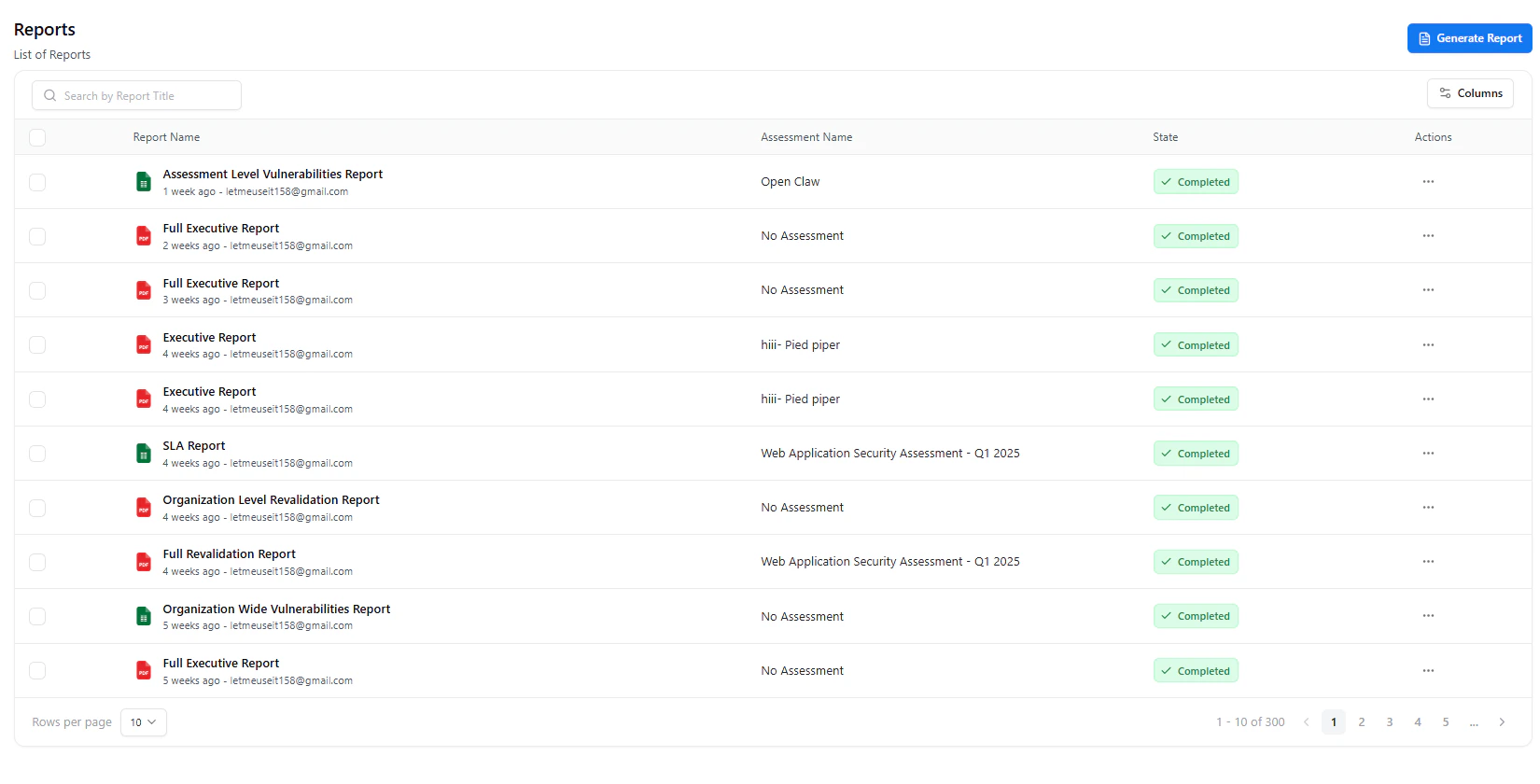
The **Reports** page provides a centralized and simplified interface to manage all generated reports across your environment.
From vulnerability exports to executive summaries, reports can be quickly generated, searched, and managed — all from a single view.
Each report is linked to its source assessment (if applicable) and includes its current state, allowing teams to track and access reports effortlessly.
Reports are generated on-demand and stored automatically, ensuring instant access and complete traceability.
***
## Search & Discover
## Overview
The **Reports** page provides a centralized and simplified interface to manage all generated reports across your environment.
From vulnerability exports to executive summaries, reports can be quickly generated, searched, and managed — all from a single view.
Each report is linked to its source assessment (if applicable) and includes its current state, allowing teams to track and access reports effortlessly.
Reports are generated on-demand and stored automatically, ensuring instant access and complete traceability.
***
## Search & Discover
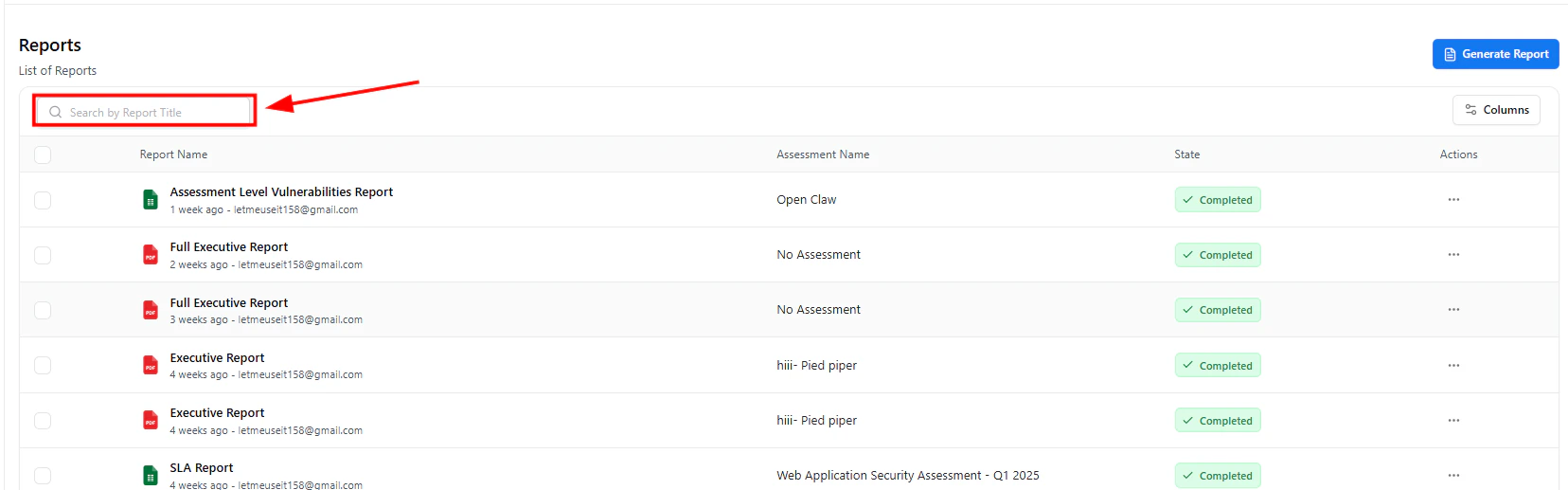 The **search bar** enables instant filtering of reports by title.
This allows teams to quickly locate specific reports without navigating through long lists.
### Capabilities
* Search by report name or keyword
* Instant filtering of results
* Efficient navigation across large datasets
***
## Generate Reports
The **search bar** enables instant filtering of reports by title.
This allows teams to quickly locate specific reports without navigating through long lists.
### Capabilities
* Search by report name or keyword
* Instant filtering of results
* Efficient navigation across large datasets
***
## Generate Reports
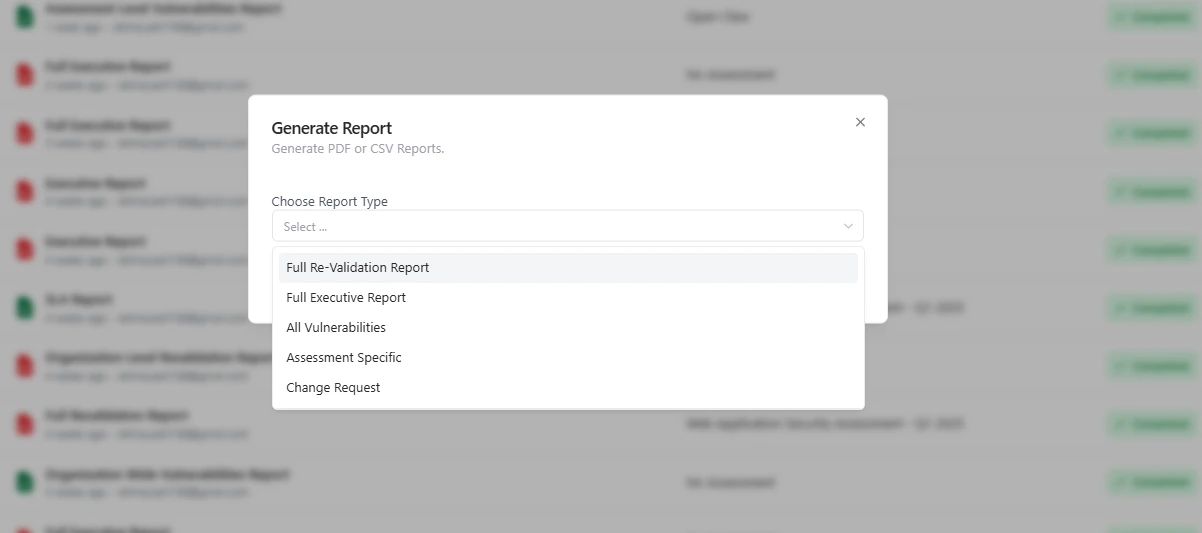 Reports can be generated directly from the Reports page using a simple and guided flow.
Use the **Generate Report** button at the top-right corner.
Choose the required report format:
* Full Re-Validation Report
* Full Executive Report
* All Vulnerabilities
* Assessment Specific
* Change Request
Submit the request — Snapsec automatically compiles the report using the latest available data.
Report generation automatically aggregates vulnerabilities, metadata, and remediation status — eliminating manual effort.
***
## Manage Reports
Reports can be generated directly from the Reports page using a simple and guided flow.
Use the **Generate Report** button at the top-right corner.
Choose the required report format:
* Full Re-Validation Report
* Full Executive Report
* All Vulnerabilities
* Assessment Specific
* Change Request
Submit the request — Snapsec automatically compiles the report using the latest available data.
Report generation automatically aggregates vulnerabilities, metadata, and remediation status — eliminating manual effort.
***
## Manage Reports
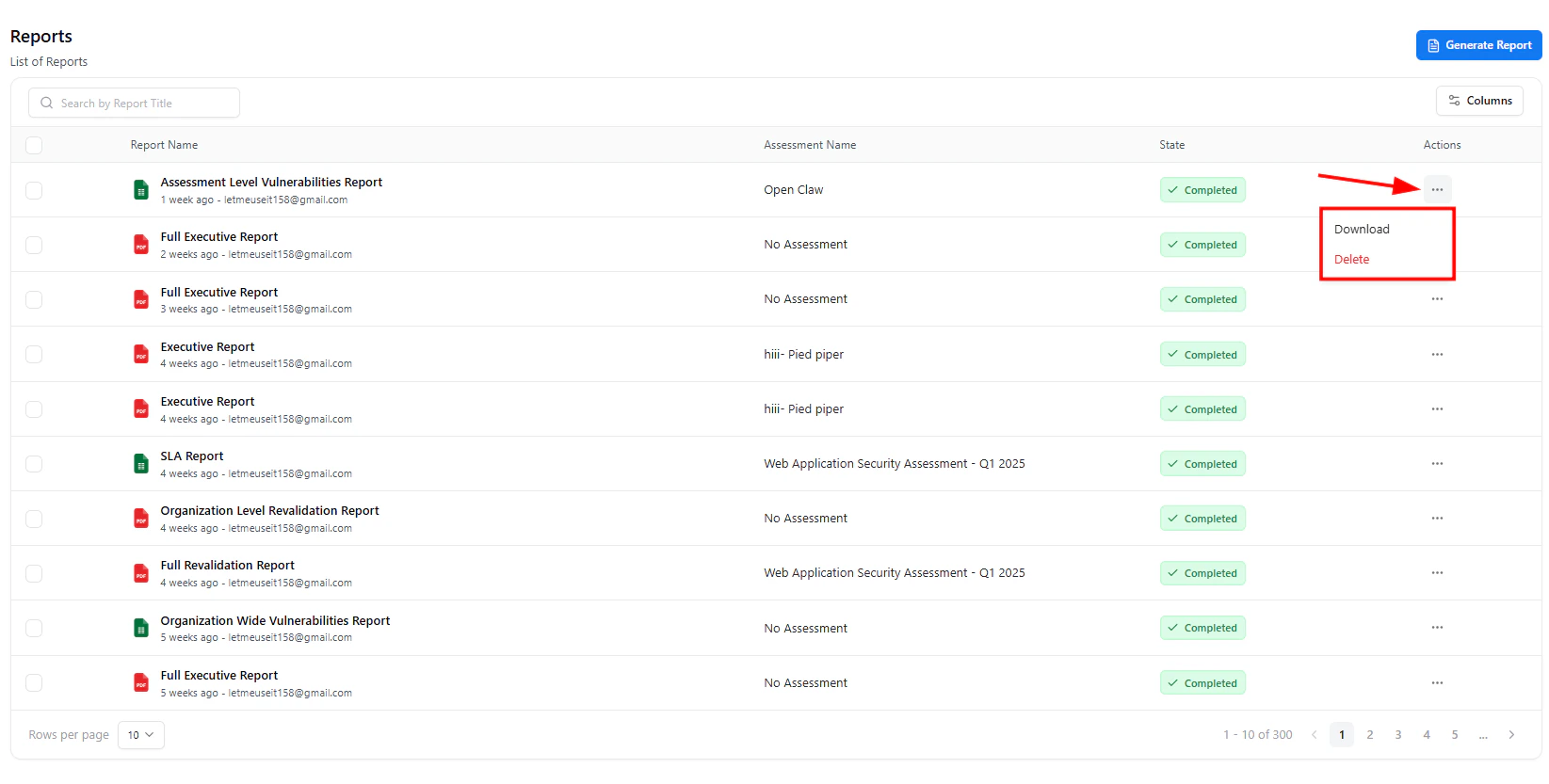 Each report includes an **actions menu (⋯)** that provides quick access to key operations.
### Available Actions
* **Download**\
Download the generated report instantly for sharing or documentation
* **Delete**\
Remove outdated or unnecessary reports
***
## Report List & Status
The reports table provides a structured view of all generated reports:
* **Report Name** — Title and type of report
* **Assessment Name** — Associated assessment (if available)
* **State** — Current status (e.g., Completed)
* **Actions** — Quick access to report operations
This layout ensures clarity, quick access, and efficient report management.
***
## Why It Matters
The redesigned Reports module enables:
* Faster report generation workflows
* Instant search and retrieval
* Simplified report management via quick actions
* Consistent reporting across technical and executive use cases
Convert vulnerability data into structured, shareable insights in seconds.
***
## Explore Live Demo
Generate, search, and manage reports in a unified vulnerability management platform.
Each report includes an **actions menu (⋯)** that provides quick access to key operations.
### Available Actions
* **Download**\
Download the generated report instantly for sharing or documentation
* **Delete**\
Remove outdated or unnecessary reports
***
## Report List & Status
The reports table provides a structured view of all generated reports:
* **Report Name** — Title and type of report
* **Assessment Name** — Associated assessment (if available)
* **State** — Current status (e.g., Completed)
* **Actions** — Quick access to report operations
This layout ensures clarity, quick access, and efficient report management.
***
## Why It Matters
The redesigned Reports module enables:
* Faster report generation workflows
* Instant search and retrieval
* Simplified report management via quick actions
* Consistent reporting across technical and executive use cases
Convert vulnerability data into structured, shareable insights in seconds.
***
## Explore Live Demo
Generate, search, and manage reports in a unified vulnerability management platform.