> ## Documentation Index
> Fetch the complete documentation index at: https://docs.snapsec.co/llms.txt
> Use this file to discover all available pages before exploring further.
# Closed Vulnerabilities
> Track resolved, accepted, and finalized vulnerabilities across your organization.
## Overview
The Closed Vulnerabilities section provides visibility into **completed vulnerability lifecycle states**.
This includes:
* Successfully resolved issues
* Risk-accepted vulnerabilities
* False positives
* Non-applicable findings
It acts as your **historical record and audit layer**.
***
## Closed Vulnerability Dashboard
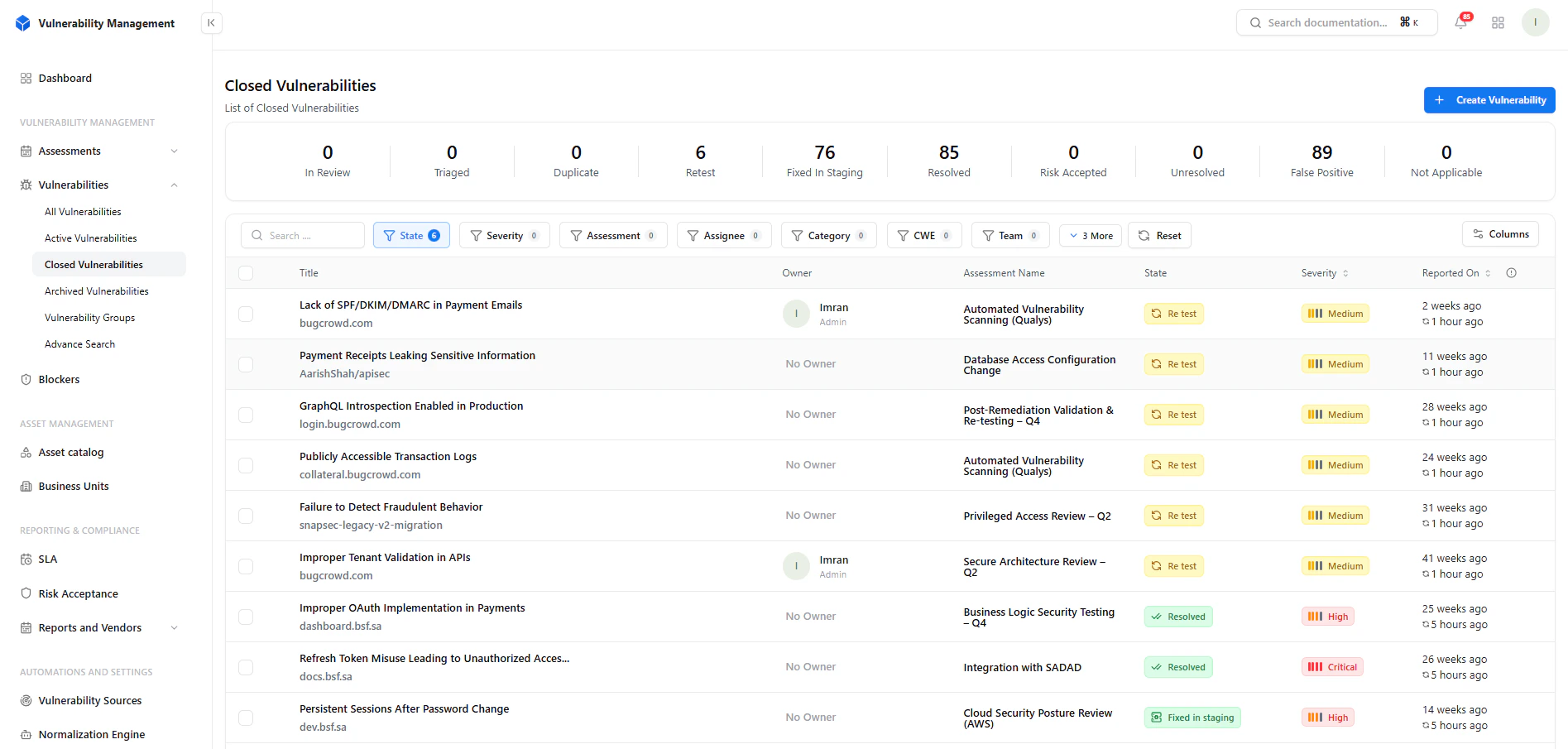 ### Key Metrics
* **Resolved** → Fully remediated vulnerabilities
* **Risk Accepted** → Accepted by business decision
* **False Positive** → Invalid findings dismissed
* **Not Applicable** → Out-of-scope or irrelevant
* **Retest** → Pending verification
* **Fixed in Staging** → Awaiting confirmation
***
## Filtering & Search
### Key Metrics
* **Resolved** → Fully remediated vulnerabilities
* **Risk Accepted** → Accepted by business decision
* **False Positive** → Invalid findings dismissed
* **Not Applicable** → Out-of-scope or irrelevant
* **Retest** → Pending verification
* **Fixed in Staging** → Awaiting confirmation
***
## Filtering & Search
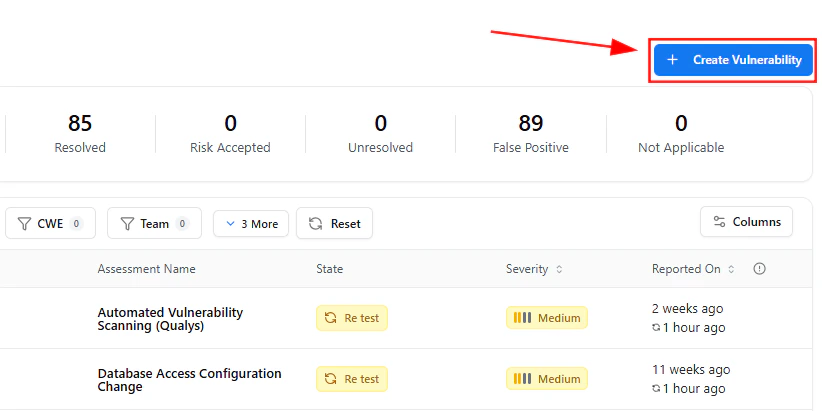 ### Filters Available
* State
* Severity
* Assessment
* Assignee
* Category
* CWE
* Team
This allows:
* Reviewing historical fixes
* Validating remediation trends
* Auditing team performance
***
## Create Vulnerability
### Filters Available
* State
* Severity
* Assessment
* Assignee
* Category
* CWE
* Team
This allows:
* Reviewing historical fixes
* Validating remediation trends
* Auditing team performance
***
## Create Vulnerability
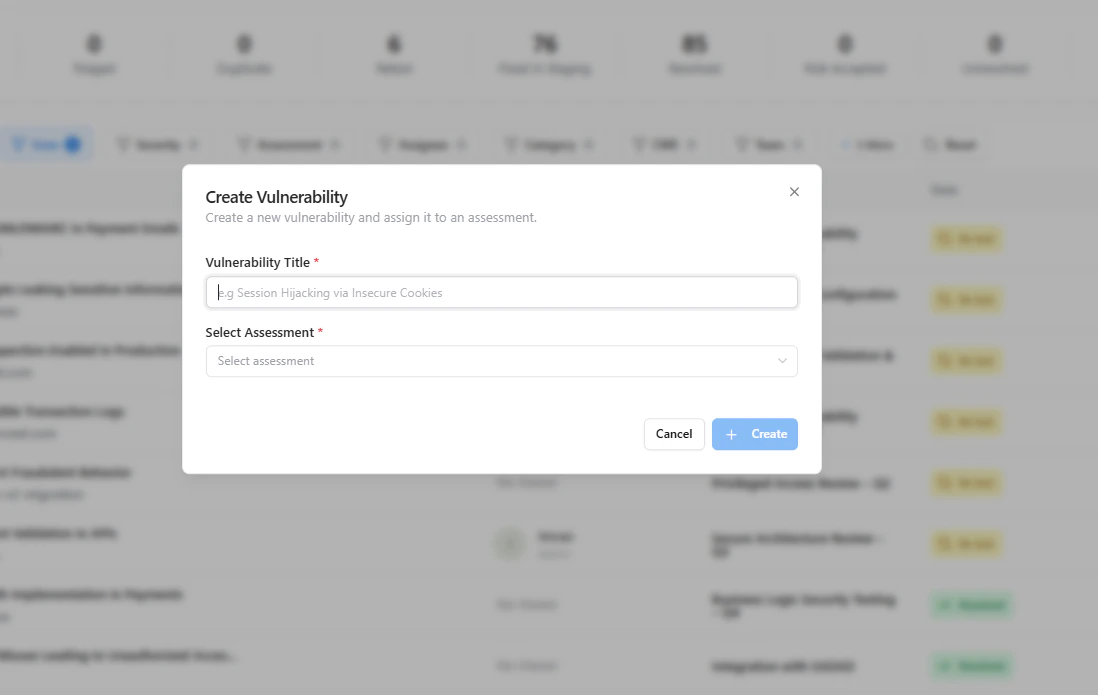 You can manually add vulnerabilities that are:
* Already resolved externally
* Imported from legacy systems
* Reported post-fix
***
## Closed Vulnerability Details
You can manually add vulnerabilities that are:
* Already resolved externally
* Imported from legacy systems
* Reported post-fix
***
## Closed Vulnerability Details
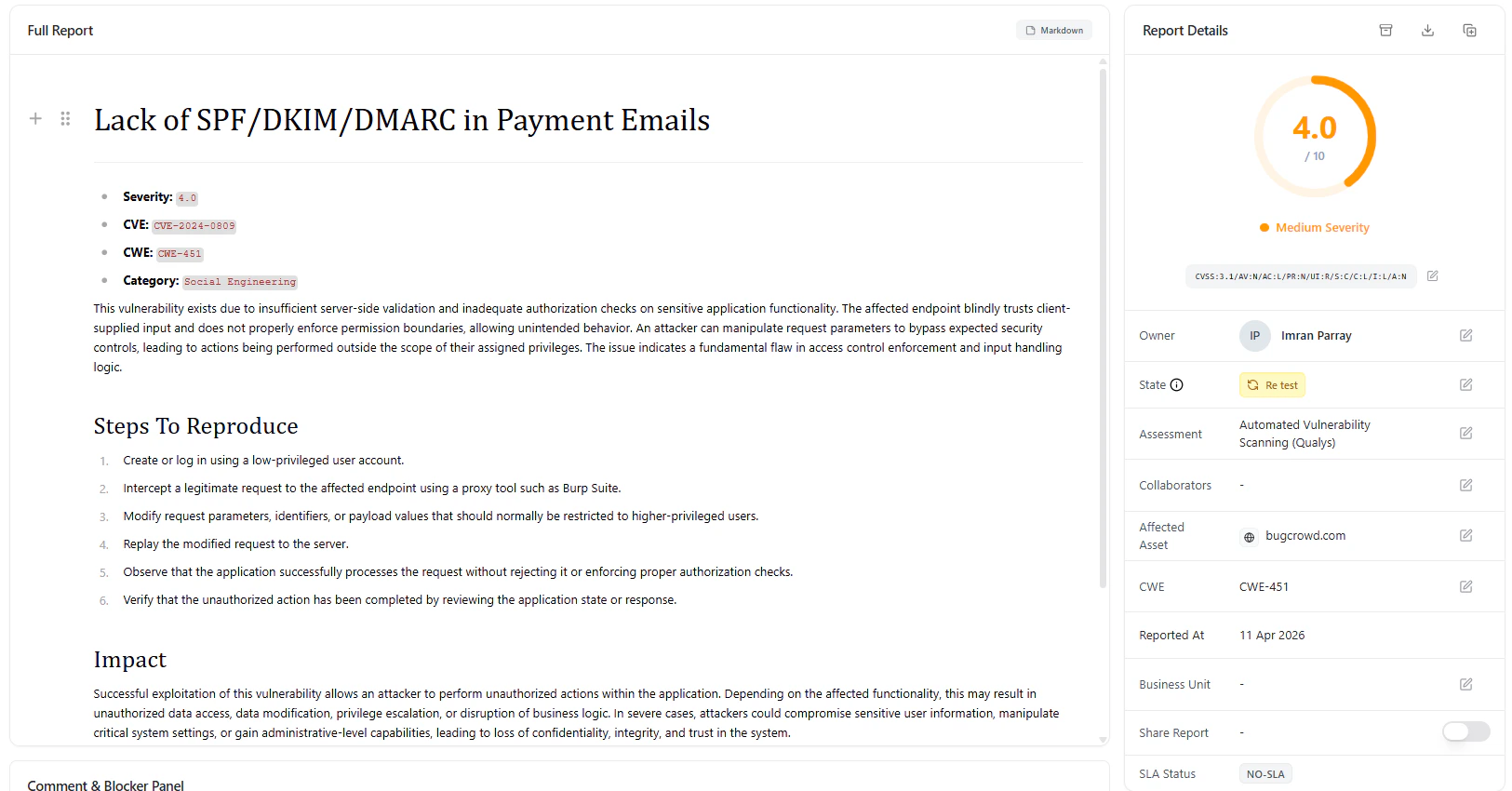 ### Report Includes
* CWE classification
* Category mapping
* Full vulnerability description
* Steps to reproduce
* Impact analysis
* References
***
## Metadata & Status Tracking
### Report Includes
* CWE classification
* Category mapping
* Full vulnerability description
* Steps to reproduce
* Impact analysis
* References
***
## Metadata & Status Tracking
 ### Available Fields
* **Owner**
* **State (Resolved / Retest / Accepted)**
* **Assessment**
* **Affected Asset**
* **CWE Mapping**
* **Reported Date**
* **Business Unit**
* **SLA Status**
***
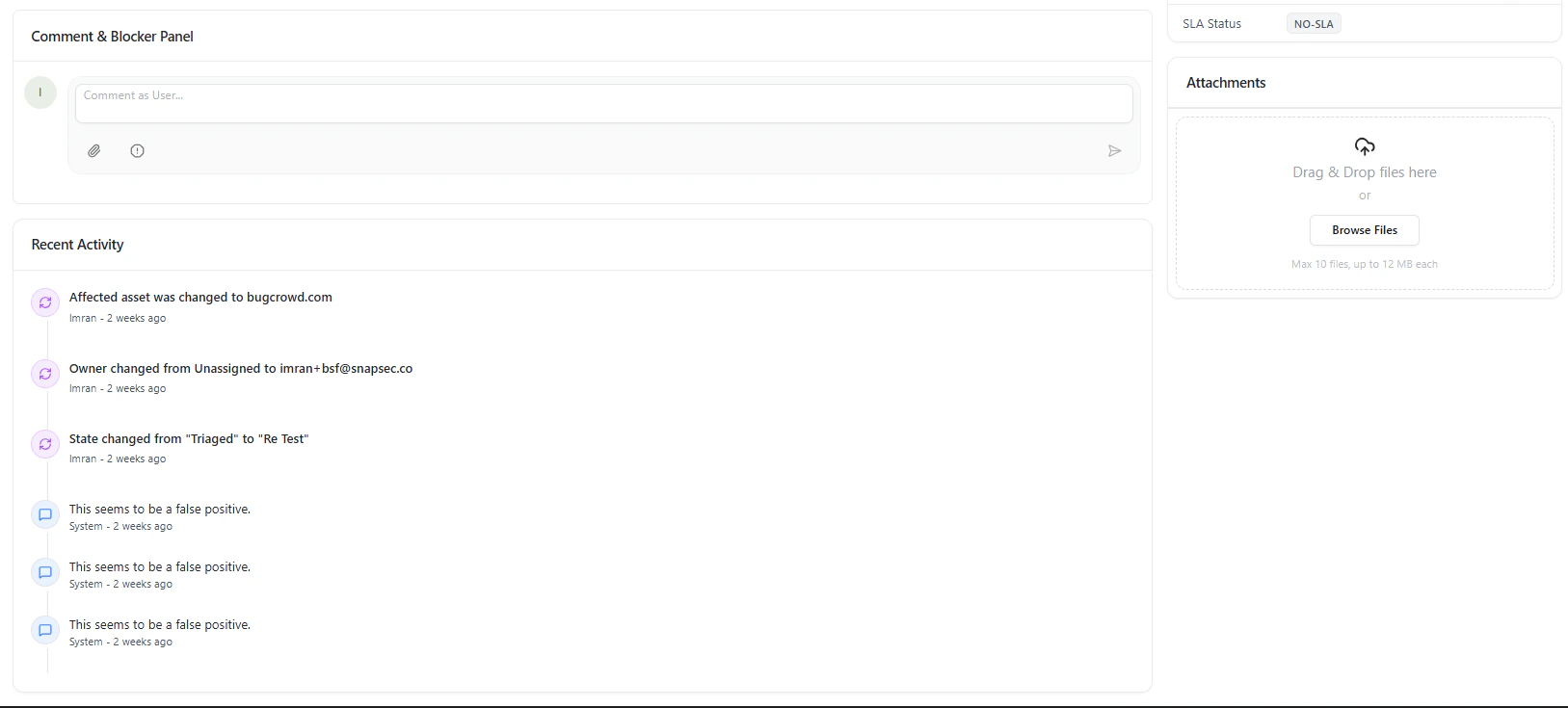
## Activity Timeline & Audit Trail
Each closed vulnerability maintains a **complete history**:
* State transitions
* Ownership changes
* Comments and discussions
* Validation updates
This ensures:
* Full compliance tracking
* Transparent remediation history
* Easy audit readiness
***
## Attachments
Store proof of remediation:
* Fix validation screenshots
* Logs and evidence
* Security reports
***
## Why This Matters
Closed vulnerabilities are not just “done issues” — they are your:
* **Proof of security maturity**
* **Audit evidence for compliance**
* **Source of remediation insights**
***
## Key Benefits
* Complete historical tracking
* Audit-ready documentation
* Visibility into remediation efficiency
* Reduced duplication of issues
* Stronger compliance posture
***
## Where It Fits
Closed Vulnerabilities connects with:
* **Active Vulnerabilities** → Lifecycle transition
* **Assessments** → Source of findings
* **SLA Module** → Resolution timelines
* **Reports** → Executive summaries
* **Risk Acceptance** → Business decisions
***
## Explore Live Demo
Validate fixes, track history, and maintain compliance across your organization.
### Available Fields
* **Owner**
* **State (Resolved / Retest / Accepted)**
* **Assessment**
* **Affected Asset**
* **CWE Mapping**
* **Reported Date**
* **Business Unit**
* **SLA Status**
***
## Activity Timeline & Audit Trail
Each closed vulnerability maintains a **complete history**:
* State transitions
* Ownership changes
* Comments and discussions
* Validation updates
This ensures:
* Full compliance tracking
* Transparent remediation history
* Easy audit readiness
***
## Attachments
Store proof of remediation:
* Fix validation screenshots
* Logs and evidence
* Security reports
***
## Why This Matters
Closed vulnerabilities are not just “done issues” — they are your:
* **Proof of security maturity**
* **Audit evidence for compliance**
* **Source of remediation insights**
***
## Key Benefits
* Complete historical tracking
* Audit-ready documentation
* Visibility into remediation efficiency
* Reduced duplication of issues
* Stronger compliance posture
***
## Where It Fits
Closed Vulnerabilities connects with:
* **Active Vulnerabilities** → Lifecycle transition
* **Assessments** → Source of findings
* **SLA Module** → Resolution timelines
* **Reports** → Executive summaries
* **Risk Acceptance** → Business decisions
***
## Explore Live Demo
Validate fixes, track history, and maintain compliance across your organization.