> ## Documentation Index
> Fetch the complete documentation index at: https://docs.snapsec.co/llms.txt
> Use this file to discover all available pages before exploring further.
# Change Management
> Create, track, and validate change requests through a structured security review workflow.
## Overview
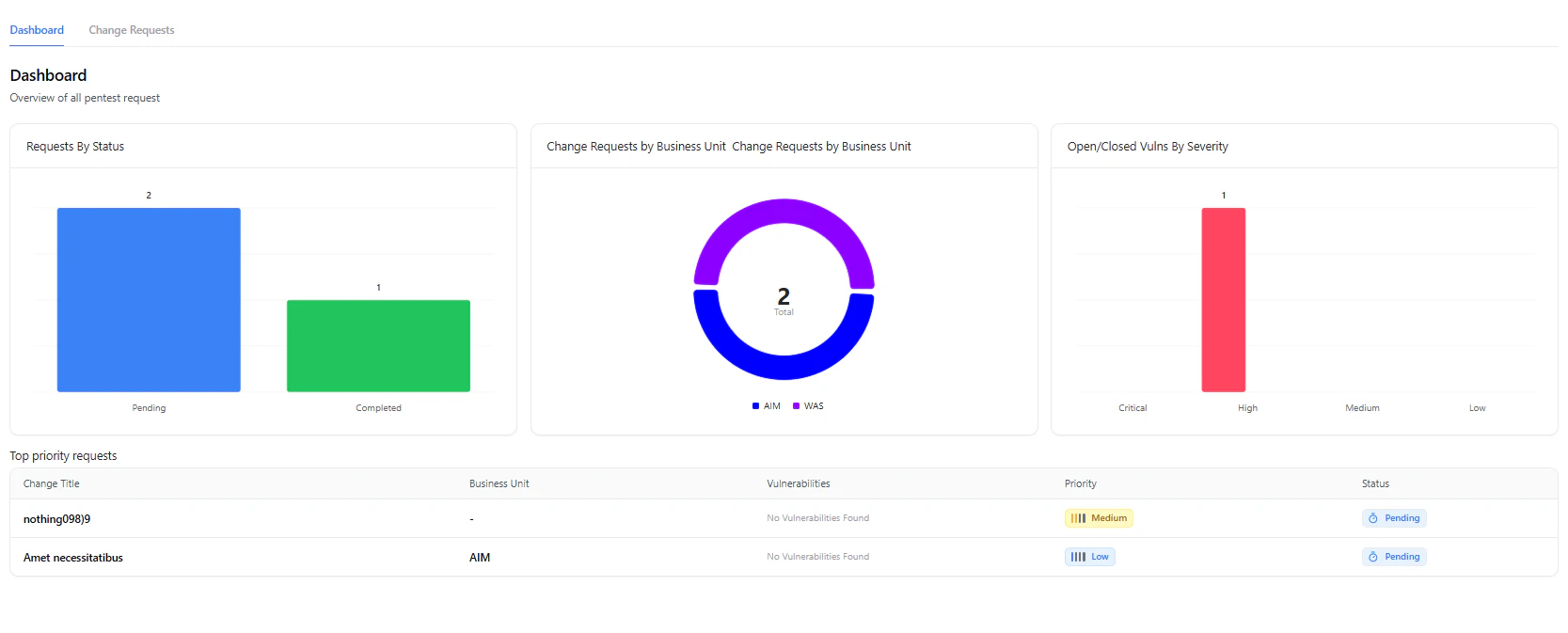 The **Change Management** module helps teams track and validate application or infrastructure changes before deployment.
It ensures that every release, feature update, or configuration change goes through a structured security review process.
Every change request acts as a security checkpoint before deployment — ensuring controlled and auditable releases.
***
## What You Can Do
* **Create Change Requests**
* Submit new requests for security validation
* **Track Status**
* Monitor requests as *Pending* or *Completed*
* **Prioritize Work**
* Assign priority levels like *Low* or *Medium*
* **View Risk Impact**
* Track vulnerabilities linked to each request
Use priorities to align security testing with release urgency — critical fixes can be validated faster without delaying deployments.
***
## Change Requests List
The **Change Management** module helps teams track and validate application or infrastructure changes before deployment.
It ensures that every release, feature update, or configuration change goes through a structured security review process.
Every change request acts as a security checkpoint before deployment — ensuring controlled and auditable releases.
***
## What You Can Do
* **Create Change Requests**
* Submit new requests for security validation
* **Track Status**
* Monitor requests as *Pending* or *Completed*
* **Prioritize Work**
* Assign priority levels like *Low* or *Medium*
* **View Risk Impact**
* Track vulnerabilities linked to each request
Use priorities to align security testing with release urgency — critical fixes can be validated faster without delaying deployments.
***
## Change Requests List
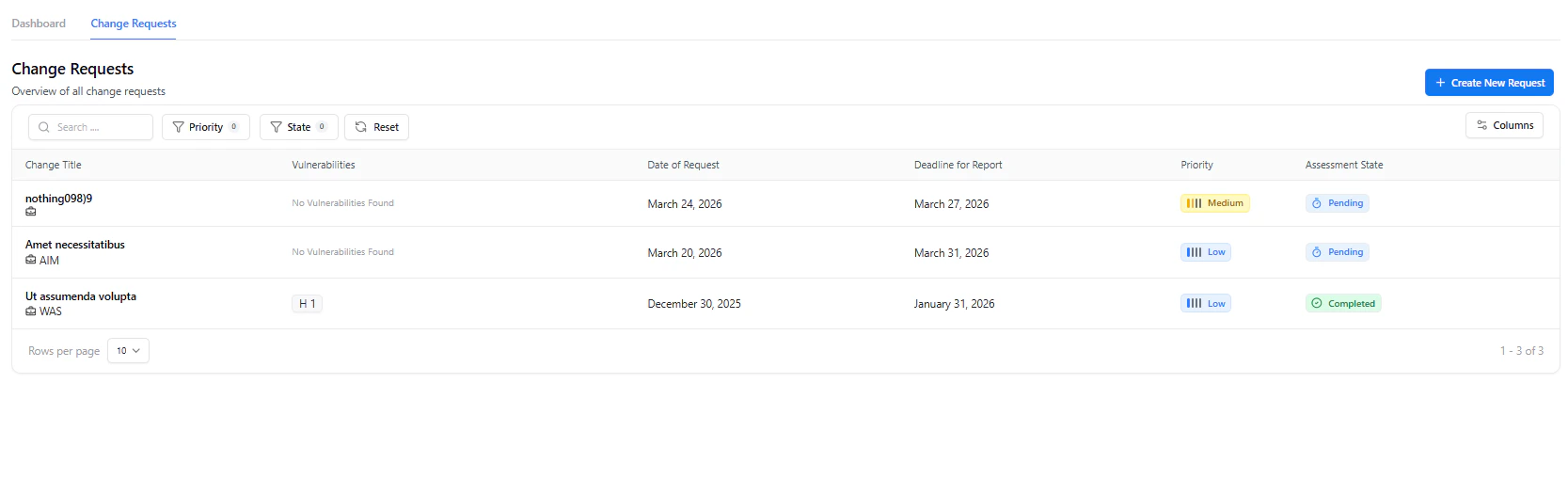 The **Change Requests** page provides a centralized view of all submitted requests.
### Key Details
* **Change Title**
* Name of the request or release
* **Vulnerabilities**
* Linked findings (if any)
* **Dates**
* Request date and report deadline
* **Priority**
* Indicates urgency
* **Assessment State**
* Tracks progress (*Pending / Completed*)
This view is ideal for quickly identifying pending validations and high-priority requests across teams.
***
## Creating a Change Request
The **Change Requests** page provides a centralized view of all submitted requests.
### Key Details
* **Change Title**
* Name of the request or release
* **Vulnerabilities**
* Linked findings (if any)
* **Dates**
* Request date and report deadline
* **Priority**
* Indicates urgency
* **Assessment State**
* Tracks progress (*Pending / Completed*)
This view is ideal for quickly identifying pending validations and high-priority requests across teams.
***
## Creating a Change Request
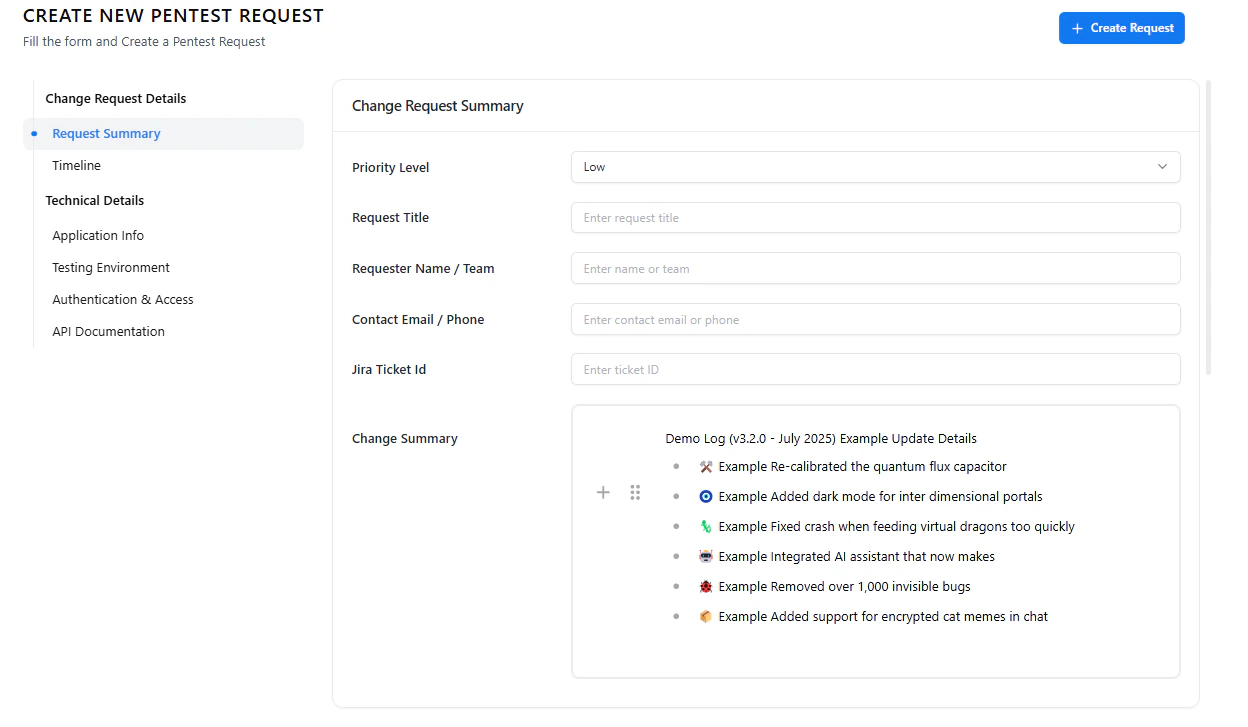 Creating a request involves filling structured sections that capture all necessary context.
Providing complete and accurate details ensures faster validation and reduces back-and-forth during testing.
***
### 1. Request Summary
* **Priority Level**
* **Request Title**
* **Requester Name / Team**
* **Contact Information**
* **Jira Ticket ID**
* **Change Summary**
***
### 2. Timeline
Creating a request involves filling structured sections that capture all necessary context.
Providing complete and accurate details ensures faster validation and reduces back-and-forth during testing.
***
### 1. Request Summary
* **Priority Level**
* **Request Title**
* **Requester Name / Team**
* **Contact Information**
* **Jira Ticket ID**
* **Change Summary**
***
### 2. Timeline
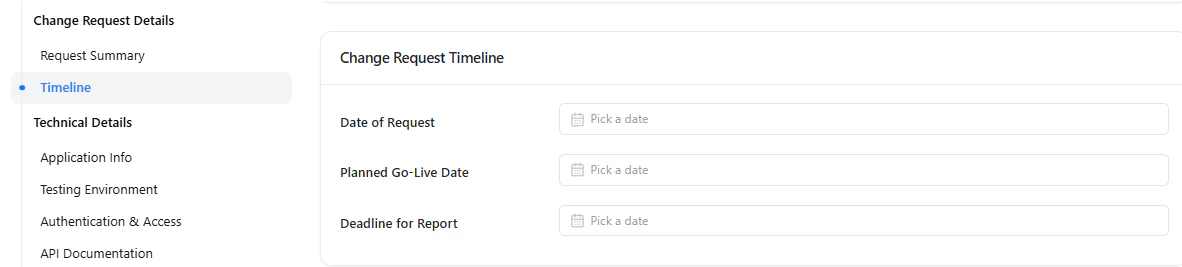 * **Date of Request**
* **Planned Go-Live Date**
* **Deadline for Report**
Accurate timelines help align security testing with release schedules and prevent last-minute delays.
***
### 3. Application Info
* **Date of Request**
* **Planned Go-Live Date**
* **Deadline for Report**
Accurate timelines help align security testing with release schedules and prevent last-minute delays.
***
### 3. Application Info
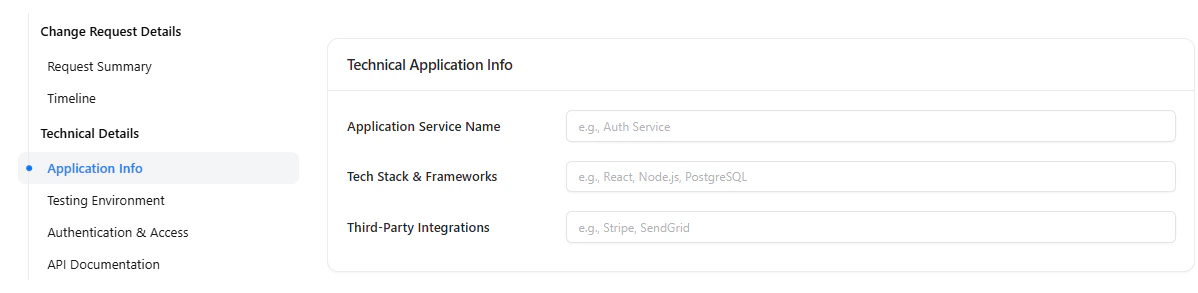 * **Application Service Name**
* **Tech Stack & Frameworks**
* **Third-Party Integrations**
***
### 4. Testing Environment
* **Application Service Name**
* **Tech Stack & Frameworks**
* **Third-Party Integrations**
***
### 4. Testing Environment
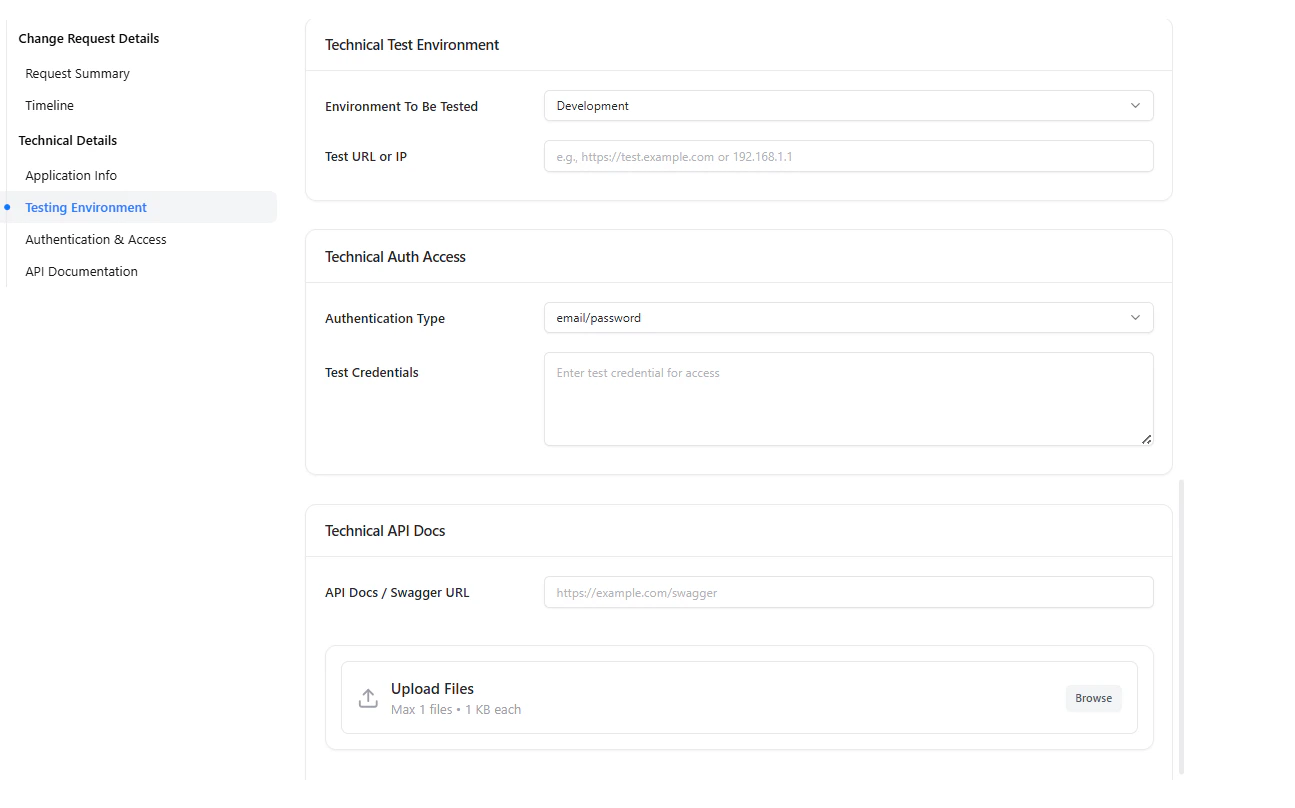 * **Environment Type** (e.g., Development, Staging)
* **Test URL or IP**
***
### 5. Authentication & Access
* **Environment Type** (e.g., Development, Staging)
* **Test URL or IP**
***
### 5. Authentication & Access
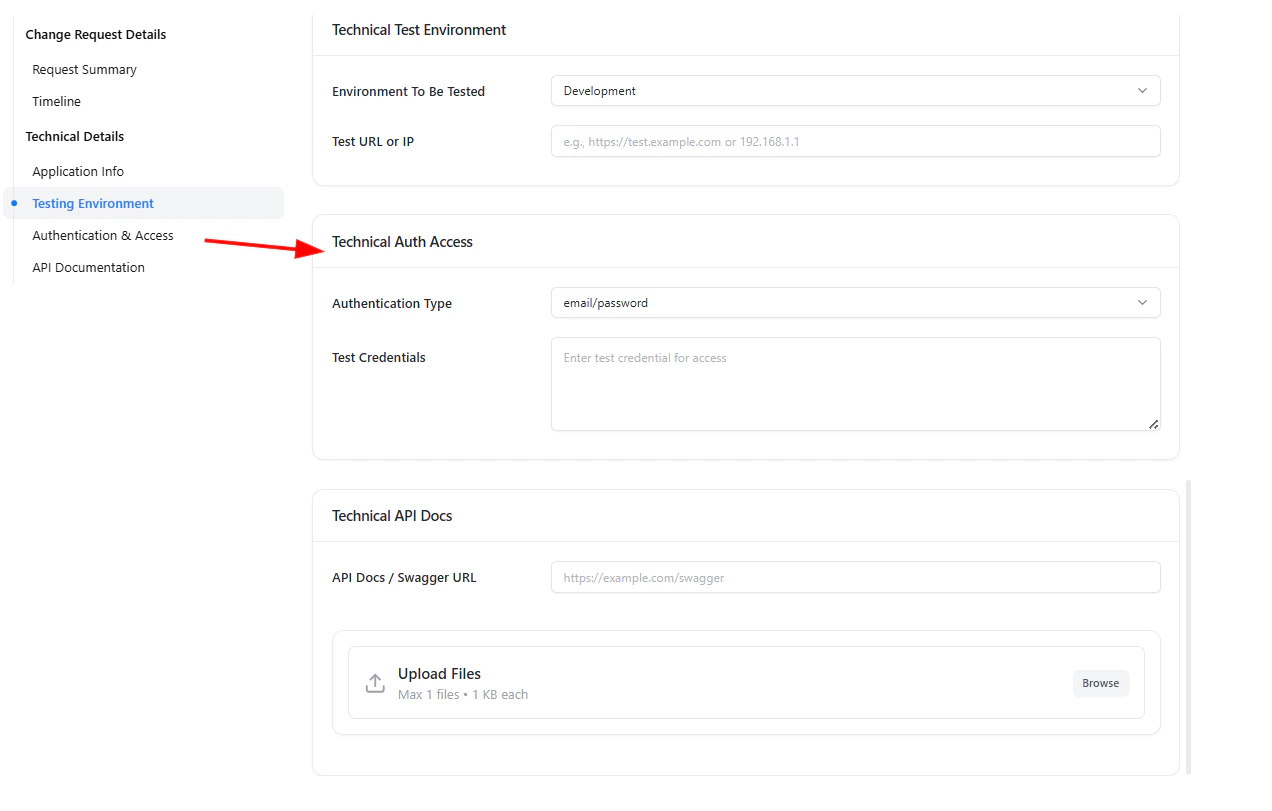 * **Authentication Type**
* **Test Credentials**
Always provide valid test credentials to ensure complete coverage during security testing.
***
### 6. API Documentation
* **Authentication Type**
* **Test Credentials**
Always provide valid test credentials to ensure complete coverage during security testing.
***
### 6. API Documentation
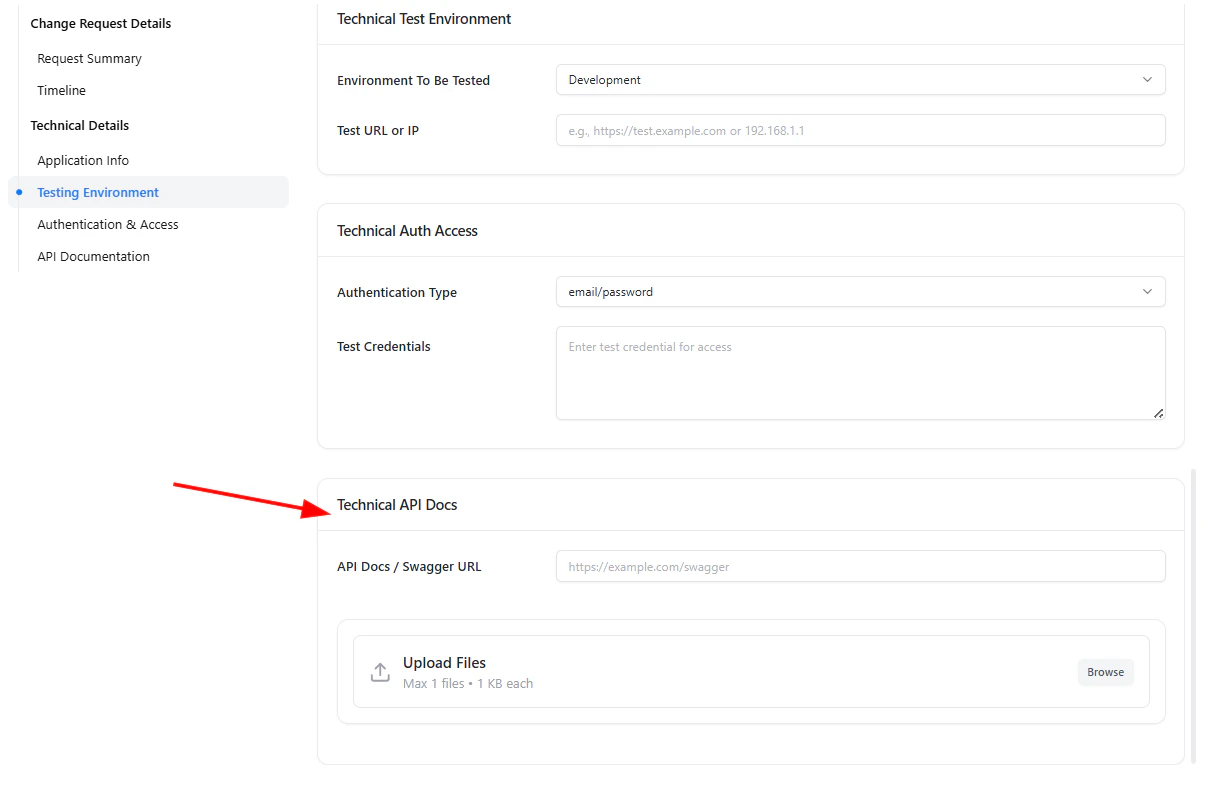 * **Swagger / API URL**
* **Upload supporting files**
Providing API documentation improves testing accuracy and helps identify deeper vulnerabilities faster.
***
## Final Step
* Click **Create Request** to submit
* The request appears in the Change Requests list
* Status is automatically tracked
Once submitted, the request becomes part of your security workflow and can be tracked until completion.
***
## Why It Matters
Change Management ensures that every release is validated before going live.
It helps teams:
* Maintain visibility over all changes
* Reduce risk from untested updates
* Align development with structured security validation
***
## Explore Live Demo
Experience how Snapsec validates and tracks change requests in a structured workflow.
* **Swagger / API URL**
* **Upload supporting files**
Providing API documentation improves testing accuracy and helps identify deeper vulnerabilities faster.
***
## Final Step
* Click **Create Request** to submit
* The request appears in the Change Requests list
* Status is automatically tracked
Once submitted, the request becomes part of your security workflow and can be tracked until completion.
***
## Why It Matters
Change Management ensures that every release is validated before going live.
It helps teams:
* Maintain visibility over all changes
* Reduce risk from untested updates
* Align development with structured security validation
***
## Explore Live Demo
Experience how Snapsec validates and tracks change requests in a structured workflow.