> ## Documentation Index
> Fetch the complete documentation index at: https://docs.snapsec.co/llms.txt
> Use this file to discover all available pages before exploring further.
# Business Units
> Organize vulnerabilities, assessments, and remediation ownership by business function or team.
## Business Units Overview
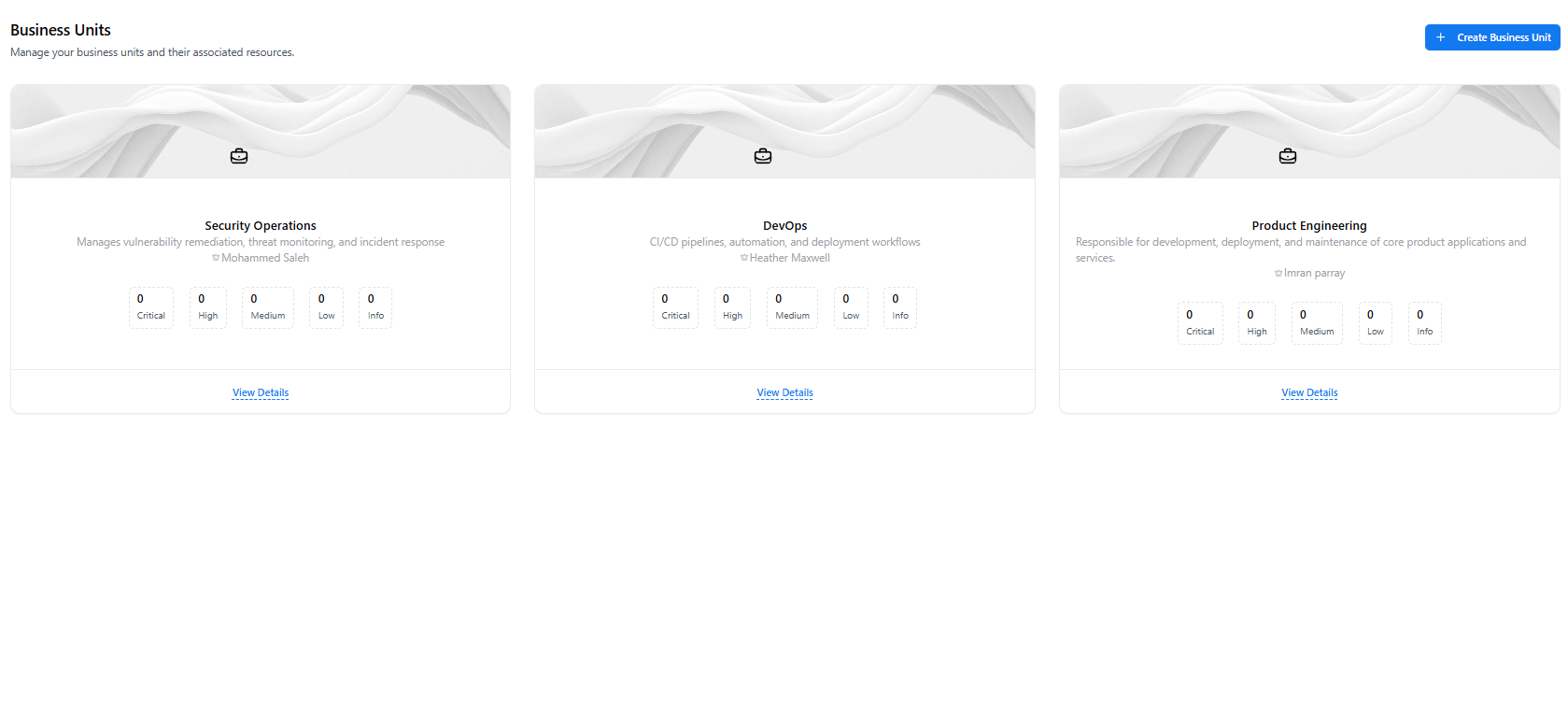
The **Business Units** dashboard provides a high-level view of how vulnerabilities and assessments are distributed across organizational teams.
Each card represents a business function or team, enabling clear ownership, accountability, and risk visibility.
 ### What You Can See
* Business unit name and description
* Assigned owner or responsible lead
* Vulnerability counts by severity (Critical → Info)
* Quick access to detailed unit-level security metrics
This view helps security leaders quickly understand **where risk lives inside the organization**.
***
## Create a Business Unit
Business units can be created to align vulnerability ownership with real-world organizational structure.
### What You Can See
* Business unit name and description
* Assigned owner or responsible lead
* Vulnerability counts by severity (Critical → Info)
* Quick access to detailed unit-level security metrics
This view helps security leaders quickly understand **where risk lives inside the organization**.
***
## Create a Business Unit
Business units can be created to align vulnerability ownership with real-world organizational structure.
 ### Fields Required
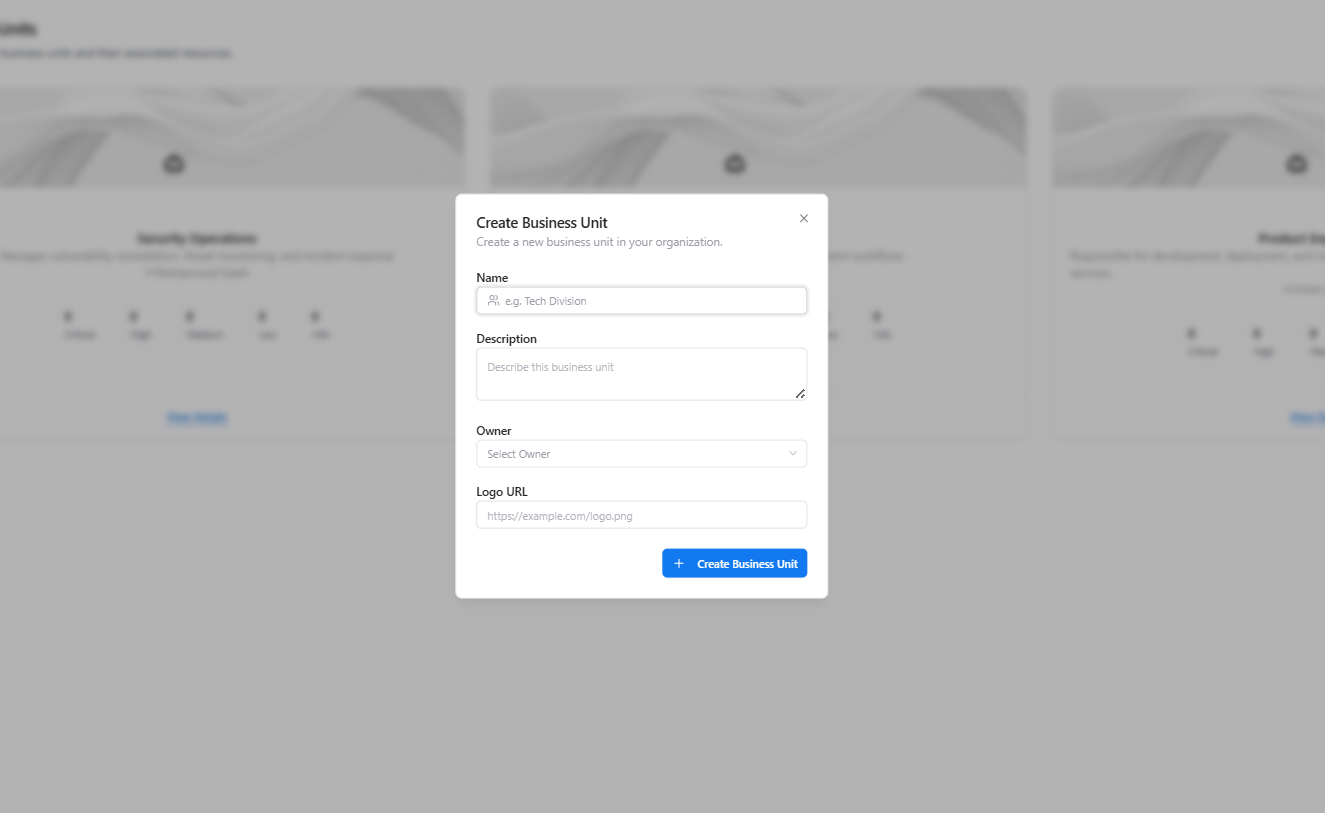
* **Name** — Business unit identifier (e.g., Security Operations, DevOps, Product Engineering)
* **Description** — Scope and responsibility of the unit
* **Owner** — Accountable individual or team
* **Logo URL** *(optional)* — Visual identifier
Once created, business units can be assigned to:
* Vulnerabilities
* Assessments
* Assets involved in remediation workflows
***
## Business Unit Details (Inside a Business Unit)
Selecting **View Details** opens the dedicated business unit page with consolidated vulnerability metrics.
### Fields Required
* **Name** — Business unit identifier (e.g., Security Operations, DevOps, Product Engineering)
* **Description** — Scope and responsibility of the unit
* **Owner** — Accountable individual or team
* **Logo URL** *(optional)* — Visual identifier
Once created, business units can be assigned to:
* Vulnerabilities
* Assessments
* Assets involved in remediation workflows
***
## Business Unit Details (Inside a Business Unit)
Selecting **View Details** opens the dedicated business unit page with consolidated vulnerability metrics.
 ### Summary Metrics Include
* **Total Vulnerabilities**
* **Total Assessments**
* **Open Vulnerabilities**
* **Closed Vulnerabilities**
* **Average CVSS Score**
Ownership information is prominently displayed to reinforce accountability and speed up remediation coordination.
***
## Security Analytics & Associated Assessments
Scrolling further reveals deeper vulnerability analytics and assessment relationships for the selected business unit.
### Summary Metrics Include
* **Total Vulnerabilities**
* **Total Assessments**
* **Open Vulnerabilities**
* **Closed Vulnerabilities**
* **Average CVSS Score**
Ownership information is prominently displayed to reinforce accountability and speed up remediation coordination.
***
## Security Analytics & Associated Assessments
Scrolling further reveals deeper vulnerability analytics and assessment relationships for the selected business unit.
 ### Available Insights
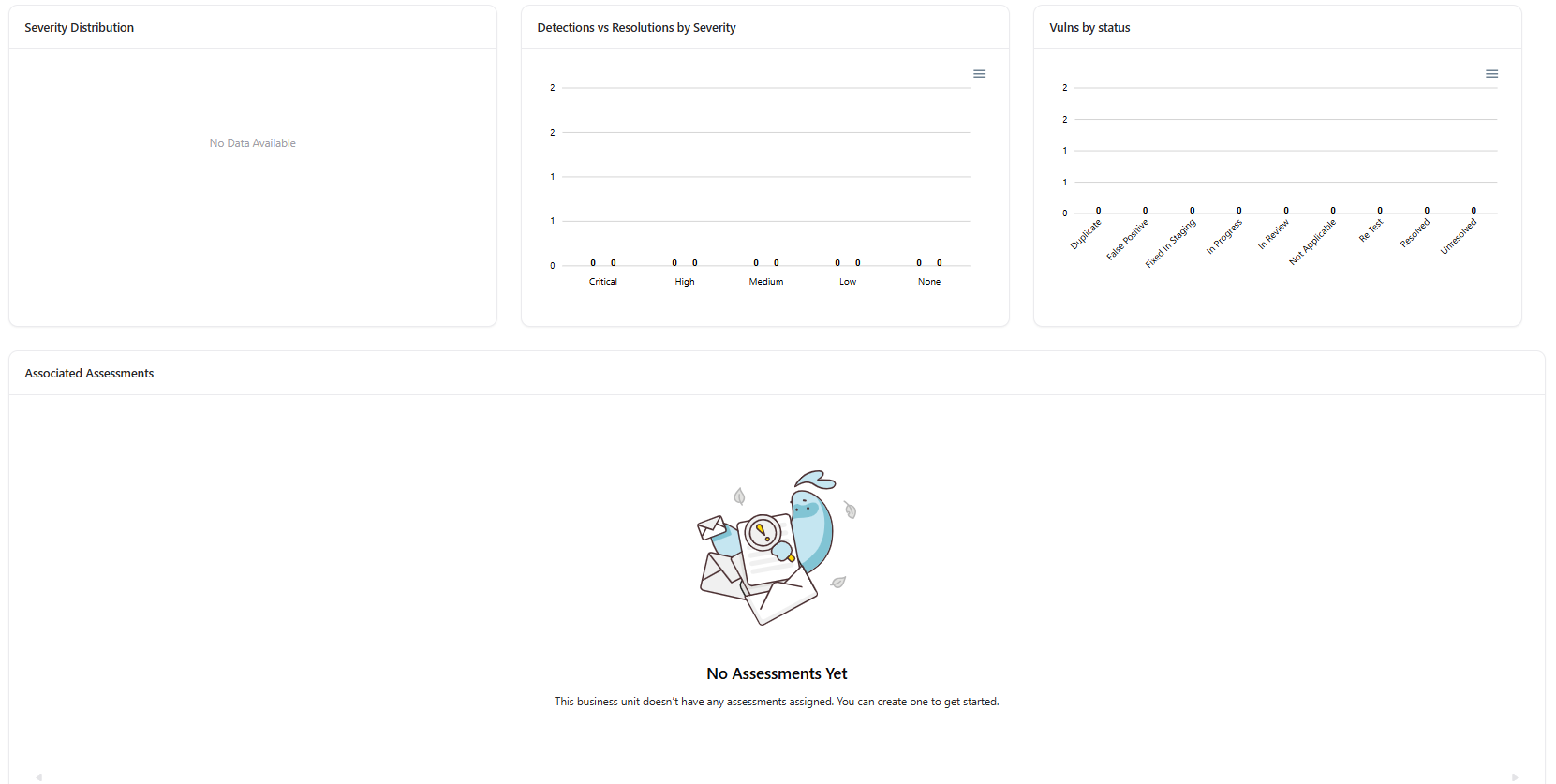
* **Vulnerability Timeline** — Track detections over time
* **Severity Distribution** — Critical, High, Medium, Low breakdown
* **Detections vs Resolutions** — Measure remediation effectiveness
* **Vulnerabilities by Status** — In Progress, Fixed, Resolved, etc.
* **Associated Assessments** — Security assessments linked to the unit
This view enables teams to assess **both exposure and remediation performance** at a business-unit level.
***
## Example Use Cases
* **Security Operations:** Track remediation progress by team ownership
* **Engineering Managers:** Understand vulnerability impact on their teams
* **Compliance Teams:** Ensure every assessment and finding has a clear owner
* **Leadership:** Gain visibility into organizational security maturity
***
## Explore Live Demo
Explore how Snapsec VM organizes vulnerabilities and assessments by business unit ownership — all without creating an account.
### Available Insights
* **Vulnerability Timeline** — Track detections over time
* **Severity Distribution** — Critical, High, Medium, Low breakdown
* **Detections vs Resolutions** — Measure remediation effectiveness
* **Vulnerabilities by Status** — In Progress, Fixed, Resolved, etc.
* **Associated Assessments** — Security assessments linked to the unit
This view enables teams to assess **both exposure and remediation performance** at a business-unit level.
***
## Example Use Cases
* **Security Operations:** Track remediation progress by team ownership
* **Engineering Managers:** Understand vulnerability impact on their teams
* **Compliance Teams:** Ensure every assessment and finding has a clear owner
* **Leadership:** Gain visibility into organizational security maturity
***
## Explore Live Demo
Explore how Snapsec VM organizes vulnerabilities and assessments by business unit ownership — all without creating an account.