> ## Documentation Index
> Fetch the complete documentation index at: https://docs.snapsec.co/llms.txt
> Use this file to discover all available pages before exploring further.
# Blockers
> Track and manage issues that prevent vulnerability remediation or progress.
 ## Overview
**Blockers** help teams track issues that delay or prevent vulnerability remediation.
Whenever progress is blocked — due to dependencies, missing access, or validation delays — a blocker ensures the issue is visible, assigned, and tracked until resolution.
Each blocker is linked to a vulnerability and includes ownership, status, and activity history.
Blockers ensure that no remediation delay goes unnoticed — every dependency or issue is tracked with clear ownership.
***
## What You Can Do
* **Track All Blockers**
* View all blockers across vulnerabilities
* **Filter and Search**
* Quickly find blockers using status, priority, or assignee
* **Manage Ownership**
* Assign blockers to responsible team members
* **Monitor Status**
* Track blockers as *Pending* or *Resolved*
***
## Blocker Views
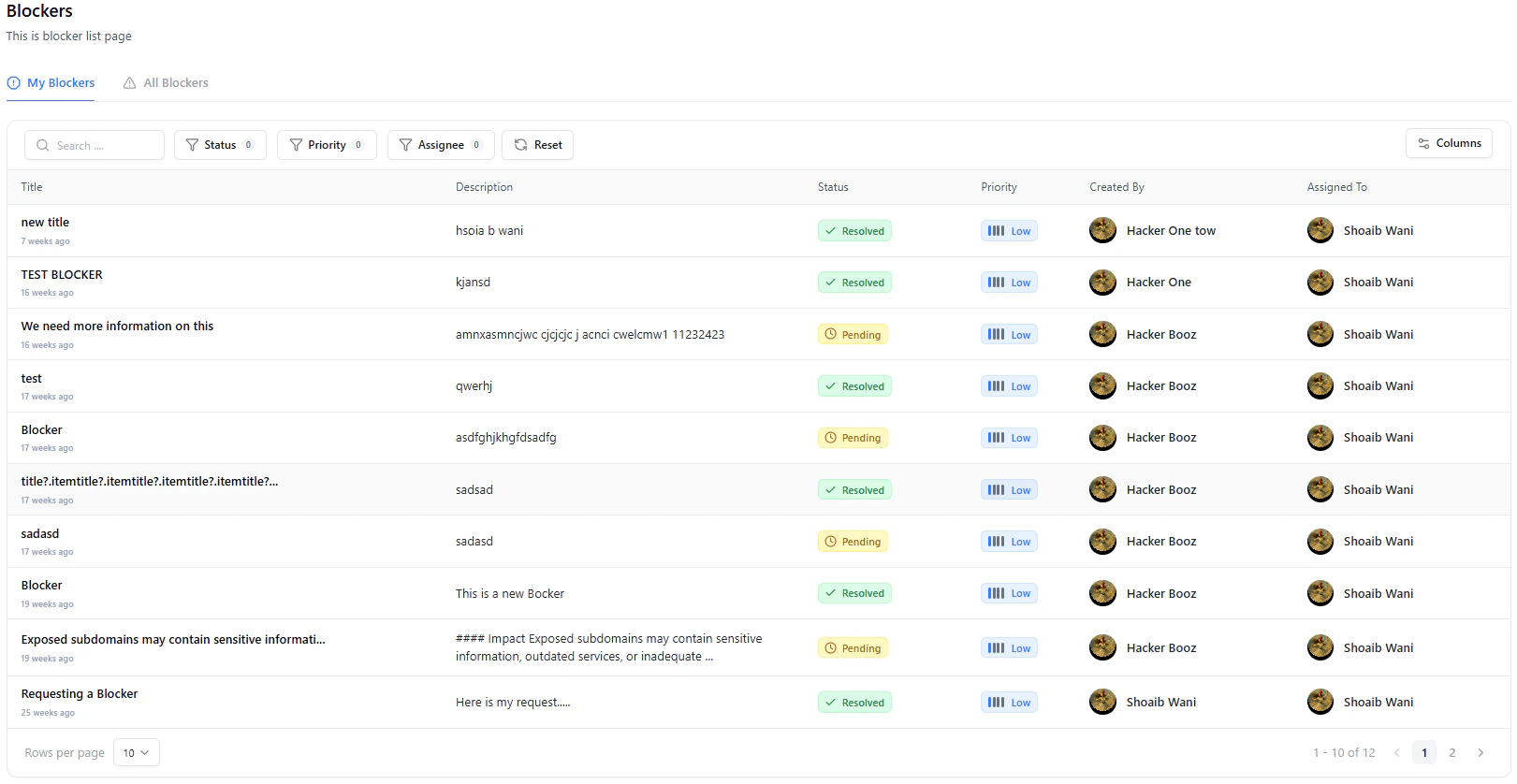
The Blockers section provides two key views:
* **My Blockers**
* Displays blockers assigned to you
* **All Blockers**
* Displays all blockers across the organization
Use *My Blockers* to focus on your tasks and *All Blockers* for complete visibility across teams.
***
## Filtering and Search
## Overview
**Blockers** help teams track issues that delay or prevent vulnerability remediation.
Whenever progress is blocked — due to dependencies, missing access, or validation delays — a blocker ensures the issue is visible, assigned, and tracked until resolution.
Each blocker is linked to a vulnerability and includes ownership, status, and activity history.
Blockers ensure that no remediation delay goes unnoticed — every dependency or issue is tracked with clear ownership.
***
## What You Can Do
* **Track All Blockers**
* View all blockers across vulnerabilities
* **Filter and Search**
* Quickly find blockers using status, priority, or assignee
* **Manage Ownership**
* Assign blockers to responsible team members
* **Monitor Status**
* Track blockers as *Pending* or *Resolved*
***
## Blocker Views
The Blockers section provides two key views:
* **My Blockers**
* Displays blockers assigned to you
* **All Blockers**
* Displays all blockers across the organization
Use *My Blockers* to focus on your tasks and *All Blockers* for complete visibility across teams.
***
## Filtering and Search
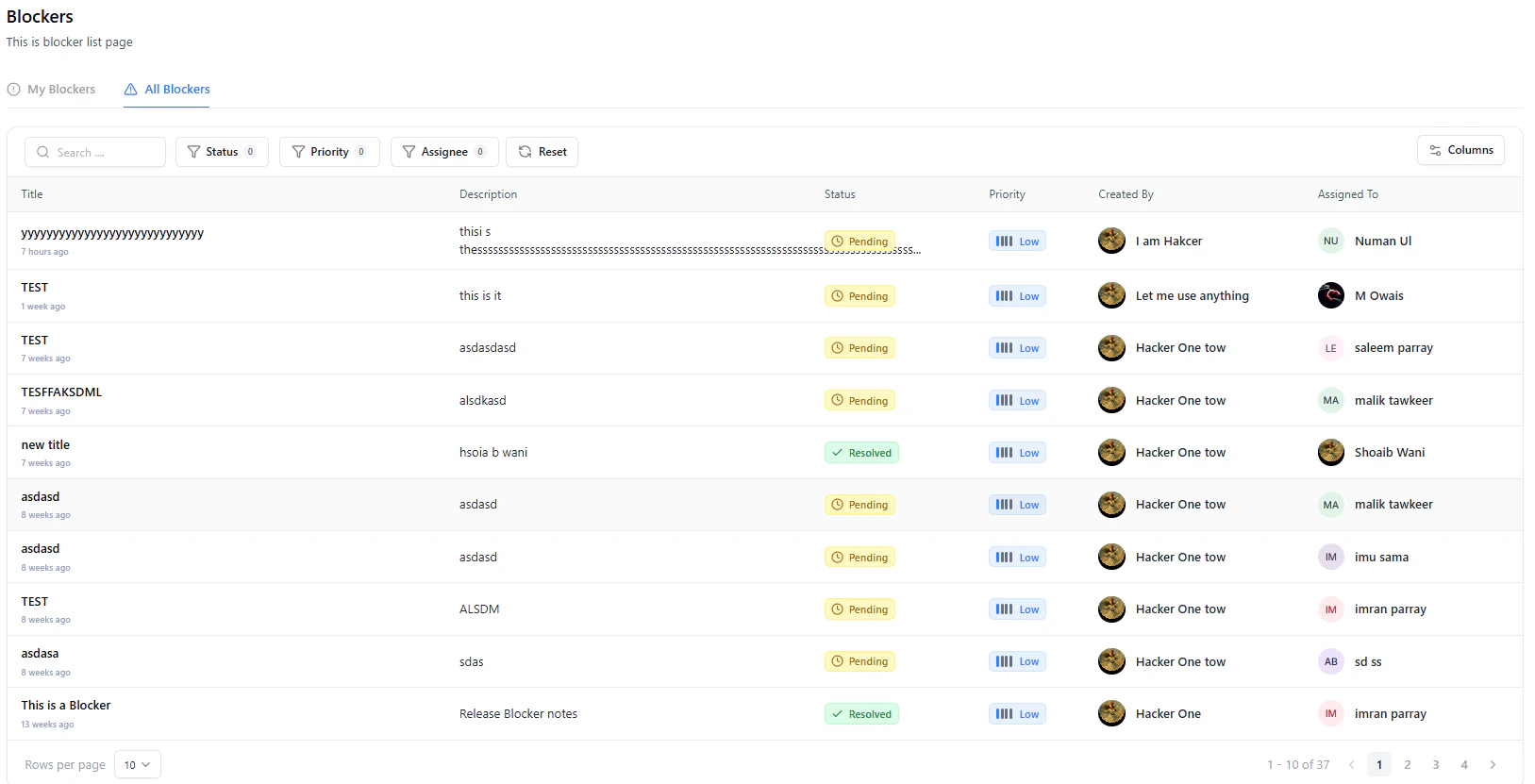 You can refine blockers using:
* **Search**
* **Status**
* **Priority**
* **Assignee**
Filtering helps quickly identify unresolved blockers or high-priority delays.
***
## Creating a Blocker
Blockers are created directly from within a vulnerability when progress is blocked.
Navigate to a vulnerability where progress is stalled.
In the **Comment & Blocker Panel**, enter details and enable **Create a Blocker**.
Add description and assign a user, then submit the blocker.
You can refine blockers using:
* **Search**
* **Status**
* **Priority**
* **Assignee**
Filtering helps quickly identify unresolved blockers or high-priority delays.
***
## Creating a Blocker
Blockers are created directly from within a vulnerability when progress is blocked.
Navigate to a vulnerability where progress is stalled.
In the **Comment & Blocker Panel**, enter details and enable **Create a Blocker**.
Add description and assign a user, then submit the blocker.
 ***
## Managing Blockers
Once created, blockers can be updated and resolved directly.
* **Mark as Resolved**
* Close the blocker once the issue is fixed
* **Reopen Blocker**
* Reopen if the issue persists
* **Track Ownership**
* View assigned user and creator
***
## Activity Timeline
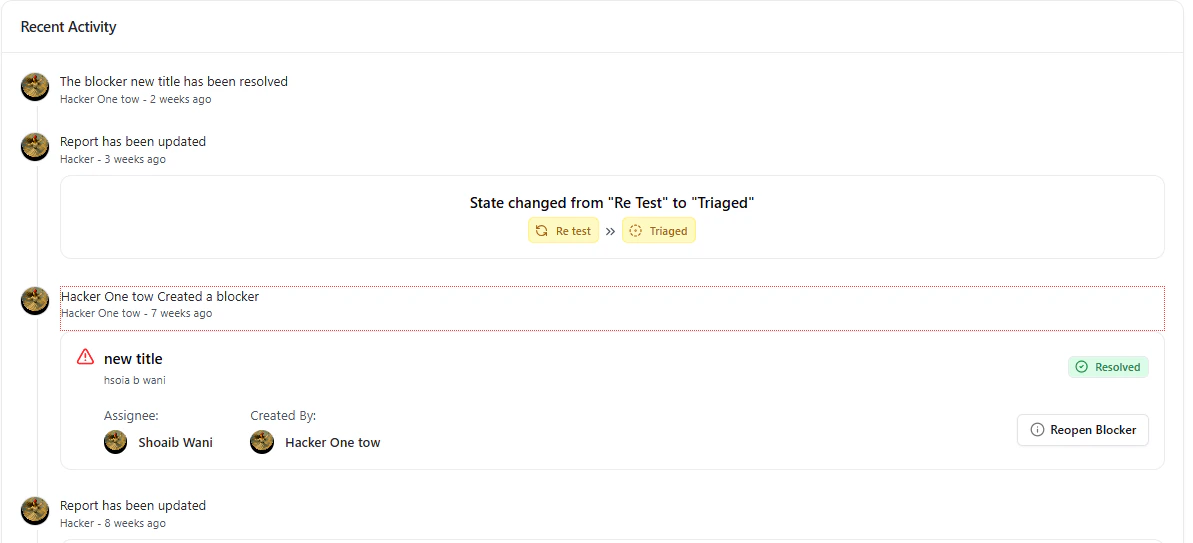
All blocker actions are recorded in the **Recent Activity** section:
* Creation
* Status updates
* Resolution
* Reopening
All blocker actions are automatically logged, ensuring full audit visibility.
***
## Why It Matters
Blockers ensure that remediation workflows remain transparent and accountable.
They help teams:
* Identify delays early
* Assign responsibility clearly
* Maintain visibility across teams
* Keep remediation workflows moving efficiently
***
## Explore Live Demo
Experience how Snapsec helps teams track and resolve blockers in real time.
***
## Managing Blockers
Once created, blockers can be updated and resolved directly.
* **Mark as Resolved**
* Close the blocker once the issue is fixed
* **Reopen Blocker**
* Reopen if the issue persists
* **Track Ownership**
* View assigned user and creator
***
## Activity Timeline
All blocker actions are recorded in the **Recent Activity** section:
* Creation
* Status updates
* Resolution
* Reopening
All blocker actions are automatically logged, ensuring full audit visibility.
***
## Why It Matters
Blockers ensure that remediation workflows remain transparent and accountable.
They help teams:
* Identify delays early
* Assign responsibility clearly
* Maintain visibility across teams
* Keep remediation workflows moving efficiently
***
## Explore Live Demo
Experience how Snapsec helps teams track and resolve blockers in real time.