> ## Documentation Index
> Fetch the complete documentation index at: https://docs.snapsec.co/llms.txt
> Use this file to discover all available pages before exploring further.
# Assessment Details
> Understand, manage, and track a single assessment — from vulnerabilities to reporting.
## Overview
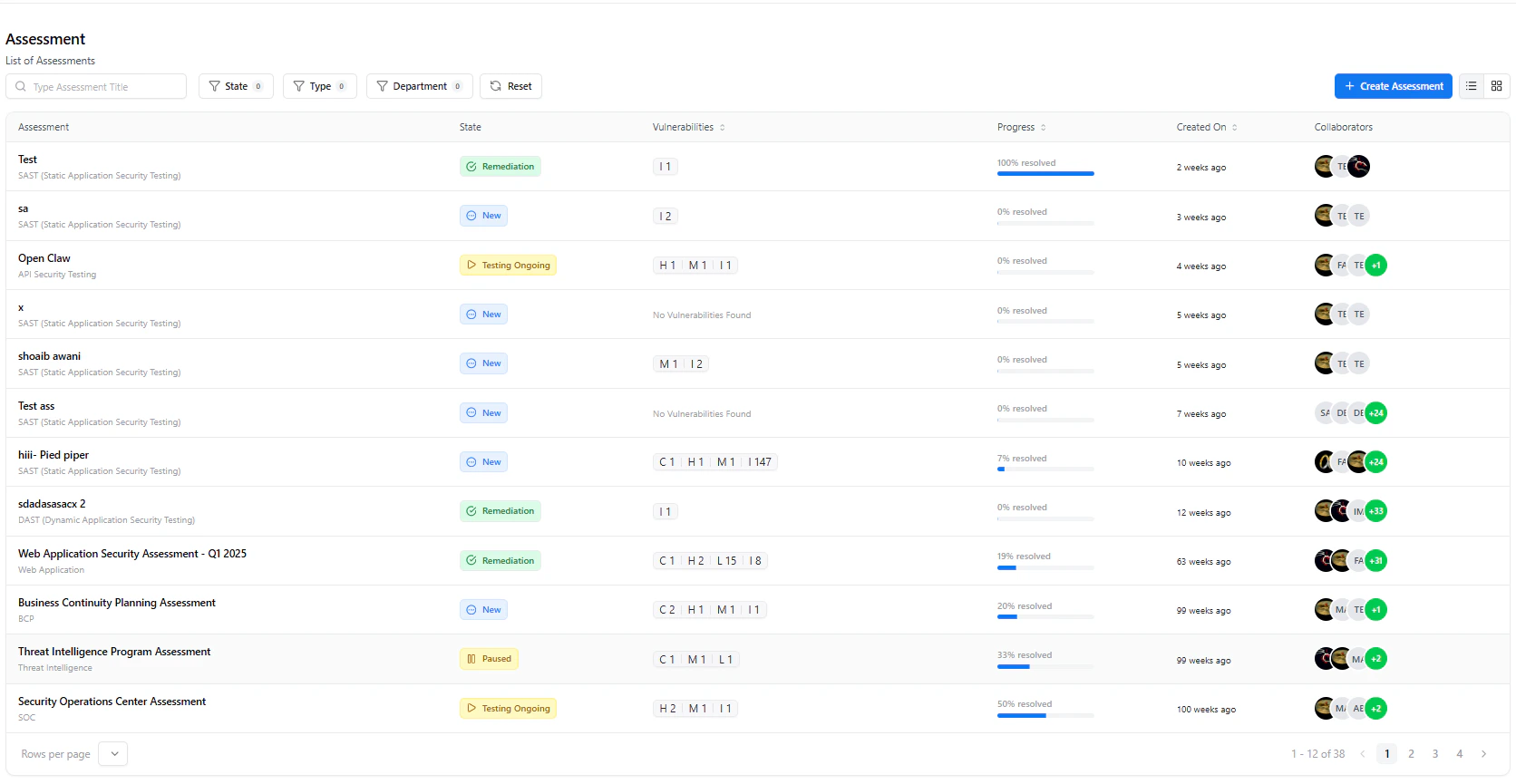 An **Assessment** represents a complete security engagement — combining vulnerabilities, remediation progress, team collaboration, and reporting in one place.
It allows teams to track findings from discovery to resolution while maintaining full visibility and accountability.
***
## What You Can See
* **Assessment Status**
* Track stages like *New, Testing Ongoing, and Remediation*
* **Progress Tracking**
* Monitor resolved vs total vulnerabilities
* **Vulnerability Summary**
* View counts across different states like Open, Resolved, and Retest
* **Team Members**
* Identify contributors working on the assessment
***
## Metrics & Insights
An **Assessment** represents a complete security engagement — combining vulnerabilities, remediation progress, team collaboration, and reporting in one place.
It allows teams to track findings from discovery to resolution while maintaining full visibility and accountability.
***
## What You Can See
* **Assessment Status**
* Track stages like *New, Testing Ongoing, and Remediation*
* **Progress Tracking**
* Monitor resolved vs total vulnerabilities
* **Vulnerability Summary**
* View counts across different states like Open, Resolved, and Retest
* **Team Members**
* Identify contributors working on the assessment
***
## Metrics & Insights
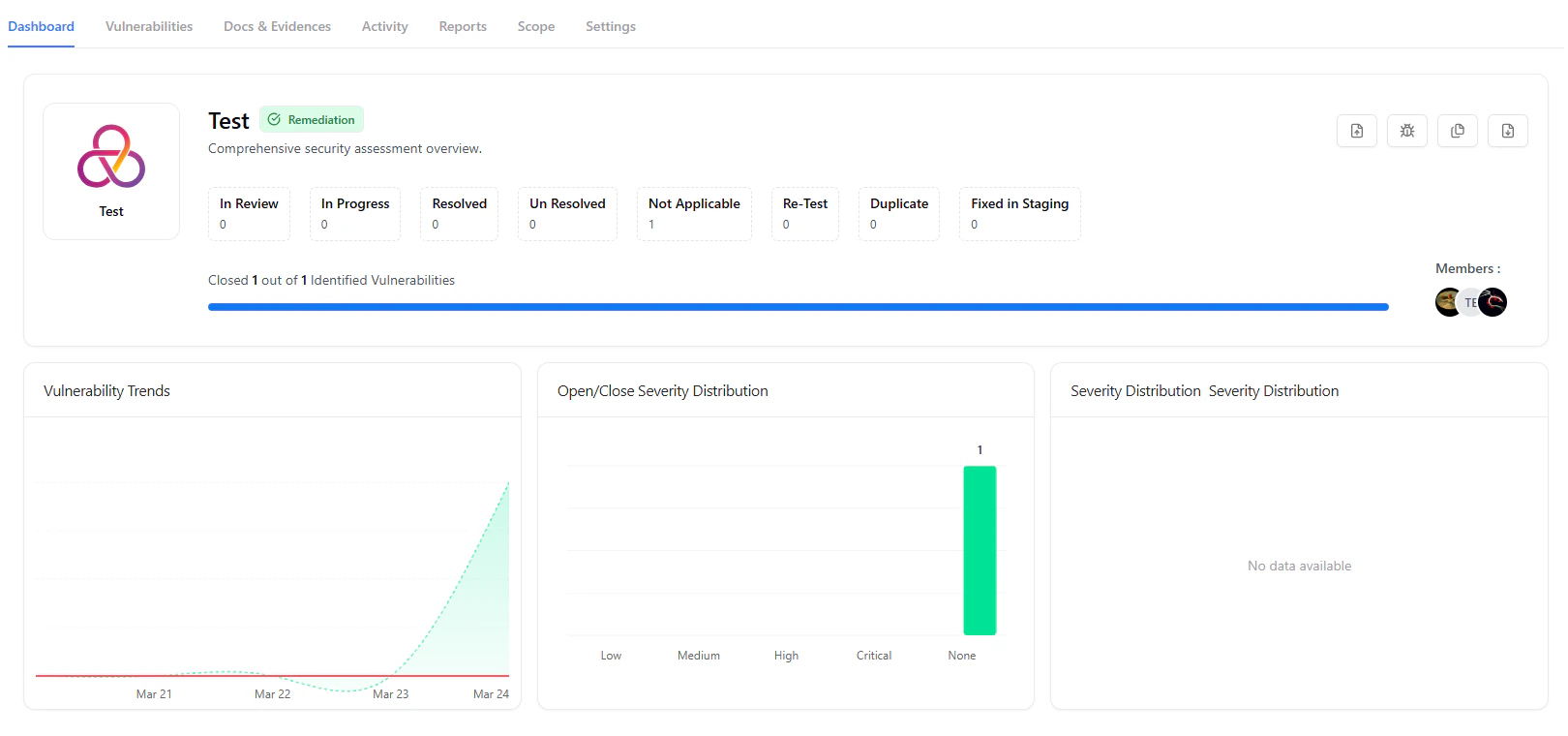 * **Vulnerability Trends**
* Track how issues evolve over time
* **Open vs Closed by Severity**
* Identify bottlenecks in remediation
* **Severity Distribution**
* Understand overall risk exposure
***
## Working with an Assessment
Each assessment is structured into tabs to support different workflows.
***
### Dashboard
* High-level overview of progress and metrics
* Quick visibility into current assessment status
***
### Vulnerabilities
* **Vulnerability Trends**
* Track how issues evolve over time
* **Open vs Closed by Severity**
* Identify bottlenecks in remediation
* **Severity Distribution**
* Understand overall risk exposure
***
## Working with an Assessment
Each assessment is structured into tabs to support different workflows.
***
### Dashboard
* High-level overview of progress and metrics
* Quick visibility into current assessment status
***
### Vulnerabilities
 * View and manage all identified vulnerabilities
* Filter by severity, owner, state, or business unit
* Track statuses like *Not Applicable, Open, or Resolved*
***
### Docs & Evidences
* View and manage all identified vulnerabilities
* Filter by severity, owner, state, or business unit
* Track statuses like *Not Applicable, Open, or Resolved*
***
### Docs & Evidences
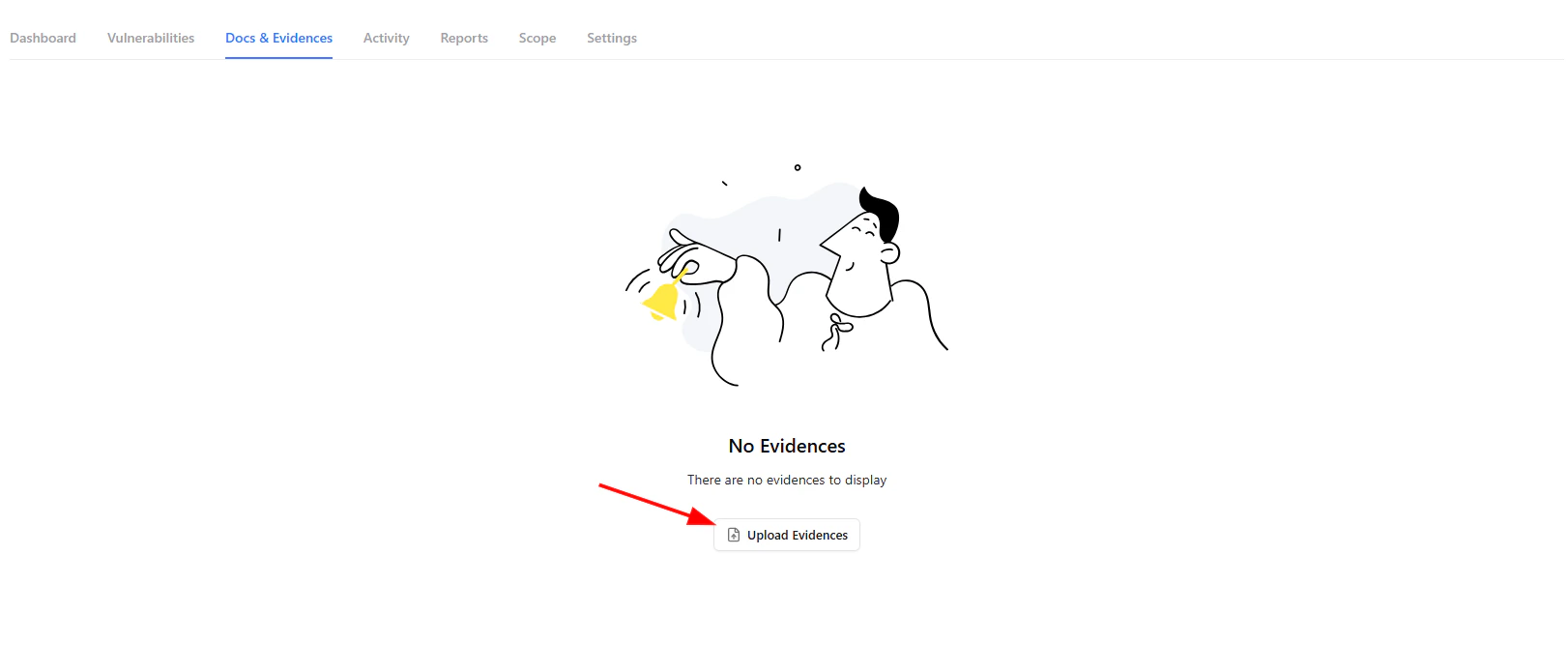 * Upload screenshots, logs, and PoCs
* Maintain audit-ready documentation
* Link evidence to vulnerabilities
***
### Activity
* Upload screenshots, logs, and PoCs
* Maintain audit-ready documentation
* Link evidence to vulnerabilities
***
### Activity
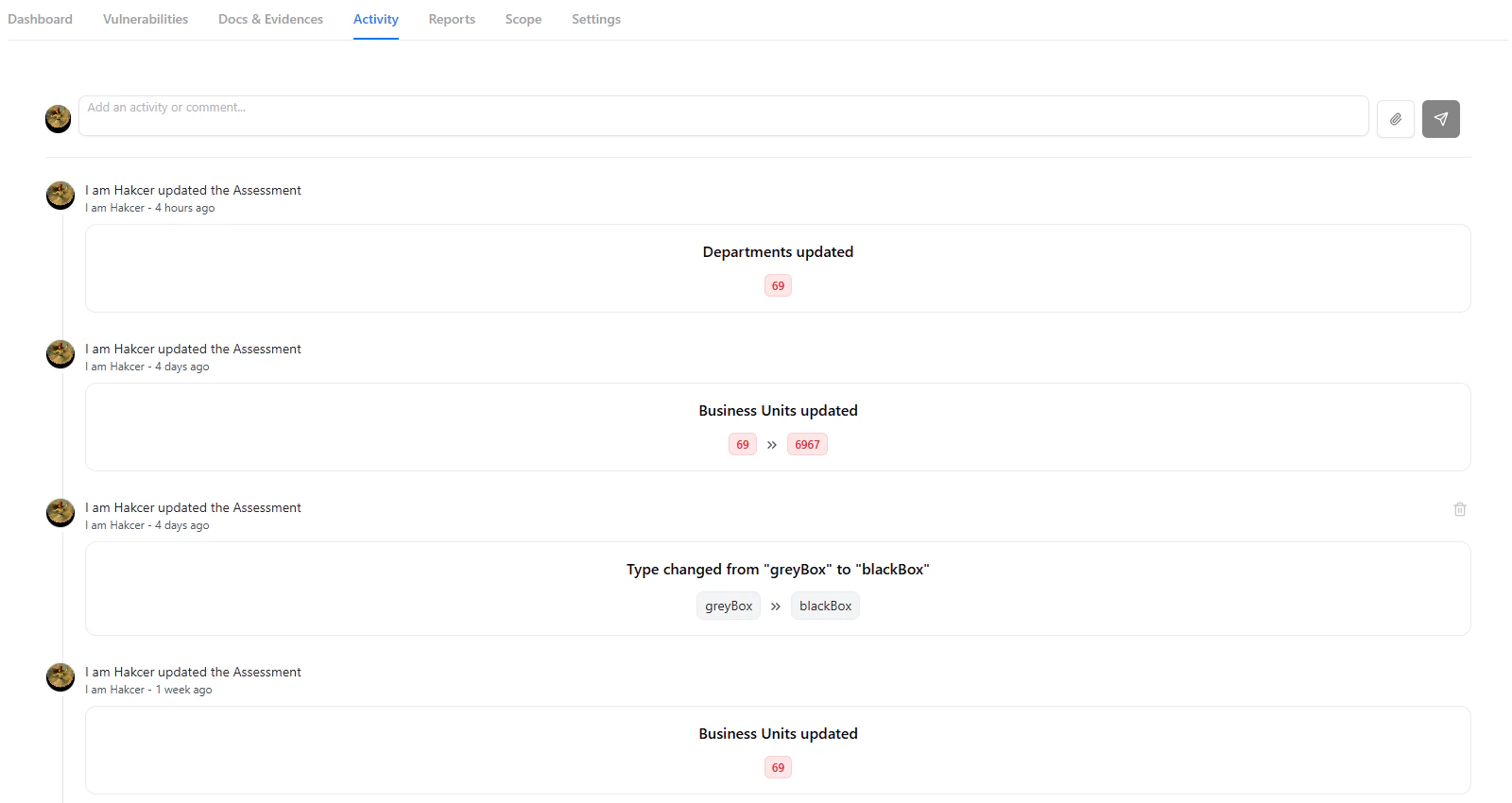 * View a complete timeline of actions
* Track updates like scope changes, edits, and status updates
* Maintain full audit trace
***
## Reports
* View a complete timeline of actions
* Track updates like scope changes, edits, and status updates
* Maintain full audit trace
***
## Reports
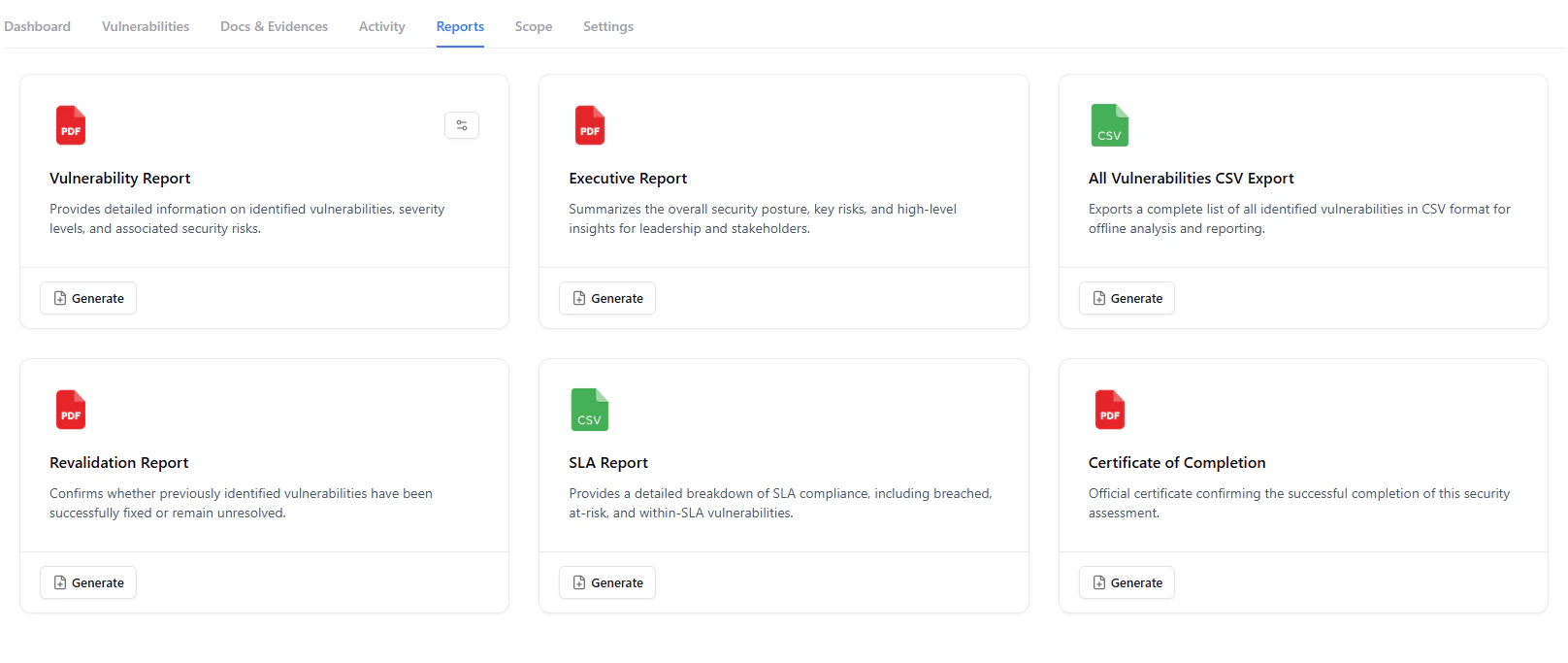 The **Reports** tab allows you to generate multiple types of reports for different stakeholders.
### Available Reports
* **Vulnerability Report**
* Detailed list of all findings with severity and impact
* **Executive Report**
* High-level summary for leadership and decision-makers
* **SLA Report**
* Tracks SLA compliance and violations
* **CSV Export**
* Raw data export for offline analysis
* **Revalidation Report**
* Confirms which vulnerabilities have been fixed
* **Certificate of Completion**
* Proof of assessment completion
***
## Customizing Reports
The **Reports** tab allows you to generate multiple types of reports for different stakeholders.
### Available Reports
* **Vulnerability Report**
* Detailed list of all findings with severity and impact
* **Executive Report**
* High-level summary for leadership and decision-makers
* **SLA Report**
* Tracks SLA compliance and violations
* **CSV Export**
* Raw data export for offline analysis
* **Revalidation Report**
* Confirms which vulnerabilities have been fixed
* **Certificate of Completion**
* Proof of assessment completion
***
## Customizing Reports
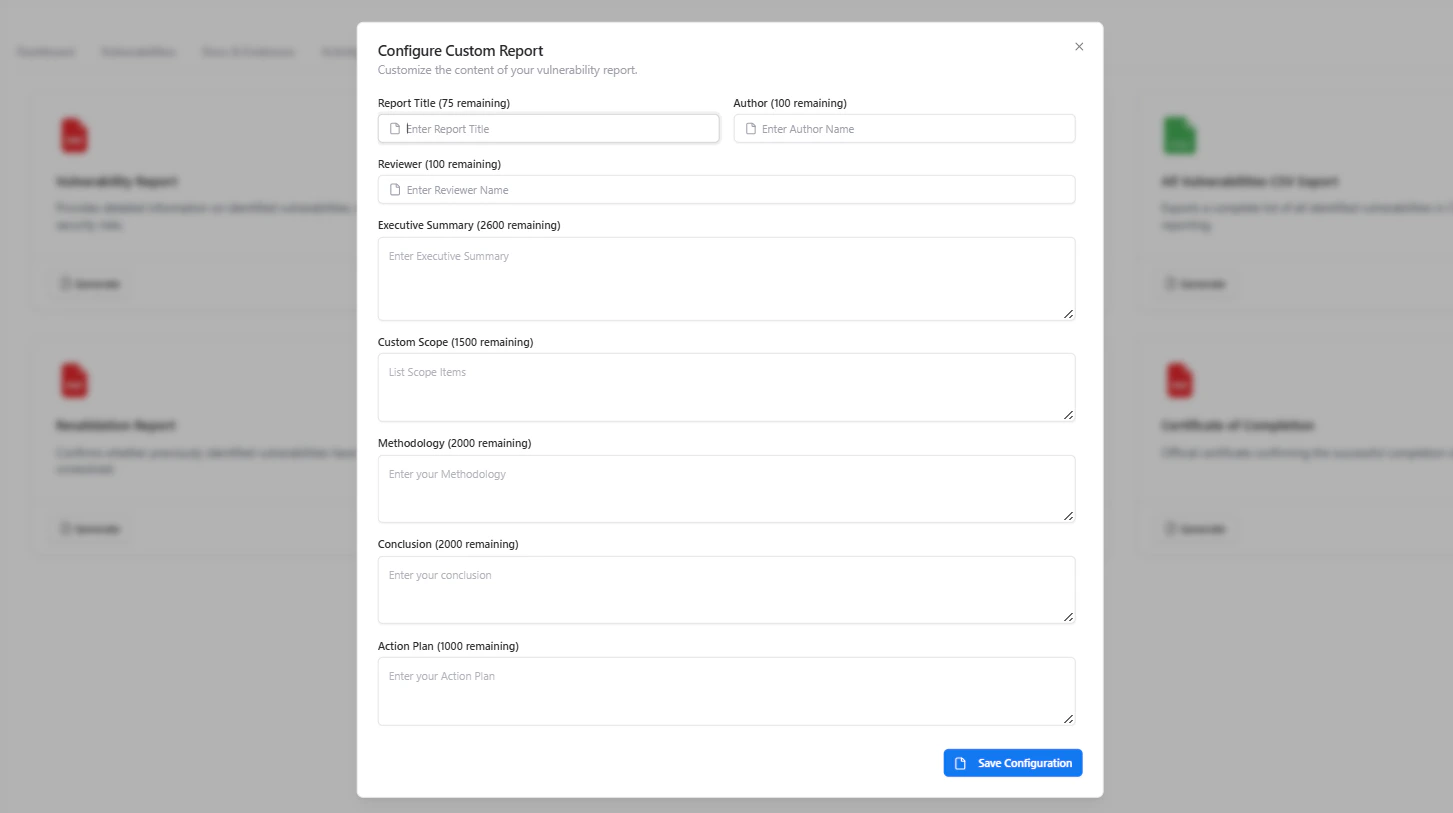 Before generating reports, you can fully customize their content to match your organization’s standards and reporting needs.
### What You Can Customize
* **Report Title**
* Define how the report will be labeled
* **Author & Reviewer**
* Add ownership and review attribution for audit purposes
* **Executive Summary**
* Provide a high-level overview of findings and risk posture
* **Custom Scope**
* Specify included assets, targets, or exclusions
* **Methodology**
* Describe testing approach, tools, and techniques used
* **Conclusion**
* Summarize overall risk and key takeaways
* **Action Plan**
* Add recommended next steps and remediation strategy
***
## Scope
Before generating reports, you can fully customize their content to match your organization’s standards and reporting needs.
### What You Can Customize
* **Report Title**
* Define how the report will be labeled
* **Author & Reviewer**
* Add ownership and review attribution for audit purposes
* **Executive Summary**
* Provide a high-level overview of findings and risk posture
* **Custom Scope**
* Specify included assets, targets, or exclusions
* **Methodology**
* Describe testing approach, tools, and techniques used
* **Conclusion**
* Summarize overall risk and key takeaways
* **Action Plan**
* Add recommended next steps and remediation strategy
***
## Scope
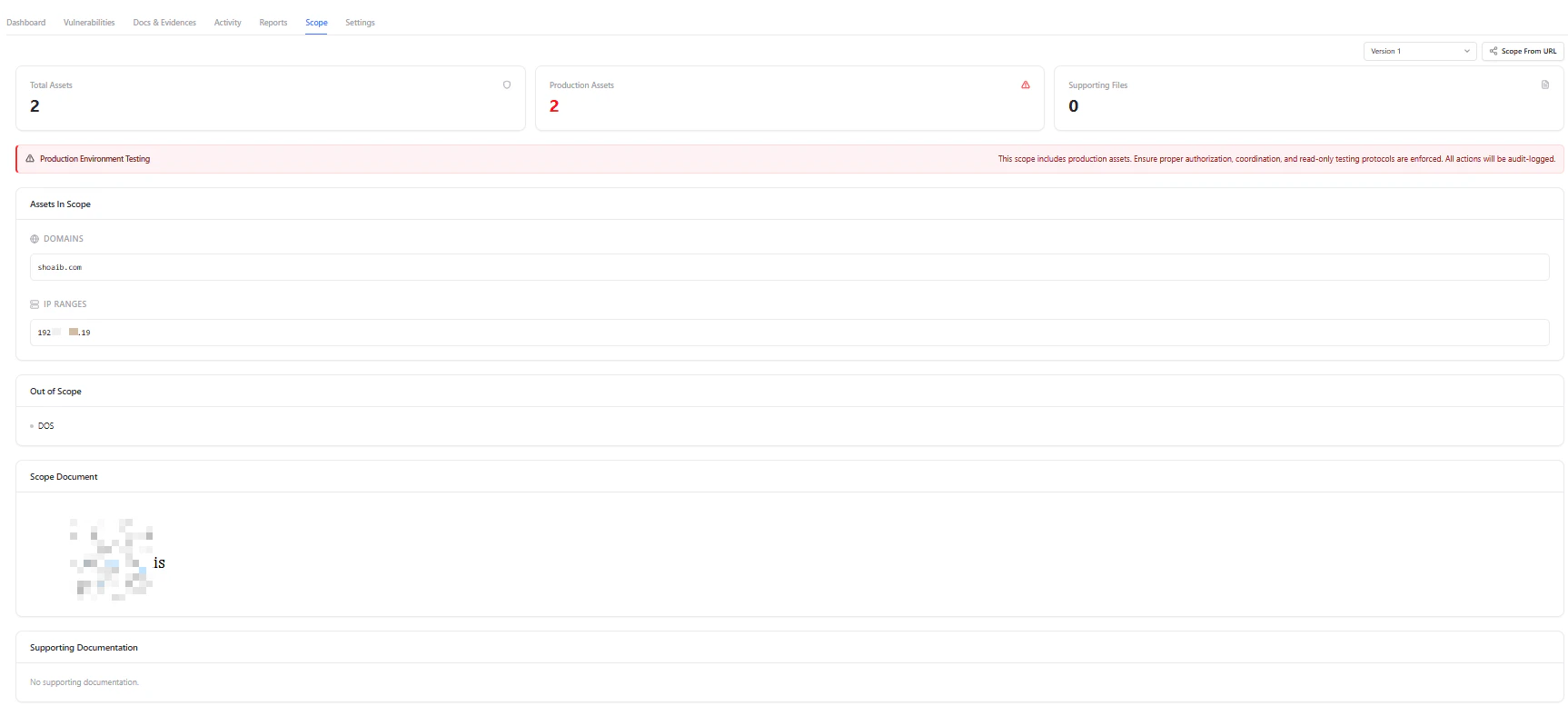 * Define assets included in testing
* Add domains and IP ranges
* Specify out-of-scope items
***
## Settings
* Define assets included in testing
* Add domains and IP ranges
* Specify out-of-scope items
***
## Settings
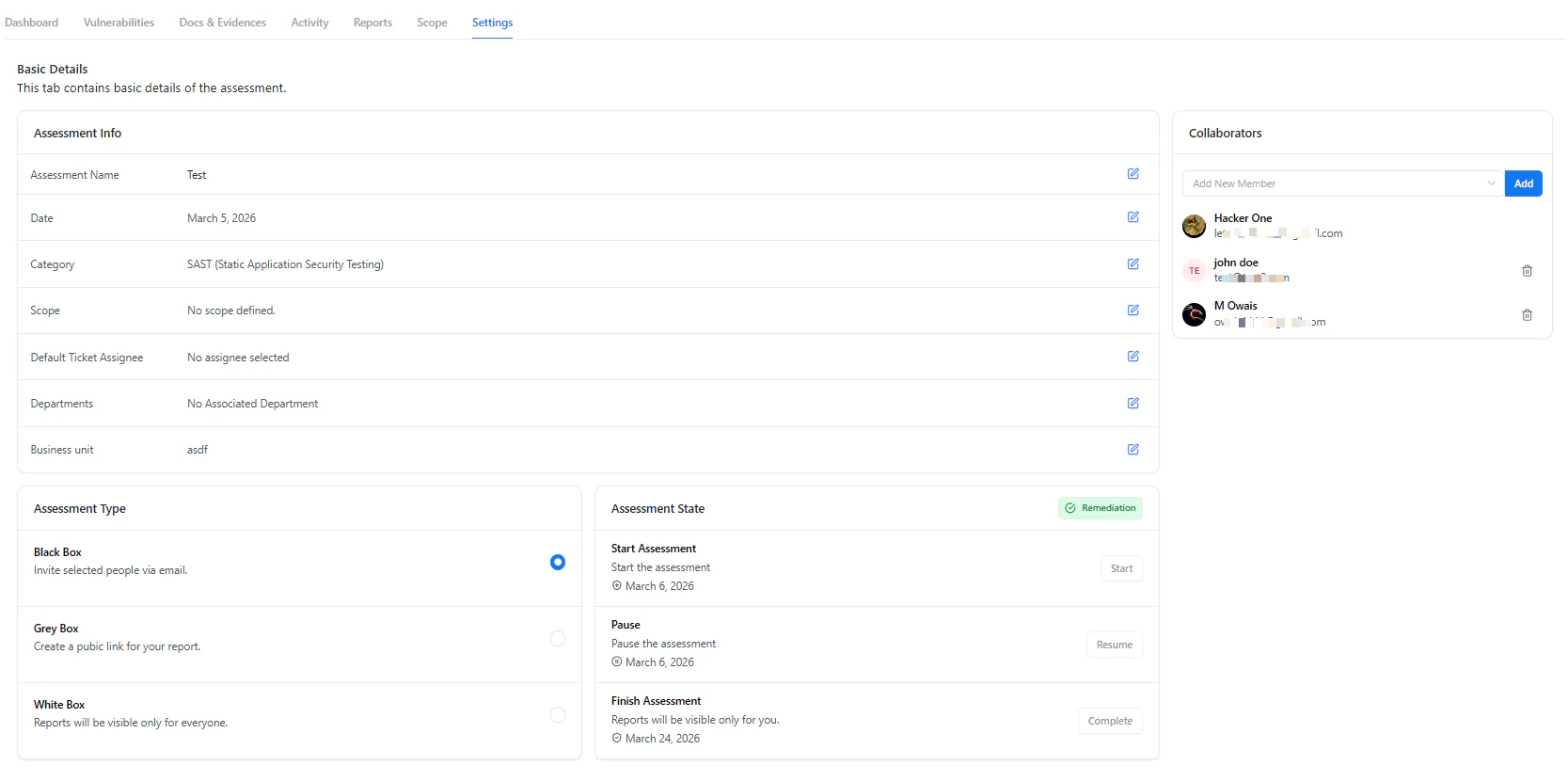 * Update assessment details:
* Name, category, and date
* Business unit and departments
* Manage collaborators
* Control lifecycle:
* Start
* Pause
* Complete
***
## Why It Matters
The Assessment view centralizes everything required to run a security engagement.
It enables:
* Complete visibility across vulnerabilities and progress
* Seamless collaboration between teams
* Structured, customizable reporting for stakeholders and compliance
***
## Explore Live Demo
Experience how Snapsec manages assessments end-to-end — from detection to reporting.
* Update assessment details:
* Name, category, and date
* Business unit and departments
* Manage collaborators
* Control lifecycle:
* Start
* Pause
* Complete
***
## Why It Matters
The Assessment view centralizes everything required to run a security engagement.
It enables:
* Complete visibility across vulnerabilities and progress
* Seamless collaboration between teams
* Structured, customizable reporting for stakeholders and compliance
***
## Explore Live Demo
Experience how Snapsec manages assessments end-to-end — from detection to reporting.