> ## Documentation Index
> Fetch the complete documentation index at: https://docs.snapsec.co/llms.txt
> Use this file to discover all available pages before exploring further.
# Scans
> Execute and monitor domain scans to continuously discover, track, and manage your external attack surface.
## Overview
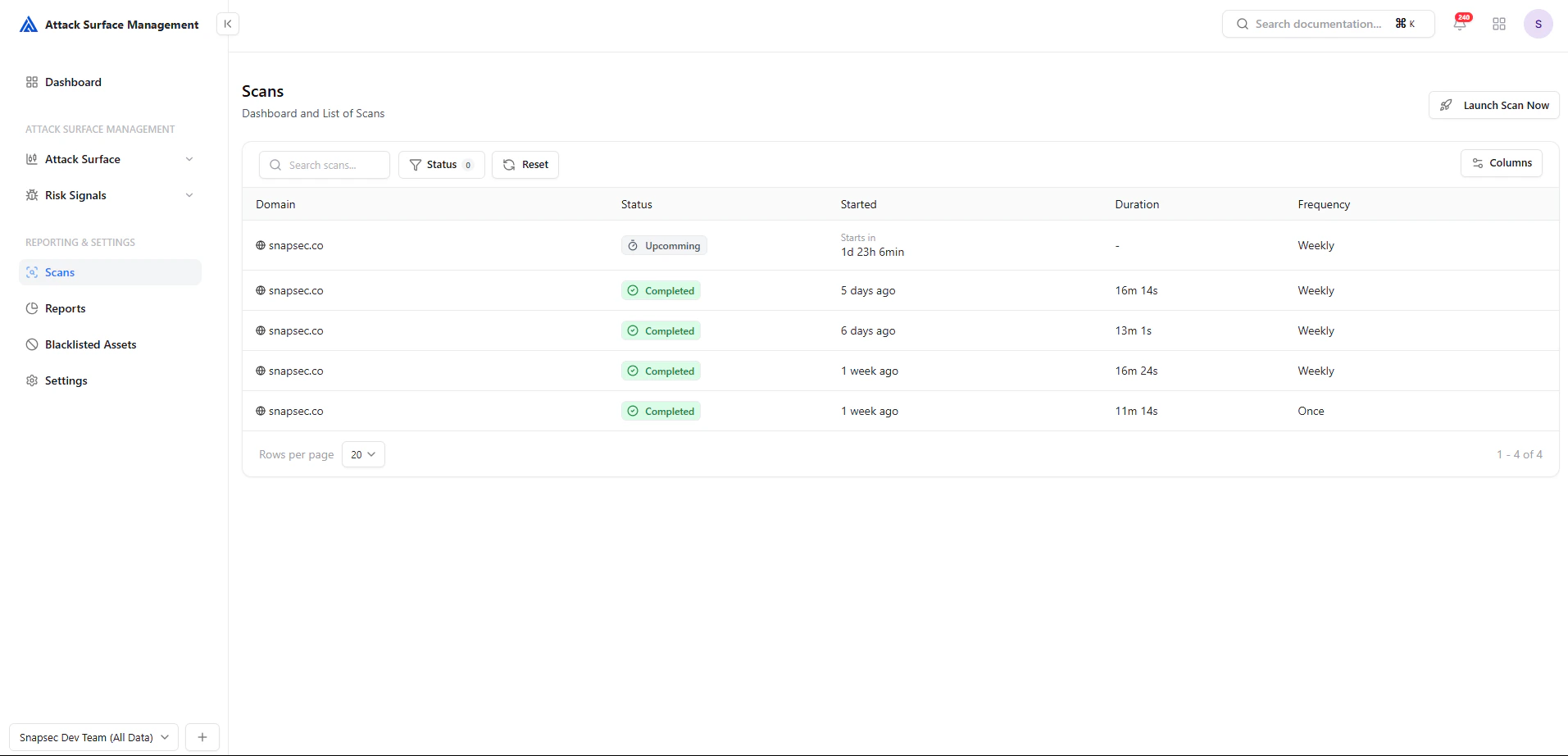
The **Scans** page enables security teams to **initiate, monitor, and manage discovery scans** across their external attack surface.
Each scan identifies assets such as subdomains, IPs, services, and exposures — providing a continuously updated view of your organization's internet-facing footprint.
 ***
## Scan List
The scan list provides a **historical and real-time view** of all executed and scheduled scans.
### Key Capabilities
* View **scan status** (Upcoming, Completed, etc.)
* Track **execution time and duration**
* Monitor **scan frequency (weekly / one-time)**
* Identify **recent scan activity**
### Fields Explained
| Field | Description |
| ------------- | ----------------------------------- |
| **Domain** | Target domain scanned |
| **Status** | Current state of the scan |
| **Started** | When the scan started or will start |
| **Duration** | Total scan execution time |
| **Frequency** | Recurrence (Weekly / Once) |
***
## Scan Status & Filtering
***
## Scan List
The scan list provides a **historical and real-time view** of all executed and scheduled scans.
### Key Capabilities
* View **scan status** (Upcoming, Completed, etc.)
* Track **execution time and duration**
* Monitor **scan frequency (weekly / one-time)**
* Identify **recent scan activity**
### Fields Explained
| Field | Description |
| ------------- | ----------------------------------- |
| **Domain** | Target domain scanned |
| **Status** | Current state of the scan |
| **Started** | When the scan started or will start |
| **Duration** | Total scan execution time |
| **Frequency** | Recurrence (Weekly / Once) |
***
## Scan Status & Filtering
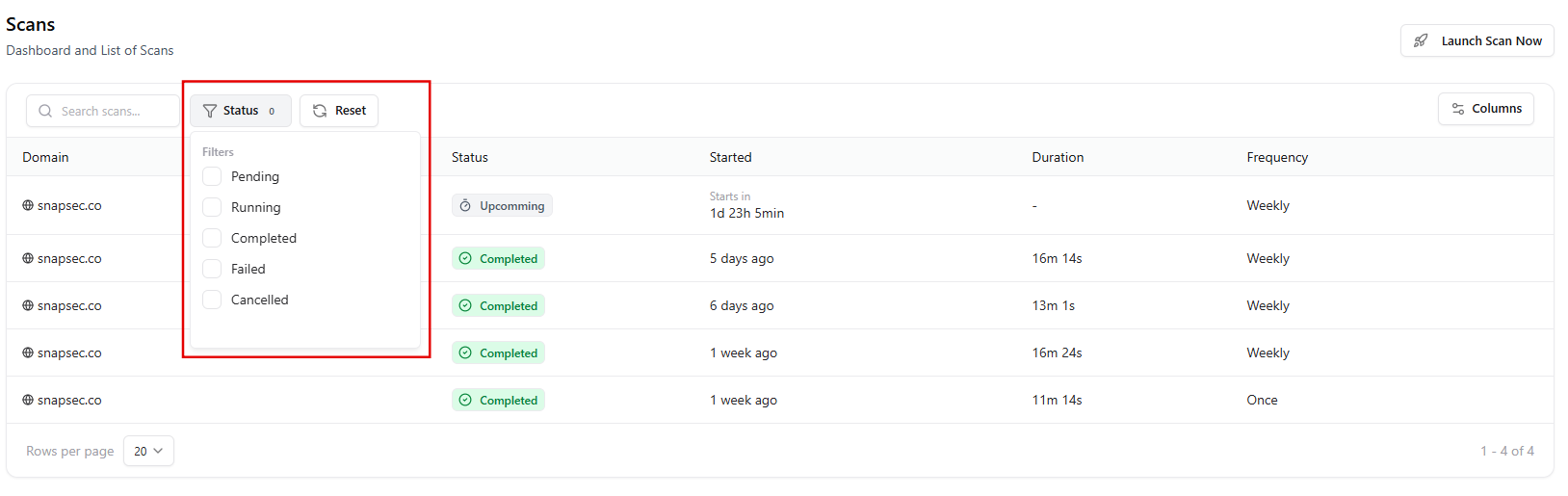 You can filter scans based on their execution state:
* **Pending** — Scheduled but not started
* **Running** — Currently in progress
* **Completed** — Successfully finished
* **Failed** — Encountered an issue
* **Cancelled** — Manually stopped
This helps teams quickly focus on **active or problematic scans**.
***
## Launching a Scan
You can filter scans based on their execution state:
* **Pending** — Scheduled but not started
* **Running** — Currently in progress
* **Completed** — Successfully finished
* **Failed** — Encountered an issue
* **Cancelled** — Manually stopped
This helps teams quickly focus on **active or problematic scans**.
***
## Launching a Scan
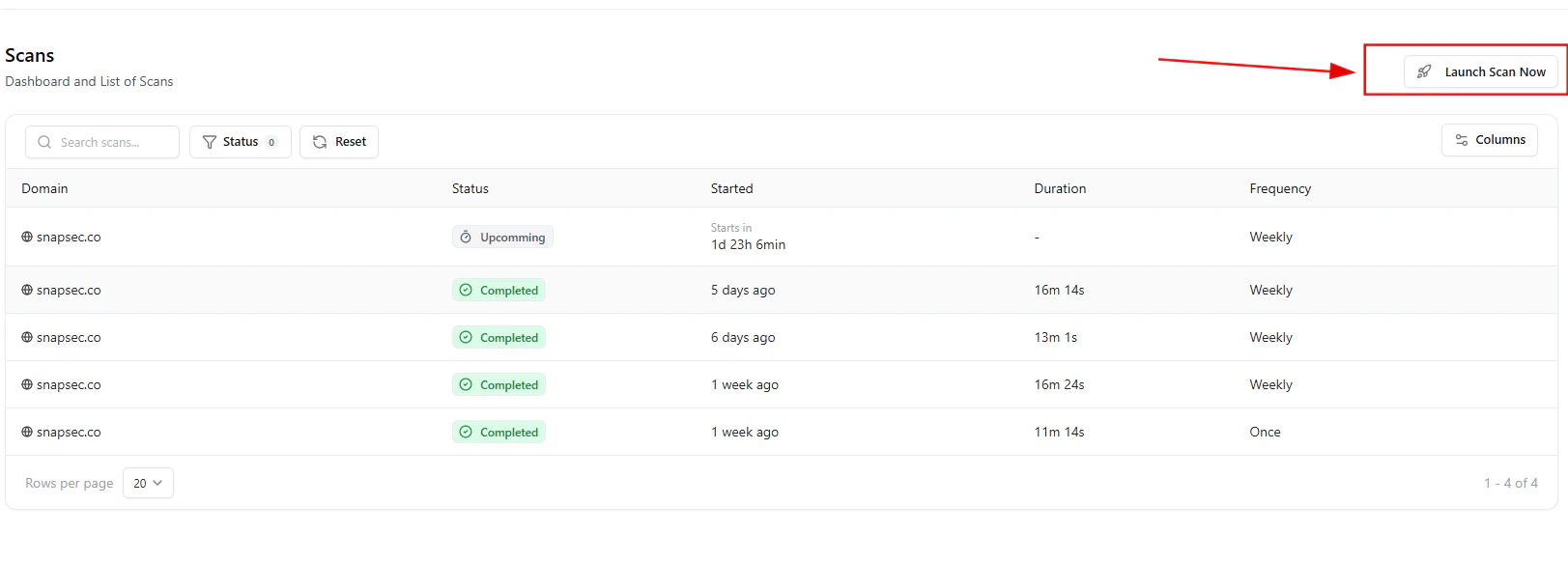 To start a new scan:
1. Click **“Launch Scan Now”**
2. Confirm the action in the prompt
3. The scan is scheduled and begins execution
***
## Confirmation Flow
To start a new scan:
1. Click **“Launch Scan Now”**
2. Confirm the action in the prompt
3. The scan is scheduled and begins execution
***
## Confirmation Flow
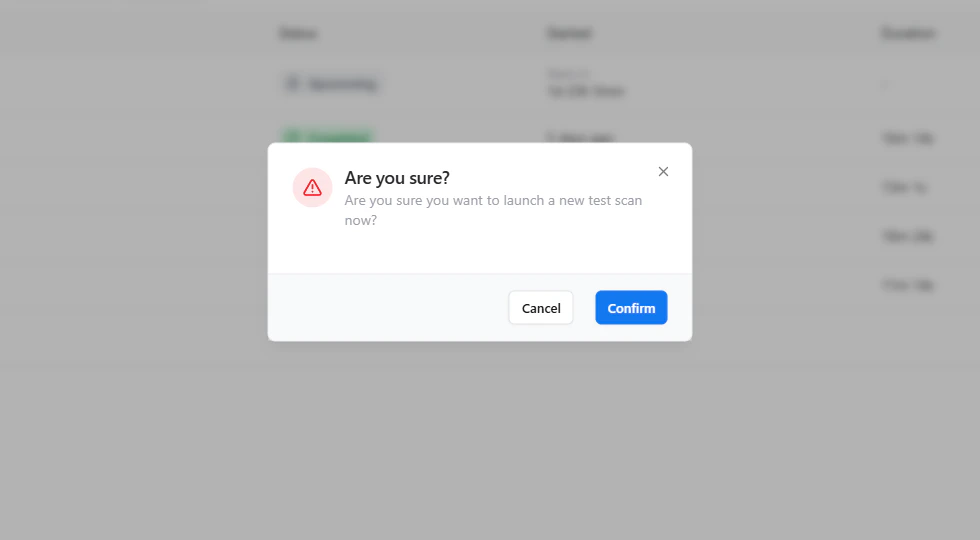 Before execution, a confirmation modal ensures intentional action:
* Prevents accidental scan triggers
* Adds operational control
* Confirms scan initiation
***
## How Scans Work
Each scan performs a **multi-layered discovery process**:
1. **Asset Enumeration**
* Subdomains
* IP addresses
* DNS records
2. **Service Detection**
* Open ports
* Running services
* Web servers
3. **Data Correlation**
* Mapping assets to hosts
* Identifying relationships
4. **Exposure Identification**
* Publicly accessible services
* Misconfigurations
* Security risks
***
## Continuous Monitoring
Scans can be scheduled (e.g., weekly) to ensure **continuous visibility**.
This enables:
* Detection of **newly introduced assets**
* Monitoring of **infrastructure changes**
* Early identification of **security risks**
* Tracking of **attack surface growth over time**
***
## Workflow Example
1. Launch a scan manually or via schedule
2. Scan begins asset discovery and enumeration
3. Assets and exposures are identified
4. Results are added to the platform
5. Risk Signals and Tickets are generated
***
## Best Practices
* 🕒 Run scans **regularly (weekly recommended)**
* 🎯 Ensure **complete domain coverage**
* 🔁 Review results after each scan
* 📊 Track trends to measure security improvements
***
## Value to Security Teams
| Benefit | Description |
| -------------------------- | ------------------------------------------- |
| **Automated Discovery** | Continuously identifies all external assets |
| **Real-Time Visibility** | Always know what is exposed |
| **Risk Reduction** | Detect exposures early |
| **Operational Efficiency** | Eliminate manual asset tracking |
***
## From Discovery to Security
**Scan → Discover → Analyze → Detect → Act**
Scans form the **foundation of Attack Surface Management**, enabling all downstream security workflows.
***
## Explore Live Demo
Instantly explore how Snapsec Attack Surface Management (ASM) discovers assets, detects exposures, and enables real-time security decisions — all in one unified platform.
Before execution, a confirmation modal ensures intentional action:
* Prevents accidental scan triggers
* Adds operational control
* Confirms scan initiation
***
## How Scans Work
Each scan performs a **multi-layered discovery process**:
1. **Asset Enumeration**
* Subdomains
* IP addresses
* DNS records
2. **Service Detection**
* Open ports
* Running services
* Web servers
3. **Data Correlation**
* Mapping assets to hosts
* Identifying relationships
4. **Exposure Identification**
* Publicly accessible services
* Misconfigurations
* Security risks
***
## Continuous Monitoring
Scans can be scheduled (e.g., weekly) to ensure **continuous visibility**.
This enables:
* Detection of **newly introduced assets**
* Monitoring of **infrastructure changes**
* Early identification of **security risks**
* Tracking of **attack surface growth over time**
***
## Workflow Example
1. Launch a scan manually or via schedule
2. Scan begins asset discovery and enumeration
3. Assets and exposures are identified
4. Results are added to the platform
5. Risk Signals and Tickets are generated
***
## Best Practices
* 🕒 Run scans **regularly (weekly recommended)**
* 🎯 Ensure **complete domain coverage**
* 🔁 Review results after each scan
* 📊 Track trends to measure security improvements
***
## Value to Security Teams
| Benefit | Description |
| -------------------------- | ------------------------------------------- |
| **Automated Discovery** | Continuously identifies all external assets |
| **Real-Time Visibility** | Always know what is exposed |
| **Risk Reduction** | Detect exposures early |
| **Operational Efficiency** | Eliminate manual asset tracking |
***
## From Discovery to Security
**Scan → Discover → Analyze → Detect → Act**
Scans form the **foundation of Attack Surface Management**, enabling all downstream security workflows.
***
## Explore Live Demo
Instantly explore how Snapsec Attack Surface Management (ASM) discovers assets, detects exposures, and enables real-time security decisions — all in one unified platform.