> ## Documentation Index
> Fetch the complete documentation index at: https://docs.snapsec.co/llms.txt
> Use this file to discover all available pages before exploring further.
# Settings
> Configure global synchronization, public access, and default ownership for your asset inventory.
## Overview
Settings allow you to control how your asset inventory behaves across synchronization, public access, and ownership mapping.
These configurations help standardize data management, automate workflows, and ensure proper asset accountability across teams.
***
## Adapter Settings
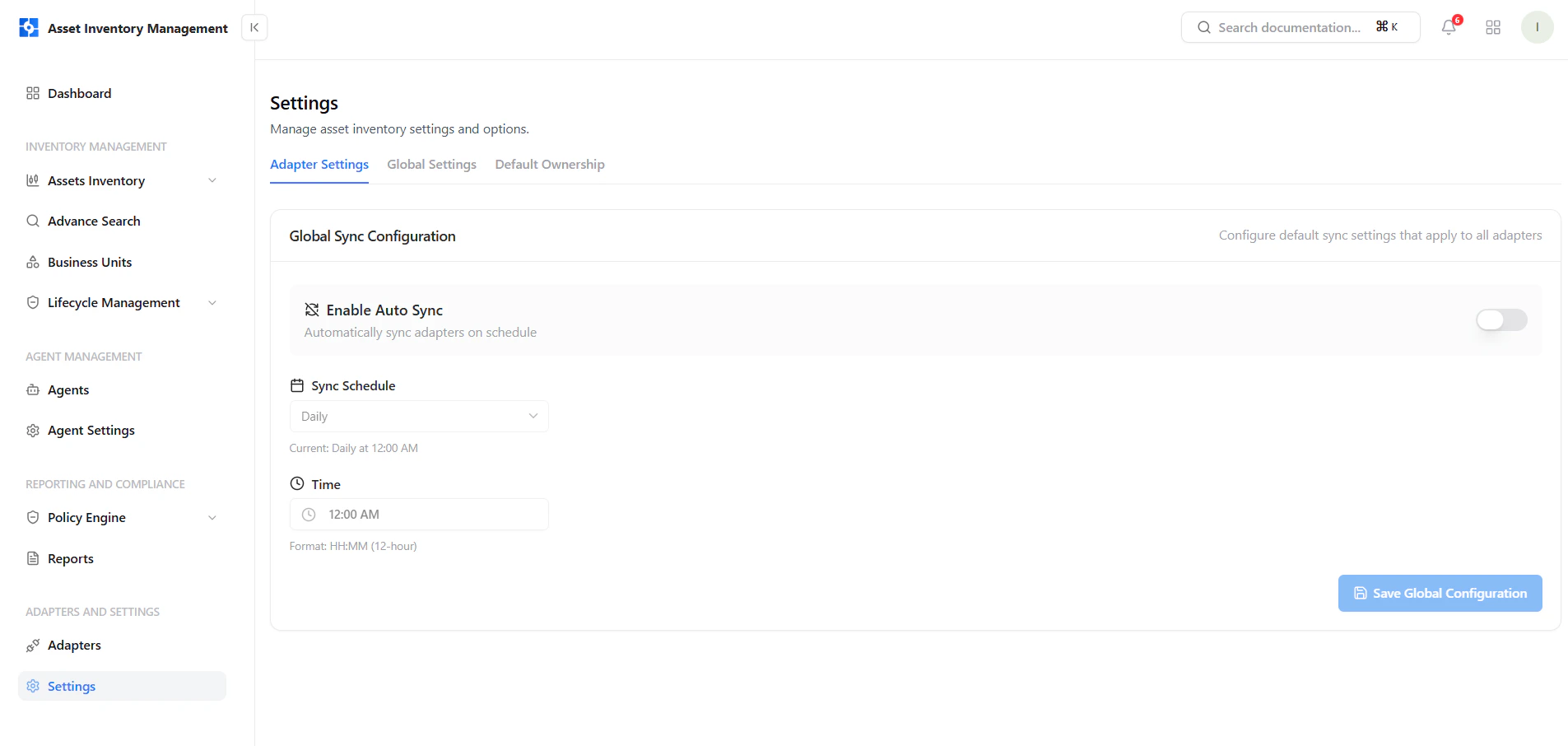 Adapter Settings define how integrations sync data into your platform.
### Key Controls
* **Enable Auto Sync** — Automatically sync all adapters on a schedule
* **Sync Schedule** — Choose frequency (e.g., daily)
* **Time चयन** — Define exact execution time
* **Save Configuration** — Apply settings globally
This ensures your asset inventory remains continuously updated without manual intervention.
***
## Global Settings
Adapter Settings define how integrations sync data into your platform.
### Key Controls
* **Enable Auto Sync** — Automatically sync all adapters on a schedule
* **Sync Schedule** — Choose frequency (e.g., daily)
* **Time चयन** — Define exact execution time
* **Save Configuration** — Apply settings globally
This ensures your asset inventory remains continuously updated without manual intervention.
***
## Global Settings
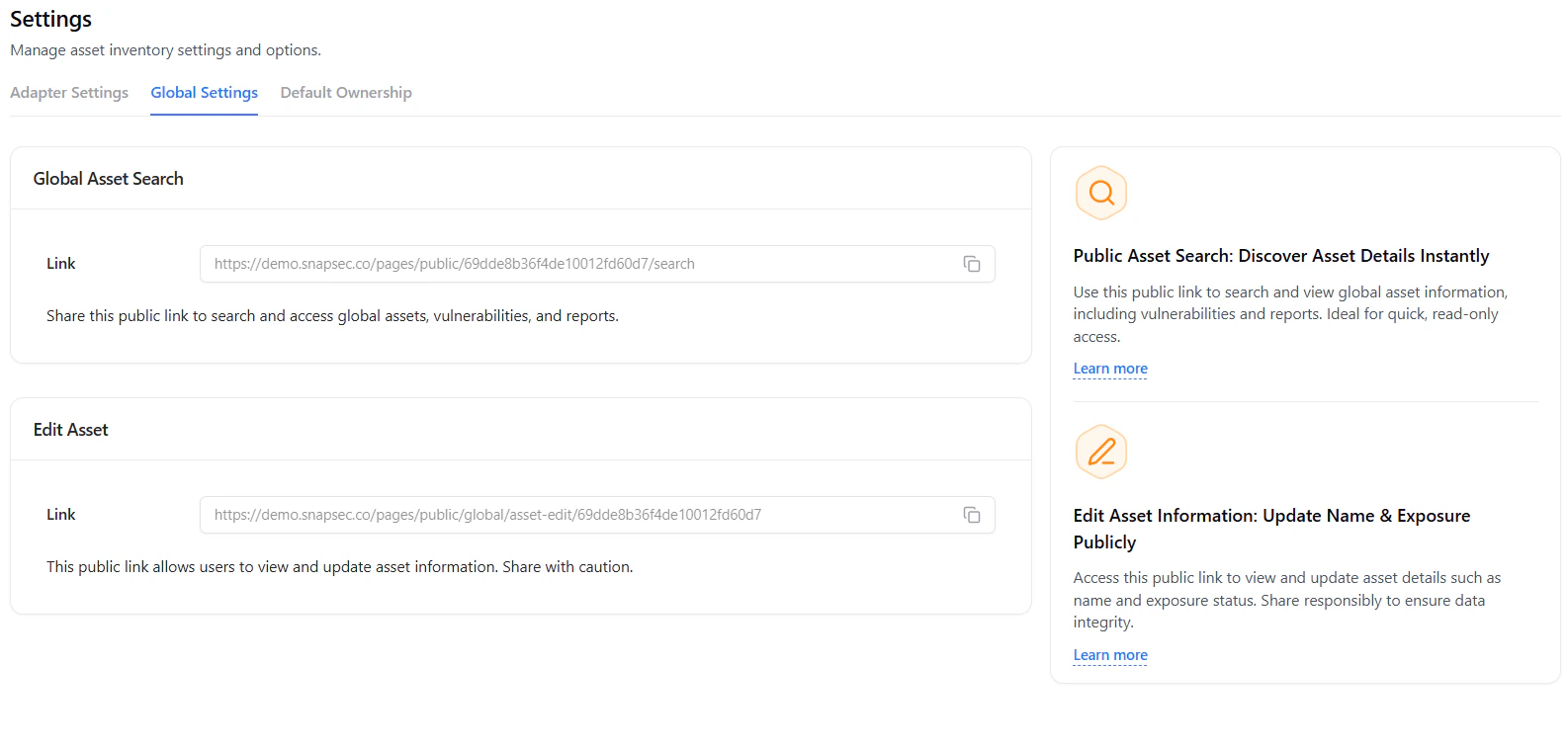 Global Settings allow controlled public access to asset data.
### Public Asset Search
* Share a **read-only public link**
* Enables visibility into assets, vulnerabilities, and reports
* Ideal for quick external access
### Edit Asset Access
* Share a **public edit link**
* Allows updating asset name and exposure
* Should be shared cautiously
These links enable controlled collaboration without requiring platform access.
***
## Default Ownership
Global Settings allow controlled public access to asset data.
### Public Asset Search
* Share a **read-only public link**
* Enables visibility into assets, vulnerabilities, and reports
* Ideal for quick external access
### Edit Asset Access
* Share a **public edit link**
* Allows updating asset name and exposure
* Should be shared cautiously
These links enable controlled collaboration without requiring platform access.
***
## Default Ownership
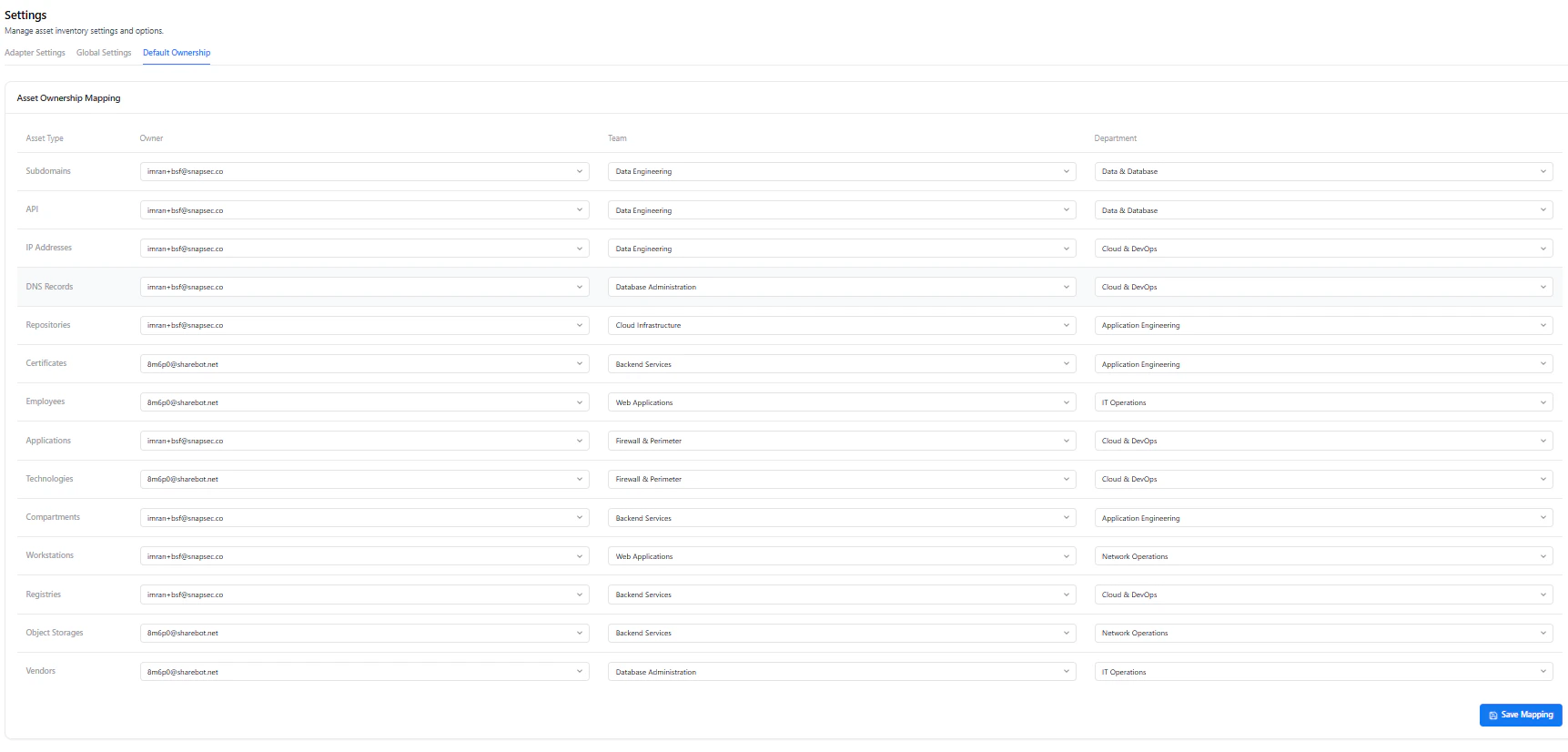 Default Ownership ensures every asset is automatically assigned to the correct stakeholders.
### Mapping Configuration
* **Asset Type** — Subdomains, APIs, IPs, etc.
* **Owner** — Assigned user or email
* **Team** — Responsible group
* **Department** — Organizational unit
### Benefits
* Eliminates unassigned assets
* Improves accountability
* Streamlines incident response
* Ensures consistent ownership across inventory
***
## Why This Matters
* Automates data synchronization across integrations
* Enables controlled external access to asset data
* Ensures every asset has clear ownership
* Reduces manual configuration overhead
* Strengthens governance and accountability
***
## Explore Live Demo
See how Snapsec AIM centralizes configuration for sync, access, and ownership across your entire asset inventory.
Default Ownership ensures every asset is automatically assigned to the correct stakeholders.
### Mapping Configuration
* **Asset Type** — Subdomains, APIs, IPs, etc.
* **Owner** — Assigned user or email
* **Team** — Responsible group
* **Department** — Organizational unit
### Benefits
* Eliminates unassigned assets
* Improves accountability
* Streamlines incident response
* Ensures consistent ownership across inventory
***
## Why This Matters
* Automates data synchronization across integrations
* Enables controlled external access to asset data
* Ensures every asset has clear ownership
* Reduces manual configuration overhead
* Strengthens governance and accountability
***
## Explore Live Demo
See how Snapsec AIM centralizes configuration for sync, access, and ownership across your entire asset inventory.