> ## Documentation Index
> Fetch the complete documentation index at: https://docs.snapsec.co/llms.txt
> Use this file to discover all available pages before exploring further.
# Integrations
> Connect external data sources and tools to continuously enrich your asset inventory.
## Overview
Integrations (Adapters) allow you to connect external platforms and data sources to automatically discover, enrich, and update your asset inventory.
These integrations bring in data from cloud providers, APIs, repositories, DNS tools, and security platforms — enabling continuous visibility across your environment.
***
## Integrations Library
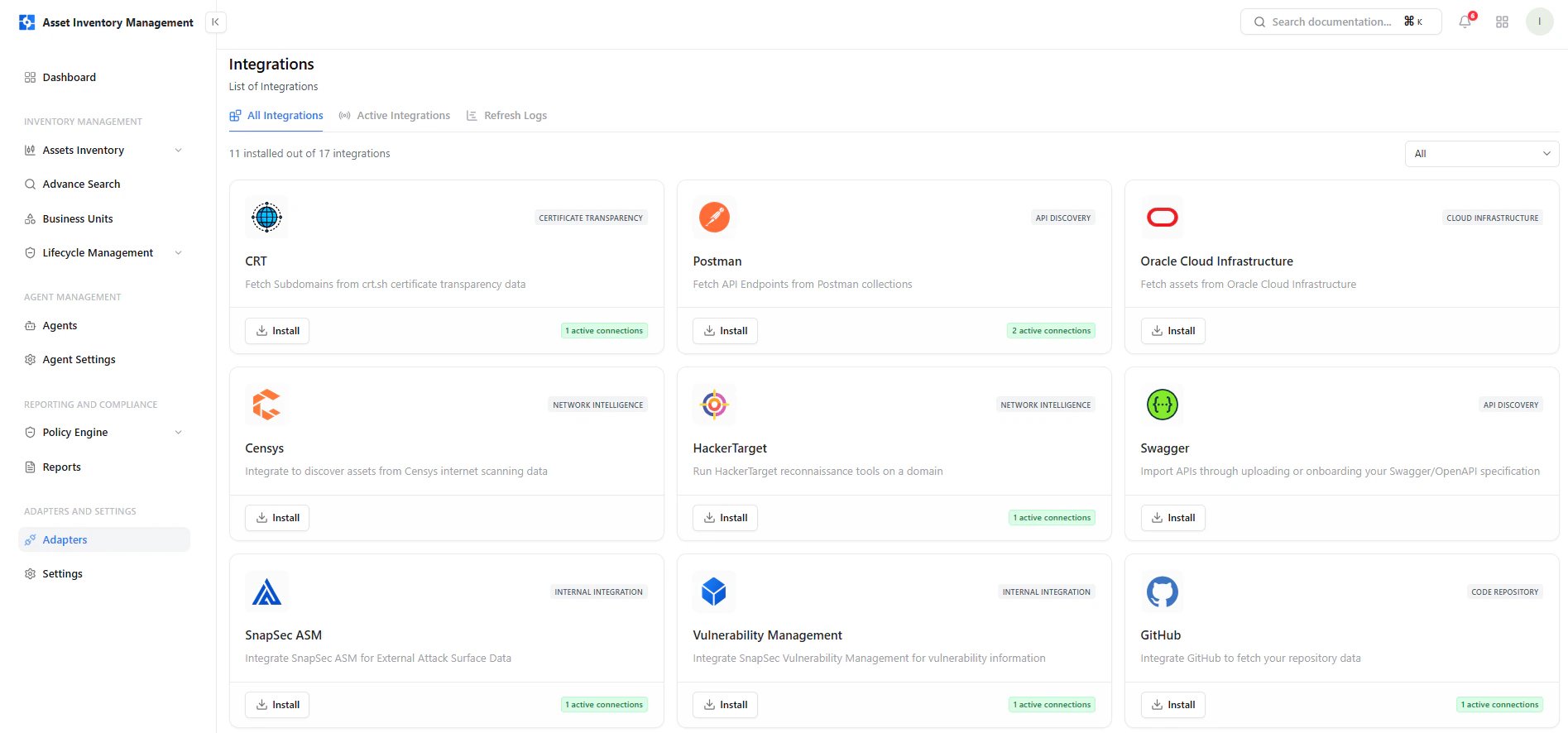 This screen displays all available integrations.
### Key Elements
* **Integration Cards** — Each represents a data source or tool
* **Category Tags** — API Discovery, Cloud, Network, etc.
* **Install Button** — Add integration instantly
* **Active Connections** — Shows configured instances
***
## Filter by Category
This screen displays all available integrations.
### Key Elements
* **Integration Cards** — Each represents a data source or tool
* **Category Tags** — API Discovery, Cloud, Network, etc.
* **Install Button** — Add integration instantly
* **Active Connections** — Shows configured instances
***
## Filter by Category
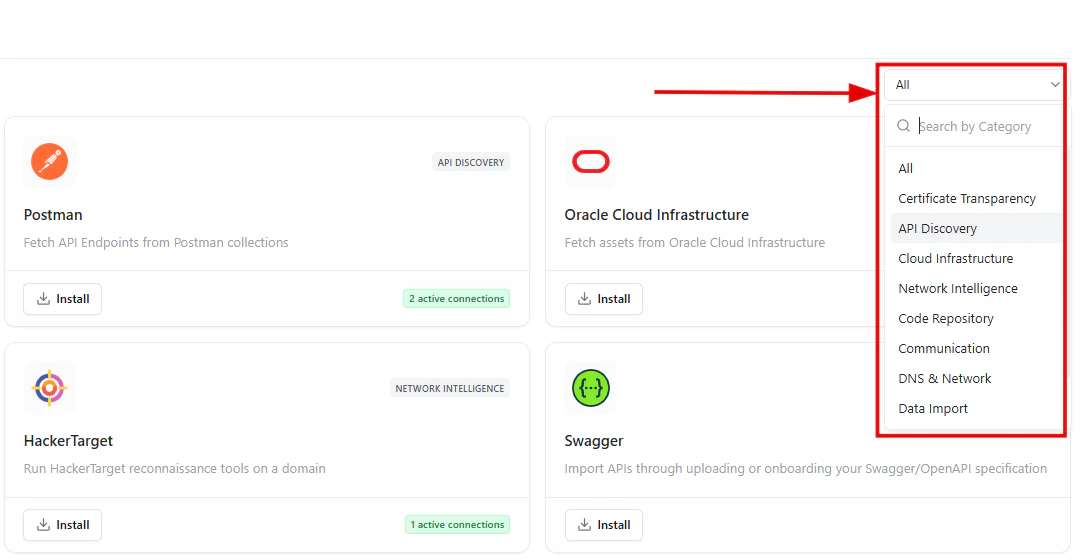 Use the category filter to quickly find relevant integrations.
### Available Categories
* API Discovery
* Cloud Infrastructure
* Network Intelligence
* Code Repository
* DNS & Network
* Certificate Transparency
* Data Import
* Communication
***
## Active Integrations
Use the category filter to quickly find relevant integrations.
### Available Categories
* API Discovery
* Cloud Infrastructure
* Network Intelligence
* Code Repository
* DNS & Network
* Certificate Transparency
* Data Import
* Communication
***
## Active Integrations
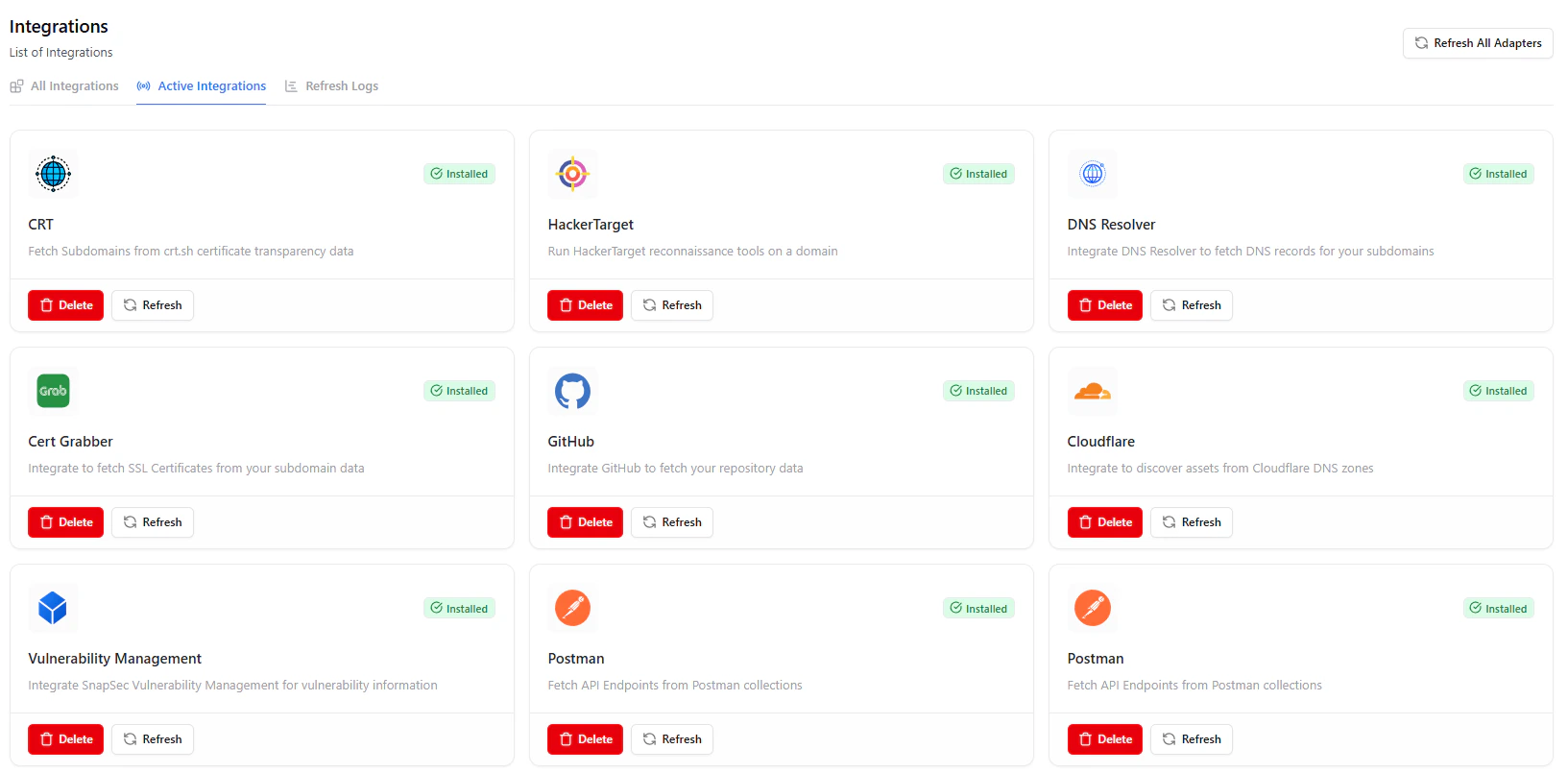 The Active Integrations tab shows all configured adapters.
### Available Actions
* **Delete** — Remove integration
* **Refresh** — Sync data immediately
* **Status Indicator** — Shows active/installed state
***
## Refresh Logs
The Active Integrations tab shows all configured adapters.
### Available Actions
* **Delete** — Remove integration
* **Refresh** — Sync data immediately
* **Status Indicator** — Shows active/installed state
***
## Refresh Logs
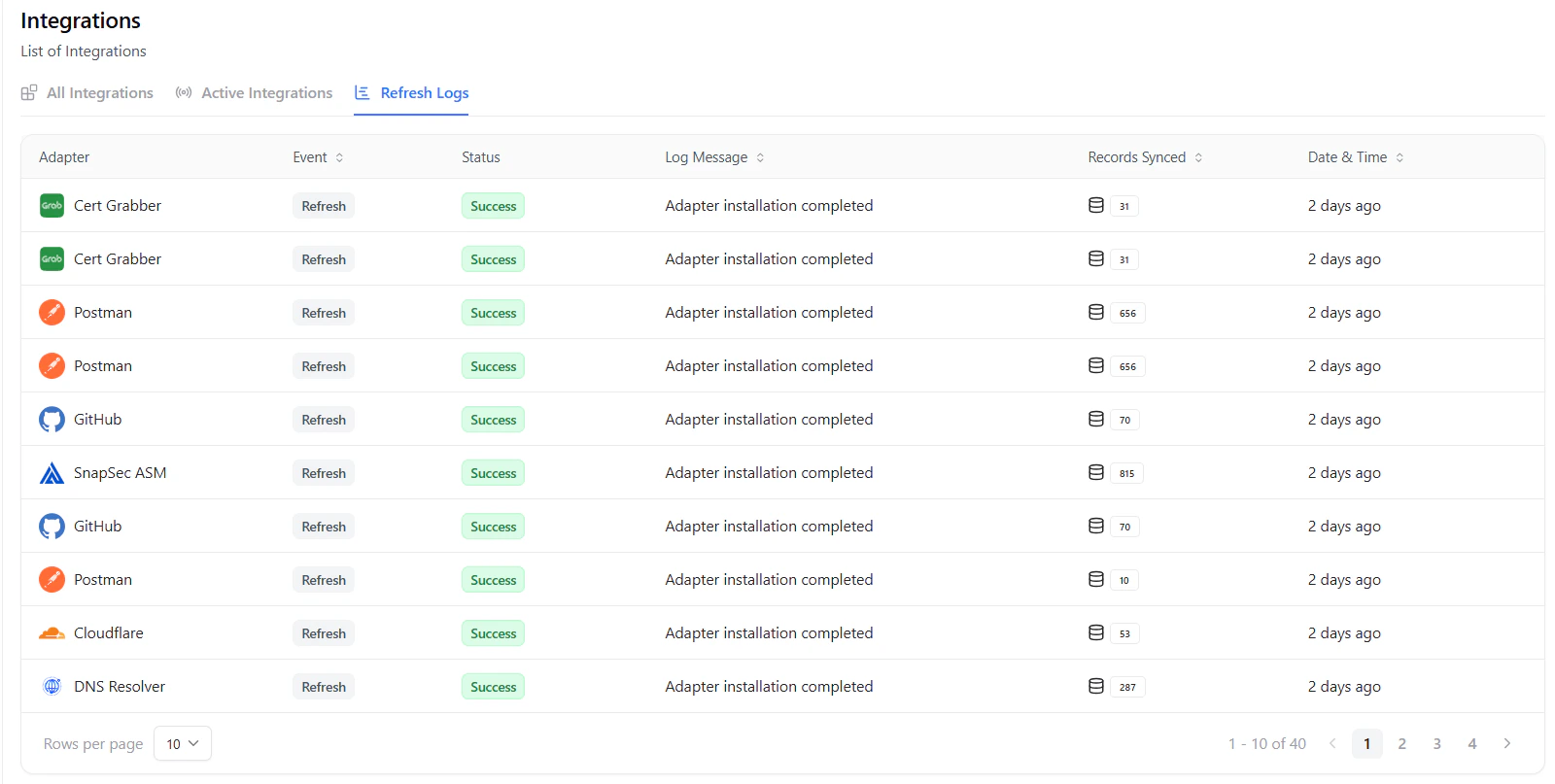 Logs provide visibility into integration activity.
### Log Details
* **Adapter Name** — Source of the data
* **Event** — Action performed (e.g., refresh)
* **Status** — Success or failure
* **Log Message** — Execution details
* **Records Synced** — Number of assets pulled
* **Date & Time** — When the action occurred
***
## Supported Integrations
Snapsec AIM supports a wide range of integrations, including:
* Cloud providers (AWS, Oracle Cloud, etc.)
* API platforms (Postman, Swagger)
* Recon tools (Censys, HackerTarget)
* Code repositories (GitHub)
* DNS & certificate tools (CRT, DNS Resolver)
* Internal Snapsec modules
***
## Why This Matters
* Enables continuous asset discovery
* Eliminates manual data collection
* Centralizes visibility across tools
* Improves accuracy of asset inventory
* Powers automation across policies and scans
***
## Explore Live Demo
See how Snapsec AIM connects with external platforms to continuously enrich and update your asset inventory.
Logs provide visibility into integration activity.
### Log Details
* **Adapter Name** — Source of the data
* **Event** — Action performed (e.g., refresh)
* **Status** — Success or failure
* **Log Message** — Execution details
* **Records Synced** — Number of assets pulled
* **Date & Time** — When the action occurred
***
## Supported Integrations
Snapsec AIM supports a wide range of integrations, including:
* Cloud providers (AWS, Oracle Cloud, etc.)
* API platforms (Postman, Swagger)
* Recon tools (Censys, HackerTarget)
* Code repositories (GitHub)
* DNS & certificate tools (CRT, DNS Resolver)
* Internal Snapsec modules
***
## Why This Matters
* Enables continuous asset discovery
* Eliminates manual data collection
* Centralizes visibility across tools
* Improves accuracy of asset inventory
* Powers automation across policies and scans
***
## Explore Live Demo
See how Snapsec AIM connects with external platforms to continuously enrich and update your asset inventory.