> ## Documentation Index
> Fetch the complete documentation index at: https://docs.snapsec.co/llms.txt
> Use this file to discover all available pages before exploring further.
# Employees
> Track employee identities, understand internal vs external exposure, and monitor activity across your organization.
## Overview
The **Employees** section provides visibility into all employee-linked identities discovered across your environment.\
It helps teams track internal and external users, understand workforce exposure, and maintain accountability for asset ownership.
 ***
## Dashboard View
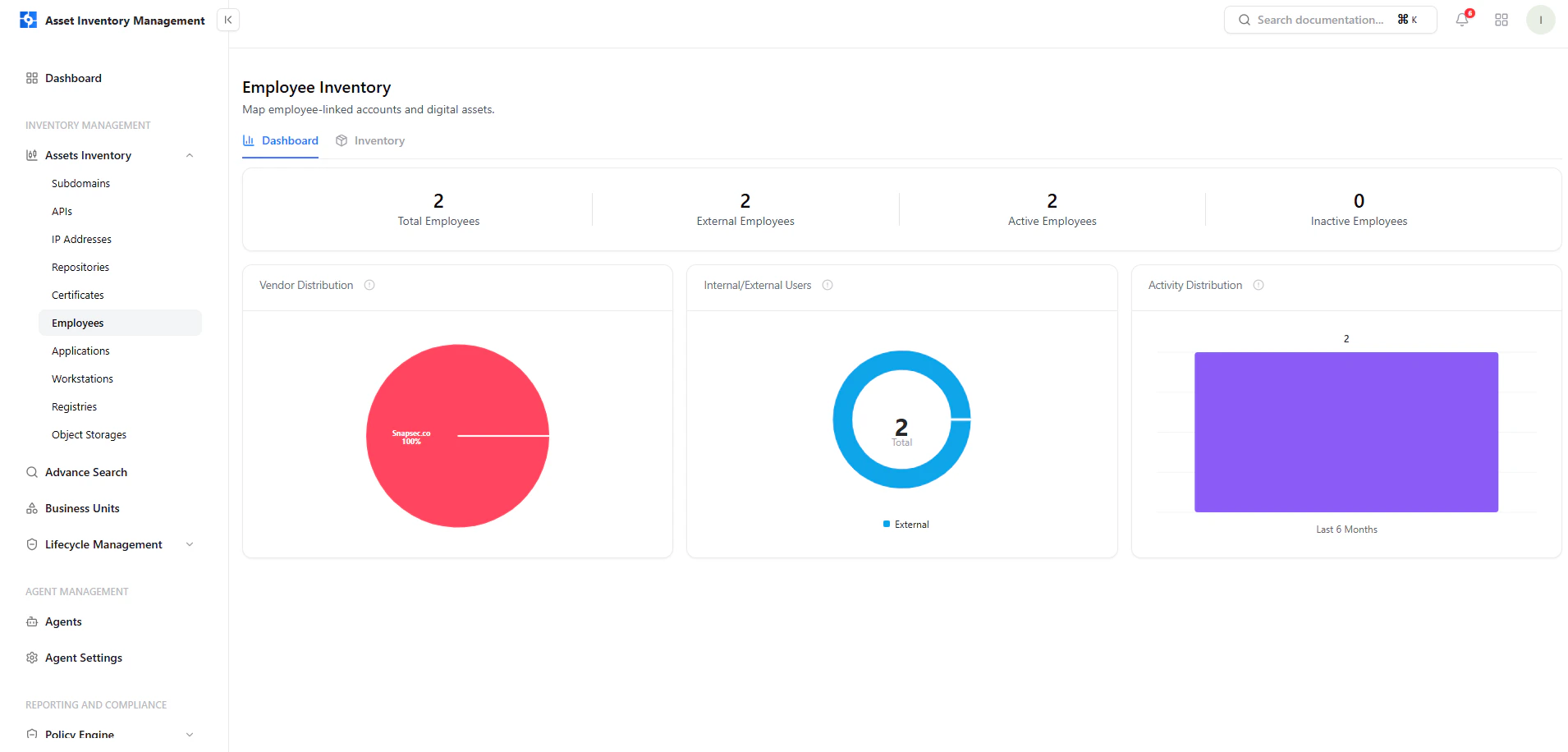
The dashboard gives a high-level overview of employee distribution and activity.
***
## Dashboard View
The dashboard gives a high-level overview of employee distribution and activity.
 ***
## Key Metrics
* **Total Employees** — Total number of discovered identities
* **External Employees** — Vendor, contractor, or third-party users
* **Active Employees** — Currently active identities
* **Inactive Employees** — Disabled or inactive identities
***
## Key Insights
### Internal vs External Users
* Differentiates employees based on domain or source
* Helps identify third-party exposure and vendor access
***
### Vendor Distribution
* Shows which platforms or domains employees are associated with
* Useful for identifying reliance on external services
***
### Activity Distribution
* Tracks user activity over time
* Helps identify dormant or inactive accounts
***
## Employee Inventory
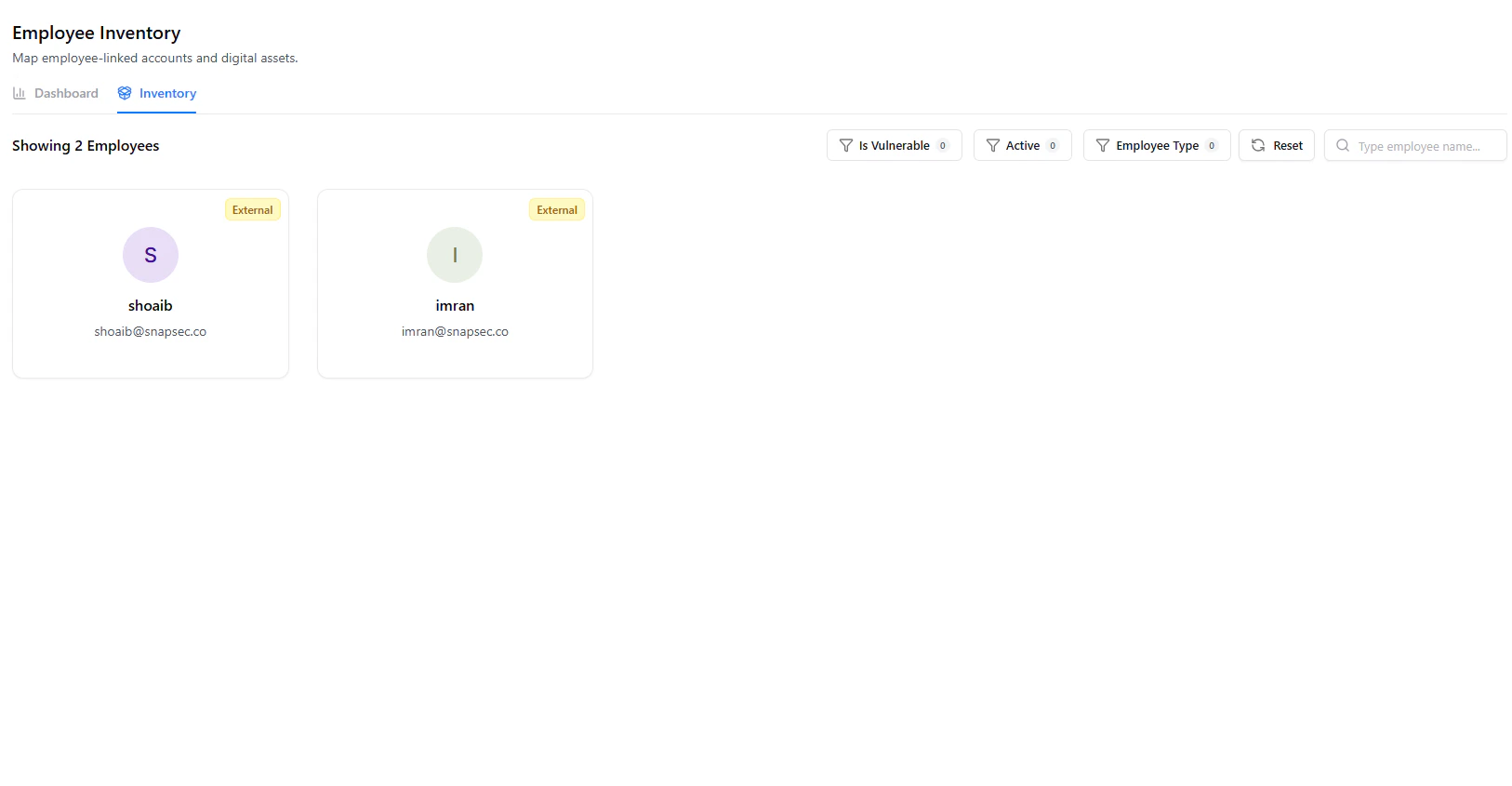
The inventory view displays employee identities in a card-based format.
### What Each Card Shows
* **User Initial / Avatar**
* **Name**
* **Email Address**
* **Type** (Internal / External)
***
## Filters & Search
Users can refine employee data using:
* **Is Vulnerable** (if applicable)
* **Active Status**
* **Employee Type** (Internal / External)
* **Search by Name or Email**
***
## Why This Matters
The Employees module helps teams:
* Identify external and third-party access
* Detect inactive or unused accounts
* Maintain visibility into identity exposure
* Strengthen ownership and accountability
* Support IAM and security audits
***
## Explore Live Demo
Instantly explore how Snapsec AIM discovers, enriches, and tracks employee identities across your organization — all without creating an account.
***
## Key Metrics
* **Total Employees** — Total number of discovered identities
* **External Employees** — Vendor, contractor, or third-party users
* **Active Employees** — Currently active identities
* **Inactive Employees** — Disabled or inactive identities
***
## Key Insights
### Internal vs External Users
* Differentiates employees based on domain or source
* Helps identify third-party exposure and vendor access
***
### Vendor Distribution
* Shows which platforms or domains employees are associated with
* Useful for identifying reliance on external services
***
### Activity Distribution
* Tracks user activity over time
* Helps identify dormant or inactive accounts
***
## Employee Inventory
The inventory view displays employee identities in a card-based format.
### What Each Card Shows
* **User Initial / Avatar**
* **Name**
* **Email Address**
* **Type** (Internal / External)
***
## Filters & Search
Users can refine employee data using:
* **Is Vulnerable** (if applicable)
* **Active Status**
* **Employee Type** (Internal / External)
* **Search by Name or Email**
***
## Why This Matters
The Employees module helps teams:
* Identify external and third-party access
* Detect inactive or unused accounts
* Maintain visibility into identity exposure
* Strengthen ownership and accountability
* Support IAM and security audits
***
## Explore Live Demo
Instantly explore how Snapsec AIM discovers, enriches, and tracks employee identities across your organization — all without creating an account.