> ## Documentation Index
> Fetch the complete documentation index at: https://docs.snapsec.co/llms.txt
> Use this file to discover all available pages before exploring further.
# Classifiers
> Create and manage classification rules to automatically tag and organize assets based on defined conditions.
## Overview
Asset Classifiers allow you to automatically categorize assets based on predefined conditions.
These rules help identify patterns such as shadow IT, sensitive data exposure, or critical infrastructure, enabling better visibility and faster decision-making across your asset inventory.
***
## Classifier List
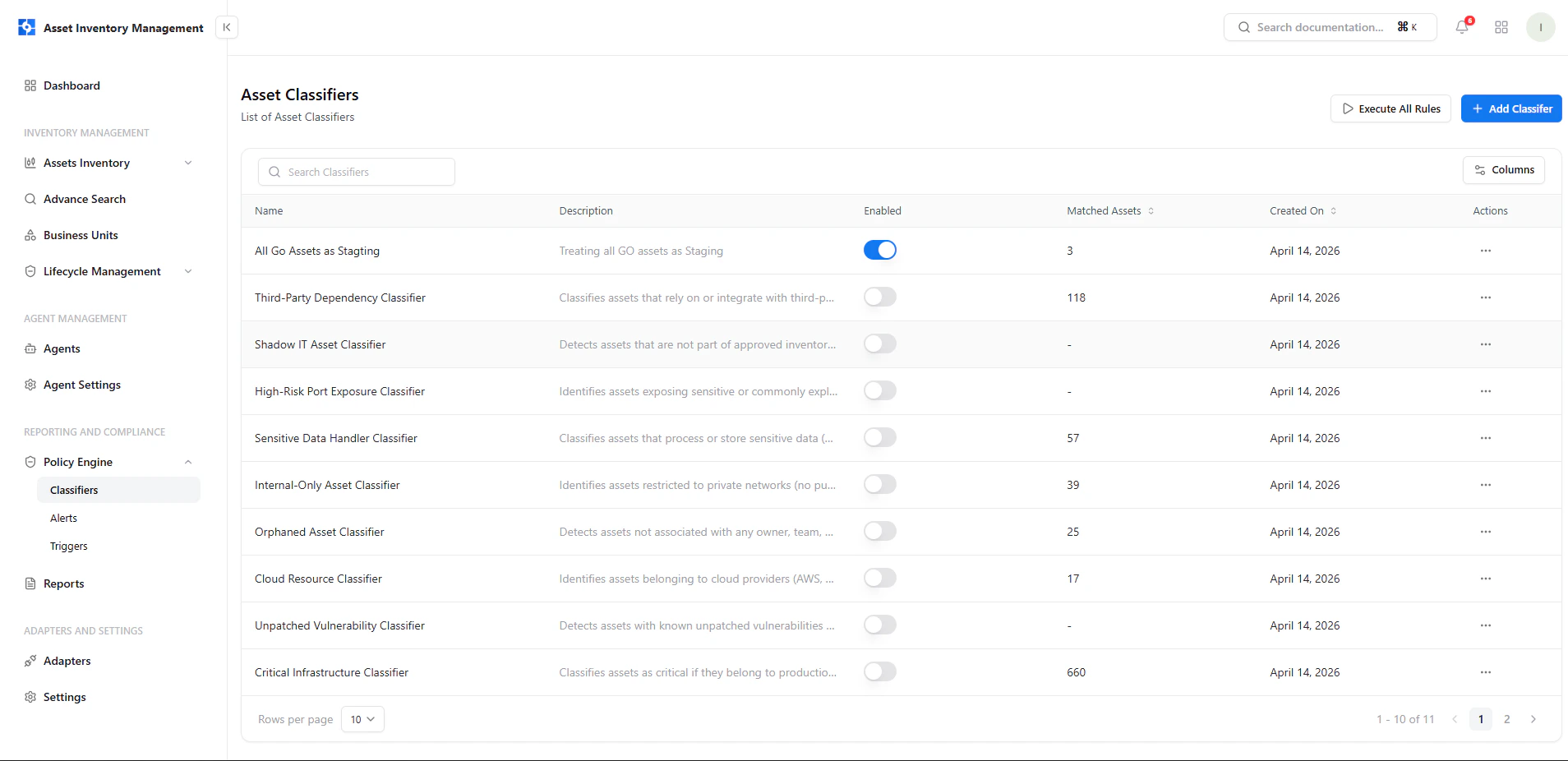 This view provides a centralized list of all classifiers.
### Key Elements
* **Name & Description** — Defines the purpose of the classifier
* **Enabled Toggle** — Activate or deactivate rules instantly
* **Matched Assets** — Number of assets currently matching the rule
* **Created On** — Timestamp of rule creation
* **Actions Menu** — Manage individual classifiers
***
## Add a Classifier
This view provides a centralized list of all classifiers.
### Key Elements
* **Name & Description** — Defines the purpose of the classifier
* **Enabled Toggle** — Activate or deactivate rules instantly
* **Matched Assets** — Number of assets currently matching the rule
* **Created On** — Timestamp of rule creation
* **Actions Menu** — Manage individual classifiers
***
## Add a Classifier
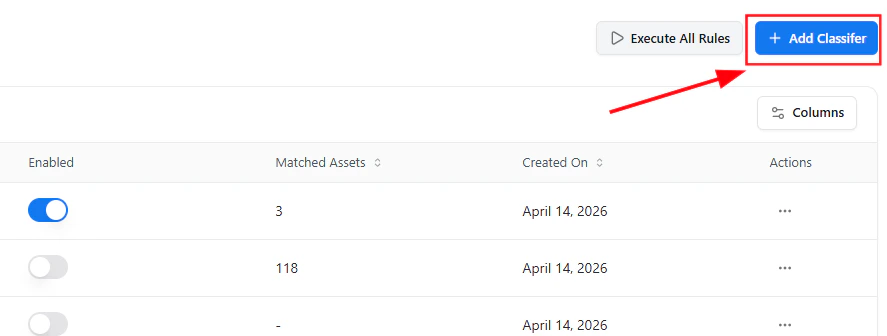 To create a new classifier:
1. Click **Add Classifier**
2. Open the guided rule editor
3. Define rule logic and actions
***
## Guided Rule Editor
To create a new classifier:
1. Click **Add Classifier**
2. Open the guided rule editor
3. Define rule logic and actions
***
## Guided Rule Editor
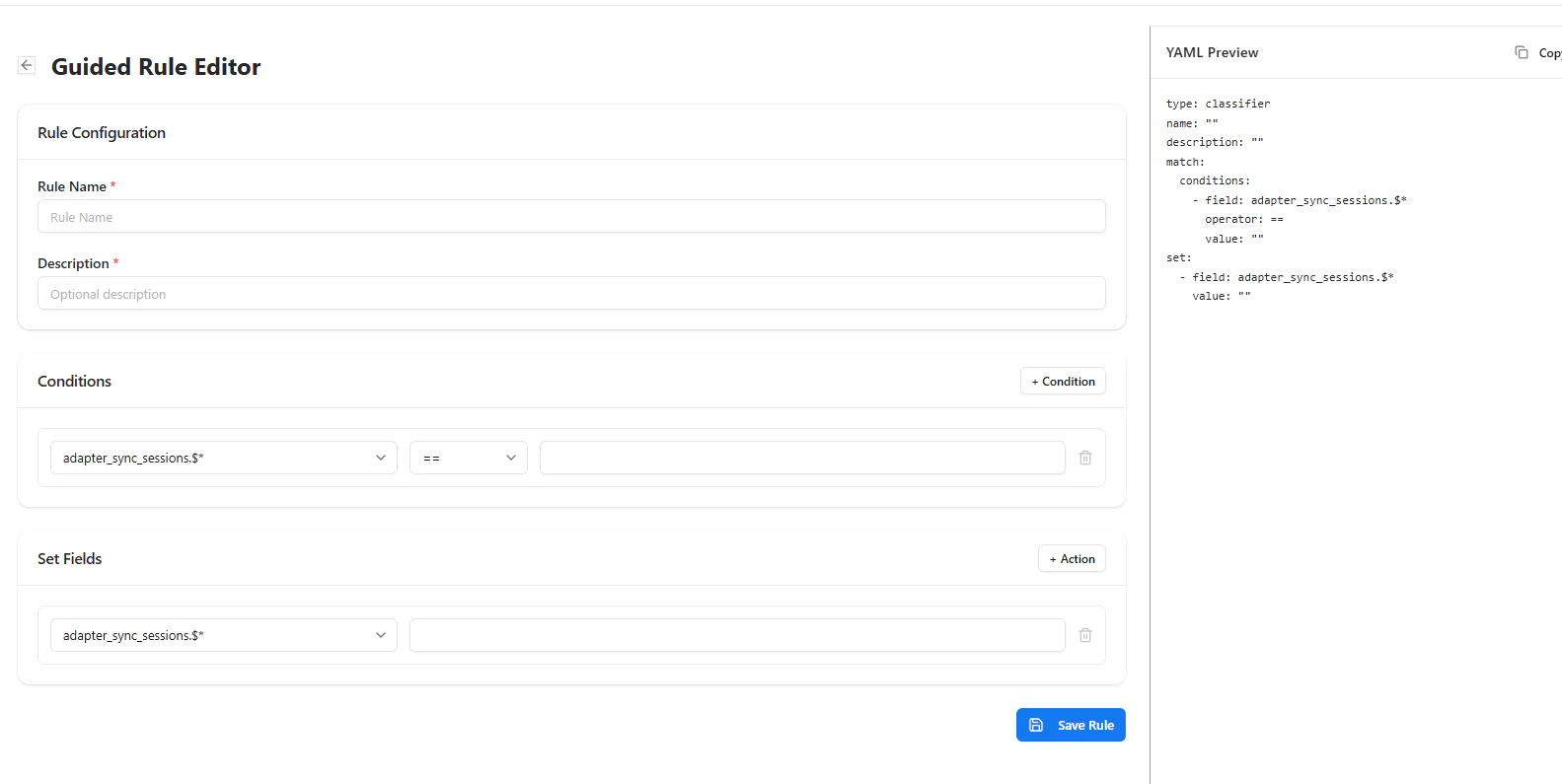 The guided editor allows you to visually define classification logic.
### Rule Configuration
* **Rule Name** — Unique identifier for the classifier
* **Description** — Optional explanation of rule purpose
### Conditions
Define when the rule should trigger:
* Select a field
* Choose an operator (e.g., equals, contains)
* Provide a value
### Set Fields (Actions)
Define what happens when conditions match:
* Assign classification fields
* Tag or modify asset attributes
### YAML Preview
A real-time YAML representation is generated for transparency and advanced control.
***
## Manage Classifiers
The guided editor allows you to visually define classification logic.
### Rule Configuration
* **Rule Name** — Unique identifier for the classifier
* **Description** — Optional explanation of rule purpose
### Conditions
Define when the rule should trigger:
* Select a field
* Choose an operator (e.g., equals, contains)
* Provide a value
### Set Fields (Actions)
Define what happens when conditions match:
* Assign classification fields
* Tag or modify asset attributes
### YAML Preview
A real-time YAML representation is generated for transparency and advanced control.
***
## Manage Classifiers
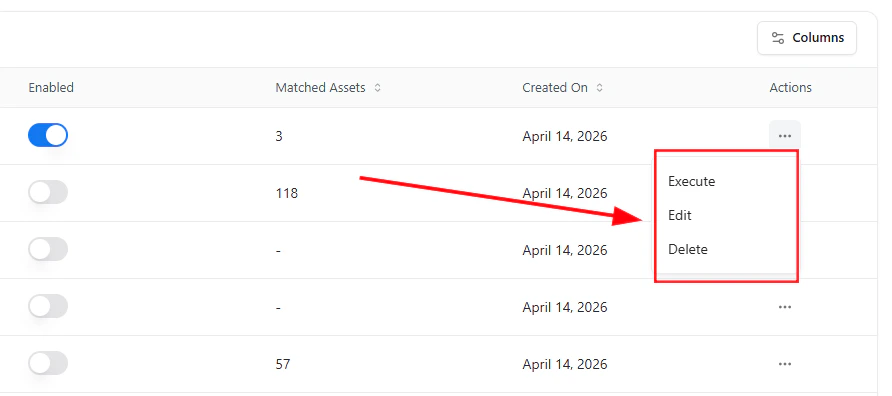 Each classifier includes an action menu with the following options:
* **Execute** — Run the classifier immediately on assets
* **Edit** — Modify rule logic or conditions
* **Delete** — Remove the classifier permanently
***
## Execute All Rules
You can execute all classifiers simultaneously using the **Execute All Rules** option from the main screen.
This ensures all rules are applied across the latest asset data.
***
## Why This Matters
* Automates asset categorization at scale
* Reduces manual tagging effort
* Identifies high-risk or non-compliant assets quickly
* Enables policy-driven asset management
***
## Explore Live Demo
See how Snapsec AIM automatically classifies assets using flexible rule logic and real-time execution.
Each classifier includes an action menu with the following options:
* **Execute** — Run the classifier immediately on assets
* **Edit** — Modify rule logic or conditions
* **Delete** — Remove the classifier permanently
***
## Execute All Rules
You can execute all classifiers simultaneously using the **Execute All Rules** option from the main screen.
This ensures all rules are applied across the latest asset data.
***
## Why This Matters
* Automates asset categorization at scale
* Reduces manual tagging effort
* Identifies high-risk or non-compliant assets quickly
* Enables policy-driven asset management
***
## Explore Live Demo
See how Snapsec AIM automatically classifies assets using flexible rule logic and real-time execution.