> ## Documentation Index
> Fetch the complete documentation index at: https://docs.snapsec.co/llms.txt
> Use this file to discover all available pages before exploring further.
# Alerts
> Create automated alerting rules to detect policy violations and notify stakeholders in real-time.
## Overview
Violations and Alerts enable you to detect risky or non-compliant assets and trigger real-time notifications.
These rules continuously evaluate asset data and notify relevant teams when defined conditions are met — helping you respond faster to security and compliance issues.
***
## Alerts List
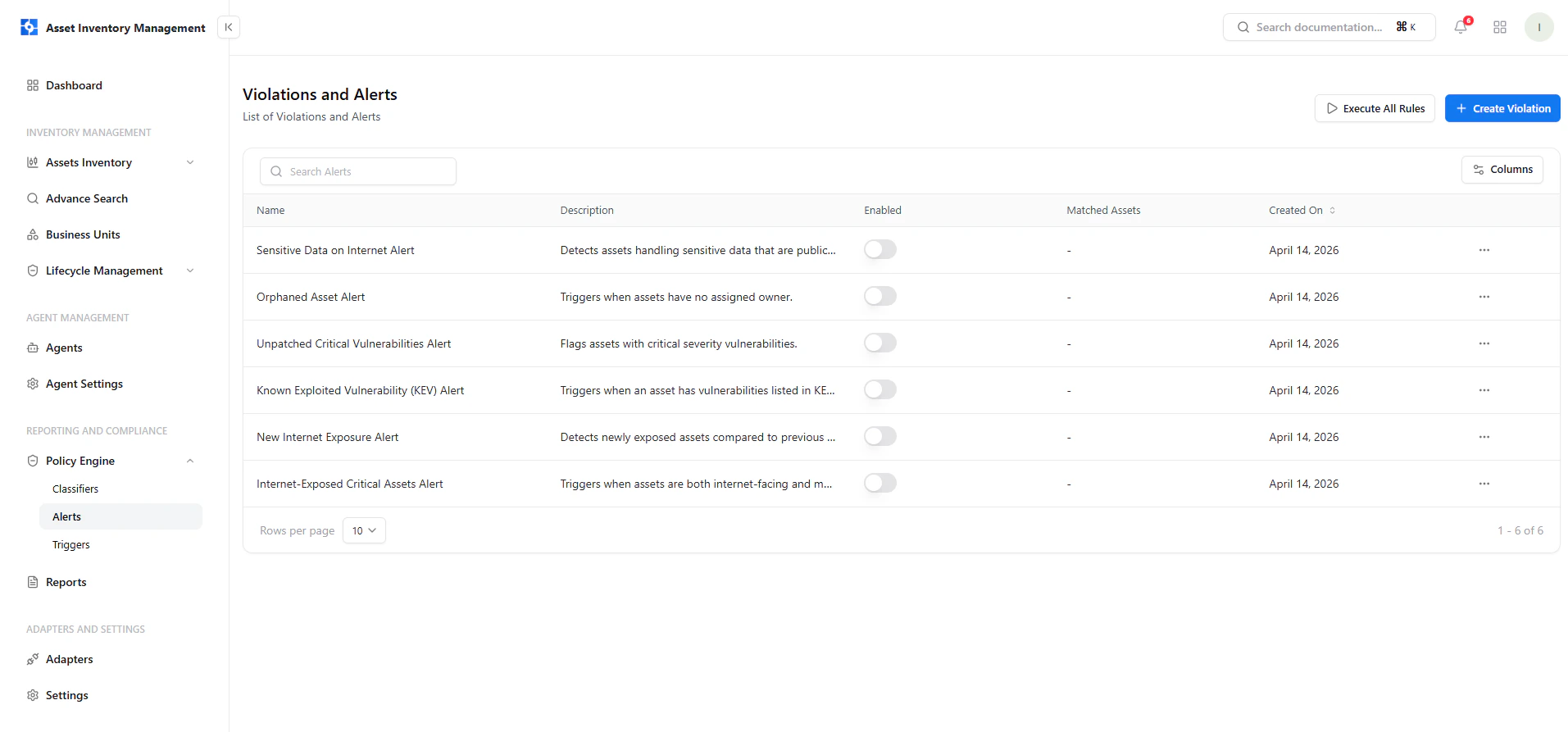 This screen provides a centralized view of all alert rules.
### Key Elements
* **Name & Description** — Defines what the alert detects
* **Enabled Toggle** — Activate or disable alerts instantly
* **Matched Assets** — Assets currently violating the rule
* **Created On** — Rule creation timestamp
* **Actions Menu** — Manage alert behavior
***
## Create a Violation Rule
This screen provides a centralized view of all alert rules.
### Key Elements
* **Name & Description** — Defines what the alert detects
* **Enabled Toggle** — Activate or disable alerts instantly
* **Matched Assets** — Assets currently violating the rule
* **Created On** — Rule creation timestamp
* **Actions Menu** — Manage alert behavior
***
## Create a Violation Rule
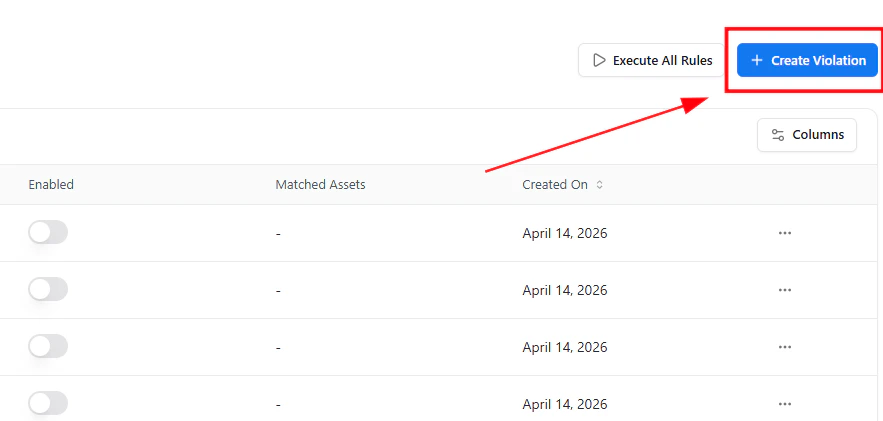 To create a new alert:
1. Click **Create Violation**
2. Open the guided policy builder
3. Define rule conditions and alert behavior
***
## Guided Policy Builder
To create a new alert:
1. Click **Create Violation**
2. Open the guided policy builder
3. Define rule conditions and alert behavior
***
## Guided Policy Builder
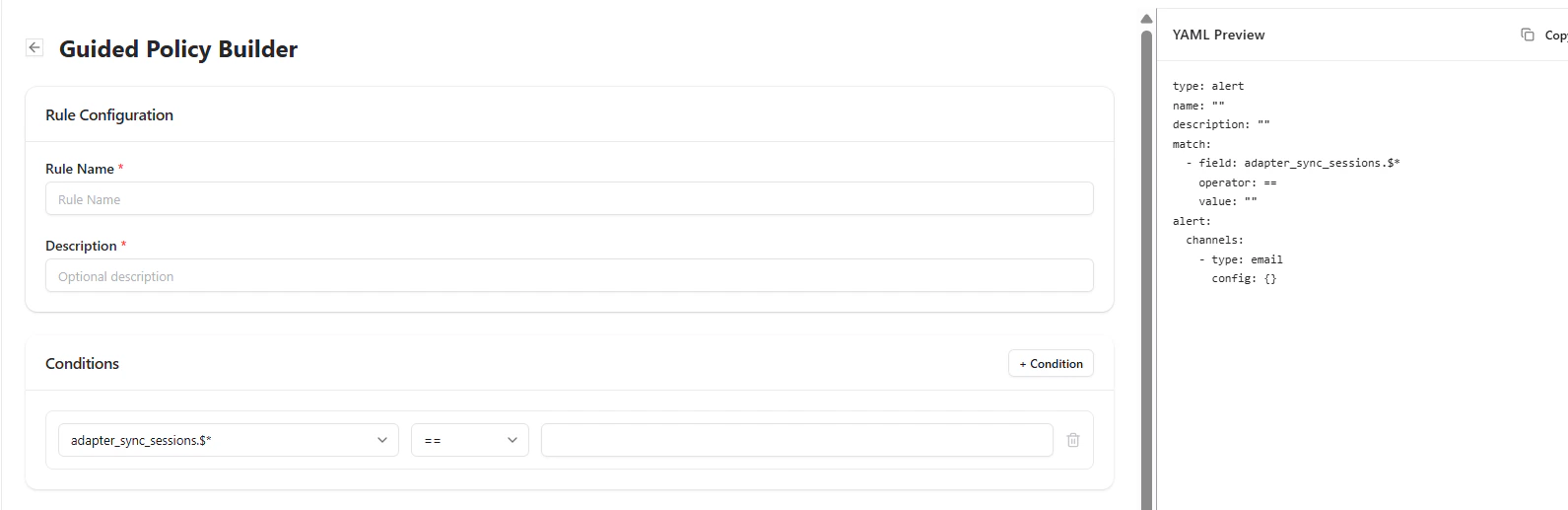 This builder allows you to define when an alert should trigger.
### Rule Configuration
* **Rule Name** — Unique name for the alert
* **Description** — Optional explanation
### Conditions
Define trigger logic:
* Select a field
* Choose an operator (equals, contains, etc.)
* Provide a value
### YAML Preview
A real-time YAML representation is generated for transparency and advanced users.
***
## Configure Alert Channels
This builder allows you to define when an alert should trigger.
### Rule Configuration
* **Rule Name** — Unique name for the alert
* **Description** — Optional explanation
### Conditions
Define trigger logic:
* Select a field
* Choose an operator (equals, contains, etc.)
* Provide a value
### YAML Preview
A real-time YAML representation is generated for transparency and advanced users.
***
## Configure Alert Channels
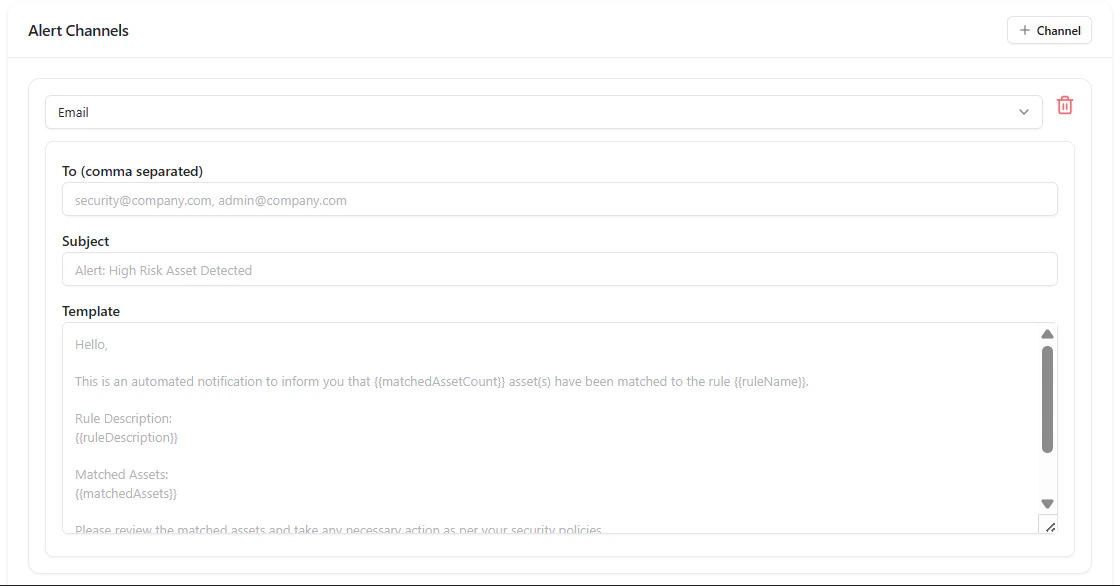 Once conditions are defined, configure how alerts are delivered.
### Email Channel
* **Recipients** — Comma-separated email addresses
* **Subject** — Alert title
* **Template** — Custom notification message
Supports dynamic variables like:
* `{{matchedAssetCount}}`
* `{{ruleName}}`
* `{{matchedAssets}}`
This ensures alerts are contextual and actionable.
***
## Manage Alerts
Once conditions are defined, configure how alerts are delivered.
### Email Channel
* **Recipients** — Comma-separated email addresses
* **Subject** — Alert title
* **Template** — Custom notification message
Supports dynamic variables like:
* `{{matchedAssetCount}}`
* `{{ruleName}}`
* `{{matchedAssets}}`
This ensures alerts are contextual and actionable.
***
## Manage Alerts
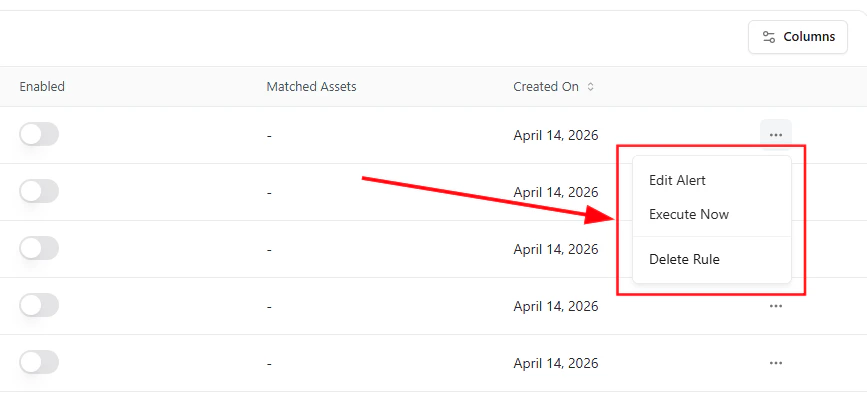 Each alert includes the following actions:
* **Edit Alert** — Modify conditions or channels
* **Execute Now** — Run the rule instantly
* **Delete Rule** — Remove the alert
***
## Execute All Rules
Use **Execute All Rules** to evaluate all alert conditions across your assets at once.
This ensures your alerts reflect the latest asset state.
***
## Why This Matters
* Detects security risks in real-time
* Automates incident awareness
* Reduces manual monitoring effort
* Enables faster response to violations
***
## Explore Live Demo
See how Snapsec AIM detects violations and sends real-time alerts based on your defined policies.
Each alert includes the following actions:
* **Edit Alert** — Modify conditions or channels
* **Execute Now** — Run the rule instantly
* **Delete Rule** — Remove the alert
***
## Execute All Rules
Use **Execute All Rules** to evaluate all alert conditions across your assets at once.
This ensures your alerts reflect the latest asset state.
***
## Why This Matters
* Detects security risks in real-time
* Automates incident awareness
* Reduces manual monitoring effort
* Enables faster response to violations
***
## Explore Live Demo
See how Snapsec AIM detects violations and sends real-time alerts based on your defined policies.