> ## Documentation Index
> Fetch the complete documentation index at: https://docs.snapsec.co/llms.txt
> Use this file to discover all available pages before exploring further.
# Security
> Monitor active sessions, review device access, and audit security events across your Snapsec workspace.
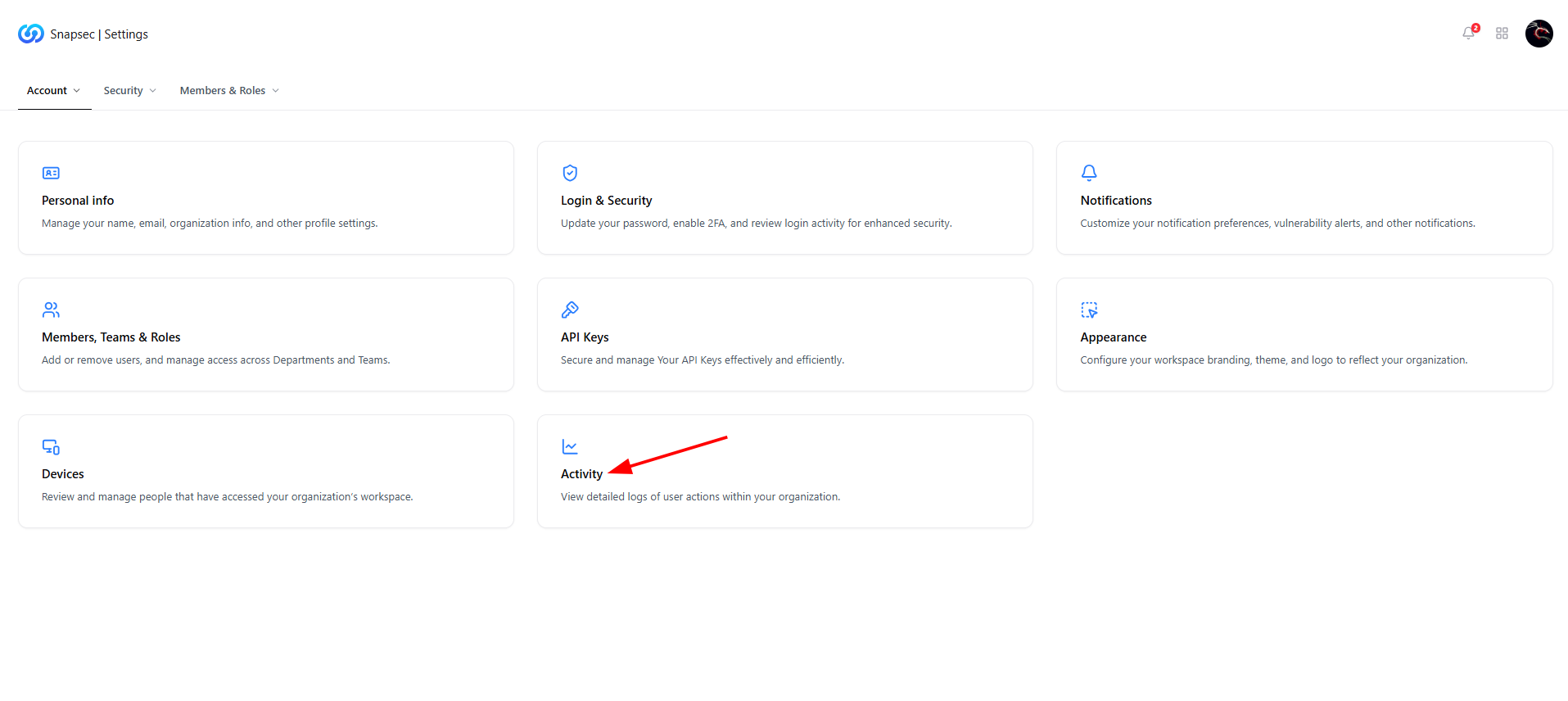 ## Overview
The **Security** section provides visibility and control over how users access your Snapsec workspace.\
It is designed to help organizations monitor login activity, identify suspicious behavior, and maintain a complete audit trail of security-relevant actions.
This section answers three critical questions:
* **Who is accessing the workspace?**
* **From which devices and locations?**
* **What actions are being performed?**
Together, these controls help enforce accountability, detect anomalies, and support compliance requirements.
***
## Current Sessions
## Overview
The **Security** section provides visibility and control over how users access your Snapsec workspace.\
It is designed to help organizations monitor login activity, identify suspicious behavior, and maintain a complete audit trail of security-relevant actions.
This section answers three critical questions:
* **Who is accessing the workspace?**
* **From which devices and locations?**
* **What actions are being performed?**
Together, these controls help enforce accountability, detect anomalies, and support compliance requirements.
***
## Current Sessions
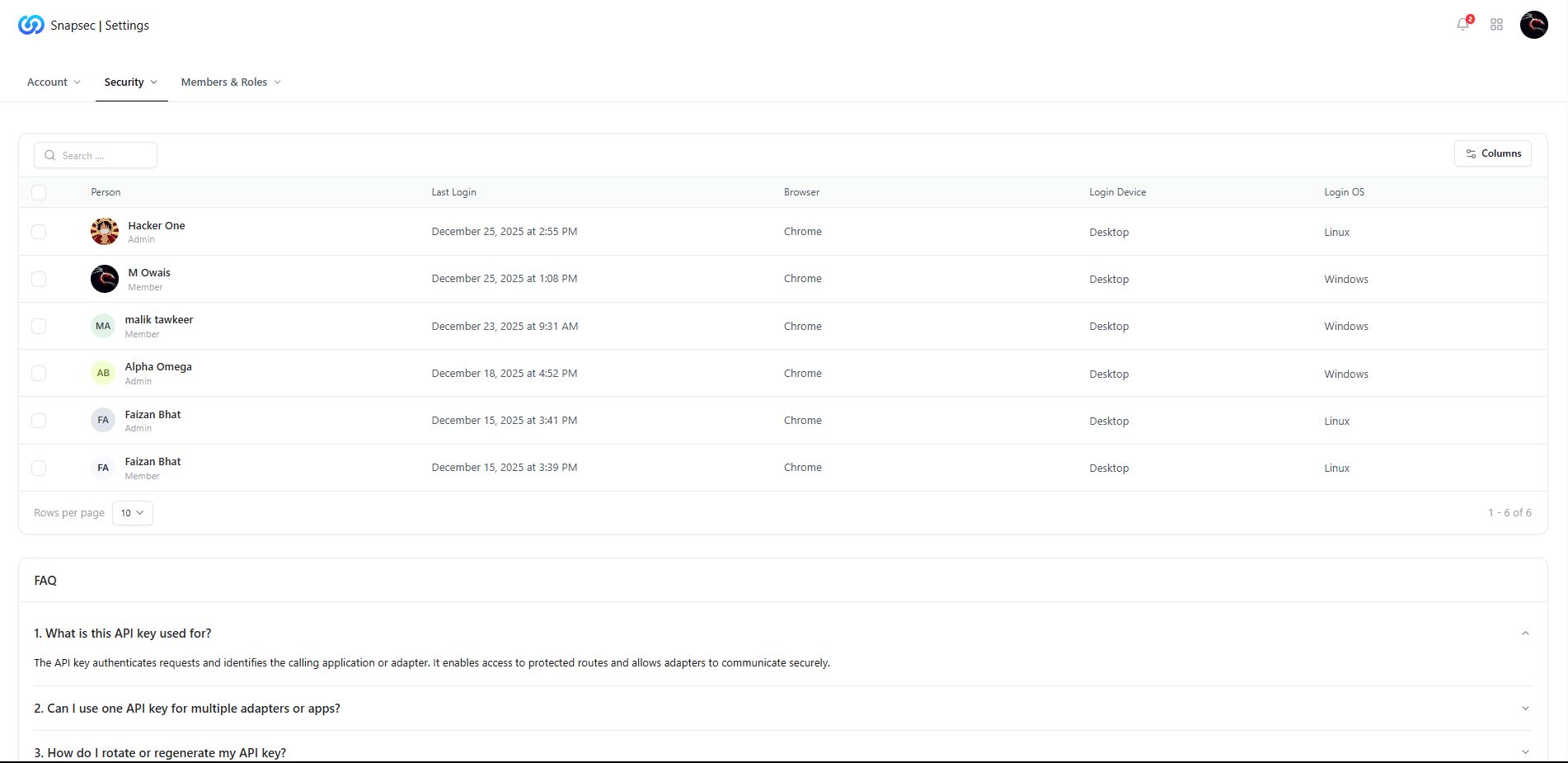 The **Current Sessions** view displays all active and recent user logins across the organization.
### What You Can See
* **User identity** — name and role (Admin / Member)
* **Last login time** — when the session was initiated
* **Browser & OS** — Chrome, Firefox, Windows, Linux, etc.
* **Login device** — Desktop or other device types
This allows administrators to quickly identify:
* Unexpected logins
* Duplicate or concurrent sessions
* Access from unfamiliar platforms
***
## Device Security
The **Current Sessions** view displays all active and recent user logins across the organization.
### What You Can See
* **User identity** — name and role (Admin / Member)
* **Last login time** — when the session was initiated
* **Browser & OS** — Chrome, Firefox, Windows, Linux, etc.
* **Login device** — Desktop or other device types
This allows administrators to quickly identify:
* Unexpected logins
* Duplicate or concurrent sessions
* Access from unfamiliar platforms
***
## Device Security
 The **Device Security** section focuses on *where* access is coming from.
Each entry represents a device that has successfully authenticated to the workspace.
### Why This Matters
* Helps detect compromised or shared credentials
* Identifies stale or unused access paths
* Supports device-level access reviews during audits
Administrators can regularly review this list to ensure that only trusted devices are accessing sensitive environments.
***
## Security Logs
The **Device Security** section focuses on *where* access is coming from.
Each entry represents a device that has successfully authenticated to the workspace.
### Why This Matters
* Helps detect compromised or shared credentials
* Identifies stale or unused access paths
* Supports device-level access reviews during audits
Administrators can regularly review this list to ensure that only trusted devices are accessing sensitive environments.
***
## Security Logs
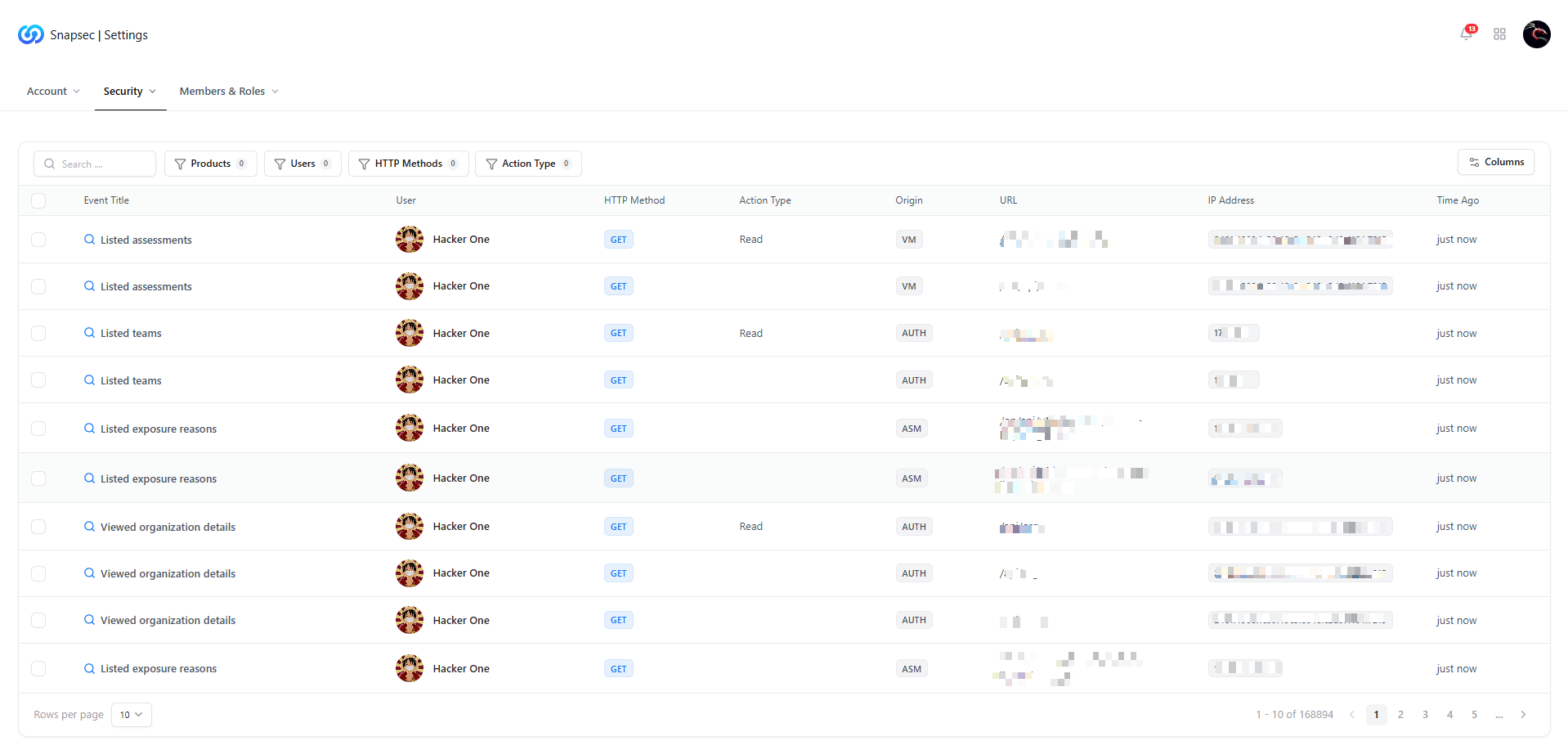 **Security Logs** provide a complete, immutable audit trail of actions performed within the platform.
### Logged Information Includes
* **Event title** — what action occurred
* **User** — who performed the action
* **HTTP method** — GET, POST, PUT, etc.
* **Action type** — read, write, update
* **Origin & URL** — API or UI source
* **IP address** — source of the request
* **Timestamp** — exact time of activity
These logs are essential for:
* Incident investigations
* Compliance and audit reviews
* Detecting misuse or abnormal behavior
Security logs are read-only and cannot be modified, ensuring audit integrity.
***
## FAQs
**Security Logs** provide a complete, immutable audit trail of actions performed within the platform.
### Logged Information Includes
* **Event title** — what action occurred
* **User** — who performed the action
* **HTTP method** — GET, POST, PUT, etc.
* **Action type** — read, write, update
* **Origin & URL** — API or UI source
* **IP address** — source of the request
* **Timestamp** — exact time of activity
These logs are essential for:
* Incident investigations
* Compliance and audit reviews
* Detecting misuse or abnormal behavior
Security logs are read-only and cannot be modified, ensuring audit integrity.
***
## FAQs
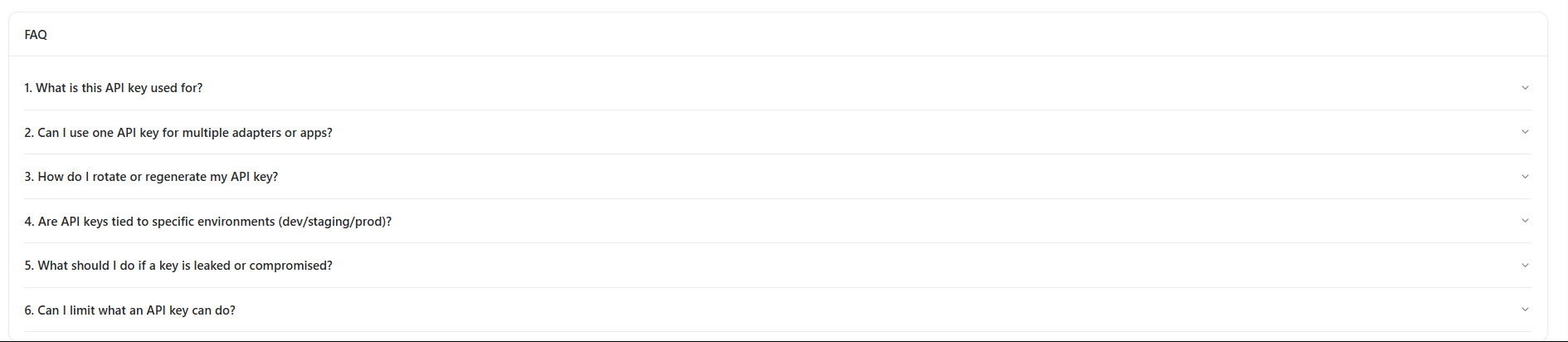 ### 1. What is this API key used for?
API keys authenticate requests and identify calling applications or adapters.\
They allow secure access to protected routes and integrations.
### 2. Can I use one API key for multiple adapters or apps?
Yes, a single API key can be reused across multiple adapters unless restricted by policy.
### 3. How do I rotate or regenerate my API key?
API keys can be regenerated from the **API Keys** section.\
Rotating keys regularly is recommended for security hygiene.
### 4. Are API keys tied to specific environments (dev/staging/prod)?
Keys can be scoped or labeled per environment depending on your internal access strategy.
### 5. What should I do if a key is leaked or compromised?
Immediately rotate the key and review security logs to identify any unauthorized usage.
### 6. Can I limit what an API key can do?
Yes. Permissions and scopes can be applied to restrict access to only required actions.
## Why This Matters
Security is not just about prevention — it is about **visibility and traceability**.
By combining session monitoring, device awareness, and detailed logs, Snapsec enables organizations to:
* Detect suspicious access early
* Enforce accountability across teams
* Maintain compliance with security and audit standards
* Respond faster during security incidents
This turns workspace access from a blind spot into a **controlled, observable system**.
***
## Explore Live Demo
Jump straight into the live environment and see how Snapsec unifies access control, activity logging, and security visibility — all from a single dashboard.
### 1. What is this API key used for?
API keys authenticate requests and identify calling applications or adapters.\
They allow secure access to protected routes and integrations.
### 2. Can I use one API key for multiple adapters or apps?
Yes, a single API key can be reused across multiple adapters unless restricted by policy.
### 3. How do I rotate or regenerate my API key?
API keys can be regenerated from the **API Keys** section.\
Rotating keys regularly is recommended for security hygiene.
### 4. Are API keys tied to specific environments (dev/staging/prod)?
Keys can be scoped or labeled per environment depending on your internal access strategy.
### 5. What should I do if a key is leaked or compromised?
Immediately rotate the key and review security logs to identify any unauthorized usage.
### 6. Can I limit what an API key can do?
Yes. Permissions and scopes can be applied to restrict access to only required actions.
## Why This Matters
Security is not just about prevention — it is about **visibility and traceability**.
By combining session monitoring, device awareness, and detailed logs, Snapsec enables organizations to:
* Detect suspicious access early
* Enforce accountability across teams
* Maintain compliance with security and audit standards
* Respond faster during security incidents
This turns workspace access from a blind spot into a **controlled, observable system**.
***
## Explore Live Demo
Jump straight into the live environment and see how Snapsec unifies access control, activity logging, and security visibility — all from a single dashboard.