> ## Documentation Index
> Fetch the complete documentation index at: https://docs.snapsec.co/llms.txt
> Use this file to discover all available pages before exploring further.
# API Keys
> Generate, manage, and secure API keys to enable safe integrations and automated workflows across Snapsec products.
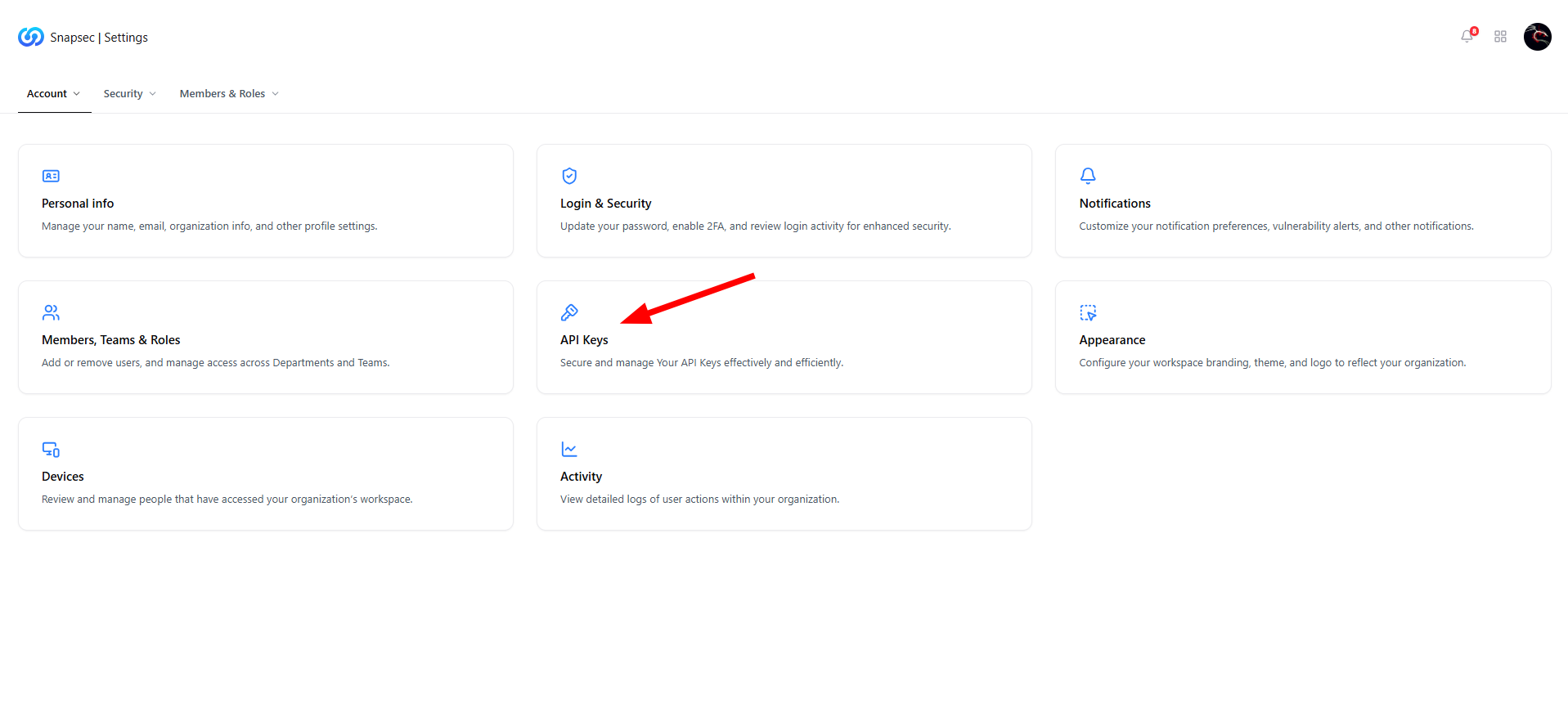 ## Overview
The **API Keys** module allows organizations to securely authenticate applications, adapters, and integrations with Snapsec.\
API keys act as a **trusted access mechanism**, enabling programmatic communication between Snapsec services and external systems without exposing user credentials.
This module is essential for teams building integrations, automating workflows, or extending Snapsec’s capabilities across environments.
***
## Public API Key
## Overview
The **API Keys** module allows organizations to securely authenticate applications, adapters, and integrations with Snapsec.\
API keys act as a **trusted access mechanism**, enabling programmatic communication between Snapsec services and external systems without exposing user credentials.
This module is essential for teams building integrations, automating workflows, or extending Snapsec’s capabilities across environments.
***
## Public API Key
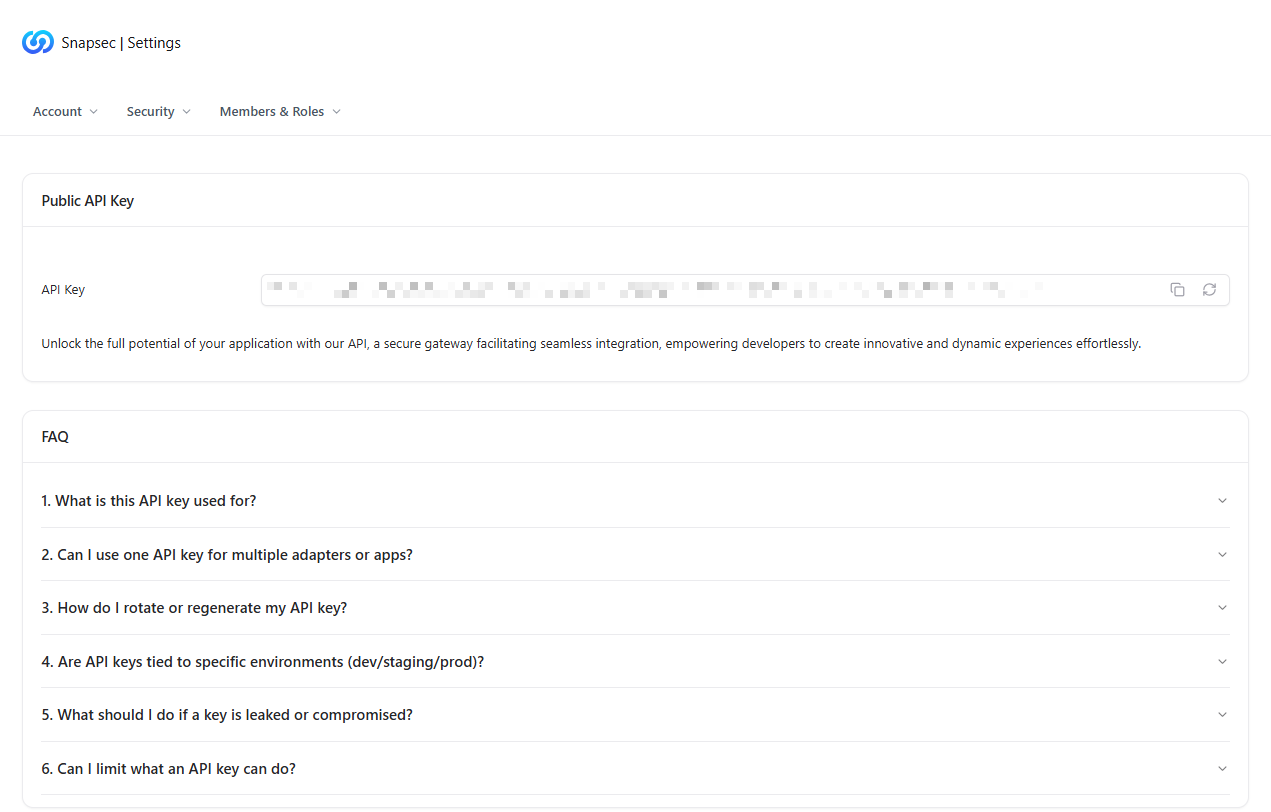 Each workspace is issued a **Public API Key** that can be used to authenticate requests.
### Key Capabilities
* **Secure Authentication** — Verifies the identity of calling applications.
* **Easy Access** — Copy or regenerate the key directly from the UI.
* **Controlled Exposure** — Designed for programmatic use without sharing user credentials.
The API key acts as a gateway for all supported Snapsec integrations.
***
## What You Can Do With API Keys
Each workspace is issued a **Public API Key** that can be used to authenticate requests.
### Key Capabilities
* **Secure Authentication** — Verifies the identity of calling applications.
* **Easy Access** — Copy or regenerate the key directly from the UI.
* **Controlled Exposure** — Designed for programmatic use without sharing user credentials.
The API key acts as a gateway for all supported Snapsec integrations.
***
## What You Can Do With API Keys
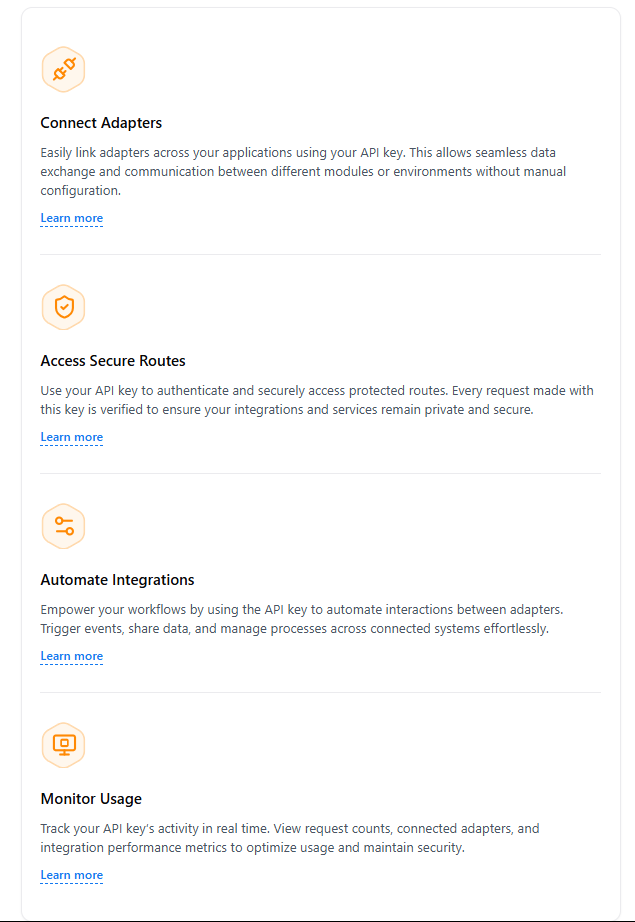 API keys unlock multiple integration and automation use cases:
### Connect Adapters
Link adapters across applications to enable seamless data exchange between Snapsec modules and external tools.
### Access Secure Routes
Authenticate requests to protected APIs, ensuring only authorized services can access sensitive endpoints.
### Automate Integrations
Trigger events, sync data, and orchestrate workflows across connected systems without manual intervention.
### Monitor Usage
Track API activity, request frequency, and integration performance to maintain visibility and security.
***
## API Key FAQs
The **FAQ section** answers common questions related to API usage and security, including:
* What the API key is used for
* Whether one key can support multiple adapters or apps
* How to rotate or regenerate keys
* Environment scoping (dev / staging / prod)
* Steps to take if a key is compromised
* How to limit API key capabilities
These FAQs help teams adopt APIs safely while following best security practices.
***
## Support & Assistance
API keys unlock multiple integration and automation use cases:
### Connect Adapters
Link adapters across applications to enable seamless data exchange between Snapsec modules and external tools.
### Access Secure Routes
Authenticate requests to protected APIs, ensuring only authorized services can access sensitive endpoints.
### Automate Integrations
Trigger events, sync data, and orchestrate workflows across connected systems without manual intervention.
### Monitor Usage
Track API activity, request frequency, and integration performance to maintain visibility and security.
***
## API Key FAQs
The **FAQ section** answers common questions related to API usage and security, including:
* What the API key is used for
* Whether one key can support multiple adapters or apps
* How to rotate or regenerate keys
* Environment scoping (dev / staging / prod)
* Steps to take if a key is compromised
* How to limit API key capabilities
These FAQs help teams adopt APIs safely while following best security practices.
***
## Support & Assistance
 If you need help with API integrations, security concerns, or advanced use cases, the **Contact Support** section provides direct access to the Snapsec support team for personalized assistance.
***
## Why This Matters
API keys enable **secure automation and extensibility** across Snapsec:
* Eliminates the need for shared credentials
* Enables scalable integrations across teams and products
* Supports automation-driven security workflows
* Provides visibility and control over programmatic access
Proper API key management ensures integrations remain powerful, auditable, and secure.
***
## Explore Live Demo
Experience how Snapsec API keys power secure integrations, automation, and scalable security workflows—no signup required.
If you need help with API integrations, security concerns, or advanced use cases, the **Contact Support** section provides direct access to the Snapsec support team for personalized assistance.
***
## Why This Matters
API keys enable **secure automation and extensibility** across Snapsec:
* Eliminates the need for shared credentials
* Enables scalable integrations across teams and products
* Supports automation-driven security workflows
* Provides visibility and control over programmatic access
Proper API key management ensures integrations remain powerful, auditable, and secure.
***
## Explore Live Demo
Experience how Snapsec API keys power secure integrations, automation, and scalable security workflows—no signup required.