> ## Documentation Index
> Fetch the complete documentation index at: https://docs.snapsec.co/llms.txt
> Use this file to discover all available pages before exploring further.
# Snapsec Suite
> A centralized AppSec platform unifying discovery, vulnerability management, intelligence, and protection across your entire ecosystem.
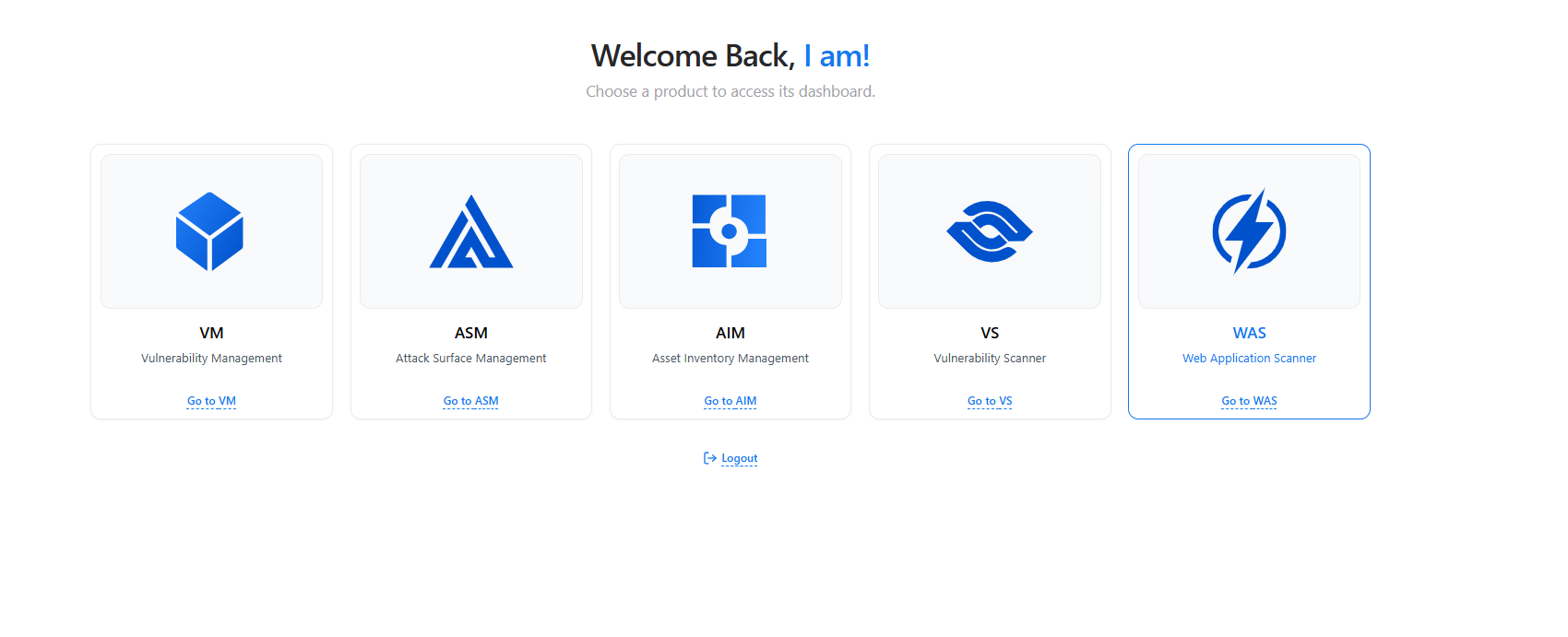 ## Welcome to Snapsec Suite
Snapsec is a unified platform designed to help you **discover, assess, and manage security risks** across your entire environment.
Each module focuses on a specific part of the security lifecycle — but they all work together seamlessly through a shared data layer.
Start by selecting a module below based on what you want to do.
***
## Choose Your Starting Point
Track vulnerabilities, manage remediation workflows, enforce SLAs, and monitor progress across teams.
Discover and monitor external-facing assets, subdomains, and exposures in real time.
Build and manage a centralized inventory of assets with ownership, tagging, and contextual intelligence.
Run automated scans using integrated scanners and import findings directly into your workflow.
Test and monitor web applications and APIs for vulnerabilities through continuous scanning.
***
## How Everything Connects
Snapsec modules are designed to work together — not in isolation.
* **ASM → AIM**\
Discovered assets automatically become part of your inventory
* **AIM → VM**\
Assets are enriched with vulnerability context and ownership
* **VS → VM**\
Scan results are converted into actionable vulnerabilities
* **VM → WAS / VS**\
Issues can be re-tested and validated continuously
This creates a **single, connected workflow** from discovery to remediation.
***
## Suggested Workflow
If you're new, follow this flow:
1. **Start with ASM**\
Discover what assets exist
2. **Move to AIM**\
Organize and assign ownership
3. **Run scans via VS or WAS**\
Identify vulnerabilities
4. **Manage everything in VM**\
Track, prioritize, and remediate issues
***
## What You Can Do Next
Dive into detected issues and start managing remediation workflows.
Understand what exists in your environment and who owns it.
Launch scans and start identifying security issues.
Track exposed assets and detect changes in real time.
***
## Explore Live Demo
Access the full Snapsec Suite and explore each module in action.
## Welcome to Snapsec Suite
Snapsec is a unified platform designed to help you **discover, assess, and manage security risks** across your entire environment.
Each module focuses on a specific part of the security lifecycle — but they all work together seamlessly through a shared data layer.
Start by selecting a module below based on what you want to do.
***
## Choose Your Starting Point
Track vulnerabilities, manage remediation workflows, enforce SLAs, and monitor progress across teams.
Discover and monitor external-facing assets, subdomains, and exposures in real time.
Build and manage a centralized inventory of assets with ownership, tagging, and contextual intelligence.
Run automated scans using integrated scanners and import findings directly into your workflow.
Test and monitor web applications and APIs for vulnerabilities through continuous scanning.
***
## How Everything Connects
Snapsec modules are designed to work together — not in isolation.
* **ASM → AIM**\
Discovered assets automatically become part of your inventory
* **AIM → VM**\
Assets are enriched with vulnerability context and ownership
* **VS → VM**\
Scan results are converted into actionable vulnerabilities
* **VM → WAS / VS**\
Issues can be re-tested and validated continuously
This creates a **single, connected workflow** from discovery to remediation.
***
## Suggested Workflow
If you're new, follow this flow:
1. **Start with ASM**\
Discover what assets exist
2. **Move to AIM**\
Organize and assign ownership
3. **Run scans via VS or WAS**\
Identify vulnerabilities
4. **Manage everything in VM**\
Track, prioritize, and remediate issues
***
## What You Can Do Next
Dive into detected issues and start managing remediation workflows.
Understand what exists in your environment and who owns it.
Launch scans and start identifying security issues.
Track exposed assets and detect changes in real time.
***
## Explore Live Demo
Access the full Snapsec Suite and explore each module in action.