> ## Documentation Index
> Fetch the complete documentation index at: https://docs.snapsec.co/llms.txt
> Use this file to discover all available pages before exploring further.
# Technology Fingerprinting
> Identify technologies, frameworks, and stacks powering your assets for precise risk visibility.
 ## Overview
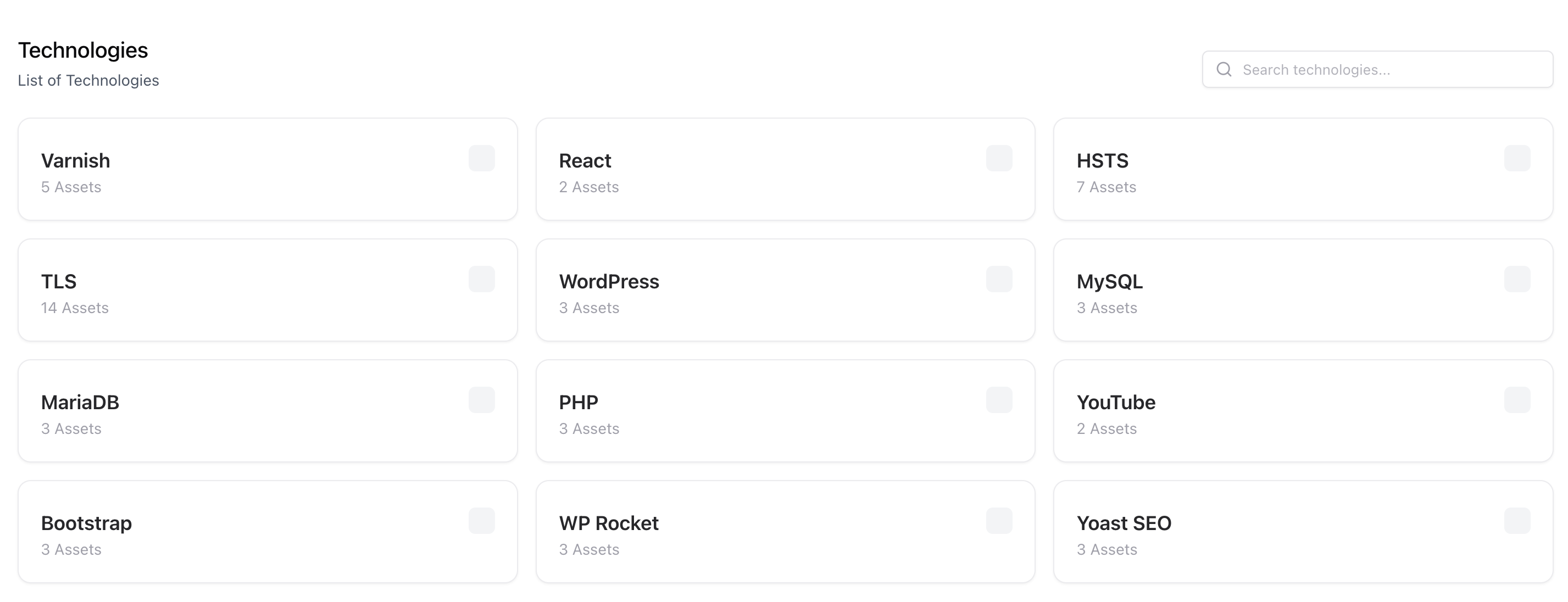
Technology Fingerprinting detects and catalogs the software, frameworks, and platforms used across your external assets.\
Snapsec analyzes response headers, banners, and content patterns to uncover technologies like web servers, CMSs, frameworks, and scripting languages.
## Key Capabilities
Identify backend and frontend technologies for every discovered asset.
Detect outdated or vulnerable versions of known software frameworks.
Organize assets by shared technology stacks for easier risk assessment.
Link technology data with VM insights for targeted vulnerability analysis.
## Value
Know exactly what powers your attack surface.\
By mapping technologies to assets, you can prioritize patching and remediation efforts where they matter most.
## Next Steps
Follow our quickstart guide to set up your organization and start securing your assets today.
## Overview
Technology Fingerprinting detects and catalogs the software, frameworks, and platforms used across your external assets.\
Snapsec analyzes response headers, banners, and content patterns to uncover technologies like web servers, CMSs, frameworks, and scripting languages.
## Key Capabilities
Identify backend and frontend technologies for every discovered asset.
Detect outdated or vulnerable versions of known software frameworks.
Organize assets by shared technology stacks for easier risk assessment.
Link technology data with VM insights for targeted vulnerability analysis.
## Value
Know exactly what powers your attack surface.\
By mapping technologies to assets, you can prioritize patching and remediation efforts where they matter most.
## Next Steps
Follow our quickstart guide to set up your organization and start securing your assets today.